



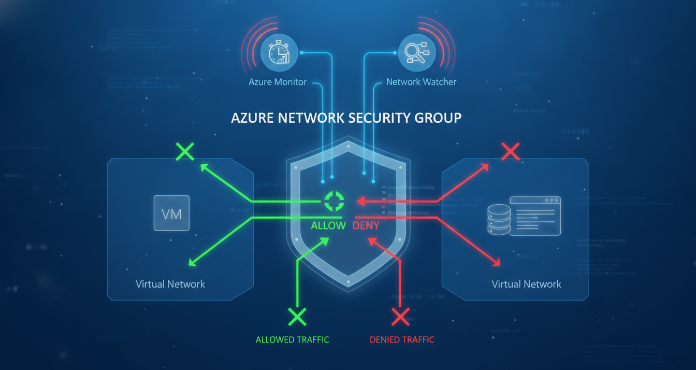
Azure Network Security Groups (NSGs) are a fundamental component of your network security posture in Azure. They act as a basic stateful firewall, filtering network traffic to and from Azure resources in an Azure Virtual Network. While they are simple to configure, effectively monitoring them for security threats and operational issues is a more complex challenge. Without a proper alerting and monitoring strategy for your azure network security groups, you risk missing crucial security events, compliance violations, or network connectivity problems. This article provides a practical guide to setting up robust monitoring and alerting for your NSGs, ensuring you can detect and respond to issues promptly.
Key takeaways
- NSG Flow Logs are the foundation of monitoring, capturing IP traffic information that can be analyzed for threats and anomalies.
- Azure Monitor and Network Watcher are the primary tools for creating alerts based on NSG activity and diagnosing connectivity issues.
- Integrating NSG data with Microsoft Sentinel allows for advanced threat hunting and automated incident response across your entire environment.
- You can configure diagnostic settings to send NSG logs and metrics to at least 3 different destinations: Log Analytics, a storage account, or an event hub.
Understanding the Core Components of NSG Monitoring
Effective monitoring of Azure NSGs relies on understanding and utilizing several key Azure services that work together. These services provide the data, analysis tools, and alerting mechanisms necessary to maintain a secure and efficient network.
NSG Flow Logs
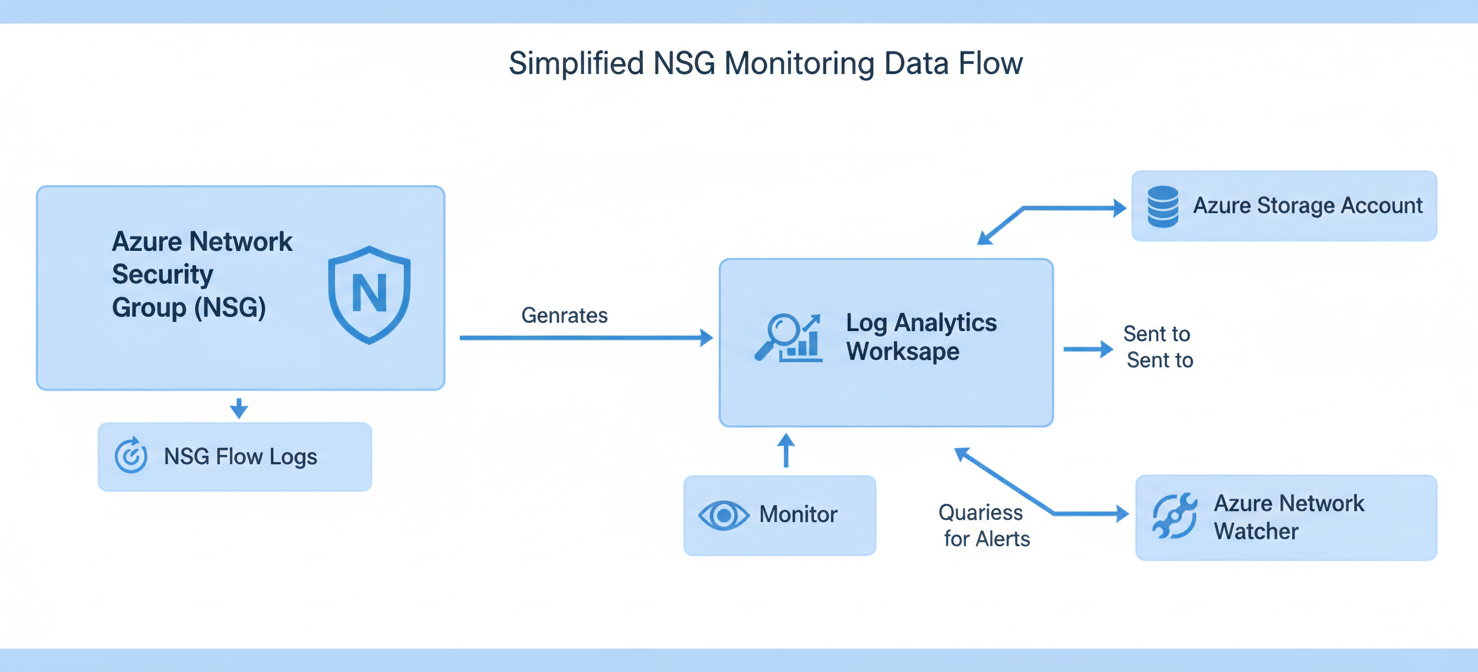
The most critical data source for monitoring NSG activity is the NSG Flow Log. This feature of Azure Network Watcher records information about IP traffic flowing through an associated NSG. For each rule, the logs record details such as the source and destination IP, source and destination port, protocol, and whether the traffic was allowed or denied. This granular data is essential for traffic analysis, compliance auditing, and security forensics. You can enable flow logs on a per-NSG basis and direct the output to an Azure Storage account for long-term retention or to a Log Analytics workspace for analysis.
Azure Monitor
Azure Monitor is the central platform for collecting, analyzing, and acting on telemetry from your Azure and on-premises environments. For NSGs, Azure Monitor collects diagnostic logs and metrics. You can create log queries using the Kusto Query Language (KQL) to search for specific patterns in your NSG flow logs. More importantly, you can create alert rules in Azure Monitor that automatically trigger notifications or actions when certain conditions are met, such as a high number of denied traffic attempts from a specific IP address.
Azure Network Watcher
Network Watcher provides a suite of tools for monitoring, diagnosing, and gaining insights into your Azure network. Beyond providing the NSG Flow Logs feature, it offers tools like IP Flow Verify, which helps you troubleshoot connectivity issues by checking if a packet is allowed or denied to or from a virtual machine. Another useful tool is Connection Troubleshoot, which can diagnose connection problems between a VM and another resource. These diagnostic tools are invaluable for quickly resolving issues flagged by your monitoring alerts.
Setting Up Alerts for Your Azure Network Security Groups
A passive monitoring setup is incomplete. You need proactive alerts to notify your team when a potential security incident or operational issue occurs. This section outlines the steps to create meaningful alerts for your azure network security groups.
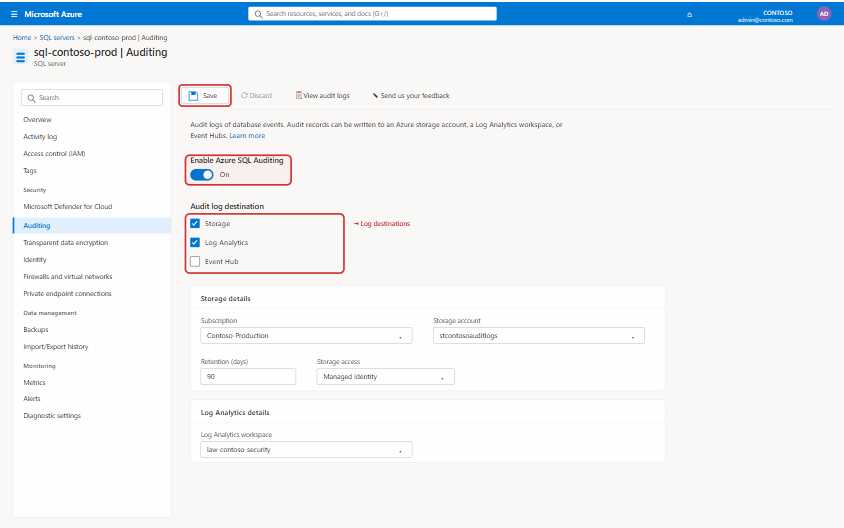
First, you must have your NSG diagnostic data flowing into a Log Analytics workspace. This is configured in the “Diagnostic settings” section of your NSG resource. Once data is being collected, you can navigate to Azure Monitor to create alert rules.
Creating Log-Based Alerts
Log-based alerts are powerful because they can be based on complex queries of your NSG flow logs. For example, you can create an alert that triggers if a specific, sensitive port is accessed from an untrusted IP range.
Here is a typical workflow for creating a log-based alert:
- Define the Scope: Select the Log Analytics workspace containing your NSG logs as the target resource.
- Set the Condition: Write a Kusto Query Language (KQL) query that identifies the event you want to be alerted on. For instance, a query could count the number of “Deny” actions from a single source IP within a 5-minute window.
- Configure Alert Logic: Define the threshold for the alert. For the example above, you might set the threshold to trigger if the count of denied packets is greater than 100.
- Configure Actions: Specify what should happen when the alert is triggered. This is typically done through an Action Group, which can send emails, SMS messages, push notifications, or trigger an Azure Function, Logic App, or webhook for automated remediation.
Using Metrics for Performance Monitoring
While logs are excellent for security events, metrics are better suited for performance and operational monitoring. NSGs don’t produce many metrics directly, but you can monitor the metrics of the associated virtual machine network interfaces, such as inbound and outbound traffic flows. Alerts can be configured in Azure Monitor if these metrics cross a certain threshold, which could indicate a Distributed Denial of Service (DDoS) attack or a misconfigured application generating excessive traffic.
Integrating NSGs with Microsoft Sentinel for Advanced Threat Detection
For organizations with mature security operations, integrating NSG data into a Security Information and Event Management (SIEM) solution is a crucial step. Microsoft Sentinel is a cloud-native SIEM that provides intelligent security analytics and threat intelligence.
By connecting your NSG flow logs to Microsoft Sentinel, you can leverage its advanced capabilities. Sentinel comes with built-in analytics rules that can detect suspicious patterns in your network traffic, such as traffic from known malicious IP addresses or unusual data exfiltration patterns.
Furthermore, you can use Sentinel’s hunting queries to proactively search for threats that may not have been detected by your standard alerts. For example, you could hunt for low-and-slow attacks that might not trigger a high-volume alert but show a persistent pattern of denied connections over a long period. When an incident is detected, Sentinel’s SOAR (Security Orchestration, Automation, and Response) capabilities allow you to run playbooks to automatically isolate an affected virtual machine by modifying its NSG rules.
Best Practices for NSG Monitoring and Alerting
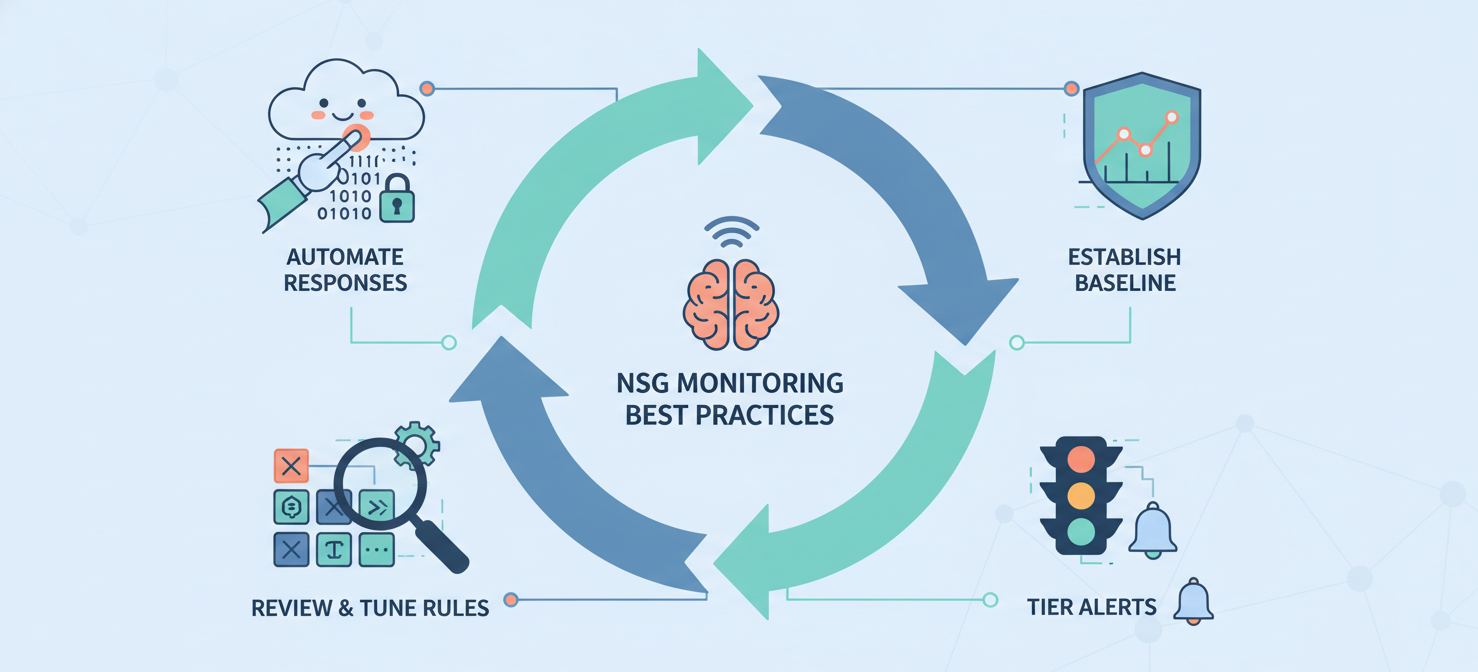
To get the most out of your NSG monitoring strategy, it’s important to follow established best practices. These practices help ensure that your alerts are meaningful and your team is not overwhelmed by noise.
Establish a Baseline
Before you can effectively detect anomalies, you need to understand what normal network traffic looks like for your applications. Let your NSG flow logs run for a period to collect baseline data. Analyze this data to understand typical traffic patterns, common ports, and expected communication between services. This baseline will help you create more precise alert rules and reduce false positives.
Tier Your Alerts
Not all alerts are created equal. You should classify your alerts based on severity. A critical alert, such as a successful connection from a known malicious IP, should trigger an immediate page to your on-call security team. A medium-severity alert, like an unexpected port scan, might generate a ticket in your IT service management system. Low-severity alerts could be aggregated into a daily digest for review. This tiered approach ensures that your team focuses its attention on the most critical issues.
Regularly Review and Tune Your Rules
Your network environment is not static. As you deploy new applications and your traffic patterns change, your alert rules may become outdated. It is essential to regularly review your alert rules, NSG configurations, and flow log data. This review process helps you tune out noisy alerts, add new rules for emerging threats, and ensure that your monitoring strategy remains effective over time. According to the Azure documentation, flow logs have a retention policy you can configure, which should align with your organization’s compliance requirements.
Automate Responses Where Possible
Manual responses to alerts can be slow and prone to error. For well-understood and frequent alerts, consider creating automated responses using Azure Logic Apps or Azure Functions. For example, if an alert detects a brute-force login attempt from a specific IP address, an automated playbook could be triggered to add a new “Deny” rule to the relevant NSG for that source IP, blocking it for a specified period. The Microsoft Sentinel documentation details how to use playbooks for such automated threat responses.
Conclusion
Effectively monitoring your azure network security groups is not merely about collecting logs; it’s about turning that data into actionable intelligence. By leveraging NSG Flow Logs, creating targeted alerts in Azure Monitor, and integrating with advanced tools like Microsoft Sentinel, you can build a robust monitoring framework. This framework provides the visibility needed to detect threats, troubleshoot connectivity, and maintain compliance. Neglecting to monitor this fundamental security control is like installing a firewall but never checking its logs—it provides a false sense of security. A well-monitored NSG, however, is an active and valuable component of a defense-in-depth security strategy.
To fully secure your Azure environment and gain comprehensive visibility into your network traffic, consider exploring our platform’s capabilities. You can easily start a free trial to experience enhanced NSG monitoring firsthand or book a demo with our experts to see how we can tailor a solution for your specific needs.
 7-day free trial