


Understanding serverless billing is crucial for managing your cloud budget effectively. For teams using Google’s serverless platforms, a common challenge is deciphering the monthly invoice and connecting it to specific application workloads. This article provides a detailed breakdown of Google Cloud Functions billing, explaining how your usage translates into charges. While the focus is on Cloud Functions, the underlying principles are very similar to its container-based sibling, Cloud Run. Therefore, we will use Cloud Run’s pricing structure in the following sections to illustrate the core concepts of serverless cost management, as they share the same fundamental billing dimensions.
Key takeaways:
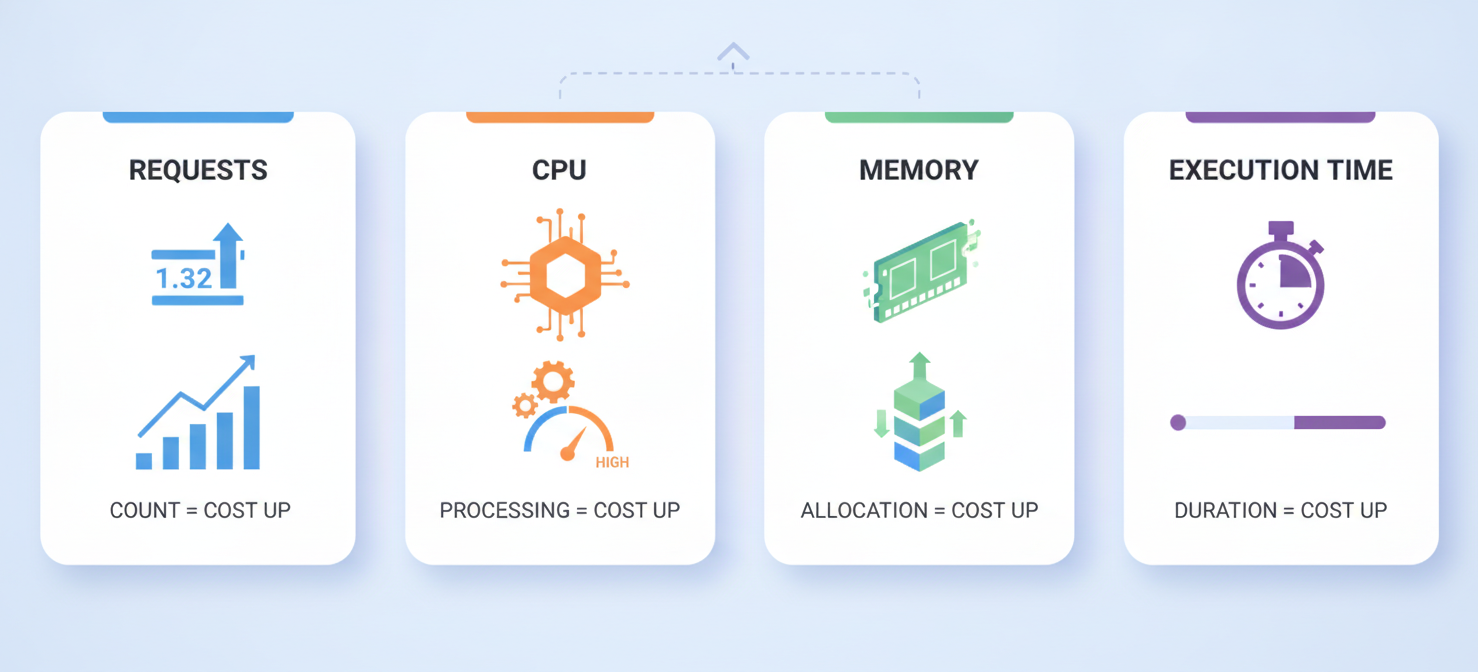
- Serverless costs are primarily driven by four factors: the number of requests, allocated CPU, allocated memory, and the execution time for each request.
- Google Cloud’s serverless platforms bill for resources like CPU and memory only while they are actively processing a request, measured in increments as small as 100 milliseconds.
- You can significantly influence costs by configuring settings such as minimum instances (for controlling cold starts) and concurrency (how many requests a single instance handles).
- Regularly analyzing your usage metrics in the Google Cloud Console is the first step to identifying and eliminating wasteful spending on inefficient services.
Understanding Google Cloud Run Pricing
Google Cloud’s serverless pricing model is designed for efficiency, charging you only for the resources you consume while your code is running. This pay-per-use approach eliminates the cost of idle servers, which is a major benefit of serverless architecture. However, it also means that costs are directly tied to your application’s traffic and performance.
The pricing structure for services like Cloud Run and Cloud Functions is built on a few core metrics. First, you are billed for the compute resources your service uses. This is a combination of virtual CPU (vCPU) and memory (GiB) that you allocate to your service, measured in “vCPU-seconds” and “GiB-seconds.” Second, you are charged per million requests that your service handles.
In addition, Google provides a generous perpetual free tier for these services. This free tier includes a monthly allotment of vCPU-seconds, GiB-seconds, and requests, which is often enough to run small applications or development environments at no cost. For example, Cloud Run includes a free tier of 180,000 vCPU-seconds, 360,000 GiB-seconds, and 2 million requests per month. Understanding this free tier is essential, as your billing only begins once your usage exceeds these monthly limits.
How Requests, CPU, Memory, and Execution Time Affect Costs
The final amount on your bill is a direct result of four key factors. Each one contributes to your total Google Cloud Functions cost breakdown, so optimizing any of them can lead to savings.
Requests
This is the most straightforward metric. You are charged a flat rate for every million requests your function or service receives after the free tier is exhausted. This cost is generally low, but it can add up for high-traffic applications.
CPU and Memory
When you deploy a service, you allocate a specific amount of vCPU and memory to it. You are billed for these resources only when an instance is actively handling one or more requests. For example, if you allocate 1 vCPU and 512 MiB of memory to a service, you will be billed for that amount of compute for the entire duration that the service is processing a request. If no requests are coming in and the service scales to zero, you incur no CPU or memory costs.
Execution Time
Execution time is the duration, measured from when a request is received to when it is completed, that your instance is active. Google Cloud bills for this time in 100-millisecond increments. Therefore, even very short-lived functions incur a minimum charge. The longer your code takes to run, the more vCPU-seconds and GiB-seconds you consume, directly increasing your costs. Inefficient code, slow database queries, or long-running API calls can all inflate execution time and, as a result, your monthly bill.
How Billing Models and Service Configuration Change Spending
Beyond the core metrics, your service configuration plays a significant role in your final bill. How you set up autoscaling, concurrency, and CPU allocation can dramatically alter your spending profile.
CPU Allocation and Pricing
Cloud Run offers two distinct CPU allocation settings that affect billing. The default setting allocates CPU only during request processing. With this model, you are not billed for CPU when an instance is idle between requests. Alternatively, you can configure your service to have CPU always allocated, even when no requests are being handled. This option is more expensive but can be useful for short background tasks. Choosing the right model based on your workload is a critical cost-optimization step.
Concurrency and Autoscaling
Concurrency refers to the maximum number of requests that a single container instance can handle simultaneously. A higher concurrency setting allows one instance to do more work, potentially reducing the total number of instances needed and lowering costs. However, setting it too high can lead to performance degradation if your application isn’t designed for it.
Autoscaling settings, such as the minimum and maximum number of instances, also have a direct cost impact. Setting a minimum number of instances (e.g., 1 or more) ensures that at least that many instances are always running and ready to serve traffic. This reduces cold starts but also incurs costs even when there are no requests. This feature is often used to ensure low-latency responses for traffic-sensitive applications, but it comes at a price.
How to Interpret Cloud Run Usage Metrics and Billing Records
To effectively manage your spending, you need to know how to analyze Google Cloud Functions billing data. Google Cloud provides several tools to help you understand your usage and connect it to your invoice.
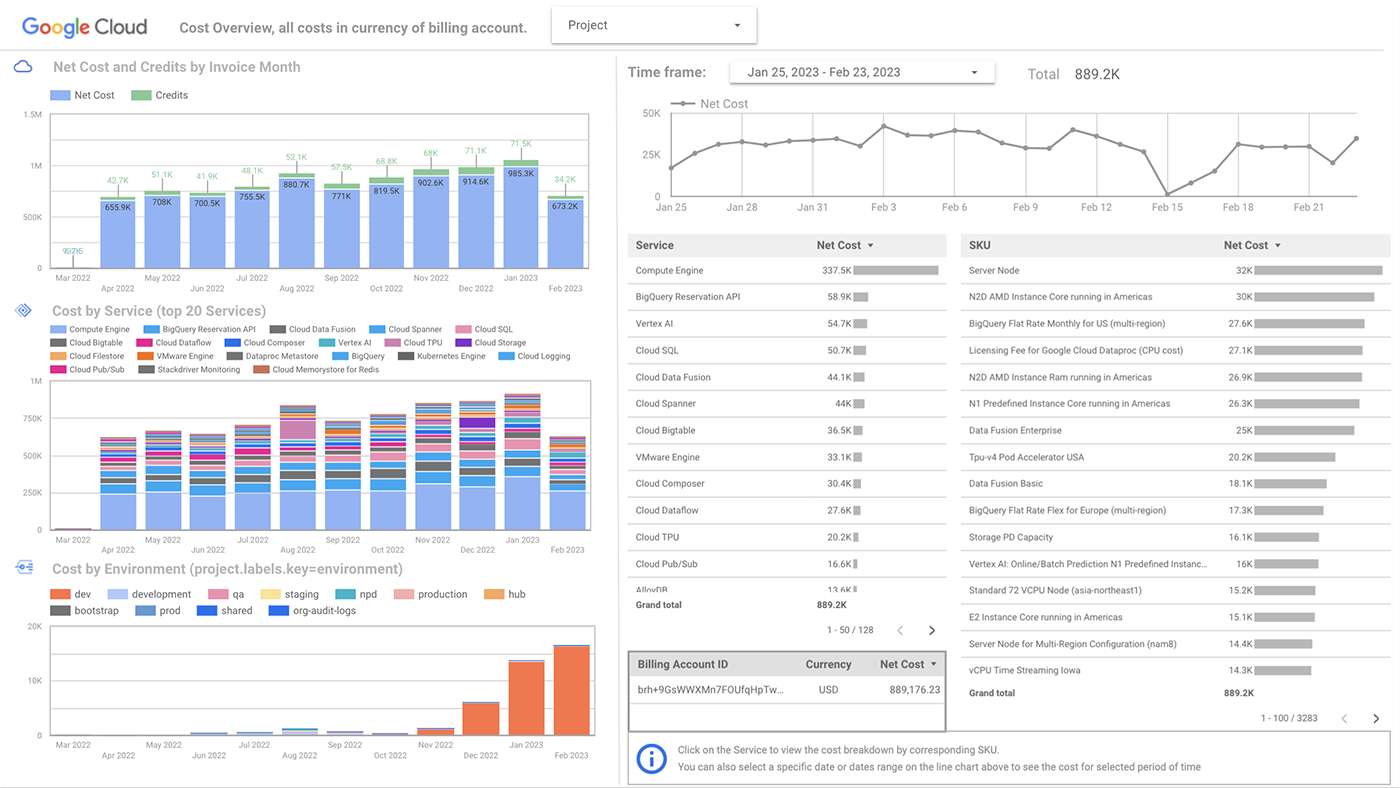
Your primary tool is the Cloud Billing report in the Google Cloud Console. Here, you can filter your costs by project, service, and SKU (Stock Keeping Unit). For a serverless application, you will want to look for SKUs related to “Cloud Run” or “Cloud Functions.” Key metrics to watch include:
- Billable Instance Time: This represents the total time your container instances were running and billable.
- Requests: The total number of invocations for your service.
- Memory/CPU Time: These SKUs show your consumption of GiB-seconds and vCPU-seconds.
By grouping your billing report by SKU, you can see a precise breakdown of what you are paying for. For example, you might find that the majority of your cost comes from “CPU Time” rather than “Requests,” which would suggest that your code’s execution time is the primary cost driver. Furthermore, you can use labels to tag specific services and filter your billing reports by those labels, giving you a granular view of costs for different parts of your application.
How to Identify Costly Services and Unexpected Charges
Unexpected charges often arise from misconfigurations or inefficient code. The key to spotting them is to regularly review your billing and usage data.
Start by setting up budgets and alerts in Google Cloud Billing. An alert can notify you when your spending for a project or service exceeds a certain threshold, allowing you to investigate before costs spiral out of control.
When you receive an alert or notice a spike in your bill, use the Cloud Billing reports to pinpoint the cause. Filter your report by date to isolate the time of the spike, and then group by service or SKU. This will often reveal a specific service that is responsible for the increased cost. For instance, a deployment of new code might have introduced a performance regression, causing execution times to double and driving up your “Billable Instance Time.”
Another common source of unexpected charges is setting a minimum number of instances for a service that receives little to no traffic. While this can be useful for performance, it guarantees a baseline cost. If that service is not critical, scaling to zero is the more cost-effective option.
How Binadox Helps Analyze Cloud Run Costs
While the Google Cloud Console provides the necessary data, interpreting it and turning it into actionable insights can be time-consuming. This is where a cloud cost management platform like Binadox can provide significant value. Binadox helps you interpret Cloud Functions billing records by automating the analysis process.
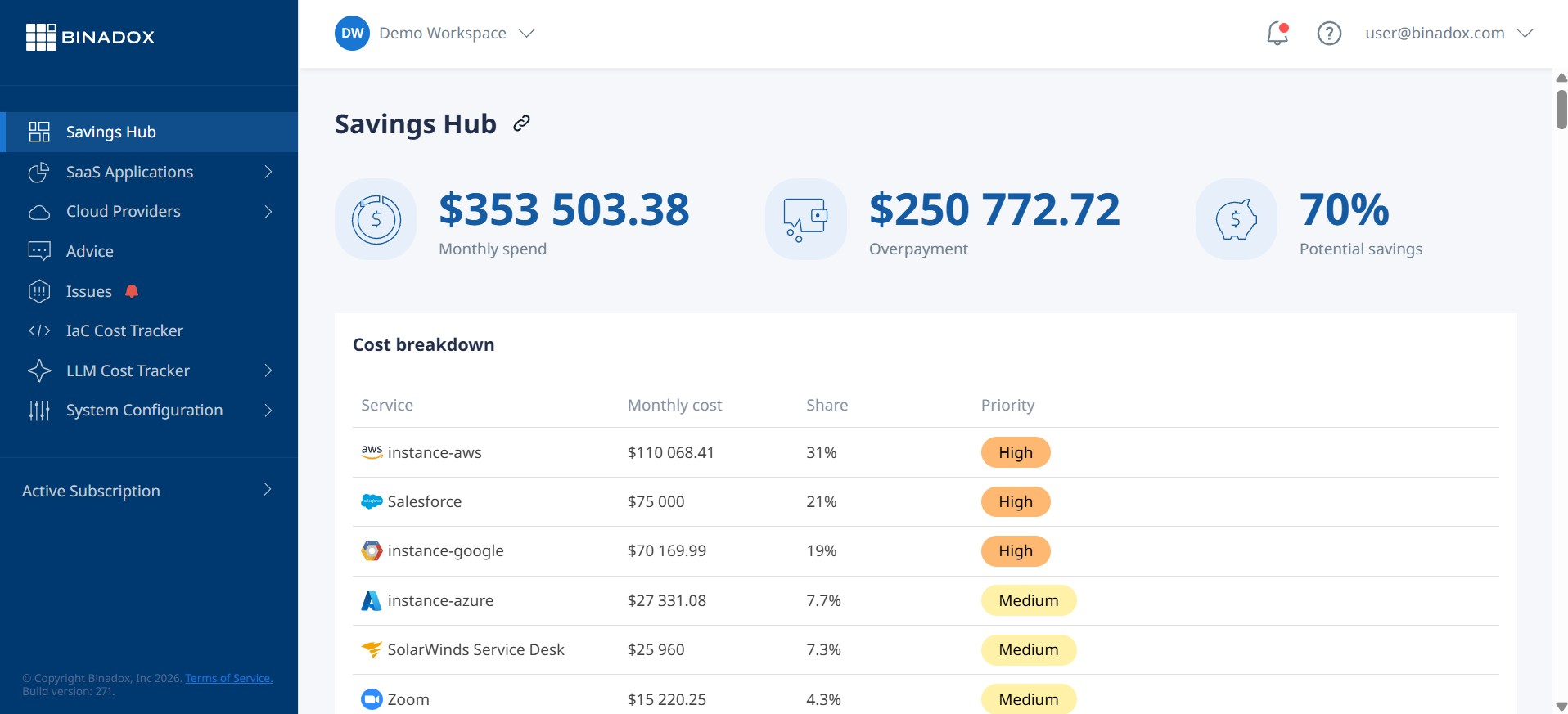
Binadox connects to your Google Cloud account and automatically ingests your billing and usage data. It then presents this information in easy-to-understand dashboards, allowing you to quickly visualize your spending across different services, projects, and time periods. Instead of manually filtering through complex billing reports, you can see your top cost drivers at a glance.
Furthermore, Binadox uses machine learning to detect cost anomalies in real-time. It can automatically flag unexpected spending spikes and alert your team, enabling you to address issues before they have a major impact on your monthly bill. The platform also provides right-sizing recommendations for your serverless configurations, helping you optimize CPU and memory allocations based on actual usage patterns to eliminate waste.
Best Practices for Managing Cloud Run Spending
Effectively managing your serverless costs comes down to a combination of good architecture, careful configuration, and continuous monitoring.
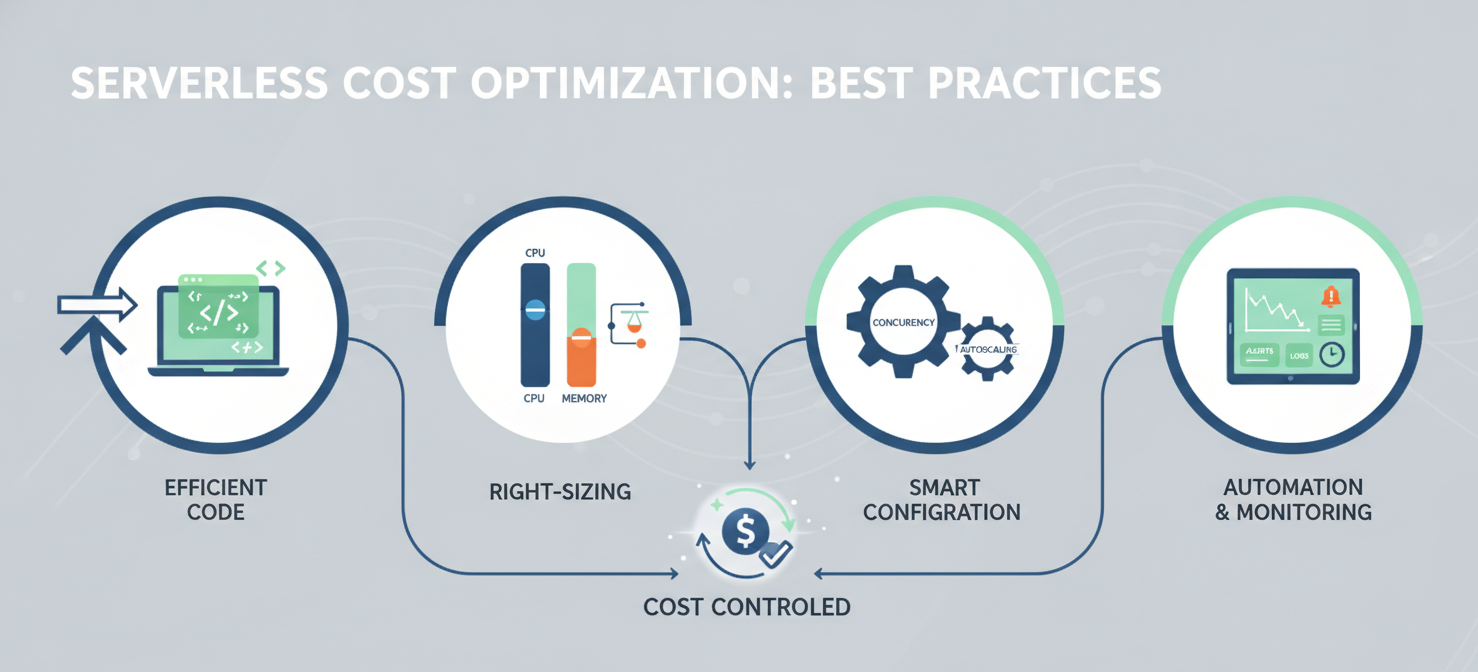
First, focus on writing efficient code. Since you are billed for execution time, any performance improvements you make will directly translate into cost savings. This includes optimizing database queries, caching frequently accessed data, and reducing reliance on slow external APIs.
Second, right-size your services. Don’t allocate more CPU or memory than your service actually needs. Use Cloud Monitoring to analyze the resource consumption of your services and adjust your configurations accordingly. Setting a lower memory limit, for example, can significantly reduce your GiB-second consumption.
Third, configure concurrency and autoscaling intelligently. For services that can handle multiple requests at once, increasing the concurrency setting can be a powerful way to reduce the number of active instances. Avoid setting a minimum number of instances unless it is absolutely necessary for performance.
Finally, embrace automation. Use budgets and alerts to monitor your spending proactively. Consider using tools like Binadox to automate cost analysis and anomaly detection. The less manual effort required to monitor your costs, the more likely you are to stay on top of them.
Understanding Google Cloud Functions billing does not have to be a daunting task. By breaking down the core components of cost—requests, compute, and execution time—and by using the right tools to monitor your usage, you can ensure that you are only paying for the resources you truly need. The goal is not just to spend less, but to spend smarter, ensuring every dollar you invest in the cloud delivers maximum value.
By leveraging the right tools to monitor your usage, you can ensure you’re only paying for what you truly need; to gain full control over your serverless expenses, consider starting your Binadox trial or arranging a personalized demo.
 7-day free trial