


Understanding Google Cloud Dataflow billing is essential for managing your data processing budget effectively. As a fully managed service for both stream and batch data processing, Dataflow’s pricing model reflects the resources your jobs consume. Costs can accumulate quickly across various components, making it crucial to understand how your pipeline’s configuration and workload affect the final bill. This guide breaks down the core components of Dataflow pricing to help you analyze and control your spending.
Key takeaways
- Dataflow billing is primarily driven by worker resources (vCPU and memory), which are charged on a per-second basis.
- Specialized services like Dataflow Shuffle for batch jobs and Streaming Engine for streaming jobs add costs based on the volume of data processed.
- Using Flexible Resource Scheduling (FlexRS) for non-urgent batch jobs can reduce vCPU and memory costs by about 40%.
- Continuous monitoring and right-sizing worker machine types are two of the most effective strategies for preventing overprovisioning and reducing unnecessary costs.
Understanding Google Cloud Dataflow Pricing
Google Cloud Dataflow operates on a pay-as-you-go model, billing you for the specific resources your data pipelines use. Unlike fixed-price services, your costs will fluctuate based on the volume of data, the complexity of your transformations, and the duration of your jobs. Usage is billed in per-second increments for each job.
The primary cost drivers are the compute resources consumed by Dataflow workers. However, your total bill is a combination of direct costs from Dataflow and indirect costs from other Google Cloud services your pipeline interacts with, such as Cloud Storage, BigQuery, and Pub/Sub.
Dataflow pricing is composed of several key elements:
- Worker compute resources: Charges for the virtual CPUs (vCPUs) and memory used by the virtual machines (workers) that execute your pipeline.
- Data processing services: Fees for features like Dataflow Shuffle and Streaming Engine, which optimize how data is handled.
- Storage and other resources: Costs for persistent disks attached to workers and any other GCP services your job uses.
For predictable workloads, you can access discounts through Committed Use Discounts (CUDs), which offer significant savings in exchange for a one- or three-year commitment.
How Workers, CPU, Memory, and Processing Time Affect Costs
The largest portion of your Dataflow bill comes from the worker compute resources. Each job uses at least one worker, which is a Compute Engine virtual machine. Dataflow bills for these resources based on the number of vCPU-hours and GB-hours consumed.
Worker Configuration and Cost
The machine type you select for your workers determines the available vCPU and memory, directly influencing cost. Streaming jobs, which run continuously, often cost more than batch jobs. For example, streaming vCPUs are priced at a premium of approximately 23% over batch vCPUs.
You can customize worker configurations to match your workload. For instance, memory-intensive pipelines may require machines with a higher memory-to-CPU ratio. Choosing the smallest effective machine type is a fundamental cost-saving practice.
Autoscaling and Resource Utilization
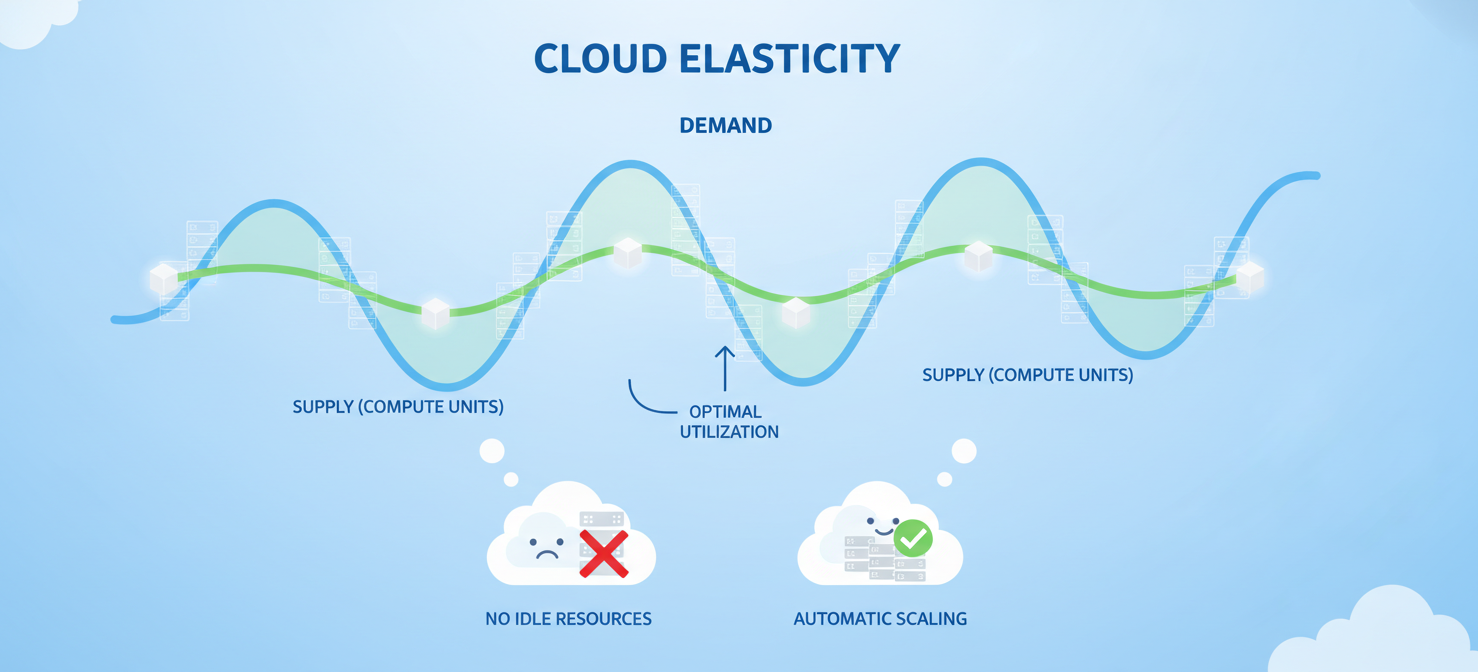
Dataflow’s autoscaling feature dynamically adjusts the number of workers based on workload, which helps manage costs by scaling down during idle periods. However, without proper configuration, autoscaling can also lead to unexpected cost spikes. Setting a maximum number of workers (maxNumWorkers) is a critical step to cap potential spending.
Monitoring CPU utilization is key to identifying overprovisioned workers. If workers consistently operate below 40% CPU utilization, it signals that you are paying for excess capacity and should consider smaller machine types.
Streaming, Batch Processing, and Dataflow Engine Charges
Beyond worker compute, specialized Dataflow services for batch and streaming workloads contribute to your bill. These services are designed to improve performance and efficiency but come with their own pricing structures.
Dataflow Shuffle for Batch Jobs
For batch pipelines, Dataflow Shuffle is a feature that moves the shuffling of data—a key part of many data processing tasks—off the workers and into a managed service. This often reduces job completion time and allows you to use smaller, cheaper workers. You are billed for Dataflow Shuffle based on the volume of data processed during shuffle operations. While this adds a separate line item to your bill, the net effect is typically a cost reduction due to decreased worker resource needs.
Streaming Engine for Streaming Jobs
Similarly, Streaming Engine offloads parts of a streaming pipeline’s work, like state management and data shuffling, from the workers. This reduces worker CPU, memory, and persistent disk requirements, enabling more efficient autoscaling.
Streaming Engine has two billing models:
- Resource-based billing: Measures usage in “Streaming Engine Compute Units” and is the recommended model.
- Data-processed billing (legacy): Bills based on the volume of streaming data processed.
You can verify which model your job uses in the Dataflow monitoring interface.
How to Interpret Dataflow SKUs and Usage Metrics
Understanding your Google Cloud bill requires familiarity with Dataflow-specific Stock Keeping Units (SKUs). These line items detail exactly what resources you consumed. When you export your billing data to BigQuery, you can analyze these SKUs to get a granular view of your spending.
Common Dataflow SKUs you will encounter include:
- Compute: vCPU and memory usage, often broken down by region and whether it’s for a batch or streaming job.
- Dataflow Shuffle Data Processed: Charges for batch jobs using the Dataflow Shuffle feature.
- Streaming Engine Compute Units: Costs for streaming jobs using the resource-based billing model.
- Streaming Engine data processed: Costs for streaming jobs using the legacy data-processed billing model.
- Persistent Disk: Storage attached to your worker VMs.
By monitoring these SKUs, you can track how different components of your jobs contribute to the total cost. For example, a high “Dataflow Shuffle” charge indicates that your batch jobs are processing large volumes of data between stages.
How to Identify Overprovisioned Workers and Unexpected Charges
Unexpected charges on your Dataflow bill are often the result of overprovisioned resources or misconfigured pipelines. Proactive monitoring is the best way to catch these issues before they escalate.
Finding Inefficient Resource Allocation
The Dataflow monitoring interface in the Google Cloud Console provides real-time visibility into job costs and resource usage. Pay close attention to the CPU and memory utilization graphs for your workers. Consistently low utilization is a clear sign of overprovisioning. For example, if your workers rarely exceed 40% CPU, you are likely paying for more compute power than you need.
Another sign of inefficiency is a high cost-to-data ratio. If the cost per gigabyte processed starts to climb, it may indicate that your pipeline’s efficiency has degraded or that you are using oversized workers for the task.
Preventing Runaway Costs
Autoscaling, while beneficial, can lead to runaway costs if not properly constrained. A sudden spike in incoming data or a slowdown in a downstream service can cause Dataflow to scale up workers aggressively. Always set the maxNumWorkers parameter in your pipeline options to establish a hard limit on the number of workers a job can create, thereby capping your potential spend.
Setting up billing alerts in Cloud Monitoring is another crucial practice. You can create alerts that notify your team when a job’s cost exceeds a defined threshold, allowing you to investigate and intervene before costs spiral out of control.
How Binadox Helps Analyze Google Cloud Dataflow Costs
While Google Cloud provides native tools for monitoring, third-party cloud cost management platforms like Binadox offer deeper analysis and automated optimization capabilities. These tools are designed to provide a unified view of your spending across all cloud services, making it easier to identify waste and enforce budget accountability.
Binadox helps organizations analyze Dataflow-related spending by:
- Providing unified cost visibility: It integrates with your Google Cloud account to offer a single dashboard for tracking spending trends and anomalies across all projects and services, including Dataflow.
- Identifying optimization opportunities: The platform uses automated analysis to pinpoint underutilized or overprovisioned resources, such as idle workers or unnecessarily large persistent disks.
- Automating cost governance: You can set up automated rules and budget alerts that proactively notify you of potential overruns. This allows DevOps and finance teams to collaborate on managing cloud expenses without slowing down development.
Best Practices for Managing Dataflow Spending
Effectively managing your Google Cloud Dataflow billing involves a continuous cycle of monitoring, analysis, and optimization. It is not a one-time task but an ongoing process.
First, right-size your worker machine types. Run tests on subsets of your data to determine the optimal vCPU and memory configuration for your pipeline’s needs. Avoid using large, general-purpose machine types when a smaller or more specialized type would suffice.
Second, fine-tune your autoscaling settings. For streaming pipelines, you can adjust the autoscaling algorithm to prioritize either cost savings or low latency, depending on your business requirements. Setting an appropriate maximum number of workers prevents unexpected cost spikes.
Third, use Dataflow’s specialized features wisely. For batch jobs, enabling Dataflow Shuffle is almost always beneficial for reducing overall cost and improving performance. For streaming jobs, use Streaming Engine to reduce worker overhead.
Finally, consider pricing models that offer discounts. For batch jobs that are not time-sensitive, Flexible Resource Scheduling (FlexRS) can provide a discount of around 40% on compute resources by allowing Dataflow to schedule the job within a six-hour window. For predictable streaming workloads, committing to a one- or three-year plan can generate significant savings through Committed Use Discounts.
Conclusion
Mastering Google Cloud Dataflow billing is a matter of understanding its core components and actively managing resource consumption. The primary costs stem from worker vCPU and memory, but services like Dataflow Shuffle and Streaming Engine also play a significant role. By right-sizing workers, configuring autoscaling intelligently, and using cost-saving features like FlexRS, you can prevent bill shock. Tools like Binadox provide the necessary visibility and automation to turn cost management from a reactive chore into a proactive strategy. Ultimately, an unexamined Dataflow bill is a budget waiting to be broken; a well-managed one is just another predictable operational expense.
To proactively manage your Dataflow spending and ensure it remains a predictable operational expense, consider exploring advanced analytics and automation. You can easily start your free Binadox trial to gain deeper insights or book a demo to see how it can transform your cloud cost management strategy.
 7-day free trial