


Harvest Integration
This guide explains how to connect Harvest to Binadox using Harvest’s OAuth2 application. You will create a Harvest OAuth2 app, obtain the required credentials, and use them in Binadox to complete the connection.
Create Harvest OAuth2 Application
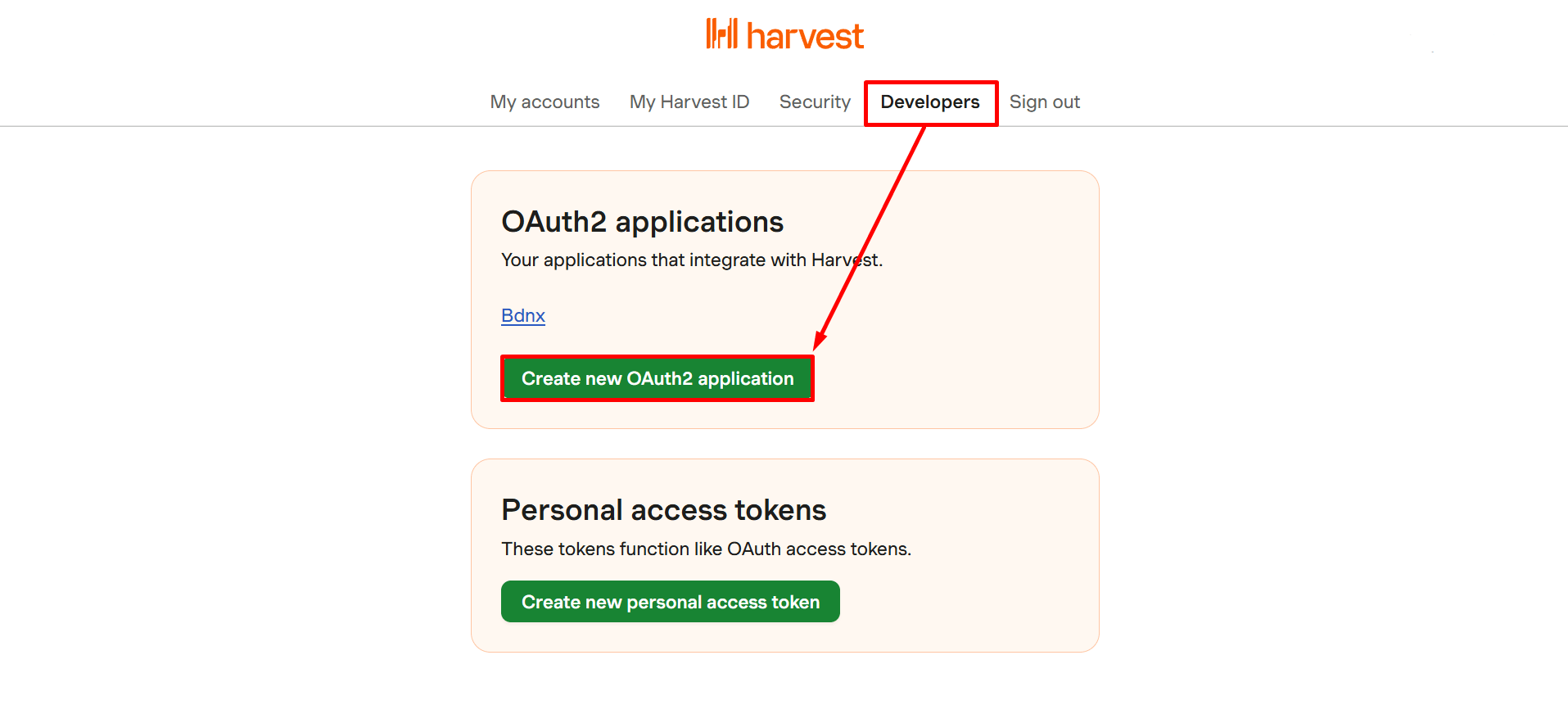
Open your Harvest account and go to the Developers tab in the top navigation. Select Create new OAuth2 application.
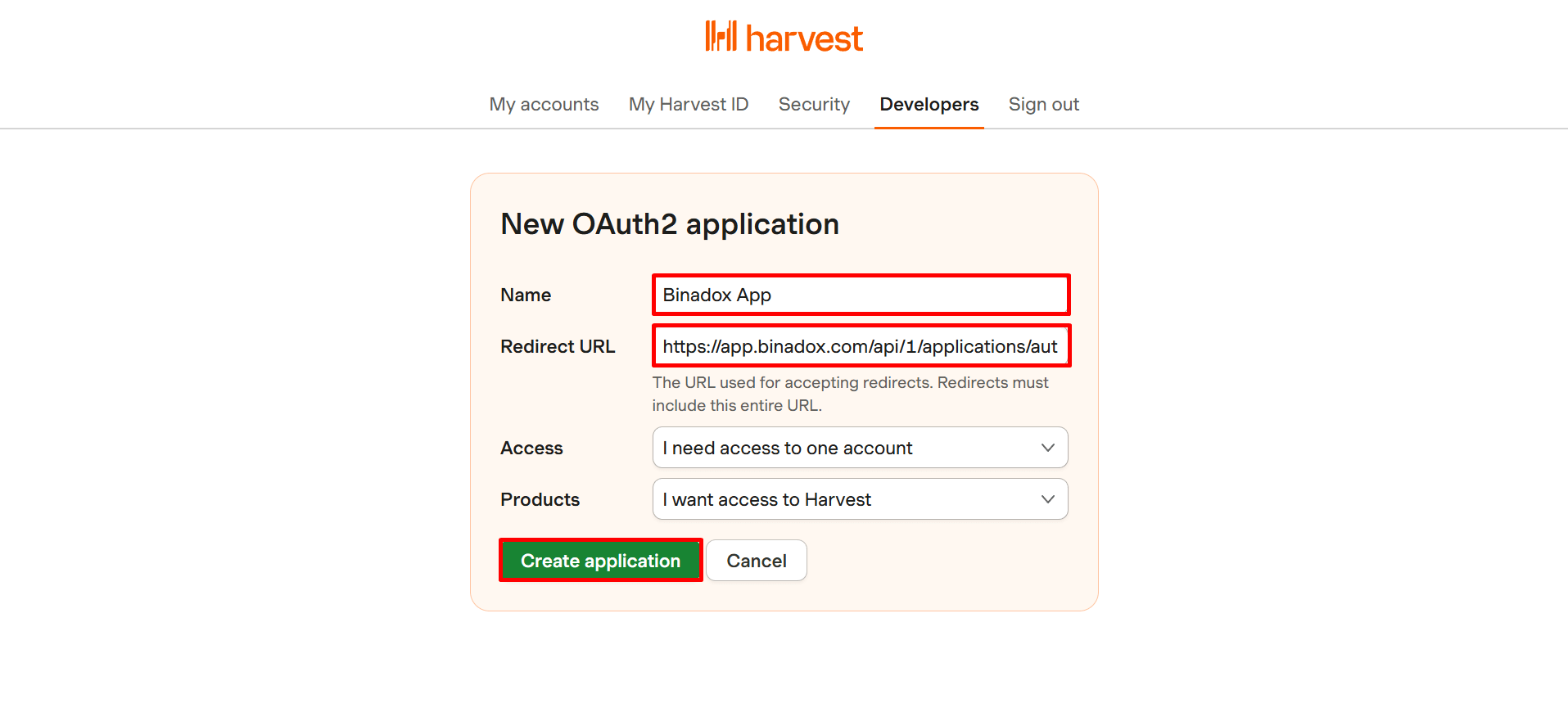
Fill in the form:
- Use a recognizable Name (e.g. Binadox Integration)
- Redirect URI: https://app.binadox.com/api/1/applications/authorize/try
Click Create application to generate credentials.
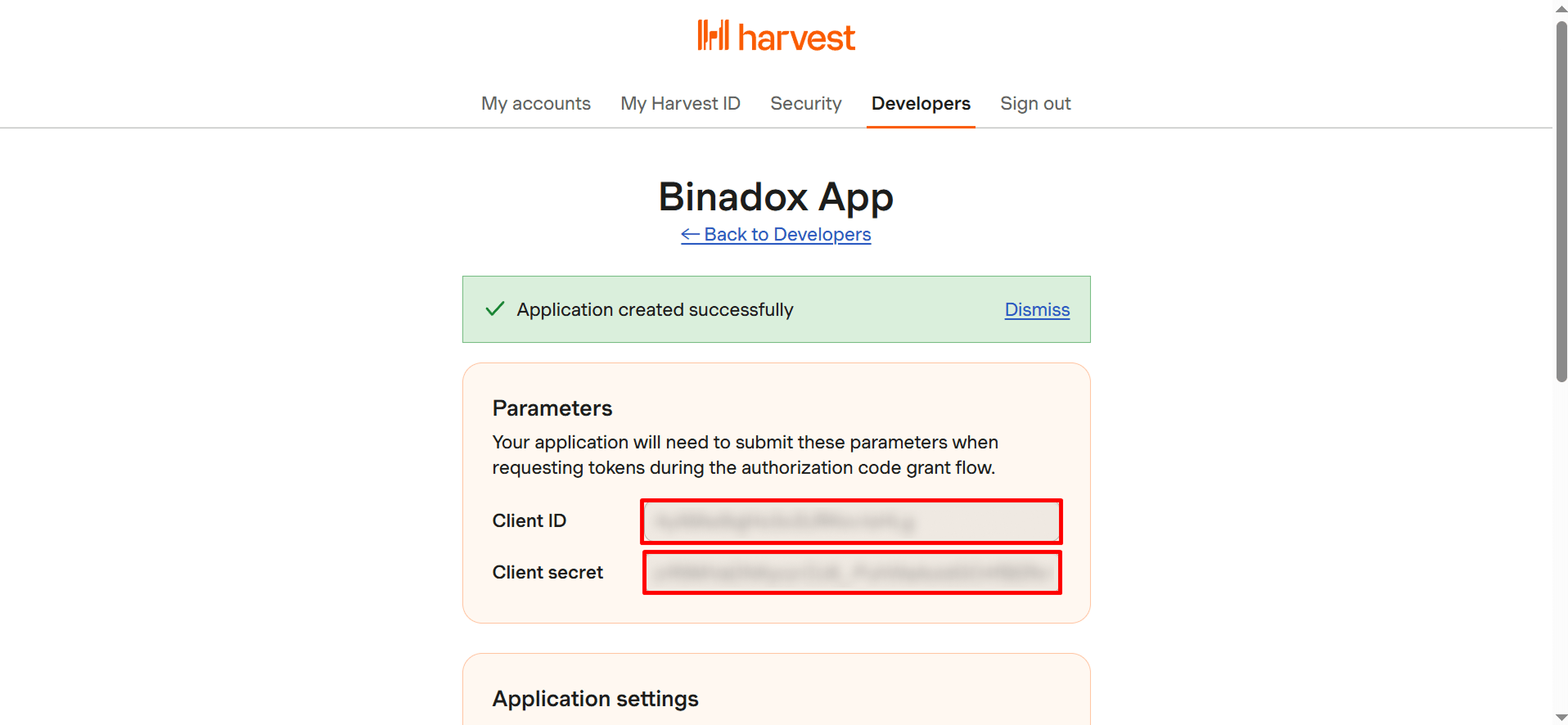
On the next page, copy the Client ID and Client secret — you will need them in Binadox.
Connect in Binadox
Navigate to SaaS Connections and find Harvest.
Enter a Connection Name.
In the connection form paste the Client ID and Client secret obtained from Harvest.
Click Connect.