


Pipedrive Integration
This guide explains how to connect Pipedrive to Binadox using your Pipedrive personal API token. You will locate the API token in your Pipedrive account settings and use it in Binadox to complete the connection.
Find Your Pipedrive API Token
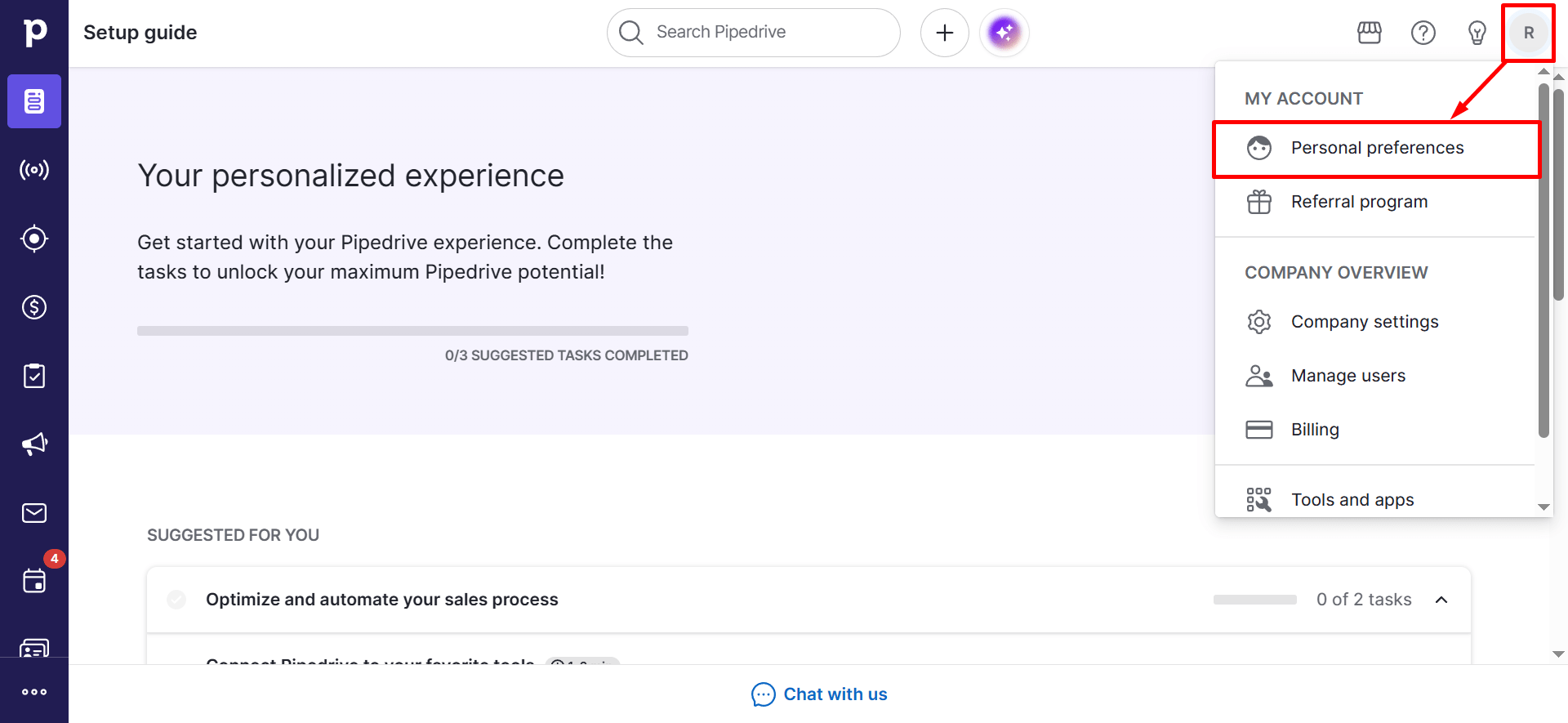
In your Pipedrive account, open the user menu in the top right corner and select Personal preferences.
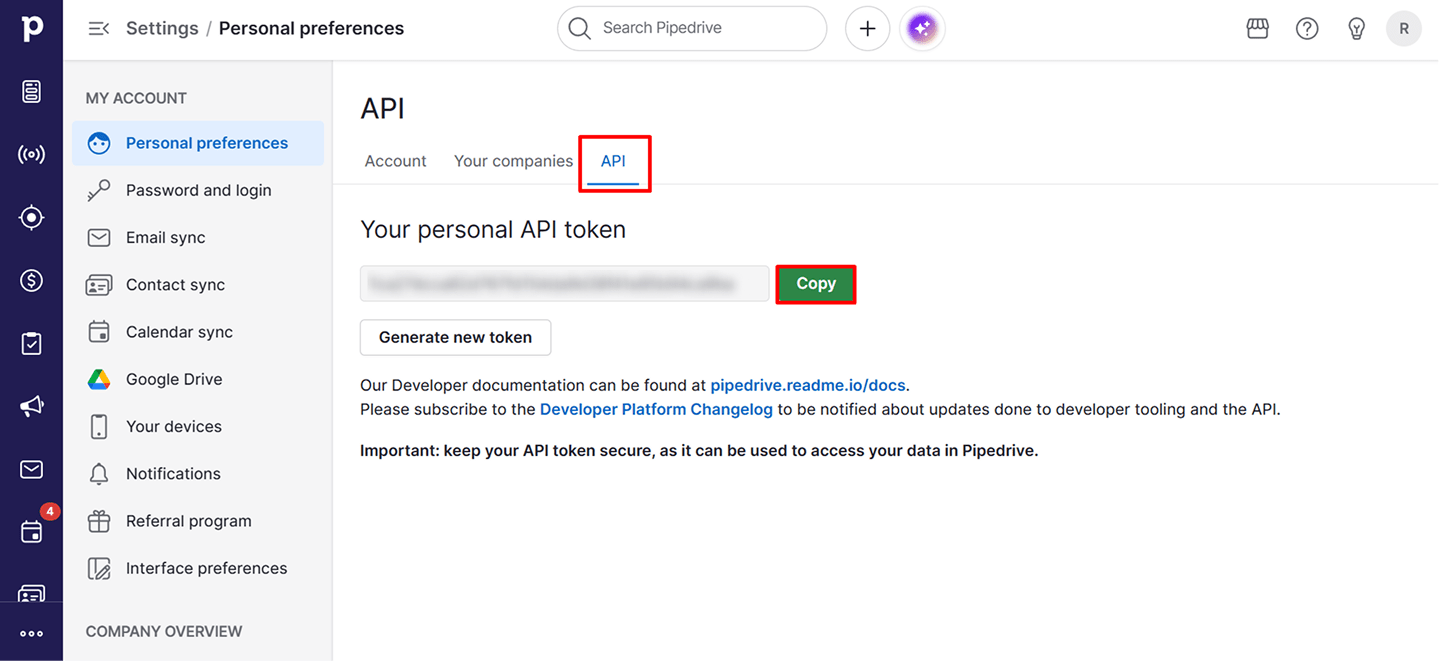
Under Your personal API token, click Copy to copy the token.
Connect Pipedrive in Binadox
In the Binadox dashboard go to SaaS Connections and find Pipedrive in the list of available integrations.
Enter a Connection Name.
Paste the API token you copied from Pipedrive into the connection form in Binadox and click Connect to authorize.