


Amazon Elastic Compute Cloud (EC2) is a cornerstone of many cloud infrastructures, offering scalable virtual servers on demand. However, its flexibility can lead to complex billing and unexpected expenses. A surprise in your monthly bill often traces back to how you configure and use these virtual machines. Understanding the primary drivers of your aws ec2 cost is the first step toward effective cloud financial management. This article breaks down how EC2 costs are generated by instances, storage, and data transfer, giving you the knowledge to analyze and control your spending.
Key takeaways
- EC2 costs are driven by four main components: instance compute time, attached storage (EBS volumes), data transfer out to the internet, and your chosen pricing model.
- Pricing models like Savings Plans can reduce your instance costs by up to 72% compared to On-Demand rates in exchange for a 1- or 3-year usage commitment.
- Hidden costs often appear in the “EC2-Other” category of your bill, which includes charges for EBS volumes, snapshots, and data transfer that can significantly increase your total spend.
- Regularly analyzing usage reports to identify and terminate idle instances and unattached EBS volumes is a critical practice for cost optimization.
Understanding Amazon EC2 Pricing and Billing
Amazon EC2 moves the cost of computing from a large upfront capital expense (CapEx) to a more manageable operational expense (OpEx). You pay only for the resources you use, when you use them. AWS offers several pricing models to fit different workloads and usage patterns.
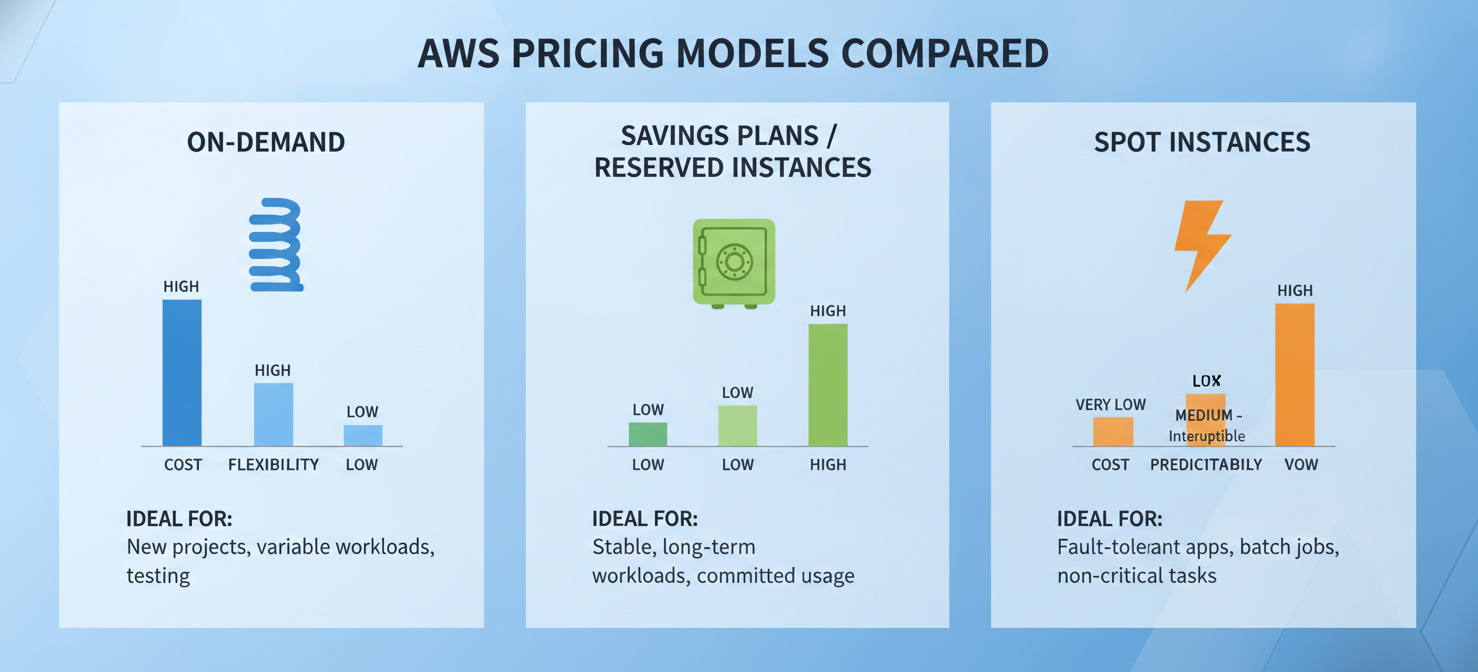
- On-Demand: This is the most flexible and common model. You pay for compute capacity by the second (with a 60-second minimum) with no long-term commitments. It’s ideal for applications with unpredictable workloads or for development and testing environments. However, it is also the most expensive option per hour.
- Savings Plans: These plans offer significant discounts (up to 72%) over On-Demand prices in exchange for a commitment to a consistent amount of usage (measured in $/hour) over a one- or three-year term. They provide flexibility, automatically applying to EC2 instances regardless of family, size, or region.
- Reserved Instances (RIs): Similar to Savings Plans, RIs offer substantial discounts for a one- or three-year commitment to a specific instance family in a particular region. While less flexible than Savings Plans, they can provide capacity reservations.
- Spot Instances: Spot Instances allow you to use spare EC2 capacity at discounts of up to 90% off On-Demand prices. The price adjusts based on supply and demand. These are excellent for fault-tolerant workloads like big data analysis or batch processing, but instances can be interrupted by AWS with a two-minute warning.
Your final bill is a combination of these models plus charges for associated resources like storage and data transfer.
Key EC2 Cost Drivers: Instance Types, Runtime, and Operating Systems
The core of your EC2 bill is the instance itself. The specific configuration you choose and how long it runs are the primary factors determining your aws ec2 instance costs.
Instance Types and Sizes
AWS offers hundreds of instance types optimized for different tasks, such as general-purpose, compute-optimized, memory-optimized, and GPU-based computing. Each instance family (e.g., t3, m5, c5) has various sizes (e.g., large, xlarge, 2xlarge), which directly impacts the price. A c5.2xlarge instance, for example, has double the vCPU and memory of a c5.xlarge and will cost twice as much. Choosing the right instance type for your workload—a process known as “right-sizing”—is one of the most effective ways to control costs.
Running Time
With the On-Demand model, you are billed for the time an instance is in the “running” state. Billing is calculated per second, with a minimum of 60 seconds. An instance that runs 24/7 for a full month will incur charges for approximately 730 hours. This makes shutting down non-production instances (like development and staging environments) during off-hours a simple yet powerful cost-saving measure.
Operating System
The operating system you choose also affects the price. Linux distributions like Amazon Linux and Ubuntu are generally the least expensive. Windows instances typically cost more due to licensing fees. Specialized versions, such as Windows with SQL Server, carry additional software charges on top of the base instance price.
How EBS Volumes and Data Transfer Affect EC2 Costs
While instance runtime is a major component, the resources attached to your instances can also contribute significantly to your monthly bill. These charges often fall under a billing category called “EC2-Other” and can sometimes double the expected cost of an instance.
Elastic Block Store (EBS) Volumes
EBS volumes are the network-attached storage drives for your EC2 instances. You are billed for the amount of storage you provision, measured in gigabyte-months. The cost varies depending on the volume type. For example, the newer General Purpose gp3 volumes are typically 20% cheaper per GB than the older gp2 generation.
Beyond storage capacity, you may also pay for performance. For Provisioned IOPS SSD (io2) volumes, you are charged for the number of I/O operations per second (IOPS) you provision.
EBS Snapshots
Backing up your EBS volumes by creating snapshots also incurs costs. You are billed for the amount of data stored in Amazon S3 for these snapshots. While the first snapshot is a full copy of the volume, subsequent snapshots are incremental, meaning you only pay for the changed blocks.
Data Transfer
Data transfer is another area where costs can accumulate unexpectedly. AWS pricing for data transfer can be complex:
- Data transfer IN: Transferring data into AWS from the internet is generally free.
- Data transfer OUT: Transferring data out of AWS to the internet is where costs are generated. The first 100GB per month is free, but after that, you pay per gigabyte, with prices tiered based on volume.
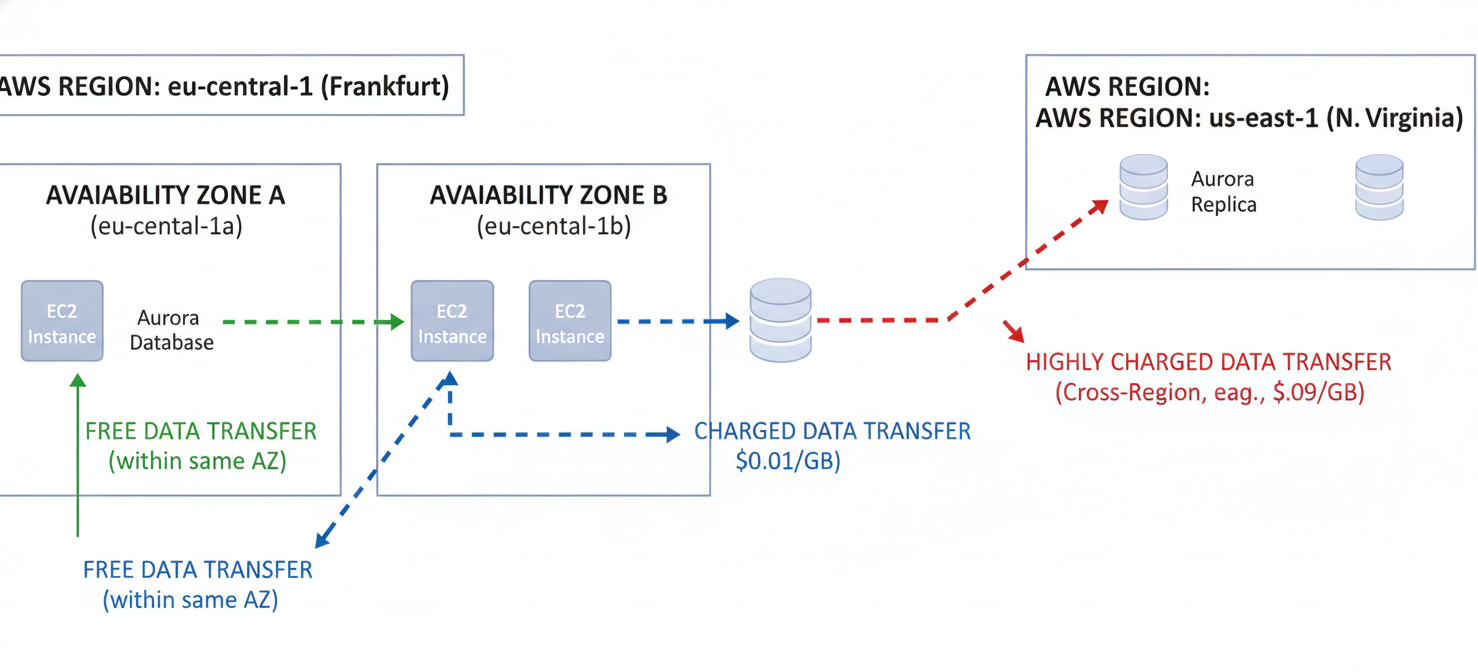
- Intra-Region transfer: Data transferred between Availability Zones within the same AWS Region incurs a charge, typically around $0.01 per GB.
- Cross-Region transfer: Transferring data between different AWS Regions also has a cost, usually starting at $0.02 per GB.
These charges can add up quickly, especially for applications that serve large amounts of data or communicate frequently across regions.
How to Read EC2 Usage Types and Billing Line Items
To manage your aws ec2 cost, you need to understand your AWS bill. The AWS Cost and Usage Report (CUR) provides the most detailed data, but you can get a good overview from AWS Cost Explorer.
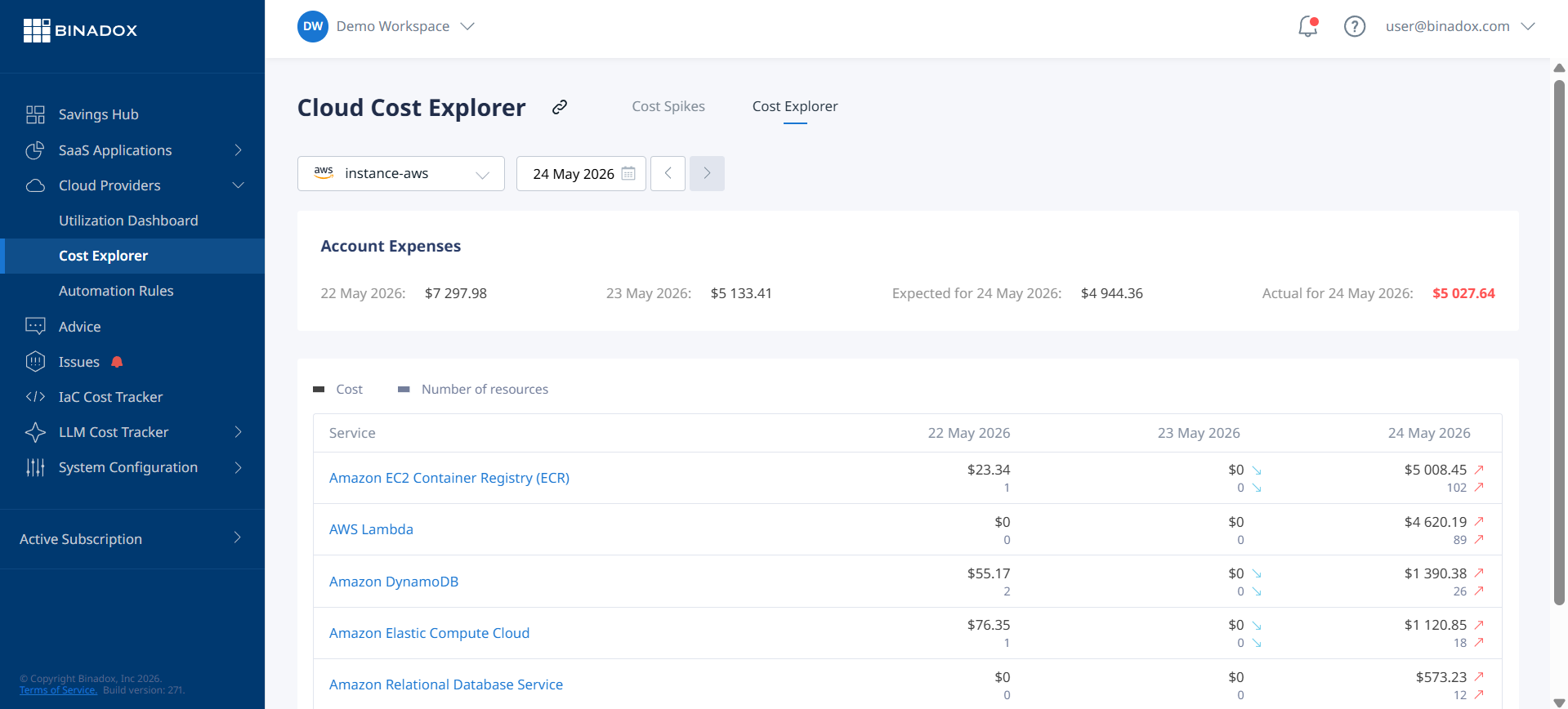
Look for line items associated with Amazon EC2. You will see entries like:
BoxUsage:t3.large: This indicates the cost of running at3.largeinstance. The region (e.g.,USE1for N. Virginia) will also be specified.EBS:VolumeUsage.gp3: This line item represents the cost for provisionedgp3EBS storage.DataTransfer-Out-Bytes: This shows the cost for data transferred out to the internet.NatGateway-Bytes: If you use a NAT Gateway to allow instances in a private subnet to access the internet, you will be charged for the amount of data processed.
Analyzing these line items helps you pinpoint exactly where your money is going. For instance, a high DataTransfer-Out-Bytes cost might prompt you to investigate using a Content Delivery Network (CDN) like Amazon CloudFront to reduce data transfer fees.
How to Identify Expensive Instances and Unexpected Charges
With potentially hundreds of resources running, identifying the specific ones driving up costs is a challenge. AWS provides tools to help.
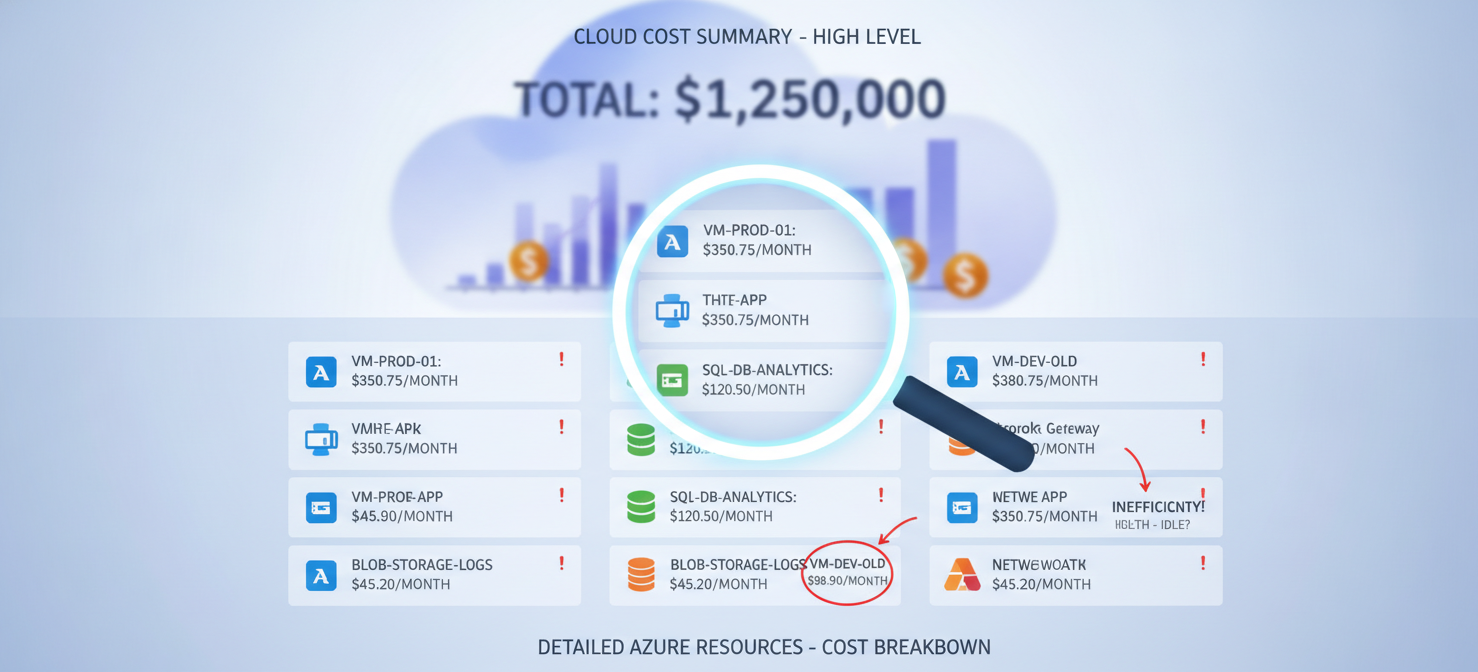
AWS Cost Explorer is a powerful native tool for visualizing and analyzing your spending. You can filter your costs by service (EC2), usage type, and tags. Tagging your instances with information like Project, Team, or Environment is a crucial best practice. It allows you to group costs and identify which projects or teams are responsible for the highest spend.
Another common source of unexpected charges is “zombie” resources—idle or forgotten assets that are no longer providing value but are still incurring costs. These often include:
- Stopped EC2 instances with attached EBS volumes (you still pay for the storage).
- Unattached EBS volumes that were not deleted when their instance was terminated.
- Orphaned EBS snapshots from old, deleted volumes.
- Elastic IP addresses that are not associated with a running instance.
Regularly auditing your account for these orphaned resources can lead to immediate savings.
How Binadox Helps Analyze EC2 Costs
While native AWS tools are useful, third-party cloud cost management platforms like Binadox can provide deeper insights and automated analysis. Binadox helps your team identify the resources contributing most to your EC2 spending by offering granular visibility and actionable recommendations.
The platform can automatically discover all your cloud resources and present a clear breakdown of costs by service, region, and custom tags. This makes it easy to spot anomalies and trends in your aws ec2 instance cost. Binadox provides right-sizing recommendations based on historical utilization metrics, helping you eliminate overprovisioning without impacting performance.
Furthermore, Binadox can identify idle resources and automate the process of shutting them down or terminating them, directly reducing waste. By consolidating cost and usage data into a single, intuitive dashboard, Binadox simplifies the complex task of managing your cloud spend, allowing your team to focus on innovation instead of manually combing through billing reports.
Best Practices for Managing EC2 Spending
Effectively managing your aws cost ec2 other charges and overall spend requires a consistent, proactive approach. Here are some key best practices:
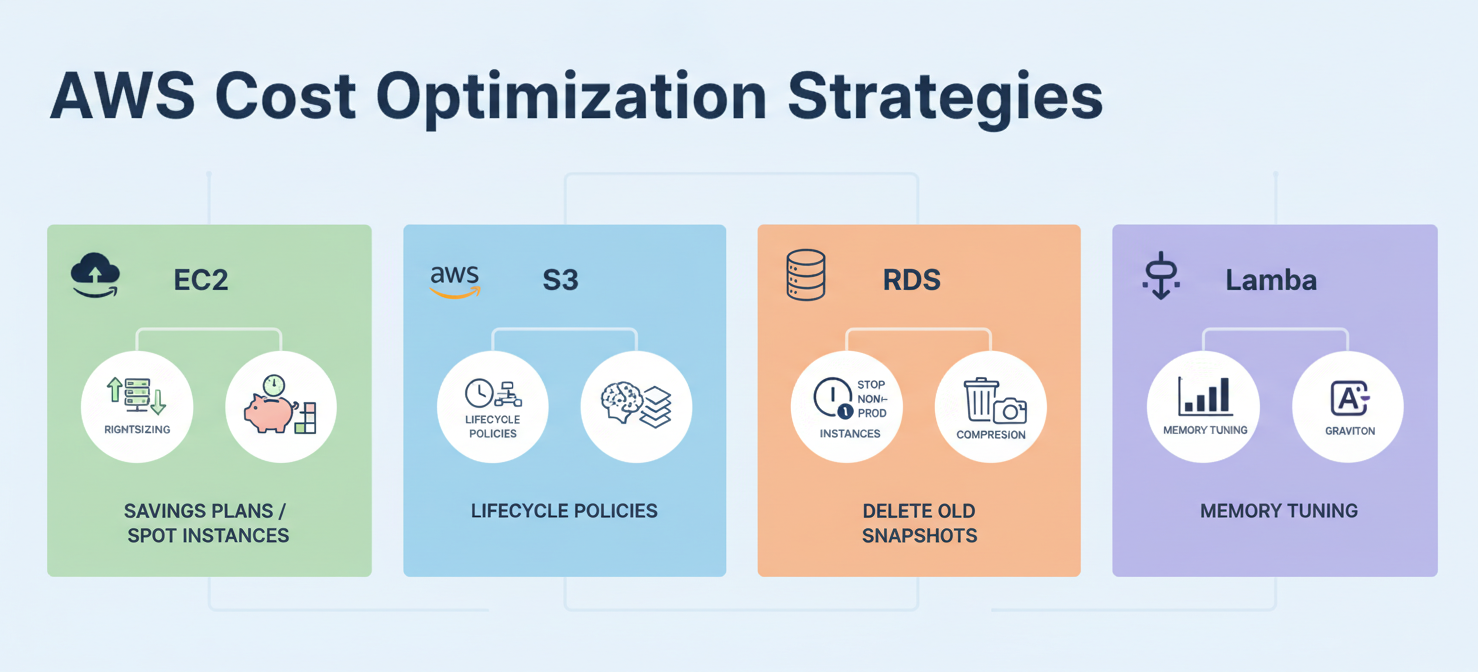
- Implement a tagging strategy: Consistently tag all your EC2 instances and related resources. This is fundamental for cost allocation and accountability.
- Right-size your instances: Use monitoring tools to analyze the CPU and memory utilization of your instances. Downsize overprovisioned instances to a more appropriate type.
- Choose the right pricing model: Use Savings Plans or Reserved Instances for predictable, steady-state workloads to get significant discounts. Use Spot Instances for fault-tolerant tasks.
- Automate shutdown schedules: For non-production environments, automate scripts to shut down instances during nights and weekends.
- Clean up unused resources: Regularly audit your account to find and delete unattached EBS volumes, old snapshots, and unused Elastic IPs.
- Monitor data transfer costs: Analyze your data transfer patterns. Use services like Amazon CloudFront to cache content closer to users and reduce outbound data transfer fees.
Conclusion
Controlling your aws ec2 cost is not about spending less; it’s about spending smarter. By understanding that your bill is a product of instance run-time, storage, data transfer, and your chosen pricing model, you can make informed decisions. The key is to move from a reactive state of bill shock to a proactive strategy of continuous optimization. This involves choosing the right tool for the job—whether that’s a t3.micro or a c5.24xlarge—and, just as importantly, turning it off when you’re done. After all, the cheapest cloud resource is the one you don’t run.
To truly master your AWS EC2 costs and transition to proactive optimization, explore how Binadox can streamline your efforts; you can easily begin your complimentary Binadox trial to discover its capabilities or arrange a personalized demonstration with our team.
 7-day free trial