




Controlling who can do what within your AWS environment is fundamental to security and operational stability. Poorly configured AWS IAM access is a leading cause of security incidents. Therefore, mastering AWS Identity and Access Management (IAM) isn’t just a technical task; it’s a critical business function. This article details the best practices for designing IAM roles and policies, ensuring your team has the access it needs without exposing your organization to unnecessary risk.
Key takeaways
- Prioritize IAM roles over IAM users for almost all scenarios to leverage temporary, auto-rotating credentials.
- Strictly adhere to the principle of least privilege, granting only the minimum permissions required for a task.
- Regularly audit all IAM access using tools like AWS IAM Access Analyzer, and remove any unused roles, users, or permissions at least every 90 days.
- Use customer-managed policies instead of inline policies for better reusability, versioning, and easier permissions management.
Understanding the Principle of Least Privilege
The principle of least privilege is the cornerstone of a secure AWS environment. It dictates that any user, role, or application should only have the bare minimum permissions necessary to perform its specific function. For example, an application that only needs to read objects from an S3 bucket should not have permission to delete objects or manage the bucket’s configuration.
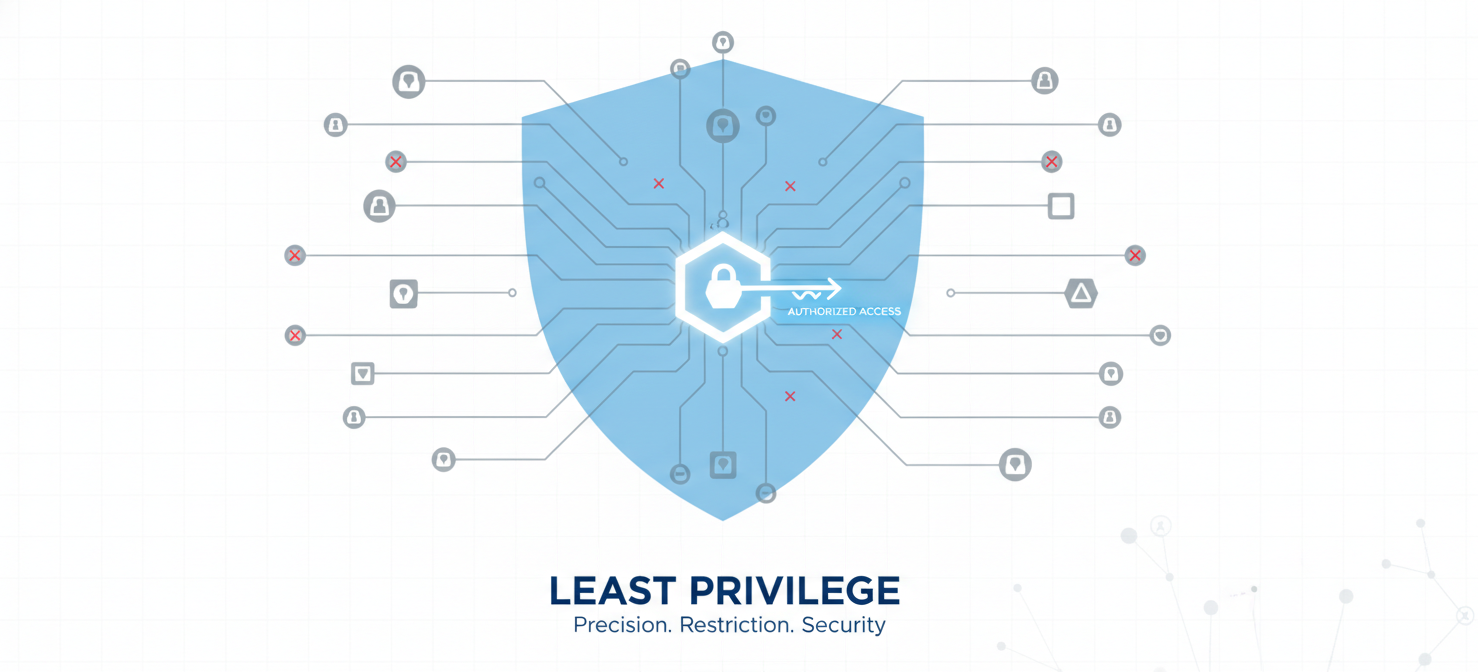
Implementing this principle drastically reduces your “blast radius.” If a set of credentials is ever compromised, the potential damage is limited to only the specific actions and resources that identity was authorized to access. This is not a theoretical exercise; over-permissioned identities are a consistent root cause of major cloud security breaches.
To put this into practice, you should start with a restrictive policy and only add permissions as they are proven to be necessary. Avoid using wildcards (*) in the Action or Resource elements of your IAM policies whenever possible. Instead, explicitly list the specific API actions and the Amazon Resource Names (ARNs) of the resources they apply to.
IAM Roles vs. Users: When to Use Which
A common point of confusion is the distinction between IAM users and IAM roles. While both are IAM identities, their intended use cases are fundamentally different.
IAM Users
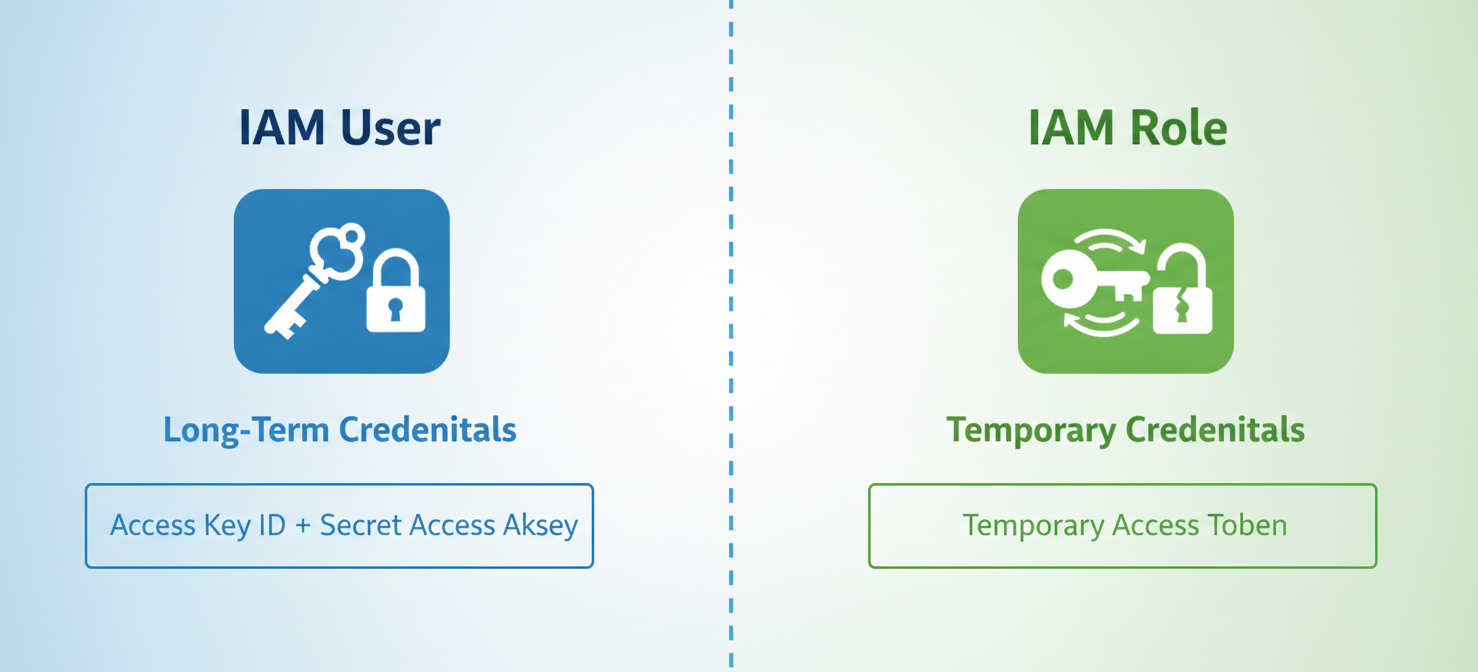
An IAM user represents a person or application and has permanent, long-term credentials like a password for console access or access keys for programmatic access. These credentials do not rotate automatically and must be managed manually. Because of the risk associated with long-lived credentials, the best practice is to avoid creating IAM users whenever an alternative exists. Human access should ideally be managed through identity federation with an identity provider (IdP), which allows users to assume roles using temporary credentials.
IAM Roles
An IAM role is an identity with specific permissions that can be assumed by a trusted entity. Roles do not have their own long-term credentials. Instead, when an entity (like an EC2 instance, a Lambda function, or a federated user) assumes a role, AWS provides temporary security credentials that are valid for a short duration.
This makes roles inherently more secure. You should use roles for:
- Workloads: Granting permissions to AWS services like EC2 instances or Lambda functions.
- Cross-Account Access: Allowing resources in one AWS account to access resources in another.
- Federated Access: Providing access to users from a corporate directory like Active Directory or an external IdP.
As a general rule, your AWS environment should have a high ratio of roles to users.
Crafting Effective IAM Policies
IAM policies are JSON documents that define permissions. A well-crafted policy is explicit, readable, and enforces least privilege. Policies consist of one or more statements, each containing elements like Effect (Allow or Deny), Action, Resource, and optional Condition.
Managed vs. Inline Policies
There are two main types of policies you can attach to an identity:
- AWS Managed Policies: Pre-built policies created and managed by AWS for common use cases. These are great for getting started but may grant more permissions than you need.
- Customer Managed Policies: Policies you create and manage in your own account. These offer the most control and are recommended for enforcing least privilege. You can attach a single customer-managed policy to multiple roles, simplifying permission management.
- Inline Policies: Policies embedded directly into a single user, group, or role. You should avoid inline policies because they make it difficult to reuse policies or track which identities have which permissions.
Policy Structure Best Practices
When writing your policies, be as specific as possible.
- Actions: Instead of
s3:*, specify the exact actions needed, such ass3:GetObjectands3:PutObject. - Resources: Always specify the full ARN of the resources. For example, instead of
arn:aws:s3:::*, usearn:aws:s3:::my-specific-bucket/data/*. This prevents a role from accidentally accessing the wrong resources. - Conditions: Use condition keys to further restrict access. For instance, you can add a condition that only allows access from a specific IP address range (
aws:SourceIp) or requires multi-factor authentication (aws:MultiFactorAuthPresent).
Best Practices for AWS IAM Access Management
Beyond roles and policies, a holistic approach to AWS IAM access is crucial for maintaining a secure and efficient environment.
Use Groups for Users
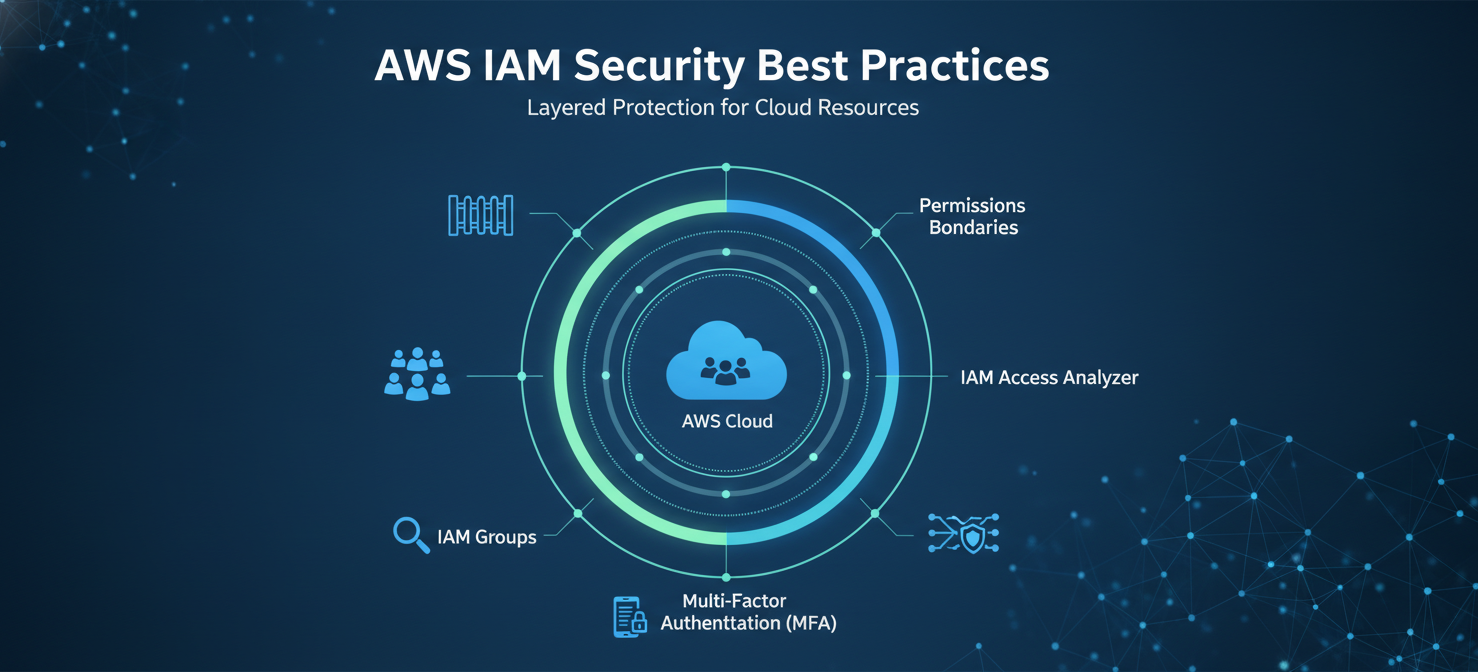
For the few cases where you must use IAM users, always manage their permissions through groups. Assign policies to a group that corresponds to a job function (e.g., developers, database-admins). When a person’s role changes, you can simply move them to a different group instead of editing their user-level permissions.
Enforce Multi-Factor Authentication (MFA)
Multi-factor authentication should be mandatory for all human users, especially for the root user and any privileged IAM users. MFA adds a critical layer of security that can prevent unauthorized access even if a user’s password is compromised.
Leverage IAM Access Analyzer
AWS IAM Access Analyzer is a powerful tool that helps you identify resources shared with an external entity. It formally analyzes your policies to prove which resources are accessible from outside your account. You should enable it in all regions and regularly review its findings to ensure there are no unintended access paths.
Set Permissions Boundaries
Permissions boundaries are an advanced feature that allows you to set the maximum permissions an IAM role can have. Even if a policy attached to the role grants more permissions, the permissions boundary acts as a ceiling. This is useful for safely delegating role creation to developers, as it ensures they cannot create roles that are more permissive than the boundary allows.
Auditing and Monitoring IAM Activity
IAM is not a “set it and forget it” service. Continuous monitoring and regular auditing are essential for maintaining your security posture.
Monitor with AWS CloudTrail
AWS CloudTrail logs nearly all API activity in your account, including all IAM actions. You should monitor CloudTrail logs for suspicious activity, such as a user trying to escalate their privileges, the creation of new access keys, or changes to sensitive IAM policies. Setting up alerts for these types of events in Amazon CloudWatch can provide early warnings of a potential security issue.
Conduct Regular Audits
Your team should perform regular audits of all IAM entities. The goal is to identify and remove any unused or unnecessary permissions. Generate credential reports to find unused IAM users and access keys. Use the “last accessed” information in the IAM console to see when a role or policy was last used, helping you confidently remove what’s no longer needed. A quarterly review is a good starting point for most organizations.
Conclusion
Effectively managing AWS IAM access is a continuous process of refinement. It begins with a strong foundation built on the principle of least privilege, prioritizing temporary credentials via roles over static user keys. By crafting granular, customer-managed policies and leveraging groups, you create a permission structure that is both secure and manageable. However, the work doesn’t stop there. Regular auditing with tools like CloudTrail and Access Analyzer is non-negotiable for maintaining that security posture over time. Ultimately, a well-designed AWS IAM access strategy doesn’t just prevent breaches; it enables your teams to build and operate securely and efficiently. Neglecting it is not just a technical oversight; it’s an open invitation for trouble.
To truly master your AWS IAM access and continuously refine your security posture, explore how automated solutions can simplify policy enforcement and auditing; you can gain hands-on experience by starting a free trial, or for a tailored walkthrough, book a demo with our experts.
 7-day free trial