


Amazon Simple Storage Service (S3) is a cornerstone of many cloud architectures, prized for its scalability and durability. However, its flexible, pay-as-you-go model can make costs unpredictable. A firm grasp of aws s3 pricing is essential to avoid budget overruns and ensure you’re paying only for what you truly need. The final bill isn’t just about the volume of data stored; it’s a combination of storage, requests, data retrieval, and transfer fees that can quickly become complex.
Key takeaways
- Storage is just the start: Your S3 bill has at least six components, and storage volume is only one. Request and data transfer costs often account for 30-50% of total S3 spending.
- Storage classes offer huge savings: The cost difference between S3 Standard and S3 Glacier Deep Archive can be over 95%, with prices ranging from $0.023 per GB to as low as $0.00099 per GB.
- Data transfer is a silent cost driver: Moving data out of S3 to the internet is a significant expense, starting at $0.09 per GB after the initial free tier.
- Analyze before you act: Use tools like AWS Cost Explorer and S3 Storage Lens to understand your usage patterns before implementing cost-saving measures like lifecycle policies.
1. Understanding Amazon S3 Pricing
Amazon S3 pricing is not a single line item. Instead, it’s a multi-dimensional model where costs accumulate across several categories simultaneously. Many teams focus solely on the per-gigabyte storage cost, leading to surprise bills when other charges appear. To effectively manage your spend, you must understand all the ways S3 usage translates into charges.
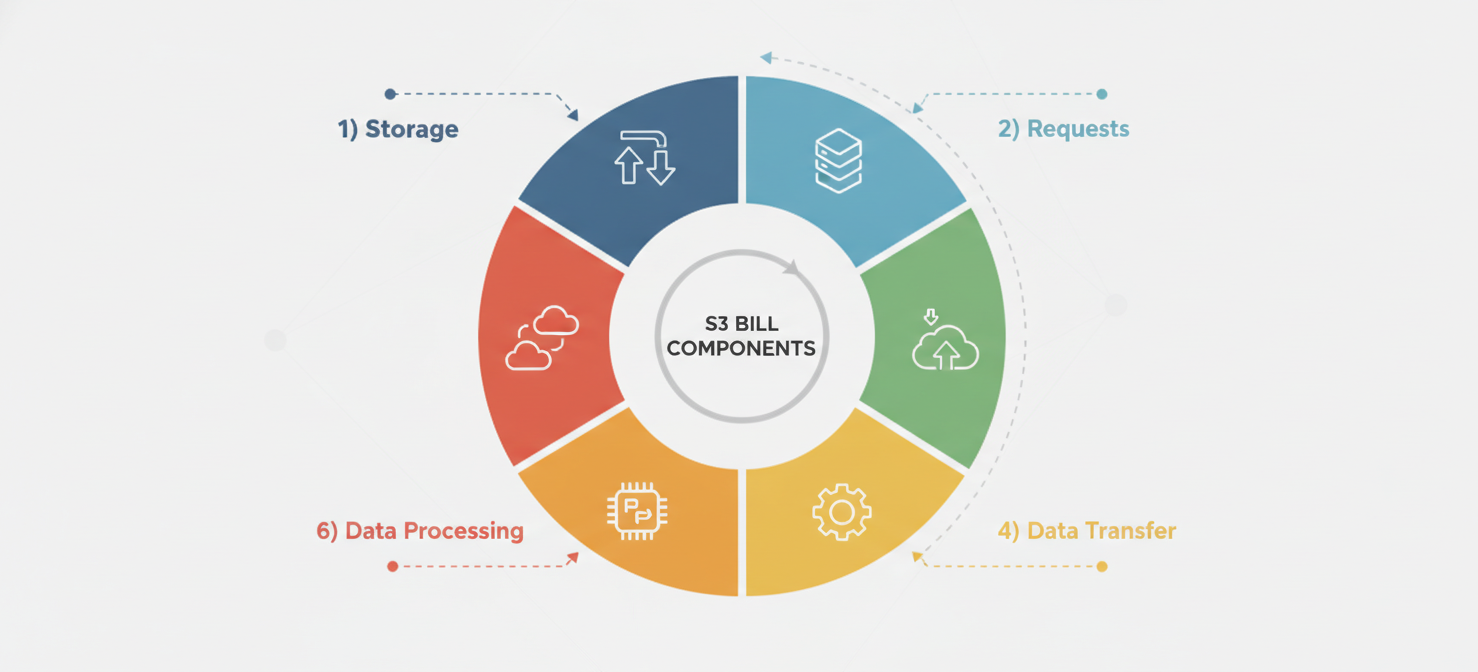
The core components of your S3 bill are:
- Storage: The amount of data you store, measured in gigabyte-months (GB-Month).
- Requests and data retrievals: The actions you and your applications take, such as uploading (PUTs) or downloading (GETs) objects.
- Data transfer: The movement of data out of an S3 region.
- Management and analytics features: Charges for optional features like S3 Inventory, S3 Analytics, and S3 Object Lock.
- Replication: Costs associated with automatically copying data to other regions for disaster recovery or lower latency.
- Data processing: Fees for features that transform data, such as S3 Object Lambda.
Ignoring any of these components means you’re only seeing part of the financial picture. For instance, a large number of small files can generate more in request costs than in storage costs.
2. Key S3 Cost Drivers: Storage Classes, Capacity, and Requests
The most significant factors influencing your S3 bill are typically your choice of storage class, the volume of data stored, and the number of requests made.
Storage Classes and Volume
Amazon S3 offers a range of storage classes designed for different access patterns, each with a unique pricing structure. Choosing the right class for your data is the first and most critical step in cost optimization.
- S3 Standard: Designed for frequently accessed data that requires millisecond access. It has the highest storage cost, around $0.023 per GB-month for the first 50 TB, but no retrieval fees.
- S3 Intelligent-Tiering: Automatically moves data between frequent and infrequent access tiers to optimize costs for data with changing or unknown access patterns. It involves a small monthly monitoring and automation fee per object.
- S3 Standard-Infrequent Access (S3 Standard-IA): For less frequently accessed data that still needs rapid access. It offers a lower storage price (around $0.0125 per GB-month) but charges a per-GB fee for data retrieval.
- S3 Glacier Instant Retrieval: Intended for long-lived archive data that is rarely accessed but requires immediate retrieval. Storage is cheaper still (around $0.004 per GB-month), but retrieval fees are higher than Standard-IA.
- S3 Glacier Flexible Retrieval: A low-cost option for archives where retrieval times of minutes to hours are acceptable. Storage costs are about $0.0036 per GB-month.
- S3 Glacier Deep Archive: The lowest-cost storage class, starting at just $0.00099 per GB-month. It’s designed for long-term data retention where a retrieval time of 12 hours or more is acceptable.
The price difference is substantial; storing data in Glacier Deep Archive can be over 23 times cheaper than S3 Standard.
Request Pricing
Every interaction with your S3 objects, like uploading, copying, or listing them, is a request, and AWS charges a small fee for each one. While the cost per request is tiny (e.g., $0.005 per 1,000 write requests in S3 Standard), these can add up significantly for workloads with millions of small objects. For example, a lifecycle policy that transitions 100 million objects to a different storage class could incur a $5,000 fee in transition requests alone.
3. Retrieval, Data Transfer, and Other Potential Charges
Beyond storage and basic requests, several other factors can inflate your S3 bill, particularly data retrieval and transfer.
Data Retrieval Fees
For infrequent access storage classes like S3 Standard-IA and the S3 Glacier tiers, you pay a per-gigabyte fee to retrieve your data. This is a crucial consideration. If you misjudge your access patterns and need to retrieve large amounts of data from an archive tier, the retrieval fees can easily outweigh any savings you made on storage. For example, retrieving 1 TB from Glacier Instant Retrieval would incur not just request fees but also a retrieval fee of around $30 ($0.03 per GB).
AWS Data Out Pricing
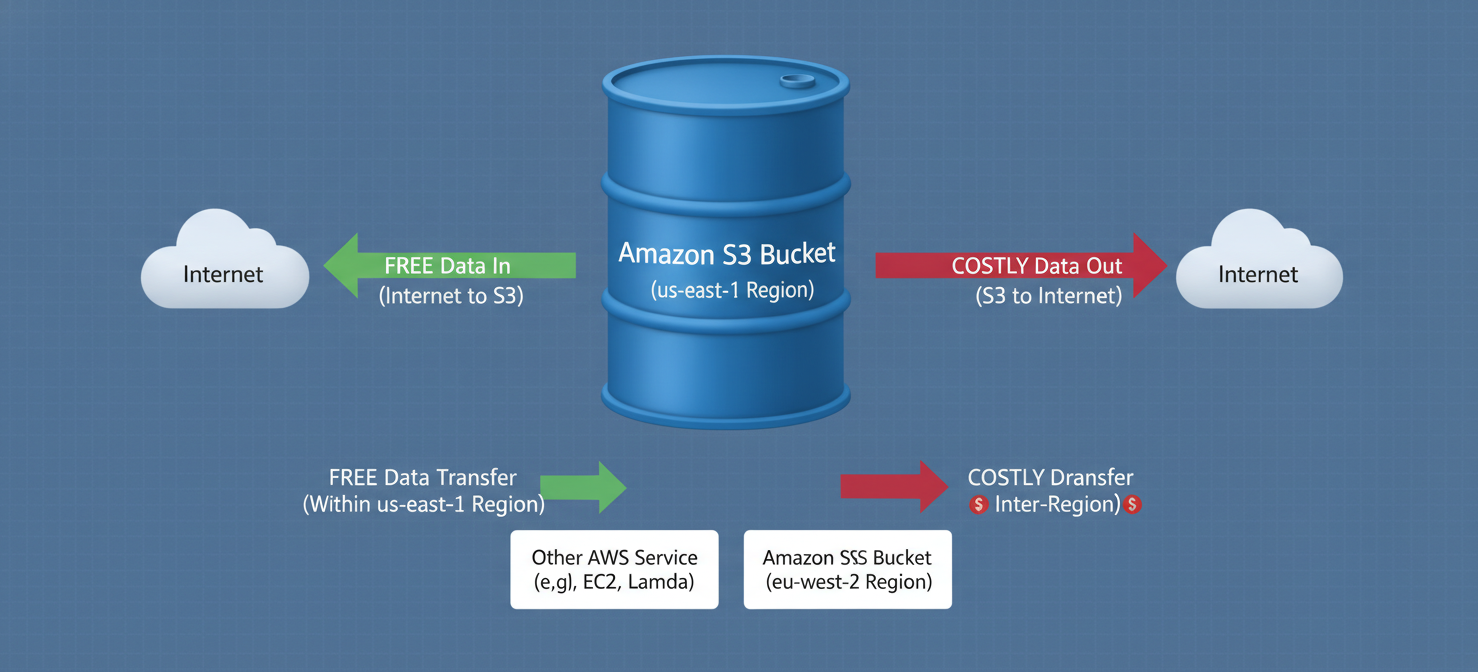
Data transfer is one of the most misunderstood and surprising S3 cost drivers. While transferring data into S3 from the internet is free, transferring data out is not.
Key data transfer charges include:
- Data Transfer Out to Internet: This is often the biggest culprit. After a monthly free tier of 100 GB, AWS charges for all data transferred from S3 to the public internet, starting at around $0.09 per GB.
- Inter-Region Data Transfer: If you replicate data between different AWS regions, you pay for the transfer, typically around $0.02 per GB.
- Intra-Region Data Transfer: Even moving data between different Availability Zones (AZs) within the same region incurs a charge, usually $0.01 per GB in each direction.
These charges can accumulate rapidly, especially for applications that serve large media files or have a global user base.
4. How to Interpret S3 Usage Metrics and Billing Records
To get your S3 costs under control, you first need visibility into what you’re being charged for. AWS provides several tools to help you analyze your bill.
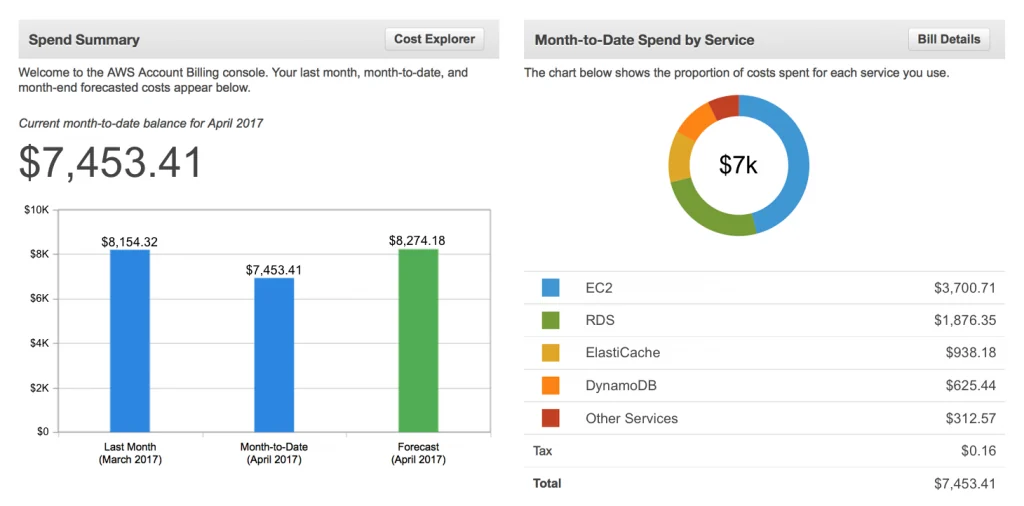
The primary tool is the AWS Cost and Usage Report (CUR). This report provides the most granular data about your costs, breaking them down by usage type and resource. You can use services like Amazon Athena to query the CUR and identify which buckets and operations are contributing most to your bill.
Usage types in your report have specific codes that tell you what you’re being charged for. For example, a code like USE2-DataTransfer-Out-Bytes indicates charges for data transferred out of the US East (Ohio) region to the internet. Understanding these codes is key to deciphering your bill.
5. How to Find the Main Contributors to S3 Spending
Once you can read your billing reports, you can start pinpointing the primary cost drivers.
Using AWS Native Tools
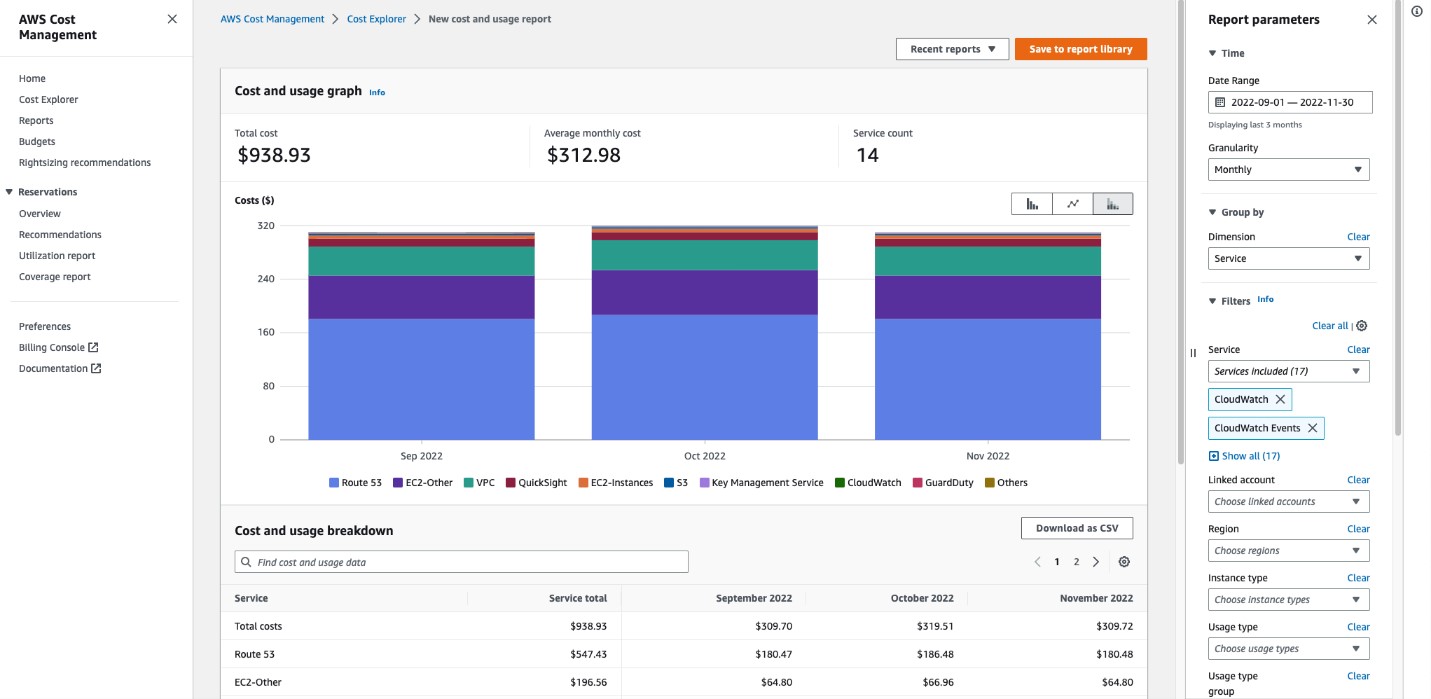
- AWS Cost Explorer: This is your first stop for visualizing and analyzing your costs. You can filter your S3 spending by service, region, and, importantly, by tags. By creating a report and grouping by the
S3-Bucket-Nametag, you can see the costs associated with individual buckets. - Amazon S3 Storage Lens: This analytics feature provides organization-wide visibility into your object storage usage and activity. It delivers metrics and recommendations to help you identify cost-saving opportunities, such as finding buckets with many non-current object versions from enabled versioning.
By combining these tools, you can answer critical questions:
- Which buckets are storing the most data?
- Which buckets are responsible for the most request costs?
- Where is my data transfer spending coming from?
- Am I paying for incomplete multipart uploads or old object versions?
6. How Binadox Helps Analyze S3 Costs
While AWS native tools are powerful, third-party cloud cost management platforms like Binadox can provide deeper insights and simplify the analysis process. These tools often ingest your AWS Cost and Usage Report and present the data in more intuitive dashboards.
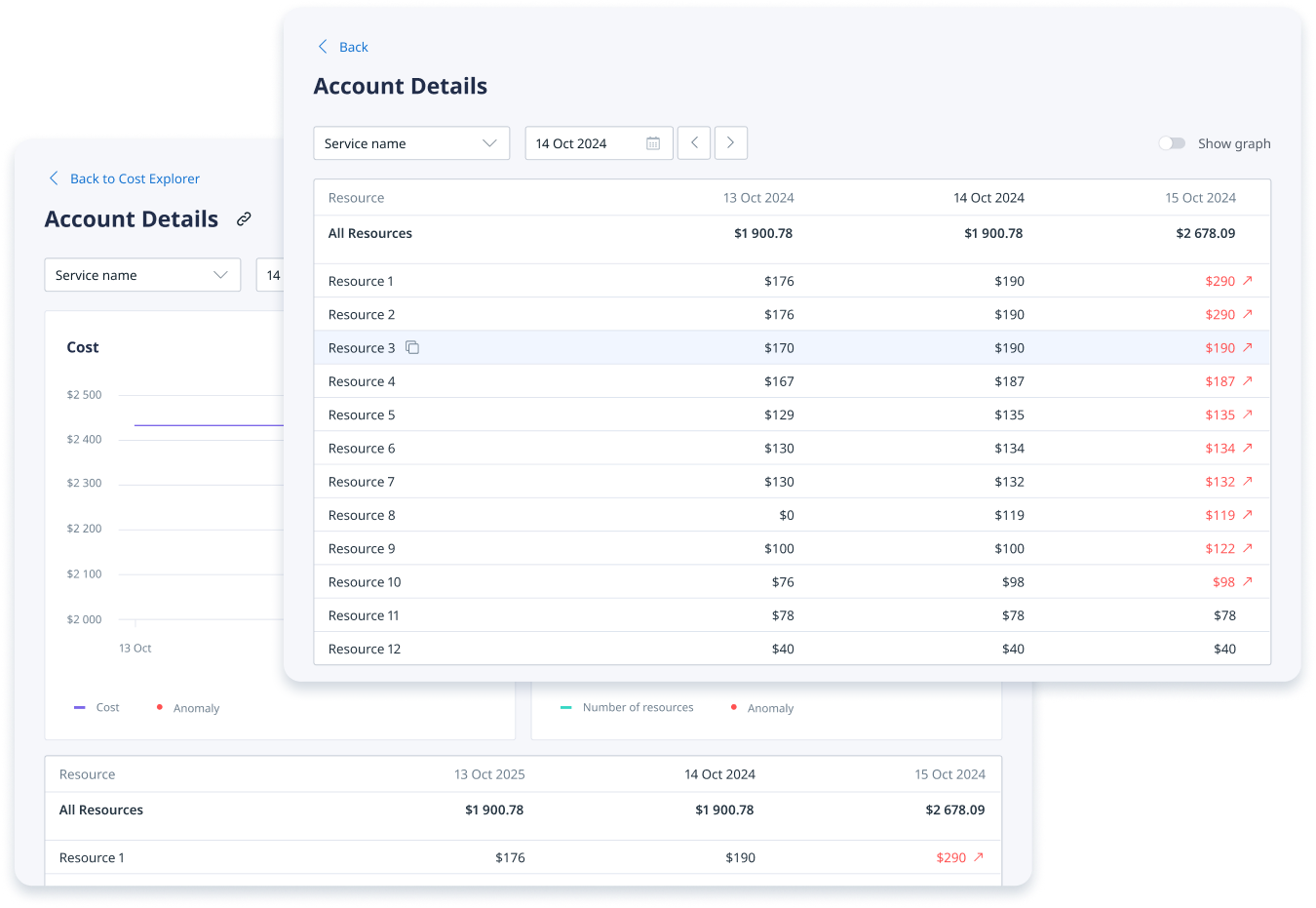
Binadox helps you visualize your S3 spending with granular detail, allowing you to:
- Identify cost anomalies: Quickly spot unexpected spikes in spending for specific S3 buckets or operations.
- Analyze cost trends: Understand how your S3 costs are evolving over time and forecast future expenses.
- Allocate costs: Attribute S3 spending to specific teams, projects, or applications, fostering a culture of cost accountability.
- Receive optimization recommendations: Get actionable advice on rightsizing your storage, such as identifying data that could be moved to a cheaper storage class based on access patterns.
By connecting your AWS account, Binadox can automate much of the heavy lifting involved in cost analysis, freeing up your team to focus on implementing optimizations.
7. Best Practices for Managing S3 Spending
Optimizing S3 costs is an ongoing process, not a one-time fix. Here are some best practices to implement.
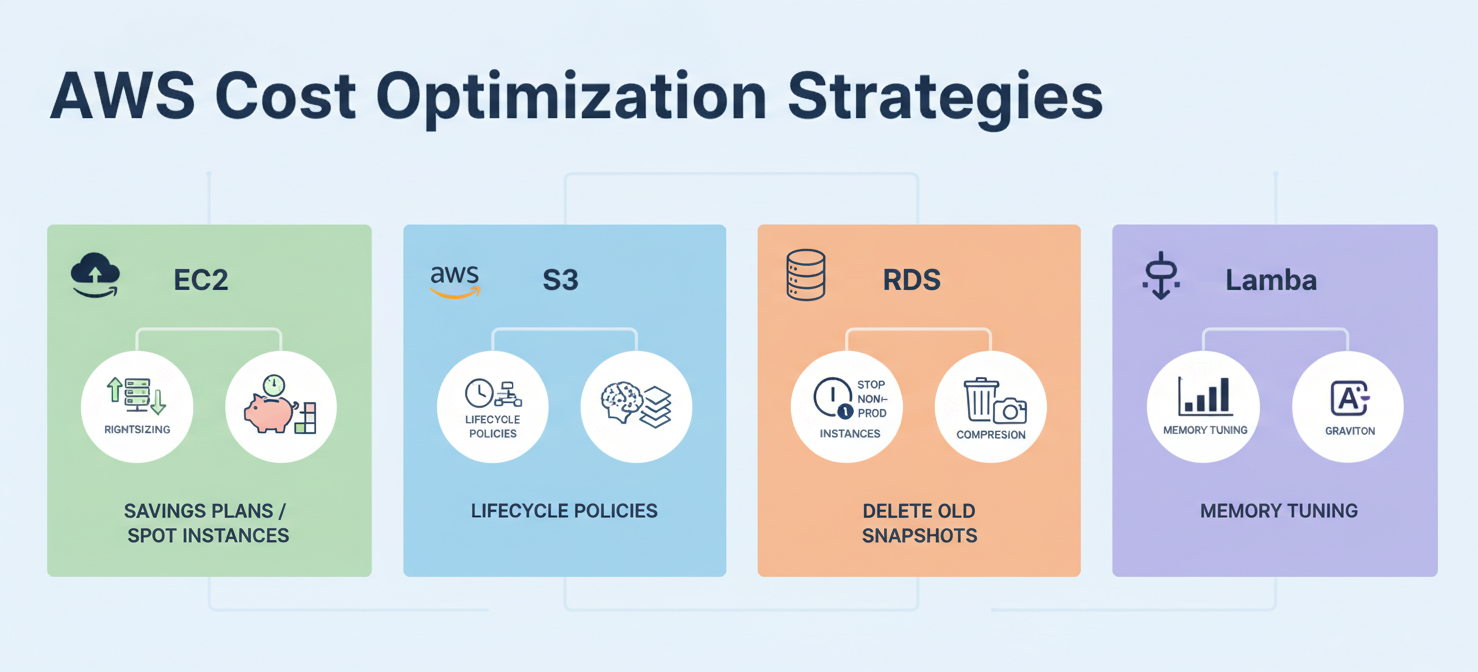
- Select the Right Storage Class: Don’t default to S3 Standard. Analyze your data’s access patterns and choose the most cost-effective tier. For data with unknown access patterns, S3 Intelligent-Tiering is an excellent choice.
- Implement Lifecycle Policies: Automate the process of moving data to cheaper storage tiers as it ages. For example, you can create a rule to transition objects from S3 Standard to Standard-IA after 30 days, and then to S3 Glacier Deep Archive after 180 days.
- Clean Up Incomplete Multipart Uploads: If a large file upload fails, it can leave behind orphaned parts that you still pay for. Configure a lifecycle rule to automatically delete these incomplete uploads.
- Manage Object Versions: S3 versioning is useful for data protection but can lead to spiraling costs as old versions accumulate. Use lifecycle policies to expire non-current versions after a set period.
- Monitor Your Requests: If request costs are high, investigate the cause. It could be an inefficient application or a sign that you should bundle small files into larger ones.
- Reduce Data Transfer Costs: Where possible, serve content through Amazon CloudFront, AWS’s content delivery network (CDN). Data transfer from S3 to CloudFront is free, and CloudFront’s egress pricing is often lower than S3’s.
By diligently applying these strategies, you can gain control over your Amazon S3 spending.
Conclusion
Understanding aws s3 pricing requires looking beyond the simple per-gigabyte storage rate. The true cost is a blend of storage volume, object class, requests, retrievals, and data transfer fees. Neglecting any of these dimensions is a recipe for an unexpectedly high bill. By using tools like AWS Cost Explorer and Binadox to gain visibility into your usage, you can identify the real cost drivers. From there, implementing lifecycle policies, choosing appropriate storage classes, and managing data transfer effectively are no longer shots in the dark. They become precise, data-driven actions that can lead to significant and sustainable cost savings. After all, the cloud promises efficiency, but it only delivers it to those who measure.
To truly master your S3 spending and ensure you’re only paying for what you need, consider exploring how Binadox can provide granular insights and optimization recommendations; you can easily start your free Binadox trial or book a demo to see it in action.
 7-day free trial