



Amazon S-3, or Simple Storage Service, is a cornerstone of cloud computing, but its pricing can feel anything but simple. For teams new to AWS, an unexpectedly high S3 bill can be a frustrating surprise. The key to controlling costs is understanding that you pay for much more than just storing files. This guide on S3 pricing explained breaks down the core components of your monthly bill, helping you forecast expenses and avoid overspending. By understanding how storage, transfers, and requests are billed, you can make smarter decisions about your data.
Key takeaways:
- Your S3 bill is determined by at least six main factors: storage volume and class, data transfer, API requests, data retrieval, management features, and replication.
- Data transfer into S3 is almost always free, but transferring data out to the internet is often one of the most significant and overlooked costs.
- Choosing the right storage class is crucial; a class designed for infrequent access can be over 40% cheaper for storage but will have higher data retrieval fees.
- AWS provides a free tier that includes 100 GB of data transfer out to the internet per month, aggregated across most AWS services.
How S3 Storage Pricing Works
The most straightforward part of your S3 bill is the charge for the data you store. AWS calculates this cost based on the volume of data (measured in gigabytes per month) and the specific S3 storage class you use. Each storage class is designed for a different data access pattern, offering a trade-off between storage cost and retrieval speed or cost.

Choosing the Right Storage Class
Selecting the appropriate storage class for your data’s lifecycle is the first step in optimizing costs.
-
S3 Standard: This is the default tier, offering high durability, availability, and low-latency performance for frequently accessed data. For example, it’s ideal for hosting website assets or managing user-generated content. In the US East (N. Virginia) region, the first 50 TB of data costs approximately $0.023 per GB per month.
-
S3 Standard-Infrequent Access (S3 Standard-IA): For data that is accessed less often but requires rapid access when needed, this class offers a lower storage price (around $0.0125 per GB-month) but charges a fee for data retrieval. It’s a good fit for long-term backups or disaster recovery files.
-
S3 Intelligent-Tiering: If your data has unknown or changing access patterns, this class can automate cost savings. It monitors object access and automatically moves data to the most cost-effective tier without performance impact or retrieval fees. However, it does include a small monthly monitoring and automation fee per object.
-
S3 Glacier Storage Classes: For archival data, the Glacier tiers offer the lowest storage costs. S3 Glacier Flexible Retrieval, for instance, is ideal for archives where retrieval times of minutes to hours are acceptable, with storage costs as low as $0.0036 per GB-month.
Understanding S3 Data Transfer Costs
Data transfer is often the most confusing and expensive part of an S3 bill. A simple rule helps clarify how S3 data transfer costs work: data coming in is free, while data going out typically costs money.
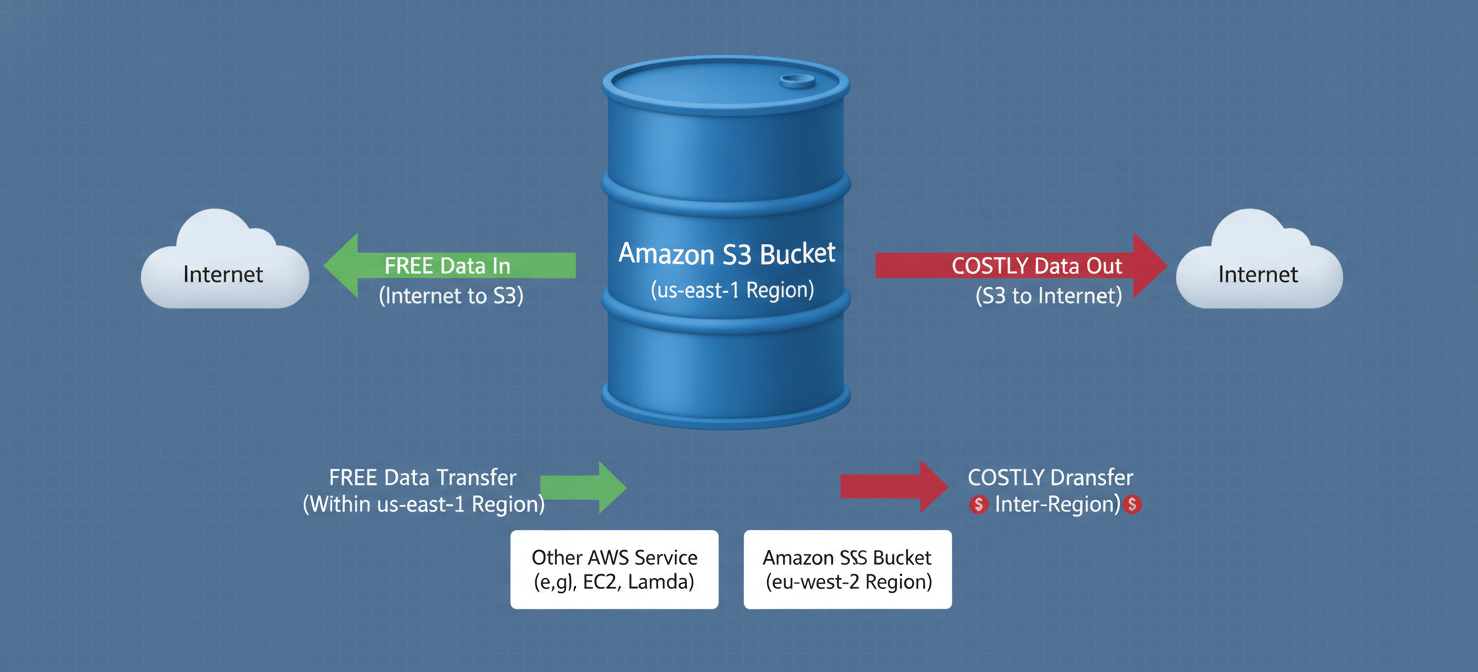
More specifically, data transfer into any S3 bucket from the internet is free of charge. The costs accumulate when you move data out of S3. These outbound transfers are priced based on the destination.
-
Data Transfer Out to the Internet: This is usually the most significant transfer cost. After a monthly free tier, prices are tiered, starting at around $0.09 per GB for the first 9.999 TB per month.
-
Inter-Region Data Transfer: Transferring data from an S3 bucket to another AWS region (e.g., from US East to EU West) incurs a fee, typically starting at $0.02 per GB.
-
Intra-Region Data Transfer: Moving data between S3 and other AWS services like EC2 within the same region is generally free. This is a critical architectural consideration; keeping your compute and storage in the same region can dramatically reduce costs.
Breaking Down S3 Request and Data Retrieval Costs
Beyond storage and transfer, AWS also charges for the operations, or requests, your team performs on your data. Every time you upload, copy, or list objects, you are making an API request that appears on your bill.
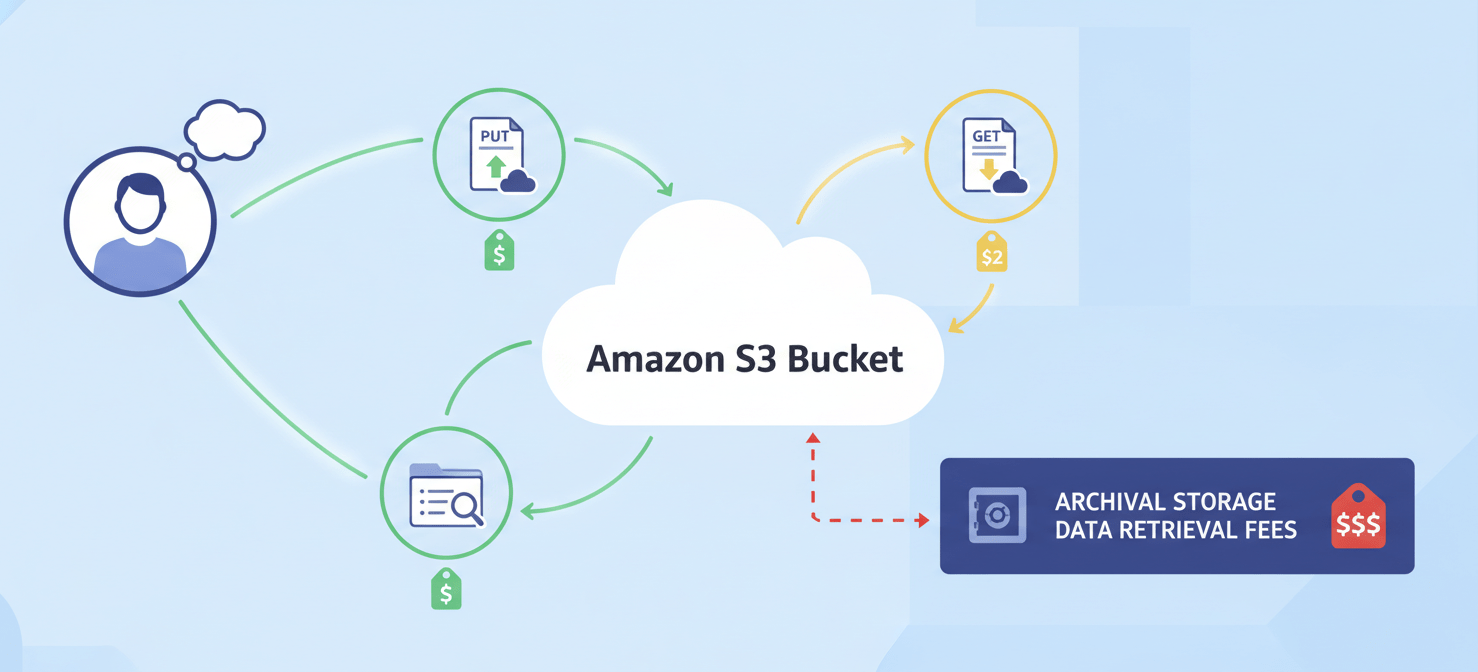
These requests are typically priced per 1,000 operations, and the cost varies by the type of request and the storage class. For example:
PUT,COPY,POST, andLISTrequests (which write or organize data) are more expensive. In S3 Standard, these cost about $0.005 per 1,000 requests.GETandSELECTrequests (which read or retrieve data) are significantly cheaper, costing around $0.0004 per 1,000 requests in S3 Standard.DELETEandCANCELrequests are free.
Furthermore, some storage classes, like S3 Standard-IA and the Glacier tiers, have separate data retrieval fees. This means that in addition to the GET request cost, you pay a per-gigabyte fee to access data stored in these lower-cost tiers. This is an important factor to consider when archiving data; while storage is cheap, retrieving it can be expensive if done frequently.
Other S3 Costs to Consider
While storage, transfer, and requests are the primary cost drivers, several other features can add to your monthly bill. Understanding these is a key part of having your S3 pricing explained fully.
Management and Analytics
AWS offers several features to help you manage and analyze your storage, which come with their own pricing.
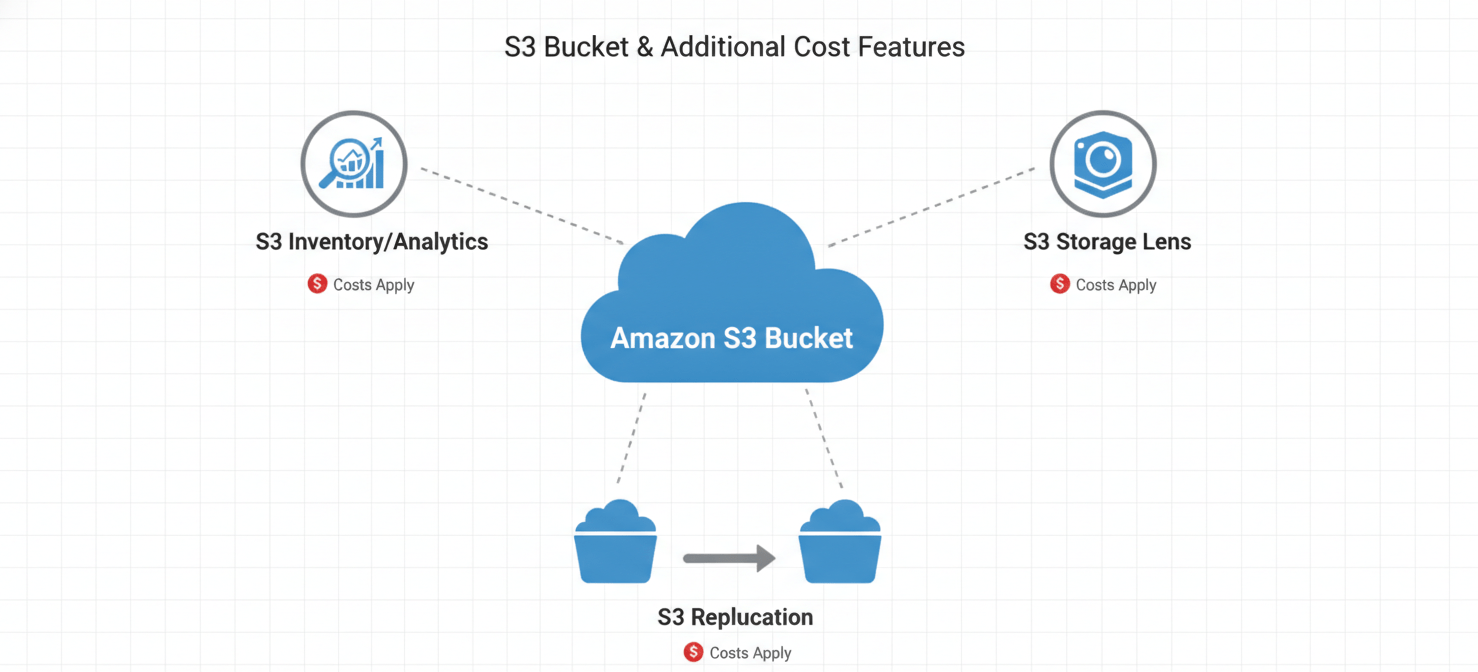
- S3 Inventory, Analytics, and Object Tagging: These tools help you audit and analyze your storage usage, but they generate reports and metadata that are stored in S3 and incur standard storage and request charges.
- S3 Storage Lens: This feature provides advanced analytics and recommendations to improve cost-efficiency and data protection, with its own pricing model based on the metrics it analyzes.
Replication Costs
S3 Replication automatically copies objects across buckets in the same or different AWS regions (SRR or CRR). This is useful for backup and disaster recovery but comes with associated costs. You will pay for:
- The storage costs for the duplicate copy in the destination bucket.
- A replication
PUTrequest fee for each object copied. - Inter-region data transfer fees if you are replicating to a different region.
Conclusion
Ultimately, AWS S3 pricing is a pay-for-what-you-use model, but it’s crucial to know exactly what “use” entails. The bill isn’t just about the gigabytes you store; it’s a combination of storage class, how data moves, and how often it’s touched. By paying close attention to data transfer patterns and aligning your storage classes with your actual access needs, you can prevent costs from spiraling. Having the S3 pricing explained is the first step. The next is to use tools like AWS Cost Explorer and S3 Storage Lens to monitor your usage, because in the world of cloud storage, what you don’t measure, you can’t control.
To gain deeper insights and proactively manage your S3 spend, you can explore Binadox’s capabilities with a free trial or schedule a personalized demonstration to see it in action.
 7-day free trial