


Understanding Azure Cosmos DB billing is essential for managing your cloud expenditures effectively. As a high-performance, globally distributed database service, its pricing model has several components that can be complex to navigate. Costs are primarily driven by two main factors: the throughput you provision or consume and the amount of storage your data occupies. However, other elements like backups, networking, and specific features also contribute to your monthly bill. Mastering these cost levers is the first step toward optimizing your investment and preventing budget overruns. This article explains the core concepts of the usage-based cloud cost management for Cosmos DB.
Key takeaways:
- Azure Cosmos DB costs are mainly determined by provisioned throughput (measured in Request Units per second) and consumed storage (measured in GB).
- You can choose between two throughput models: standard (provisioned) and autoscale, which automatically scales between 10% and 100% of the max RUs you set.
- Request Units (RUs) are an abstraction of system resources like CPU, IOPS, and memory required to perform database operations. A simple read of a 1 KB item costs 1 RU.
- Beyond throughput and storage, costs can also include continuous backups, analytical storage, and networking charges for data transfer.
Understanding Azure Cosmos DB Pricing
Azure Cosmos DB’s pricing model is designed to be flexible, scaling with your application’s needs. The two primary drivers of cost are throughput and storage. Throughput represents the processing power reserved for your database operations, while storage is the space your data consumes.
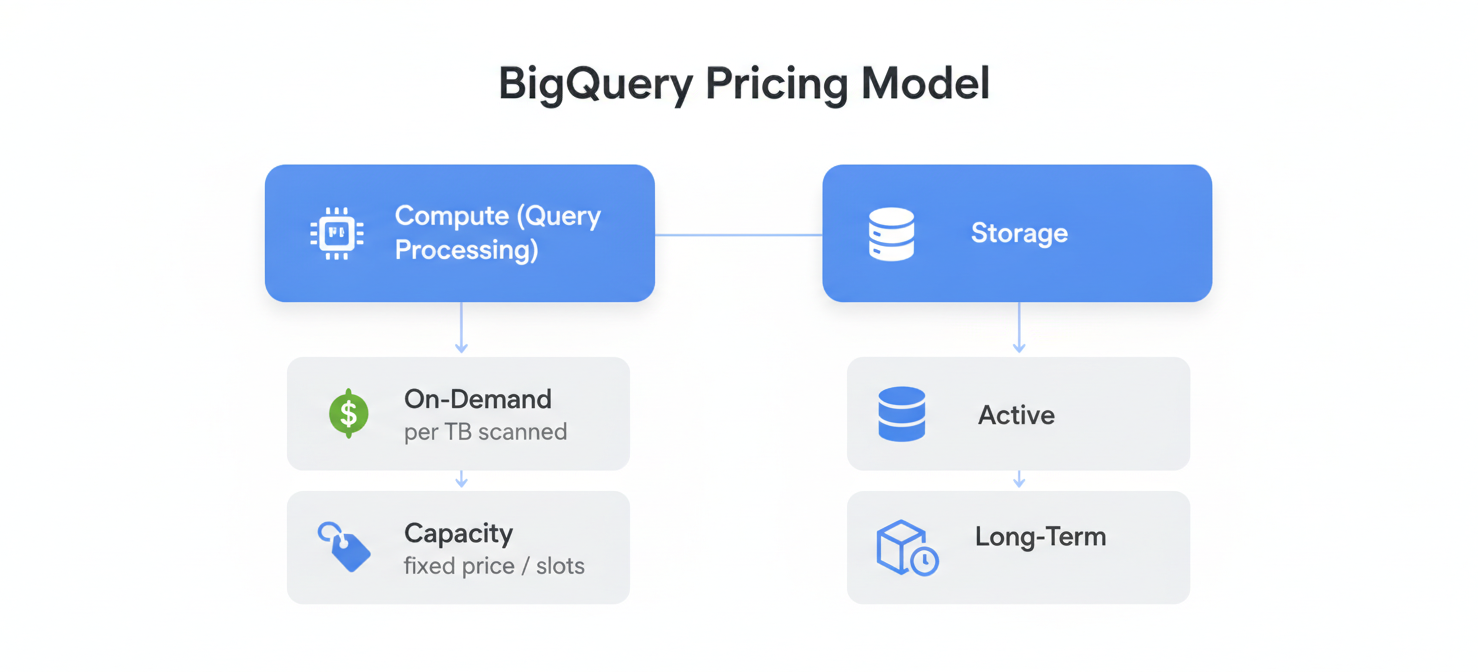
You are billed for throughput on an hourly basis for the number of Request Units per second (RU/s) you provision. Storage is billed monthly based on the gigabytes (GB) of data and indexes your containers use. This dual-component system allows you to scale performance and storage independently, which is a key aspect of cloud cost optimization in Azure.
In addition to these core components, other factors can influence your final bill. These include:
- Multiple region distribution: Replicating your data across different geographic regions for higher availability incurs costs for each additional region.
- Backup storage: Azure Cosmos DB offers different backup policies, and the storage used for these backups comes with its own cost.
- Analytical storage: If you enable the Azure Synapse Link for Cosmos DB, you will be charged for the analytical data store.
- Networking: Data transfer costs can apply depending on how data moves in and out of Azure and between regions.
Understanding how these elements interact is fundamental to any strategy for cloud cost management in Azure.
How Request Units and Throughput Settings Affect Azure Cosmos DB Billing
Request Units (RUs) are the currency of throughput in Azure Cosmos DB. Every database operation, from simple reads and writes to complex queries, consumes a certain number of RUs. A basic point read for a 1 KB item costs 1 RU, but more complex operations will consume more. The cost of your operations is therefore directly tied to their RU consumption.
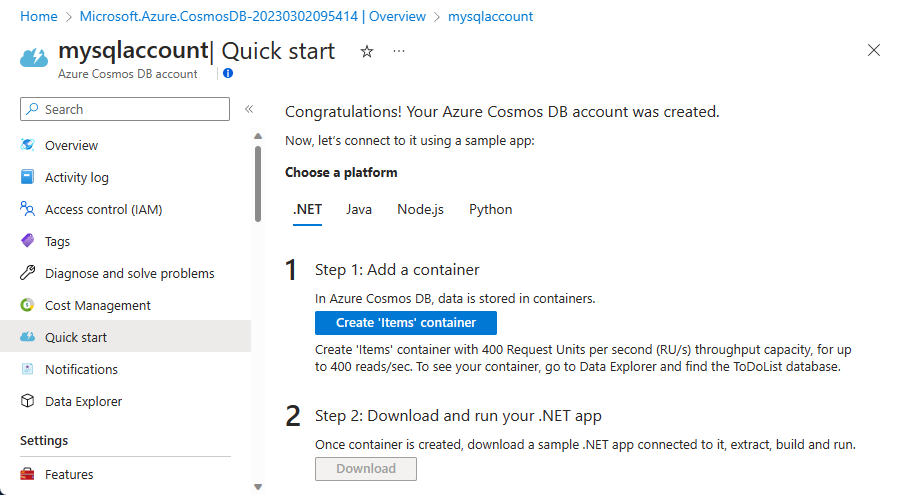
You must provision throughput for your databases or containers, which determines the number of RUs available per second. Azure provides two main models for this, directly impacting your Azure Cosmos DB billing.
Provisioned vs. Autoscale Throughput
First, you can choose standard (manual) provisioned throughput. With this model, you set a specific RU/s value, and you are billed for that amount every hour, whether you use it or not. This option is ideal for workloads with predictable and stable traffic patterns. For example, if you provision 10,000 RU/s, you pay for 10,000 RU/s each hour.
Alternatively, you can use autoscale throughput. Here, you set a maximum RU/s, and Azure automatically scales the actual throughput between 10% of that maximum and the maximum itself, based on your application’s load. You are billed for the highest RU/s the system scales to within a given hour. This model is more cost-effective for applications with variable or unpredictable workloads, as it prevents overprovisioning during quiet periods. For instance, setting a max of 10,000 RU/s means your database can scale anywhere from 1,000 to 10,000 RU/s.
Storage, Backup, and Networking Charges
While throughput often represents the largest portion of your bill, storage, backup, and networking charges are also significant components of the cloud computing cost model for Cosmos DB.
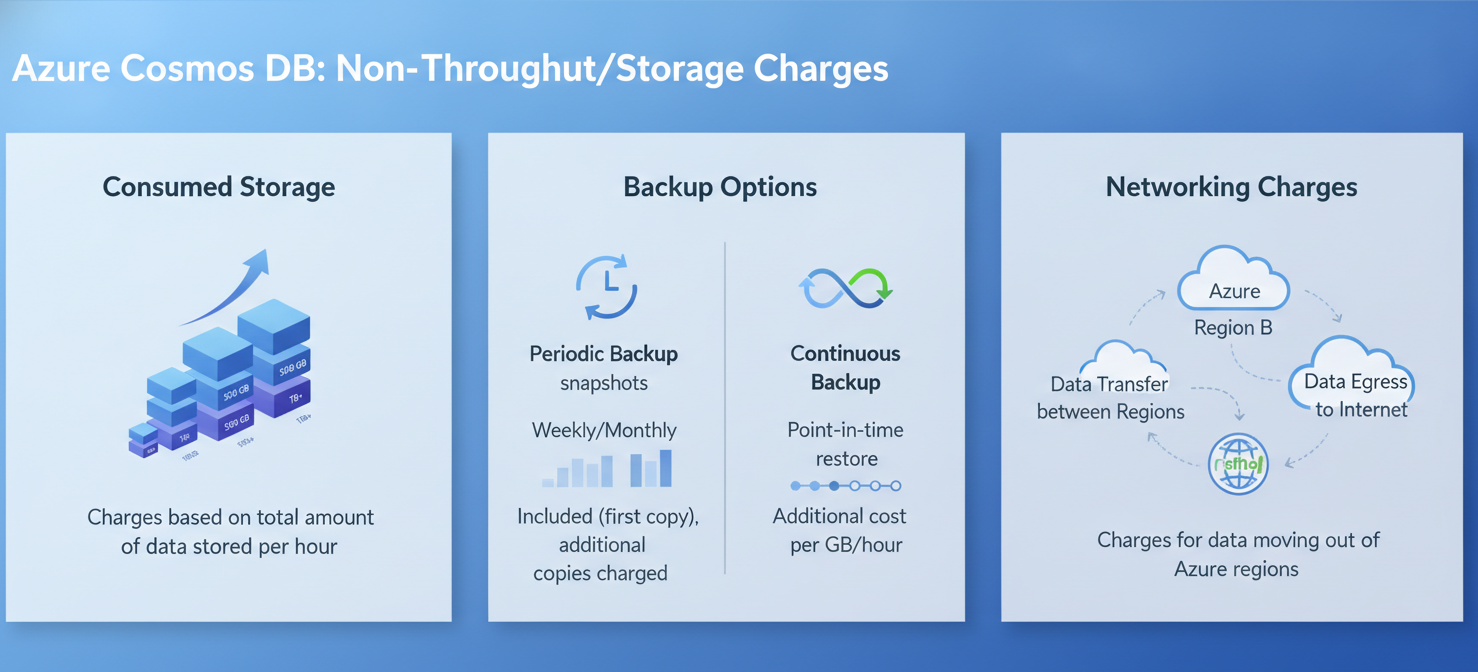
Consumed Storage: You are billed for the total amount of storage in GB consumed by your data and indexes. This is measured on an hourly basis. As your dataset grows, so will your storage costs. Therefore, it is important to manage data lifecycle and indexing policies effectively to control this expense.
Backup Options: Azure Cosmos DB automatically takes periodic backups of your data. By default, you get two free backups stored for a retention period of 8 hours. You can configure this periodic backup policy with a longer retention period, which will incur costs for the additional backup storage.
For more granular recovery, you can enable continuous backup. This feature allows you to restore your database to any point in time within the last 7 or 30 days. However, continuous backup comes at a higher storage cost compared to the periodic option. Calculating these potential costs is a key part of any Azure cloud cost assessment.
Networking Charges: Data transfer within an Azure region is typically free. However, charges may apply for:
- Data transfer out of an Azure region to another region or to the internet.
- Using VNet service endpoints or Azure Private Link for enhanced security, which can have associated data processing charges.
These networking costs can become substantial for globally distributed applications with heavy cross-region traffic.
How to Interpret RU Consumption and Cosmos DB Billing Records
To effectively manage your Azure Cosmos DB spending, you need to analyze your consumption data. The Azure portal provides detailed metrics and billing records that offer insights into your usage patterns.
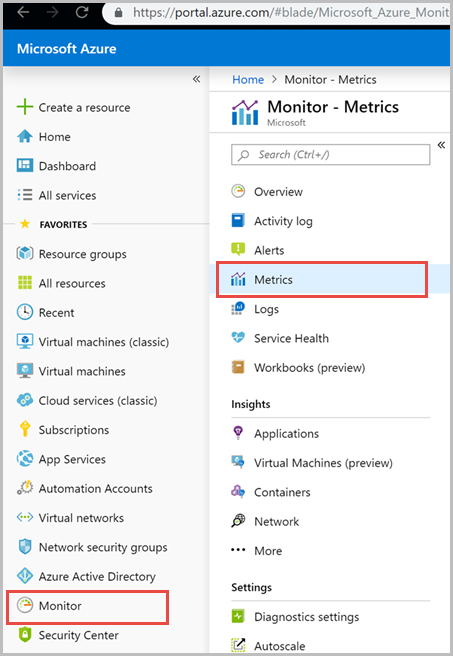
Start by navigating to your Cosmos DB account in the Azure portal and examining the Metrics blade. Here, you can track key performance indicators like Total Request Units and Provisioned Throughput. By comparing your consumed RUs against your provisioned or autoscaled throughput, you can identify whether you are overprovisioned or underprovisioned.
Your Azure bill provides a detailed breakdown of charges. You will see separate line items for provisioned throughput (measured in RU/s per hour), consumed storage (in GB-months), and any additional charges for backups or networking. Analyzing these records helps you understand which components are contributing most to your overall cost. For example, you might find that a small number of containers are responsible for the majority of your throughput costs. This is a critical step in how to analyze and manage cloud cost.
How to Identify Costly Databases and Inefficient Workloads
Once you understand your billing records, the next step is to pinpoint specific databases, containers, or even queries that are driving up costs. High RU consumption is often a symptom of inefficient workload patterns or suboptimal database design.
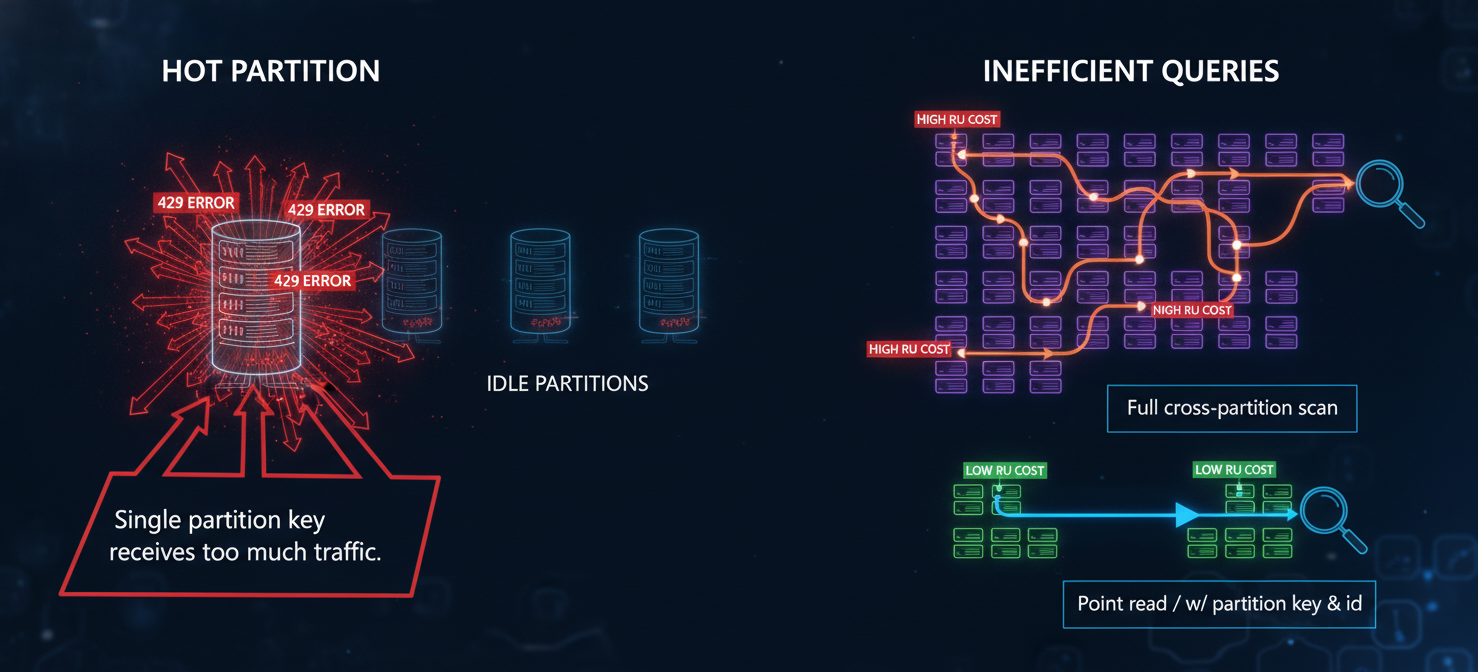
A common issue is a “hot partition,” where a large volume of requests targets a single logical partition key. This can lead to rate-limiting (429 errors) and wasted provisioned throughput on other partitions. You can use Azure Monitor Diagnostic Logs to identify partitions that are consuming a disproportionate amount of RUs.
Inefficient queries are another major source of high costs. Queries that perform cross-partition scans or lack an effective index will consume significantly more RUs than well-optimized queries. You can capture the RU charge for every operation from the response headers returned by the Cosmos DB SDK. Logging and analyzing these charges can help you identify and rewrite expensive queries. This detailed analysis is central to Microsoft cloud cost management.
How Binadox Helps Analyze Cosmos DB Costs
While Azure provides native tools, a dedicated cloud cost management platform like Binadox can offer deeper insights and simplify the process of analyzing your Azure Cosmos DB billing data. Binadox provides a unified view of your cloud spending, making it easier to track costs across different services and subscriptions.
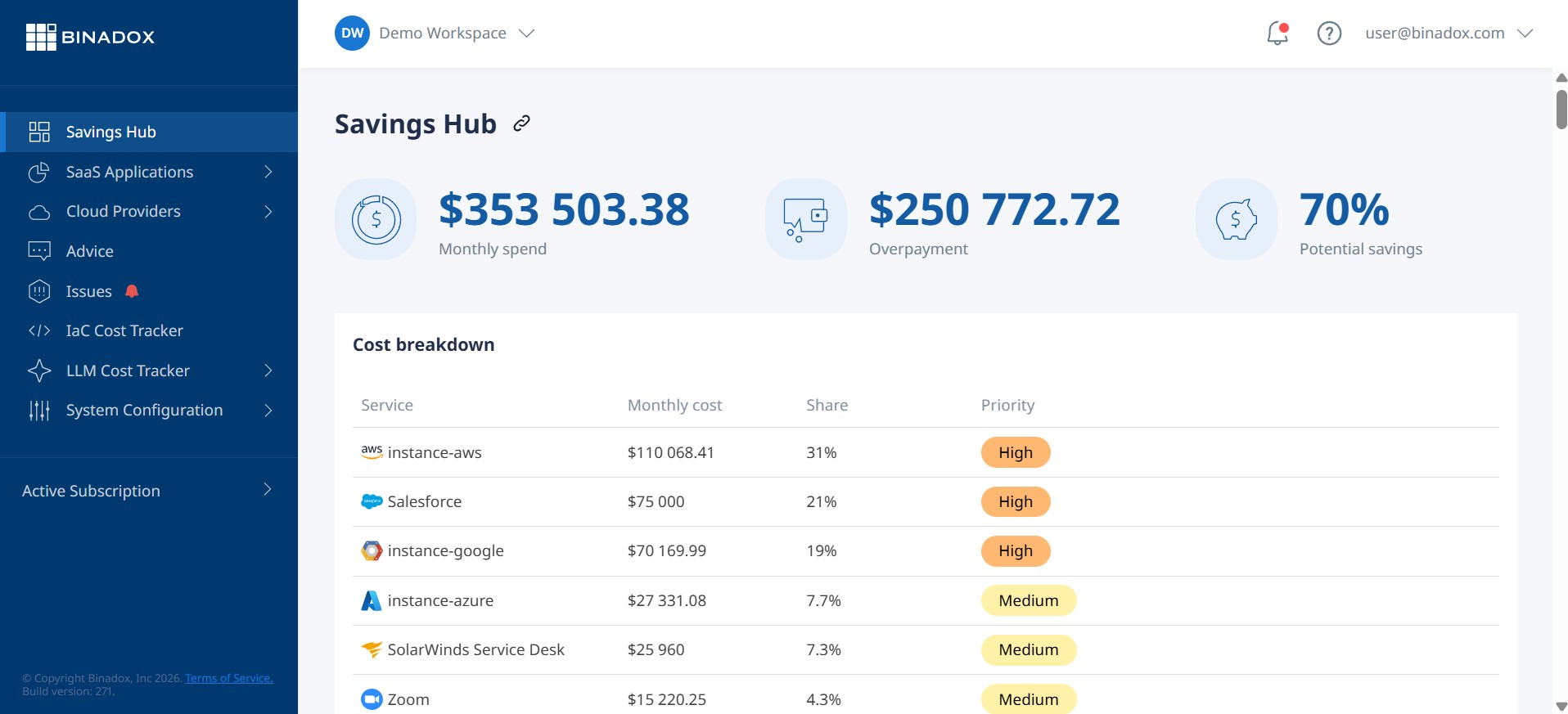
For Cosmos DB, Binadox can help you:
- Visualize cost trends: Get clear, intuitive dashboards that show your Cosmos DB spending over time. You can easily spot spikes in cost and drill down to their root cause.
- Identify cost anomalies: Set up alerts to be notified of unexpected increases in spending, allowing you to take corrective action quickly.
- Allocate costs accurately: If you have multiple teams or projects using the same Cosmos DB account, Binadox can help you allocate costs based on tags or other criteria. This provides greater visibility into which teams are responsible for which charges.
By using a tool like Binadox, your team can move from reactive cost monitoring to proactive cloud cost optimization in Azure, making data-driven decisions to control spending.
Best Practices for Managing Cosmos DB Spending
Effectively managing your Cosmos DB costs involves a combination of right-sizing resources, optimizing your data model, and monitoring usage. Here are some best practices to help you optimize your cloud investment with Azure Cost Management.
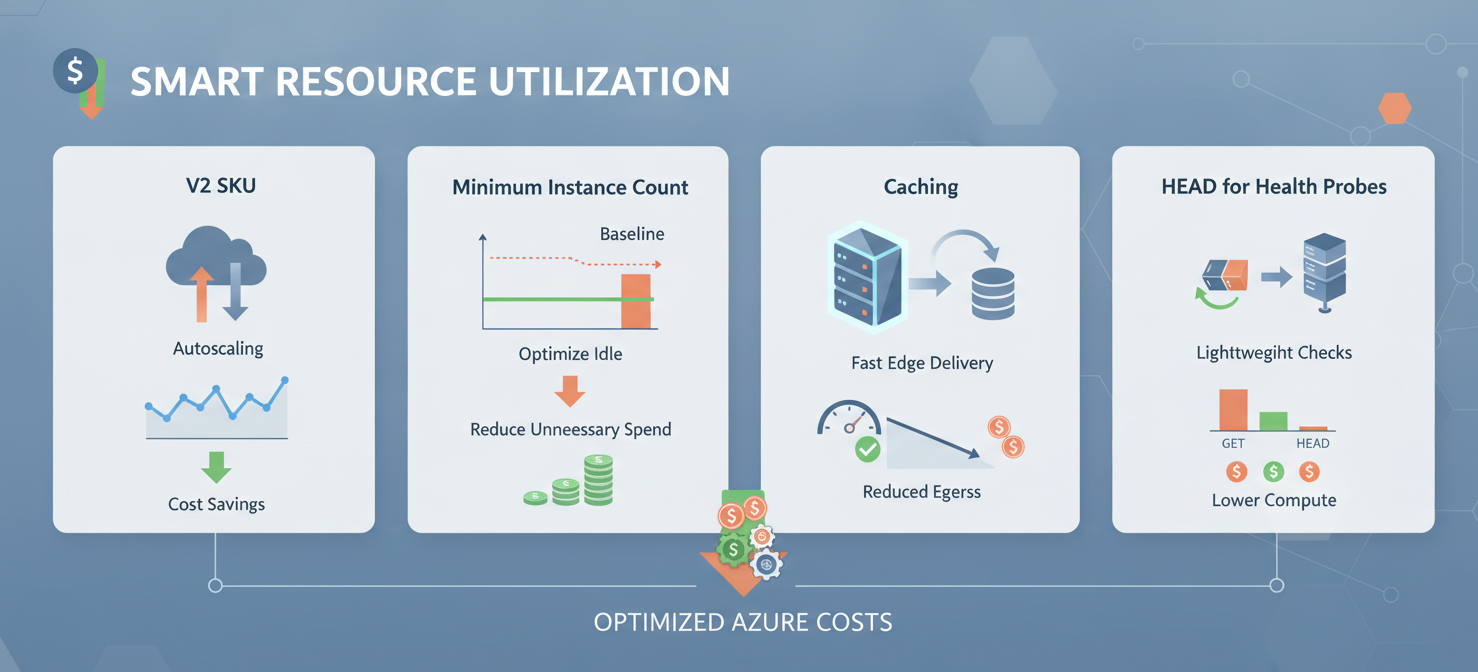
First, choose the right throughput model. Use autoscale for unpredictable workloads to avoid paying for idle capacity. For predictable workloads, provisioned throughput can be more cost-effective, especially when combined with reserved capacity.
Second, optimize your indexing policy. By default, Cosmos DB indexes every property in your documents. While this provides flexibility, it also increases storage consumption and the RU cost of write operations. Customize your indexing policy to include only the properties you need to query.
Third, monitor and right-size your throughput. Regularly review your RU consumption metrics. If you are consistently using only a fraction of your provisioned throughput, consider scaling it down. Conversely, if you are frequently getting rate-limited, you may need to scale up.
Finally, use the Azure Cosmos DB Capacity Calculator. Before deploying a new workload, use this tool to estimate your required throughput and storage. This helps you forecast costs and make informed decisions about your initial configuration.
By implementing these strategies, you can gain better control over your Azure Cosmos DB billing. It’s not about slashing costs indiscriminately, but about spending smartly to ensure your database is both performant and cost-efficient. Ignoring the details of your Azure Cosmos DB billing is like navigating without a map; you might eventually reach your destination, but you’ll likely take an unnecessarily expensive route.
To truly master your Azure Cosmos DB spending and move beyond reactive monitoring, consider how Binadox can provide the deeper insights you need. You can easily begin a free trial of Binadox to explore its features or schedule a personalized demonstration to see it in action.
 7-day free trial