


Google Cloud Run offers a powerful serverless platform for running containerized applications, but its pay-for-what-you-use model can make costs seem unpredictable. A clear understanding of Google Cloud Run billing is essential for managing your budget effectively. This article breaks down how Cloud Run pricing works, explaining the core components that influence your monthly bill and how to optimize your spending.
Key takeaways
- Cloud Run’s pricing is based on four main factors: CPU, memory, number of requests, and execution time.
- A generous free tier includes 2 million requests, 180,000 vCPU-seconds, and 360,000 GiB-seconds of compute time per month, which can cover the entire cost of small applications.
- Your choice between request-based and instance-based billing can significantly change your monthly spending depending on your service’s traffic patterns.
- Optimizing concurrency settings is a key strategy; allowing a single instance to handle multiple requests at once can dramatically reduce the billable instance time.
Understanding Google Cloud Run Pricing
Google Cloud Run’s pricing model is designed to charge you only for the resources you consume. Unlike traditional virtual machines where you pay for a block of resources 24/7, Cloud Run scales down to zero, meaning you don’t pay for compute resources when your service is idle (unless you configure it otherwise).
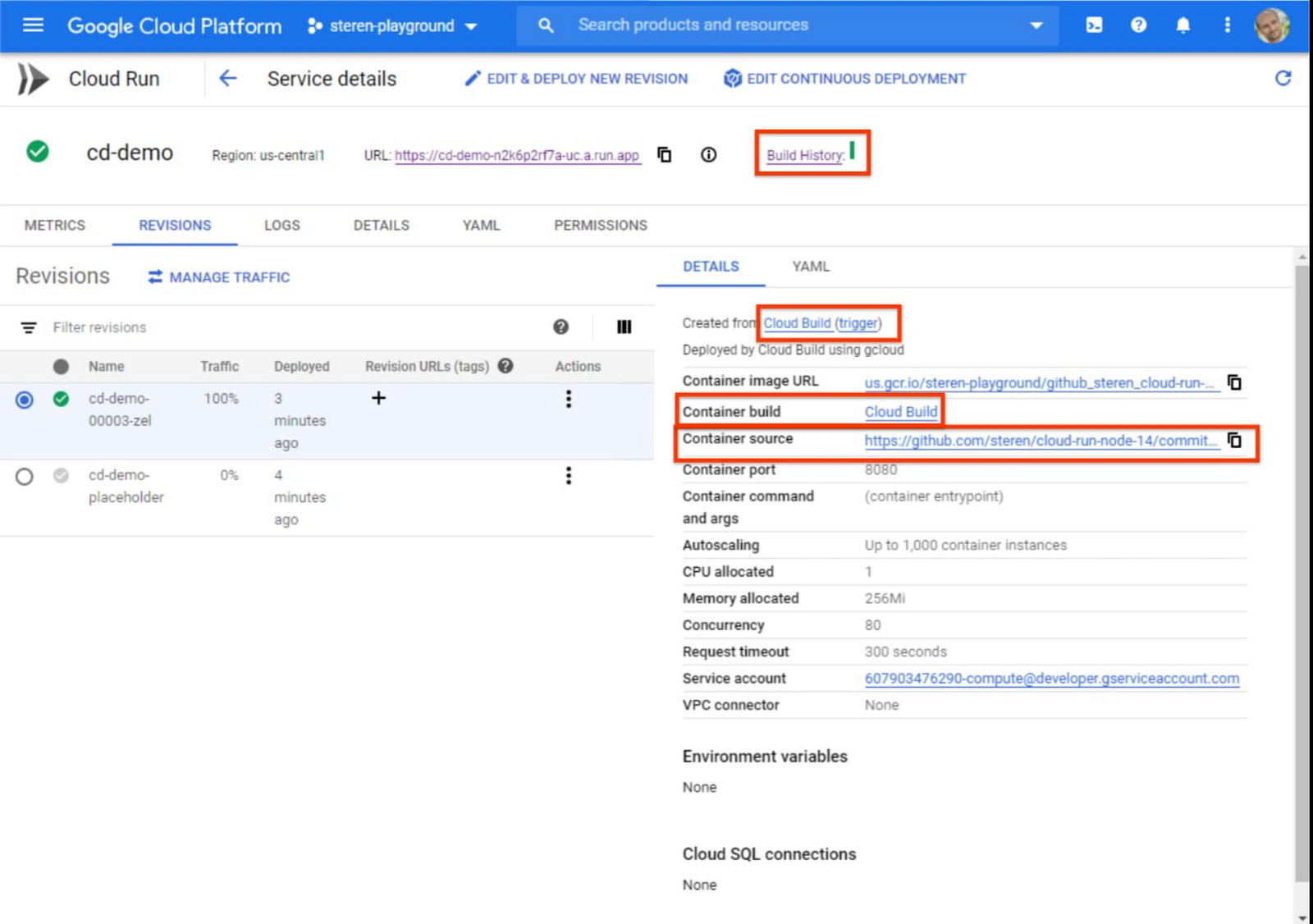
Your total bill is the sum of charges for several distinct resources, with costs calculated and rounded up to the nearest 100 milliseconds. The primary components are:
- CPU: The processing power allocated to your container instance.
- Memory: The amount of RAM allocated to your instance.
- Requests: The number of incoming HTTP requests your service receives.
In addition to these, outbound data transfer (egress) can also contribute to your costs. Google provides a significant free tier for each of these resources, which resets monthly and is shared across all Cloud Run services within a single billing account. For many small or low-traffic applications, this free tier can cover all operational costs.
How Requests, CPU, Memory, and Execution Time Affect Costs
Each component of Cloud Run pricing is metered and billed separately. Understanding how these factors interact is the first step toward managing your Google Cloud Run billing effectively.
CPU and Memory Consumption
You are billed for the vCPU and memory allocated to your container instance, not necessarily what your application uses. The billing unit for these is the vCPU-second and the GiB-second. For example, running an instance with 1 vCPU and 2 GiB of memory for 1 second would consume 1 vCPU-second and 2 GiB-seconds.
Billable time starts when an instance begins processing its first request and ends after the last request is complete. This includes the time it takes for your container to start up. Therefore, inefficient code or slow startup times directly increase your costs by prolonging this billable period.
Request Volume and Execution Time
Beyond the free tier of 2 million requests per month, you are charged a flat rate per million requests. As of late 2026, this rate is typically around $0.40 per million.
Execution time has a direct impact on your CPU and memory costs. A request that takes 400 milliseconds to process will consume twice the vCPU-seconds and GiB-seconds as a request that finishes in 200 milliseconds, assuming the same resource allocation. This makes application performance a critical factor in cost optimization.
How Billing Models and Service Configuration Change Spending
Cloud Run offers configuration options that can fundamentally alter how your service is billed. The most significant of these are the billing model and concurrency settings.
Request-Based vs. Instance-Based Billing
Cloud Run provides two distinct billing models for services:
- Request-based billing: This is the default setting. You are charged for CPU and memory only when an instance is actively processing one or more requests. This model is highly cost-effective for services with intermittent or unpredictable traffic because it can scale to zero, eliminating costs during idle periods.
- Instance-based billing: With this model, you are charged for the entire lifecycle of an instance, from startup to shutdown, regardless of whether it is handling requests. In exchange, the per-second rates for CPU and memory are lower, and there is no per-request fee. This can be more economical for services with steady, consistent traffic where instances are almost always active.
Concurrency and Minimum Instances
Concurrency defines how many requests a single container instance can process simultaneously. By default, a Cloud Run instance can handle multiple requests at once (a common default is 80).
- Higher concurrency allows fewer instances to handle the same volume of traffic, which can significantly reduce costs by minimizing total billable instance time.
- Lower concurrency (e.g., setting it to 1) forces Cloud Run to spin up a new instance for each concurrent request, which can increase costs.
You can also configure a minimum number of instances to keep running at all times. This is useful for reducing the “cold start” latency for user-facing applications. However, these idle instances incur charges, so it represents a direct trade-off between performance and cost.
How to Interpret Cloud Run Usage Metrics and Billing Records
To manage costs, you need to understand where the money is going. Google Cloud provides tools to help you analyze your spending.
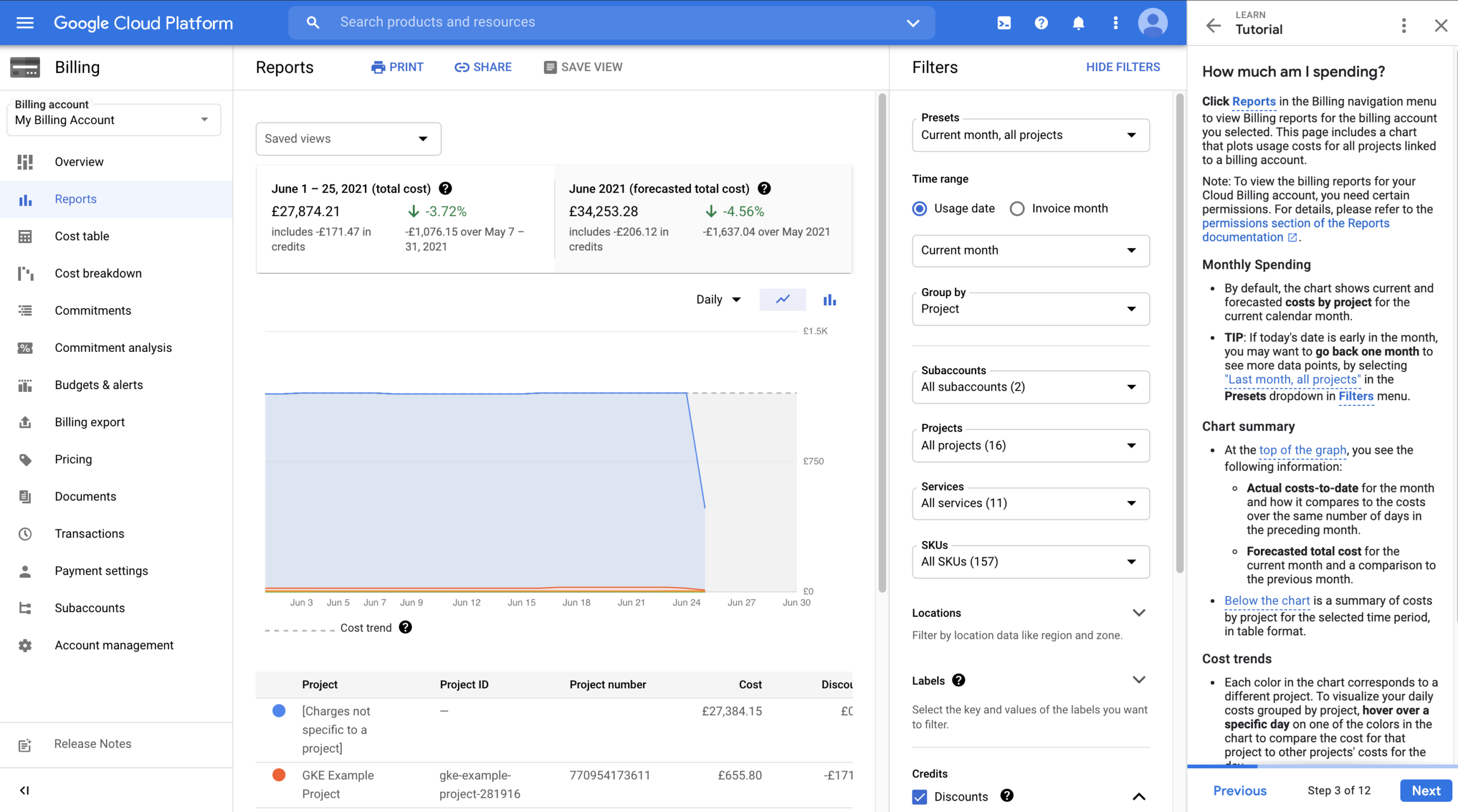
In the Google Cloud Console, navigate to the Billing section. Here, you can access detailed reports that break down your costs. By grouping your report by SKU (Stock Keeping Unit), you can see specific charges for “Cloud Run vCPU-Seconds,” “Cloud Run Memory-Seconds,” and “Cloud Run Requests.” This view helps you identify which resource is contributing most to your bill.
For more granular insights, you can apply labels to your Cloud Run services. These labels appear in your billing export, allowing you to filter costs by service, team, or environment. This is crucial for pinpointing which specific applications are driving up expenses. Additionally, Cloud Monitoring provides key metrics like run.googleapis.com/container/billable_instance_time, which directly tracks the primary driver of your compute costs.
How to Identify Costly Services and Unexpected Charges
Unexpected charges often arise from misconfigurations or inefficient application behavior. A common culprit is a service that is taking longer to process requests than anticipated, leading to high CPU and memory costs. Another is setting a minimum number of instances that are no longer needed, resulting in paying for idle resources.
To find these issues, start by examining your billing reports for services with unusually high costs. Cross-reference this with performance metrics in Cloud Monitoring. Look for:
- High request latency: Slow responses directly increase billable time.
- High billable instance time: This metric is a clear indicator of your compute costs.
- Low utilization: If you have minimum instances configured but their CPU and memory utilization is consistently low, you are paying for capacity you don’t need.
Analyzing these metrics helps you form a hypothesis. For example, a spike in latency might point to a recent code change or a problem with a downstream dependency, both of which can be investigated and fixed to reduce costs.
How Binadox Helps Analyze Cloud Run Costs
While Google’s native tools are useful, third-party platforms like Binadox can provide deeper insights and automated analysis for cloud cost management. Binadox offers a unified dashboard to monitor and manage your multi-cloud spending, including Google Cloud.
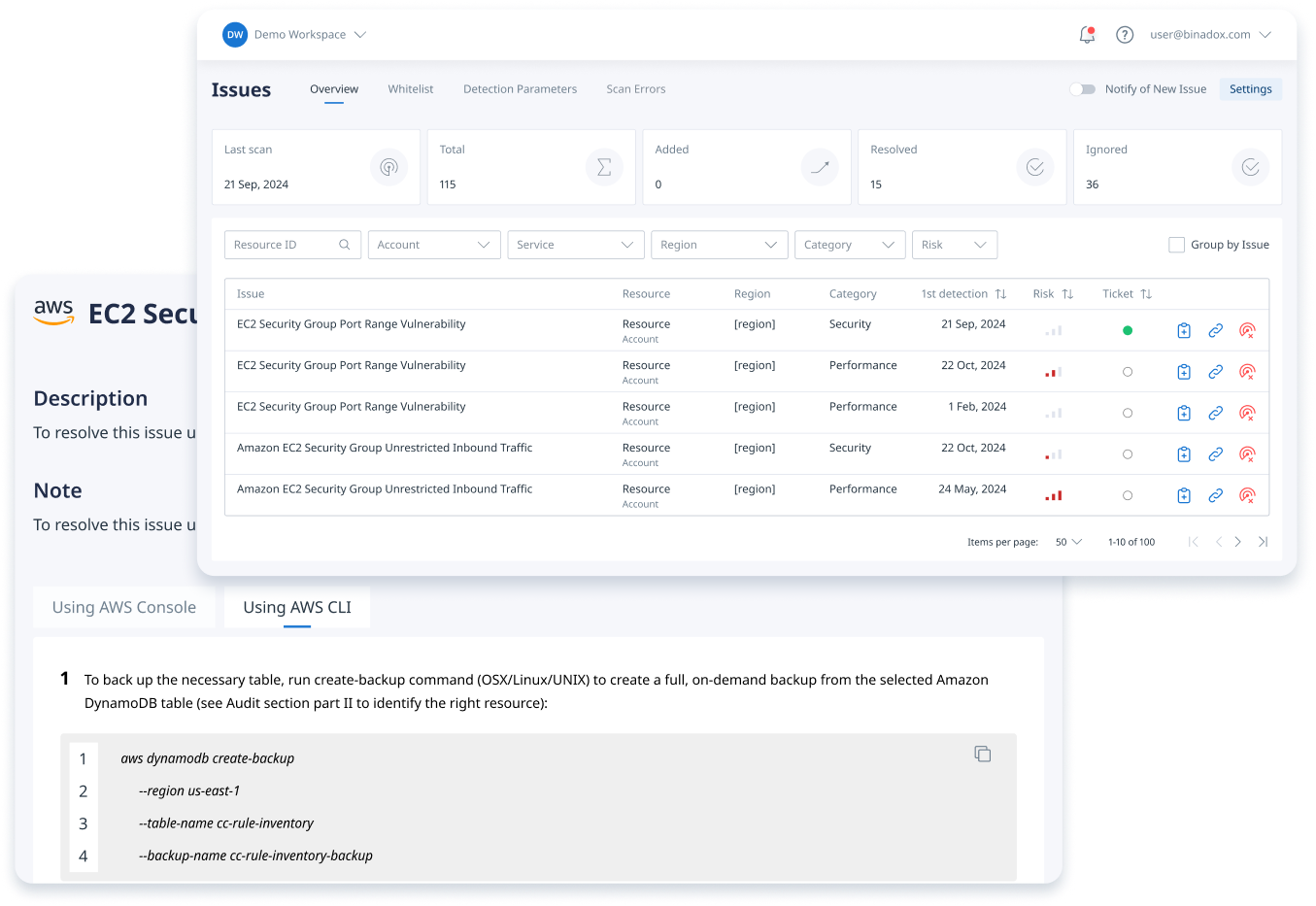
For Cloud Run, Binadox helps by:
- Providing clear cost visibility: It aggregates spending data across all your services, making it easier to see high-level trends and drill down into specific cost drivers.
- Identifying optimization opportunities: The platform’s engine can automatically detect misconfigurations, such as services that would be cheaper on a different billing model or instances that are overprovisioned. For example, Binadox can flag latency-sensitive services that are incorrectly configured to scale to zero, which could lead to performance issues and SLA breaches.
- Rightsizing recommendations: By analyzing actual usage patterns, Binadox can recommend optimal CPU, memory, and minimum instance settings to ensure you’re not paying for unused capacity.
Using a tool like Binadox can help your team move from reactive cost analysis to proactive cost optimization, preventing bill shock before it happens.
Best Practices for Managing Cloud Run Spending
Effectively managing your Cloud Run costs involves a continuous cycle of monitoring, analysis, and optimization.
- Right-size your services: Start with the lowest CPU and memory settings that your application can handle and only increase them if performance metrics show it’s necessary. Over-provisioning is a common source of wasted spend.
- Optimize your code: Faster code means shorter execution times, which directly translates to lower compute costs. Profile your application to find and eliminate bottlenecks.
- Tune concurrency: Test your application to find the highest concurrency setting it can handle without degrading performance. Maximizing the requests per instance is one of the most effective cost-saving levers.
- Choose the right billing model: Regularly evaluate whether your services would be cheaper on request-based or instance-based billing. Google’s Recommender can sometimes provide suggestions on this.
- Use budgets and alerts: Set budgets in Google Cloud Billing for your projects and configure alerts to be notified when spending exceeds certain thresholds. This provides an essential safety net against unexpected cost spikes.
By following these practices, you can take full control of your serverless spending and ensure you’re getting the most value out of the platform.
In conclusion, Google Cloud Run billing is not as complex as it may first appear. Costs are a direct reflection of your service’s configuration and efficiency. By understanding the core pricing components, actively monitoring your usage, and using tools like Binadox to gain deeper insights, you can effectively manage your expenses. Ultimately, a well-optimized Cloud Run service is not only performant and scalable but also remarkably cost-effective. Don’t let fear of a surprise bill prevent you from using this powerful technology; instead, master the mechanics of Google Cloud Run billing.
To move beyond reactive cost analysis and proactively optimize your Cloud Run services, consider exploring a free trial of Binadox or arranging a personalized demo to see how it can streamline your cost management.
 7-day free trial