



As a FinOps lead or cost analyst, you know that shared infrastructure is a primary source of cost allocation headaches. Central network components, like Azure’s Virtual Network Gateways, are a classic example. They provide essential connectivity for numerous applications and business units, yet their costs land as a single, opaque line item on your invoice. This makes accurate showback or chargeback nearly impossible without a clear strategy. Effective azure cost attribution for these gateways is not just about splitting a bill; it’s about providing the visibility needed to drive accountability and make informed architectural decisions.
This article provides practical, actionable strategies for attributing the costs of Azure VPN and ExpressRoute gateways. We will move beyond simple, even splits and explore methods that tie network costs directly to the workloads and business units that consume them, transforming your network from a cost center into a value-driven component of your cloud financial management practice.
Key takeaways:
- Implement a mandatory 5-to-8 tag strategy for all new resources, focusing on
CostCenter,Application, andOwnerto provide the foundational data for allocation. - Leverage Azure Cost Management’s cost allocation rules to distribute gateway costs based on proportional network, compute, or storage consumption of the consuming resources.
- Use Azure Policy to enforce your tagging strategy, preventing the deployment of untagged resources that obscure cost ownership.
- For advanced scenarios, combine Azure Monitor metrics with cost allocation rules to create a usage-based model that reflects actual data transfer patterns.
The Challenge of Shared Network Gateway Costs
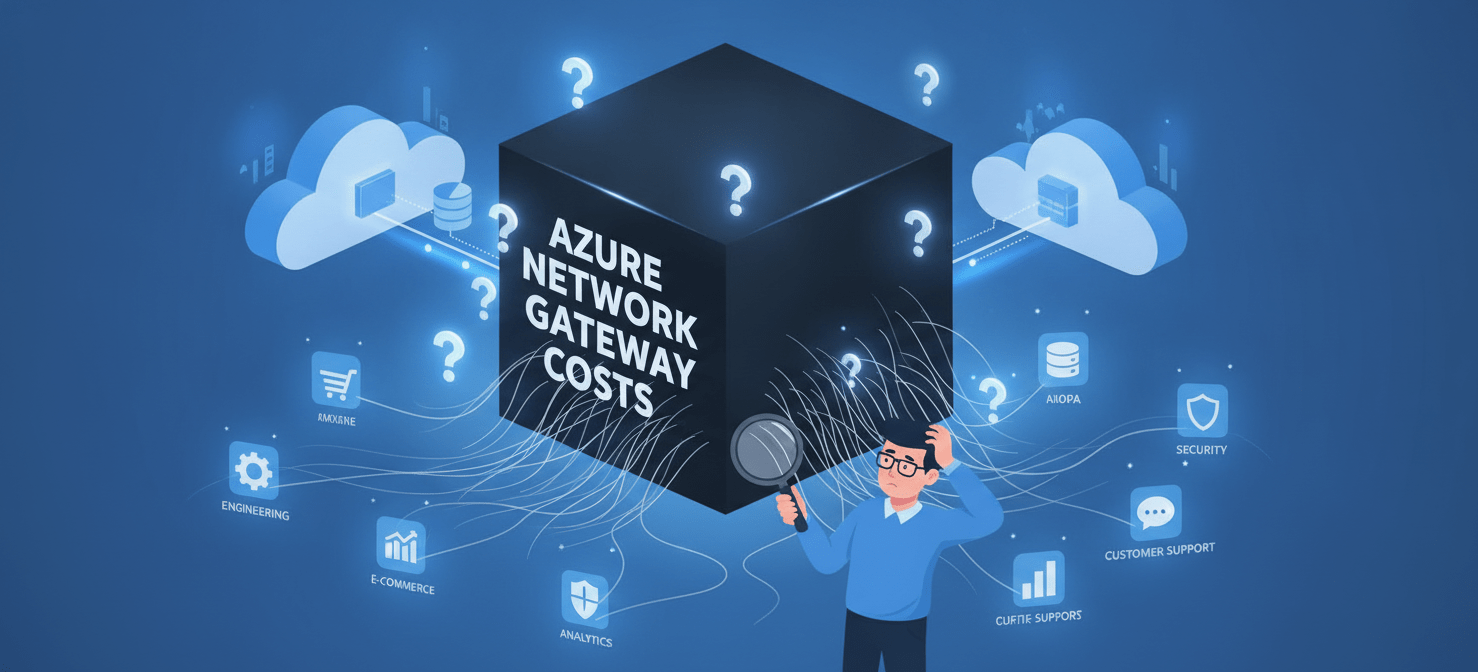
Azure Virtual Network Gateways, whether VPN or ExpressRoute, are fundamental for hybrid cloud connectivity. They act as the secure entry and exit point for traffic between your on-premises data centers and your Azure virtual networks. However, their very nature as a shared resource creates a significant FinOps challenge. The gateway is deployed centrally, but its usage is distributed across potentially hundreds of applications, projects, and departments.
The costs for these gateways are primarily based on two factors: an hourly charge for the gateway SKU (which determines its performance and capacity) and, for some configurations, data transfer fees. For example, VPN Gateway costs are based on the time the gateway is provisioned and available. ExpressRoute offers both metered and unlimited data plans, where costs depend on a monthly port fee and, in the metered case, outbound data transfer charges.
This consolidated billing model means that without a deliberate allocation strategy, the entire cost of the network gateway falls on the subscription where it’s deployed. Consequently, this obscures the true cost of running individual applications. A business unit with a low-traffic application might be implicitly subsidizing a high-traffic data analytics platform, leading to inaccurate total cost of ownership (TCO) calculations and a lack of accountability for consumption. Your goal is to dissect this single charge and map it back to the consumers, providing the data necessary for effective showback and chargeback.
Tagging Strategies for Granular Allocation
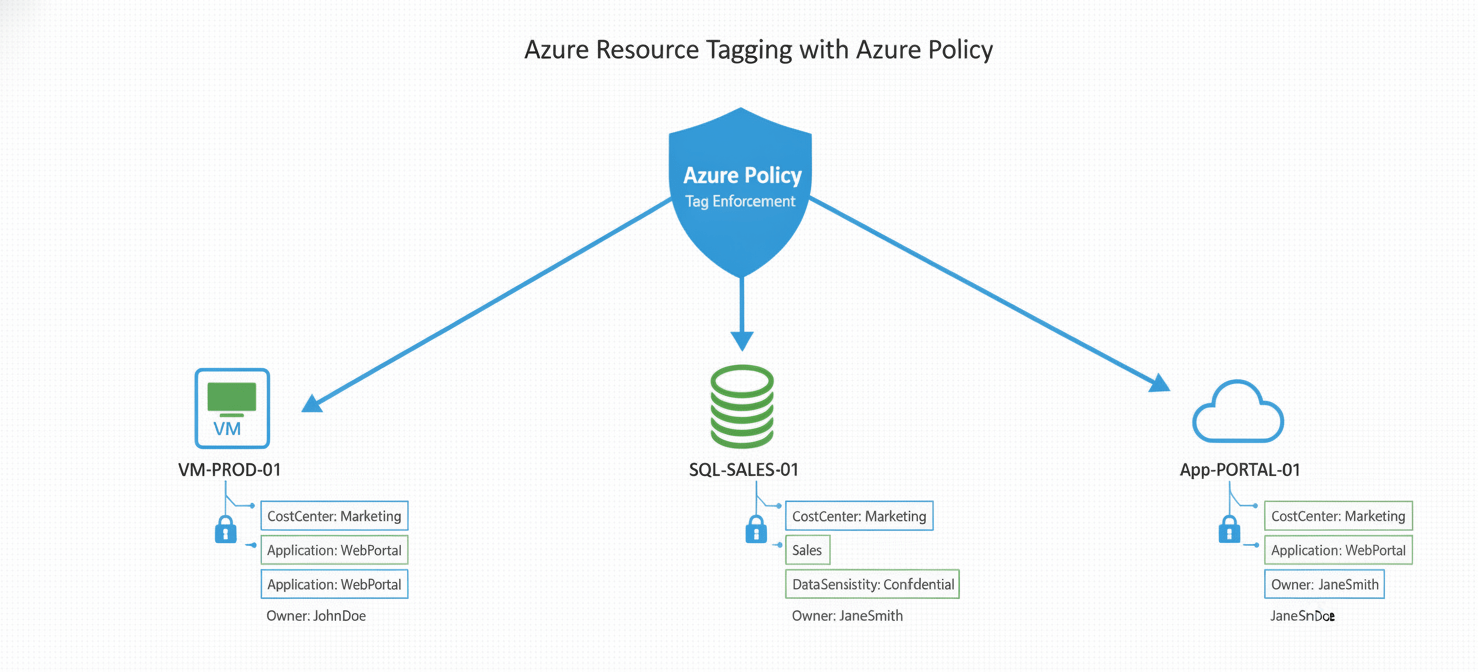
The foundation of any successful Azure cost attribution strategy is a robust and consistently enforced tagging policy. Tags are key-value pairs that you apply to Azure resources, augmenting the usage data with essential business context. For network gateways, where the resource itself cannot be easily divided, you must tag the consuming resources to create a basis for allocation.
Designing Your Core Tagging Schema
To effectively allocate gateway costs, you need to know who is using the network. Therefore, your tagging strategy should focus on identifying the business context of each resource that sends or receives traffic through the gateway. Start with a minimal set of mandatory tags for all resources. A good starting point includes:
- CostCenter: The financial entity responsible for the resource’s cost.
- Application: The name of the application or service the resource belongs to.
- Environment: The deployment stage, such as Production, Staging, or Development.
- Owner: The team or individual accountable for the resource.
By tagging every virtual machine, database, and app service with this information, you create a dataset that links resource consumption back to business units.
Enforcing Tagging Compliance with Azure Policy
A tagging strategy is only effective if it’s followed. Manual tagging is prone to errors and omissions. Instead, you should use Azure Policy to automate enforcement. You can create policies that, for example:
- Require specific tags on all new resource deployments, denying any deployment that lacks them.
- Append default tags to resources within a specific resource group or subscription.
- Audit for non-compliance, flagging existing resources that are missing required tags.
This automated governance ensures that the data you need for azure network cost allocation is always present and accurate.
Simplifying Management with Tag Inheritance
Manually tagging every single resource can be an administrative burden. To streamline this, enable the tag inheritance feature in Azure Cost Management. When enabled, tags applied at the subscription or resource group level are automatically applied to the usage records of the child resources within them. This is particularly useful for resources that don’t natively support tagging. By setting your core tags (CostCenter, Application) on a resource group, you ensure all resources created within it inherit that context for cost analysis purposes.
Leveraging Azure Cost Management for Network Gateways
Once you have a solid tagging foundation, you can use the tools within Azure Cost Management + Billing to perform the actual allocation. This native toolset is designed to help you analyze, manage, and optimize your Azure costs.
Creating Cost Allocation Rules
The core feature for this task is cost allocation rules. These rules allow you to take the cost from a source (like the resource group containing your shared network gateway) and redistribute it to specified targets (subscriptions, resource groups, or tags).
To create a rule for your network gateway, you would:
- Navigate to Cost Management > Cost allocation in the Azure portal.
- Define the source: Select the subscription and resource group where your Virtual Network Gateway resides.
- Define the target(s): This is where your tagging strategy pays off. You can target resources based on their tags. For example, you can create targets for each
CostCentertag value. - Choose a distribution method: Azure offers several ways to split the cost:
- Evenly: Distributes the cost equally among all targets. This is simple but often inaccurate.
- Proportional to Compute Cost: Allocates cost based on each target’s share of total compute (Microsoft.Compute) spending.
- Proportional to Storage Cost: Allocates based on each target’s share of storage (Microsoft.Storage) spending.
- Proportional to Network Cost: Allocates based on each target’s share of other network (Microsoft.Network) spending.
- Custom Percentage: Manually define the percentage for each target.
For network gateways, allocating proportionally to the compute or overall network cost of the consuming applications is often the most equitable and logical starting point. It operates on the assumption that resources with higher compute or network spend are likely driving more traffic through the gateway.
Visualizing Allocated Costs in Cost Analysis
After a cost allocation rule is active, the results are visible within the Cost Analysis tool. This does not change your actual Azure bill, but it provides the adjusted views necessary for showback and chargeback. You can group your cost analysis view by “Cost allocation” to see how the gateway costs have been distributed. Furthermore, you can filter by your CostCenter or Application tags to provide specific teams with a clear dashboard showing their portion of the shared network infrastructure costs.
Advanced Azure Cost Attribution Models
While proportional allocation based on compute or network spend is a significant improvement over no allocation, it’s still a proxy for actual usage. For organizations requiring more precise chargeback, more advanced models can be constructed.
Usage-Based Allocation with Azure Monitor
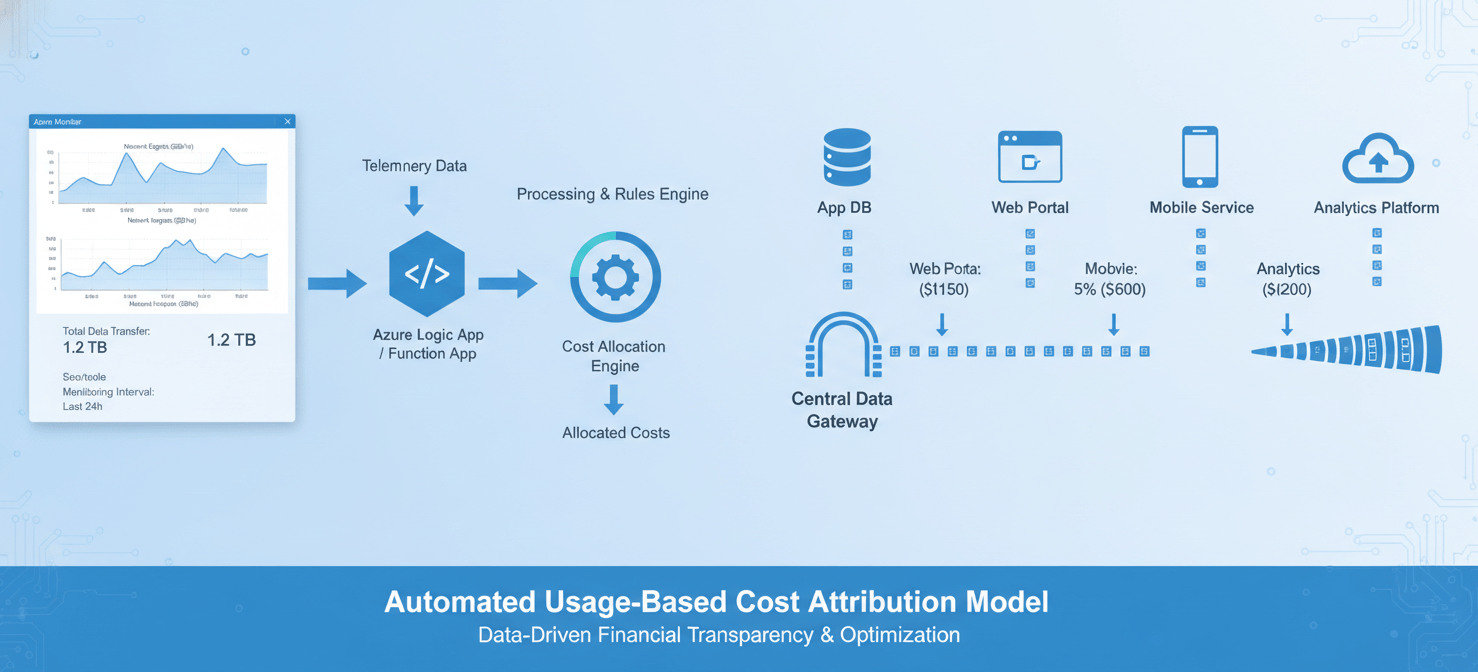
For the highest level of accuracy, you can build a model based on actual data transfer metrics. This approach requires more effort but provides a defensible, usage-based chargeback mechanism.
- Collect Metrics: Use Azure Monitor to capture metrics from the Virtual Network Gateway, specifically
GatewayEgressandGatewayIngress, which track outbound and inbound data volume. - Correlate with Consuming Resources: This is the most complex step. You can use Network Watcher’s NSG flow logs to get data on traffic volume between specific IP addresses. By mapping these IPs back to their respective VMs and applications (using your tags), you can determine what percentage of total gateway traffic each application is responsible for.
- Automate the Calculation: This process should be automated. A script or Azure Function can run periodically to pull the necessary data from Azure Monitor and the Network Watcher APIs, calculate the allocation percentages, and then use the Cost Management APIs to update a custom cost allocation rule with the new distribution percentages.
This model provides a direct link between consumption and cost, satisfying even the most stringent chargeback requirements.
Tiered Allocation and Hybrid Models
Not all network traffic has the same business value. Another advanced strategy is to create a tiered model. For example, you could define a “standard” tier of network usage that is allocated based on a simple proportional model, representing general corporate connectivity.
However, for applications with exceptionally high bandwidth requirements, such as data replication or large-scale analytics, you could create a “premium” tier. These specific applications, identified by tags, could be allocated a larger, predefined portion of the gateway cost, with the remainder distributed among the “standard” tier applications. This hybrid approach balances administrative simplicity with the need to hold high-consumption outliers accountable.
Building a Business-Driven Allocation Strategy
Ultimately, the goal of azure cost attribution is to provide financial transparency that drives business value. The technical models described above are the means to an end. Your strategy must be aligned with your organization’s FinOps maturity and business objectives.

Start by collaborating with stakeholders in finance and application teams to define what “fair” allocation means for your organization. A proportional model based on compute cost might be sufficient for showback and initial accountability. As your FinOps practice matures, you can evolve towards more precise, usage-based models for chargeback.
The key is to move away from treating network gateways as an untouchable, central IT cost. By implementing a clear and consistent allocation strategy, you empower application owners with the data they need to understand their full cost to serve. This visibility is the first step toward making cost-conscious architectural decisions, optimizing data transfer patterns, and ensuring that your cloud network spending is directly tied to the value it delivers. After all, you can’t optimize what you can’t measure, and you certainly can’t hold anyone accountable for a cost they can’t see.
By transforming opaque network gateway costs into transparent, attributable expenses, you empower your teams with the data needed for true FinOps accountability. If you’re ready to achieve this level of clarity and control over your Azure spend, consider exploring a free Binadox trial or arranging a personalized demonstration of our capabilities.
 7-day free trial