



As an engineering manager, you own your team’s architecture, reliability, and, increasingly, its cloud budget. While AWS provides powerful observability tools, Amazon CloudWatch can quickly become a significant and unpredictable line item on your monthly bill. Effective CloudWatch cost governance isn’t about turning off monitoring; it’s about instilling a culture of cost-awareness and implementing processes that link spending to value. This requires a strategic approach that balances operational insight with financial accountability, ensuring your team uses observability resources efficiently without compromising on essential monitoring.
Key takeaways
- The Multiplier Effect: CloudWatch costs are driven by three primary vectors: log ingestion, custom metrics, and data retention. A single misconfigured service can create thousands of billable custom metrics, turning a small feature into a four-figure monthly expense.
- Visibility Precedes Control: You cannot govern what you cannot see. Implementing a mandatory tagging policy for all resources is the foundational first step to allocating CloudWatch costs back to specific teams, projects, or features.
- Shift Accountability Left: Implement showback or chargeback models to make cost a visible part of the development lifecycle. When engineers see the direct cost impact of their architectural decisions, they are empowered to build more cost-efficient systems.
- Automate Governance: Use tools like AWS Budgets to set spending thresholds and automatically alert teams when they are forecasted to exceed their allocation. This transforms cost management from a reactive monthly fire drill into a proactive, continuous process.
Why CloudWatch Costs Spiral Out of Control
CloudWatch pricing is complex, with multiple billing dimensions that can interact in unexpected ways. For engineering leaders focused on process and outcomes, understanding the root causes of cost overruns is critical to establishing effective governance. The issue is rarely a single, obvious mistake but rather a series of small, unmanaged decisions that accumulate over time.

The most common drivers of surprise bills are custom metrics and log ingestion. A standard custom metric costs $0.30 per month for the first 10,000, which seems trivial. However, the cost multiplies based on the number of unique dimension combinations. For example, adding a high-cardinality dimension like a userID or requestID to a metric can turn a single metric name into thousands of billable time series, leading to exponential cost growth. Similarly, log ingestion is often the largest single component of a CloudWatch bill. Applications configured to log at a DEBUG or INFO level in production can generate terabytes of data, with each gigabyte ingested incurring a fee.
Furthermore, many advanced AWS features generate their own CloudWatch metrics and logs, creating hidden downstream costs. Enabling detailed monitoring on an EC2 instance, for example, converts free 5-minute interval metrics into billable 1-minute custom metrics. Across a large fleet, this seemingly minor change can add thousands to the monthly bill. Without a clear governance framework, these costs are often discovered only after they have already been incurred, making reactive cleanup a frustrating and recurring part of engineering budget management.
Establishing a CloudWatch Cost Governance Framework
Effective engineering budget management for CloudWatch requires a deliberate, multi-faceted framework. It’s not about micromanaging every metric but about creating a system where teams have the visibility and incentive to make cost-conscious decisions. This framework rests on four pillars: visibility, accountability, control, and optimization.
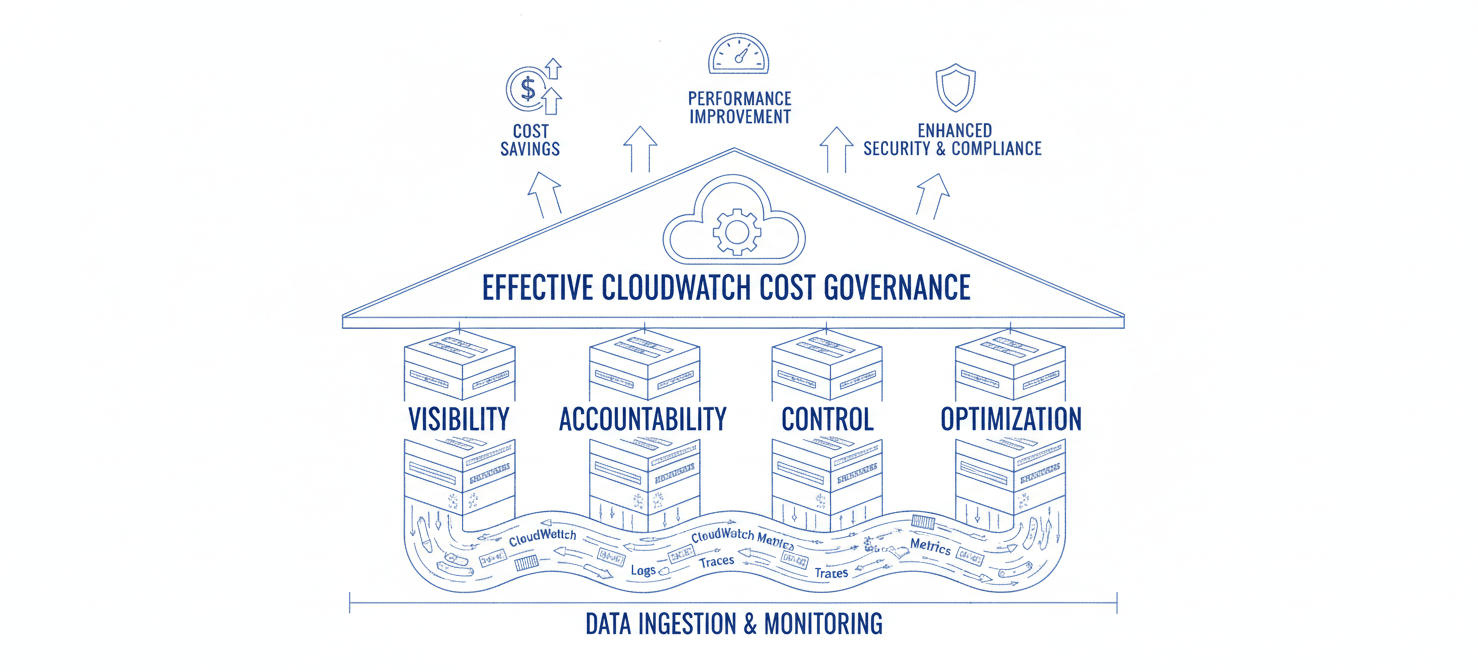
First, you must establish clear visibility into where the money is going. This involves breaking down the monolithic CloudWatch bill into meaningful segments that align with your organizational structure—by team, project, or service. Without this, any attempt at accountability is futile.
Next, you must foster a culture of cloud cost accountability. This means shifting the responsibility for CloudWatch spend from a central finance team to the engineering teams who are actually creating the resources. When a team directly sees the financial impact of their logging verbosity or metric cardinality, they are naturally incentivized to be more efficient.
The third pillar is control. This involves setting proactive guardrails and alerts to prevent cost overruns before they happen. Instead of analyzing a surprise bill at the end of the month, your teams should be notified the moment their forecasted spend exceeds their budget, allowing them to course-correct in real-time.
Finally, the framework must include a continuous optimization loop. This involves regularly reviewing usage patterns, identifying waste, and implementing technical changes to reduce costs without sacrificing necessary operational insight. This is an ongoing process, not a one-time project.
Step 1: Gaining Visibility with Tagging and Cost Allocation
The foundation of any governance strategy is visibility. You cannot control, optimize, or assign accountability for costs you cannot see. In AWS, the primary mechanism for achieving this visibility is through a disciplined and consistently enforced tagging strategy. Cost allocation tags are labels (key-value pairs) that you assign to AWS resources, which then appear in your detailed billing reports, allowing you to categorize and track costs.
Enforcing a Mandatory Tagging Policy
To begin, you must define a mandatory set of tags that all teams must apply to their resources. Common and effective tags for cost allocation include:
team-owner: The specific engineering team responsible for the resource.project-name: The project or microservice the resource belongs to.environment: The deployment stage (e.g.,prod,staging,dev).
Once defined, these tags must be enforced. Use AWS Service Control Policies (SCPs) or third-party tools to prevent the creation of resources that do not have the required tags. This ensures that from the moment of creation, every resource’s cost can be attributed to an owner.
Analyzing Costs with AWS Cost Explorer
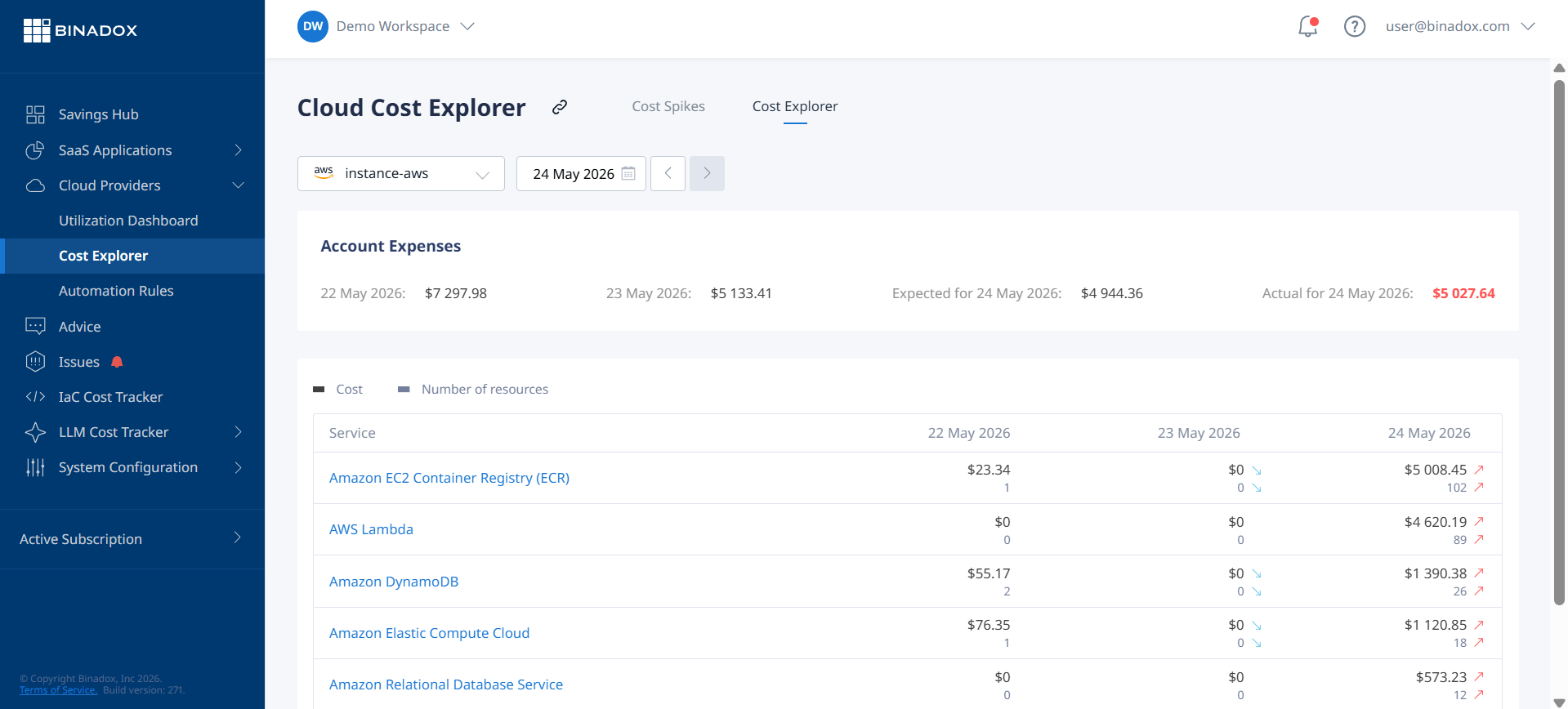
With a consistent tagging strategy in place, you can use AWS Cost Explorer to visualize and analyze your CloudWatch spend. Cost Explorer allows you to filter and group your costs by your defined tags. For example, you can create a report that shows the total CloudWatch cost, grouped by the team-owner tag. This transforms the opaque CloudWatch bill into a clear, actionable dashboard showing exactly which teams are driving the most cost. This data-driven view is the essential first step toward building a culture of cloud cost accountability. It allows you to move from asking “Why is the CloudWatch bill so high?” to “Team-Alpha, let’s discuss your log ingestion trends this month.”
Step 2: Implementing Showback and Chargeback Models
Once you have visibility through tagging, the next step is to implement a system that directly connects teams to their consumption costs. This is where showback and chargeback models become powerful tools for driving cloud cost accountability. These models are not just accounting exercises; they are mechanisms for changing team behavior and embedding cost as a key metric in the engineering process.
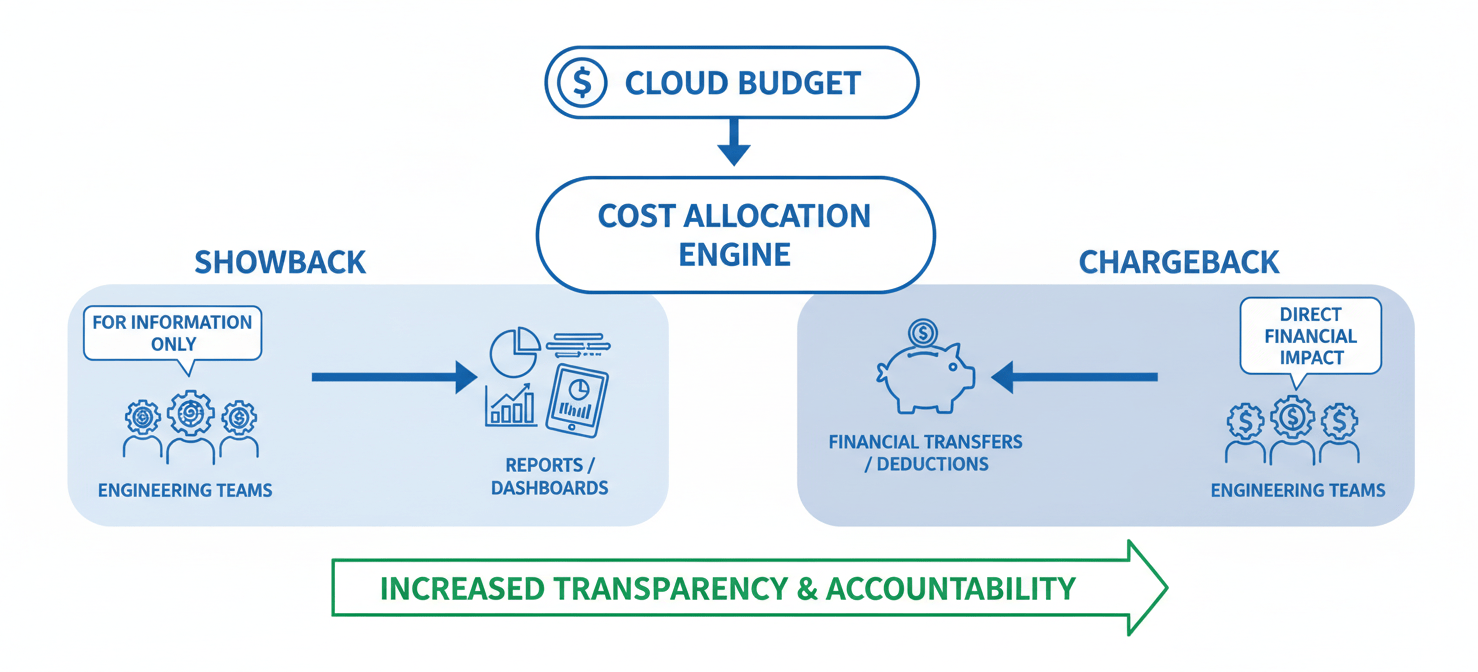
A showback model involves tracking the CloudWatch costs incurred by each team and “showing” them the bill. While the costs are still paid from a central budget, the regular reporting makes the financial impact of their work visible. This often leads to voluntary optimization as teams see their contribution to the overall spend. You can start this process simply by sharing the filtered Cost Explorer views you created in the previous step during weekly team meetings or in a shared dashboard.
A chargeback model takes this a step further by formally allocating the costs back to each team’s individual budget. This creates a direct financial incentive for teams to manage their CloudWatch usage efficiently. When the cost of excessive logging or high-cardinality metrics directly impacts a team’s ability to fund other priorities, optimization becomes a much higher priority. Implementing a full chargeback model requires collaboration with your finance department to adjust budgeting processes, but it is the most effective way to ensure teams treat cloud spend with the same discipline as they would any other resource.
Both models rely on the accurate cost allocation data generated by your tagging strategy. By making costs visible and attributable, you empower your engineering teams to take ownership of their spending and make smarter architectural trade-offs.
Step 3: Driving Accountability with Budgets and Alerts
Visibility and showback models create awareness, but proactive controls are necessary to prevent budget overruns before they occur. AWS Budgets is a critical tool for this, allowing you to move from reactive analysis to proactive governance. It enables you to set custom cost and usage thresholds and receive alerts when spending exceeds or is forecasted to exceed those limits.
Creating Team-Specific Budgets
Using the same tags you established for cost allocation, you can create specific budgets for each engineering team. For example, you can set a monthly cost budget for all resources tagged with team-owner: Team-Alpha. This budget can be configured to trigger alerts at various thresholds, such as when actual spend reaches 80% of the budget or when forecasted spend is projected to exceed 100%.
These alerts should be integrated directly into your team’s workflow. Instead of sending notifications to a generic finance email alias, configure AWS Budgets to send alerts to the specific team’s Slack channel or to their on-call notification system. This ensures that the people with the context and ability to address the rising costs are notified immediately.
From Notification to Action
The goal of these alerts is not just to inform, but to drive action. When a team receives a budget alert, it should trigger a clear, predefined process. This might include:
- An immediate review of their recent deployments to identify any changes that could be driving up costs.
- Using CloudWatch Logs Insights to identify the highest-volume log groups.
- Analyzing custom metrics for unexpected increases in cardinality.
By setting automated budgets and alerts, you create a feedback loop that reinforces cloud cost accountability. Teams are no longer flying blind; they have a clear understanding of their spending targets and are notified in real-time when they are at risk of exceeding them. This system transforms budget management from a top-down mandate into a distributed, team-owned responsibility.
Step 4: Optimizing Usage and Reducing Waste
With a framework for visibility and accountability in place, the final step is to empower your teams with the technical knowledge to optimize their CloudWatch usage. This involves a continuous process of identifying and eliminating waste without compromising essential monitoring capabilities.
Right-Sizing Log Ingestion
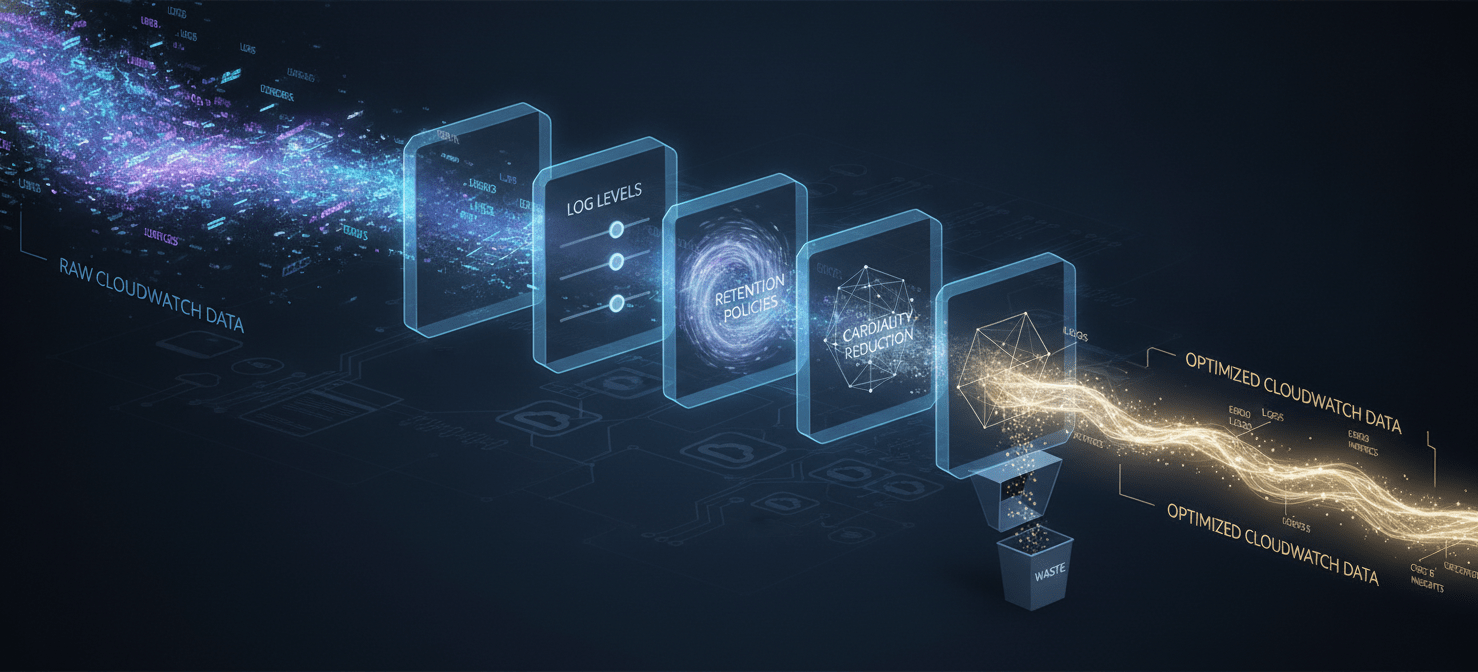
Log ingestion is frequently the largest cost driver, and often the area with the most opportunity for optimization.
- Adjust Log Levels: Ensure that applications in production are not logging at
DEBUGorINFOlevels. This single change can dramatically reduce log volume. - Use the Infrequent Access Log Class: For logs that are needed for forensic analysis but not for real-time alerting, use the CloudWatch Logs Infrequent Access (IA) log class. The IA class can cut ingestion costs by 50% compared to the Standard class.
- Set Retention Policies: By default, CloudWatch logs are stored indefinitely. Review your compliance and debugging requirements and set an appropriate retention period for each log group to avoid paying for storage you no longer need.
Managing Metric Costs
Custom metrics can provide deep insight, but their costs can quickly escalate if not managed carefully.
- Avoid High-Cardinality Dimensions: This is the most common cause of metric-related bill shock. Educate your teams to never use unbounded values like
userID,sessionID, orrequestIDas metric dimensions. Instead, use low-cardinality attributes likeenvironmentorstatus_code. - Audit Custom Metrics: Regularly review the custom metrics your teams are creating. Use the CloudWatch metrics console to identify metrics that are no longer being used or that provide redundant information and can be safely removed.
- Use Detailed Monitoring Sparingly: Standard 5-minute monitoring for EC2 is free. Only enable 1-minute detailed monitoring on instances where that level of granularity is truly necessary for operational response.
By combining these technical optimizations with the governance framework, you create a sustainable system for managing your engineering budget. Teams are not just held accountable for their costs; they are equipped with the tools and knowledge to control them effectively.
Conclusion
Managing observability spend is no longer a secondary concern for finance; it is a core competency for modern engineering leaders. Implementing a robust CloudWatch cost governance framework is not about restricting access to critical tools or blindly cutting costs. Instead, it is about creating a system of transparency, ownership, and intelligent control. By establishing clear visibility through tagging, driving cloud cost accountability with showback models, and implementing proactive guardrails with automated budgets, you shift the conversation from “Why is this bill so high?” to “How can we deliver the most value within our budget?” This process transforms your teams from passive consumers of cloud resources into active, cost-conscious owners of their services. The result is not just a lower AWS bill, but a more disciplined and efficient engineering organization—and fewer unpleasant conversations at the end of the month.
To truly empower your engineering teams to become cost-conscious owners, consider how a specialized platform can provide the granular insights and automated controls needed to optimize CloudWatch spend; you can easily create your free Binadox account today to get started, or schedule a personalized demo to see its full capabilities in action.
 7-day free trial