



As an engineering manager, you own your team’s execution, velocity, and, increasingly, its budget. In the cloud, that budget is a direct function of the infrastructure your team provisions and consumes. Yet for many, the monthly Azure bill arrives as an opaque, multi-thousand-line spreadsheet that’s impossible to map back to specific features, projects, or architectural decisions. This lack of clarity creates a dangerous blind spot. Without it, you cannot measure the cost-efficiency of your services, hold teams accountable for their consumption, or make data-driven decisions about where to invest in optimization. Improving Azure cost visibility for engineering teams is not a finance exercise; it is a fundamental component of operational excellence and a key enabler of sustainable engineering velocity.
Key takeaways:
- Implement a mandatory tagging policy: Start with 5-8 mandatory tags for cost allocation and ownership and enforce them using Azure Policy to gain foundational visibility.
- Shift from reactive reporting to proactive monitoring: Integrate cost data directly into engineering workflows with team-specific budgets and automated alerts.
- Empower teams with actionable data: Use tools like Azure Advisor and cost analysis views to provide engineers with the specific, resource-level insights they need to optimize their own services.
- Foster a culture of cost accountability: Make cost a shared responsibility, not a top-down mandate, by connecting architectural decisions to their direct financial impact.
The Challenge: Opaque Cloud Bills and Diffused Responsibility
The core problem is one of attribution. When a single, consolidated bill lands, it aggregates costs from dozens of services, environments, and teams. It’s nearly impossible to answer critical business questions like:

- What is the true cost of running our new machine learning feature?
- Which team’s non-production environment is driving the spike in compute costs this month?
- Is the infrastructure for Project Phoenix tracking against its budget?
Without clear answers, responsibility becomes diffused. Engineers, focused on delivering features and maintaining uptime, often lack the tools and context to see the financial impact of their decisions. They may provision an oversized VM for a development environment or choose a premium storage tier without realizing the long-term cost implications. This isn’t negligence; it’s a systemic issue stemming from a lack of visibility and direct feedback loops. The result is a reactive, often contentious cycle where finance questions unexpected cost overruns, and engineering is left scrambling to investigate after the fact.
Why Cost Visibility Matters for Engineering Velocity
Improving Azure cost accountability is not about micromanaging engineers or prioritizing cost-cutting over innovation. Instead, it’s about providing the necessary feedback loops to build more efficient, scalable, and well-architected systems. When your teams can see the cost implications of their work, it becomes another non-functional requirement they can engineer for, alongside performance, security, and reliability.

This visibility directly impacts key engineering metrics:
- Improved Decision-Making: When engineers can compare the cost of different architectural patterns (e.g., serverless functions vs. container apps), they can make more informed trade-offs that align with business objectives.
- Increased Ownership and Accountability: Clear cost allocation fosters a sense of ownership. Teams who “own” their portion of the bill are more likely to proactively identify and eliminate waste, such as idle resources or over-provisioned databases.
- Reduced Waste and Rework: By catching inefficiencies early in the development lifecycle, you reduce the engineering effort required for costly, large-scale optimization projects down the line. This frees up developer cycles for feature work.
- Better Budgeting and Forecasting: Granular, team-level cost data allows you to create more accurate forecasts and set realistic budgets, reducing financial uncertainty and improving planning.
Strategy 1: Foundational Tagging and Governance
You cannot manage what you cannot measure. The absolute foundation of cost visibility is a robust and consistently enforced resource tagging strategy. Tags are simple key-value pairs of metadata, but they are the mechanism that allows you to slice, filter, and allocate every dollar of your Azure spend.
Designing a Practical Tagging Taxonomy
The goal is not to create dozens of tags, but to define a small, mandatory set that answers your most critical allocation questions. A practical starting point for most engineering organizations includes:
- CostCenter/BusinessUnit: Who is financially responsible?
- Owner/Team: Which engineering team is operationally responsible?
- Project/Application: Which service or initiative does this resource support?
- Environment: Is this for production, staging, development, or testing?
Enforcing Consistency with Azure Policy
Voluntary tagging policies fail. The only way to ensure complete and accurate data is to enforce your tagging strategy programmatically. Azure Policy is the native tool for this job. You can configure policies to:
- Audit: Identify and flag any resources that are missing required tags.
- Deny: Block the creation of any new resource that does not comply with the tagging policy.
- Append: Automatically add a default tag if one is not specified by the user.
Start with an “audit” effect to assess your current compliance gap without disrupting workflows. Then, communicate the new standard to your teams and move to “deny” mode for new resources to ensure all future deployments are compliant from the start.
Strategy 2: Granular Cost Allocation and Reporting
With a solid tagging foundation in place, you can move from a single, monolithic bill to a detailed, multi-faceted view of your spending. This is where you translate raw cost data into actionable insights for your teams.
Leveraging Azure Cost Management + Billing
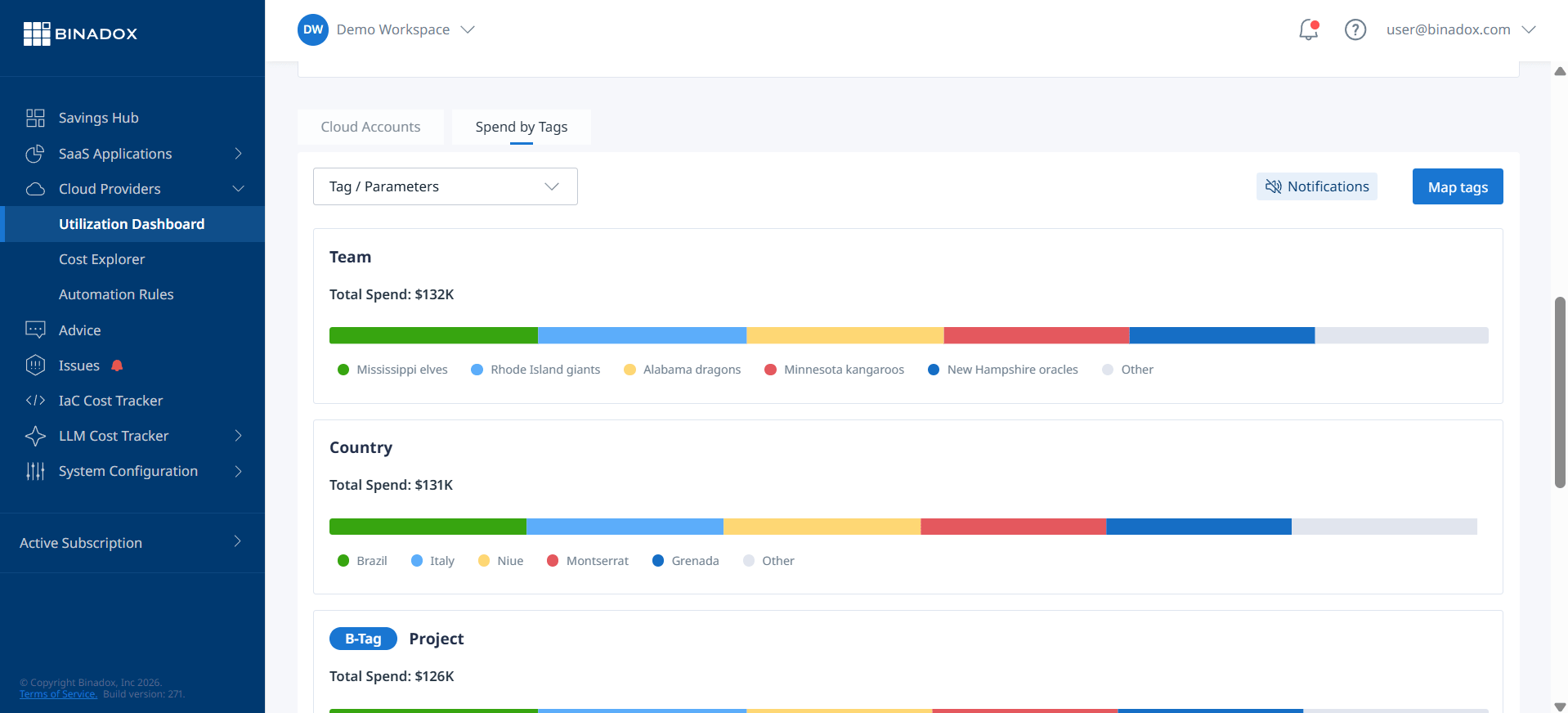
Azure Cost Management is a free, powerful toolset built directly into the Azure portal that serves as your primary interface for visibility. As a manager, you should focus on creating and saving customized views within the Cost analysis tool that align with your team structure.
- Group by Tags: Create views that group costs by your mandatory tags (
Owner,Project,Environment). This allows you to see, at a glance, which teams or applications are consuming the most resources. - Set Team-Specific Budgets: Move beyond a single, top-level budget. Create budgets for individual teams, projects, or resource groups. Configure alerts to notify team leads or distribution lists directly when spending is forecasted to exceed its budget, enabling them to take corrective action before the month ends.
- Analyze Shared Costs: For shared resources like a networking VNet or a central Kubernetes cluster, use Azure’s cost allocation rules to distribute those costs proportionally to the teams that consume them.
Scheduling and Automating Reports
Engineers should not have to remember to log into the Azure portal. Instead, bring the data to them. Use the subscription features within Cost Management to schedule regular exports of your saved cost analysis views. Have these reports emailed directly to team leads or posted to a team’s Slack or Microsoft Teams channel on a weekly basis. This consistent, low-friction delivery keeps cost at the forefront of their operational awareness.
Strategy 3: Fostering a Culture of Cost Accountability
Tools and reports provide data, but a cultural shift is what drives sustainable change. Your goal is to transition from a model where a central authority polices costs to one where individual teams are empowered and expected to manage their own efficiency. This is the core principle of FinOps—a partnership between finance, engineering, and business.
Making Cost an Engineering Metric
Frame cost optimization not as a chore, but as an interesting engineering problem. Encourage your teams to ask questions like:
- “Can we re-architect this workflow to use spot VMs and save 70% on compute?”
- “Is this service over-provisioned? Let’s check the utilization metrics in Azure Monitor.”
- “Does this test environment really need to run 24/7?”
Using Azure Advisor for Actionable Insights
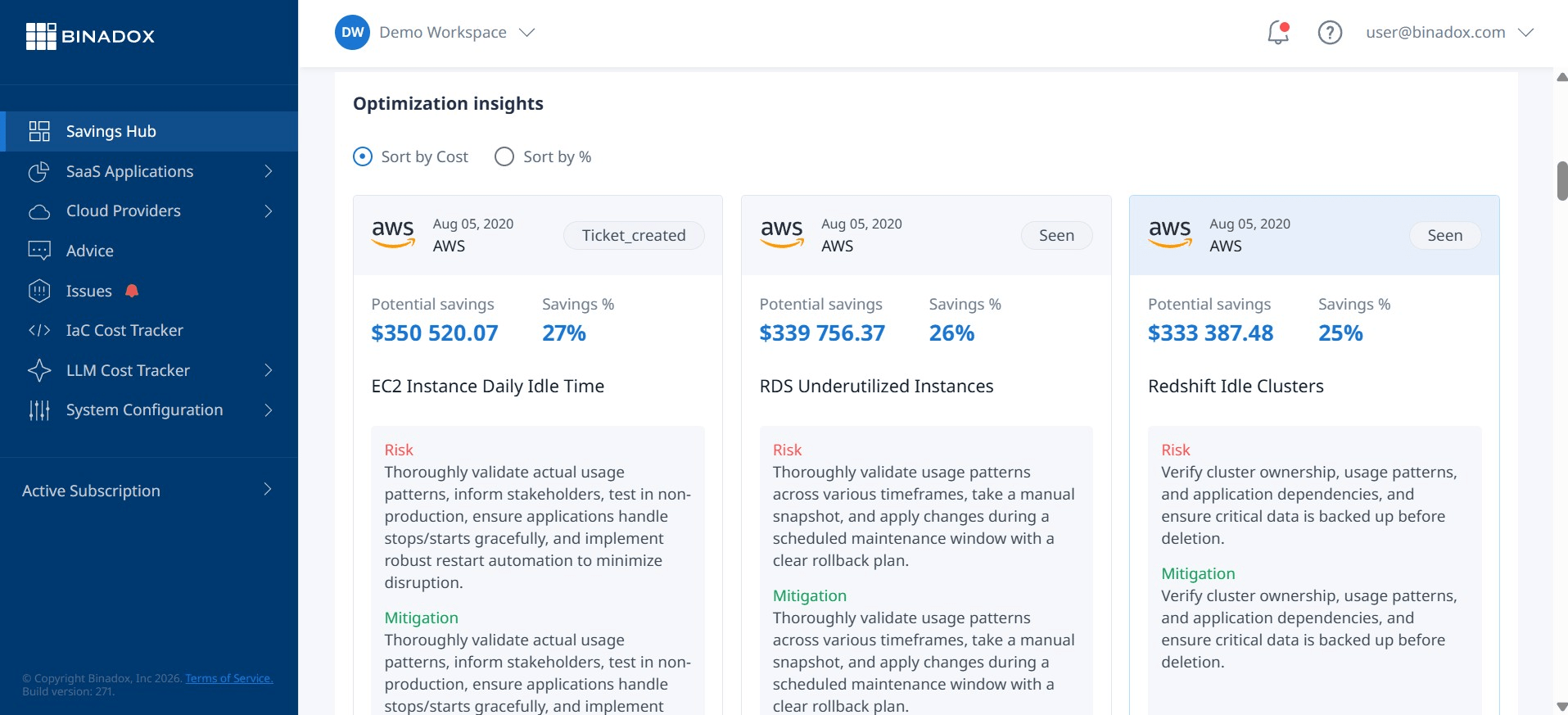
Azure Advisor is a personalized cloud consultant that analyzes your resource configuration and usage telemetry to provide concrete recommendations. The “Cost” category is a goldmine of low-hanging fruit, identifying things like:
- Underutilized or idle VMs that can be resized or shut down.
- Unattached disks or public IPs that are incurring charges for no reason.
- Opportunities to purchase Reserved Instances or Savings Plans for predictable workloads to achieve significant discounts.
Integrate a review of Advisor recommendations into your team’s regular operational cadence (e.g., during sprint planning or a weekly ops review). Assign specific recommendations to team members as trackable work items, just like any other bug fix or feature task.
Empowering, Not Blaming
The key to cultural change is empowerment. When a team’s costs are high, the conversation should not be about blame. It should be a collaborative discussion focused on understanding the business value the service provides and identifying opportunities for efficiency. Give your teams the autonomy and the psychological safety to experiment with cost-saving measures. Celebrate the wins—when a team successfully reduces the cost of their service by 15% through smart optimization, publicize that success.
Conclusion
Improving Azure cost visibility for engineering teams is not a one-time project but an ongoing discipline. It begins with establishing a technical foundation of governance through mandatory tagging and policy enforcement. From there, it requires building processes that deliver granular, relevant cost data directly into the hands of the engineers who can act on it. Ultimately, success depends on fostering a culture where cost is viewed as a critical non-functional requirement—a measure of engineering efficiency and operational excellence. The alternative is to continue treating cloud spend as someone else’s problem, a strategy that inevitably leads to waste, rework, and a significant drag on your team’s ability to deliver value. And no one has the budget for that.
To truly embed cost as a core engineering metric and achieve operational excellence, you can easily create your free Binadox account to begin transforming your Azure cost visibility, or for a more in-depth understanding, book a demo with our team.
 7-day free trial