



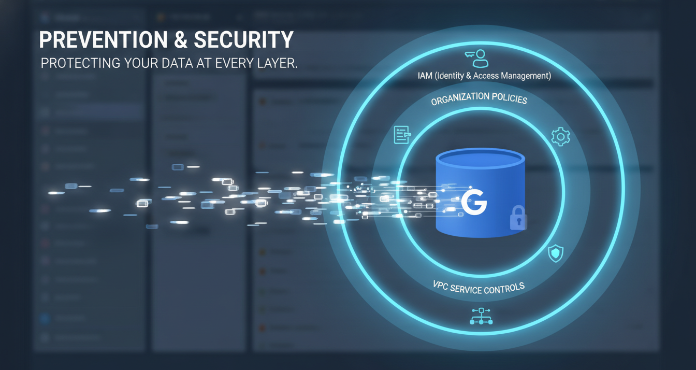
Google Cloud Storage is a foundational service for a vast range of applications, from hosting static website assets to storing sensitive data for analytics workloads. However, a simple misconfiguration can lead to accidental public exposure, creating significant security risks. Therefore, understanding and implementing robust controls to manage gcp cloud storage public access is not just a best practice; it’s a critical security requirement. This article details the multi-layered approach Google Cloud provides to prevent unintended public access to your storage buckets, ensuring your data remains secure.
Key takeaways
- Layered Defense: Effective prevention combines at least 3 distinct mechanisms: IAM, Organization Policies, and VPC Service Controls.
- Enforce Public Access Prevention: Use the
storage.publicAccessPreventionorganization policy constraint as a broad, inherited safeguard against accidental public sharing via IAM or ACLs. - Principle of Least Privilege: Grant permissions by assigning specific, predefined roles to groups rather than primitive, broad roles (like Owner or Editor) to individuals.
- Audit Everything: Regularly enable and review Data Access audit logs to answer the crucial question of “who did what, where, and when” with your data.
Understanding the Risks of Public Access
By default, new Cloud Storage buckets are not publicly accessible. Public access is granted only when a specific Identity and Access Management (IAM) policy or an Access Control List (ACL) explicitly allows it. The most common culprits are IAM bindings that include the special identifiers allUsers or allAuthenticatedUsers. While there are valid use cases for public buckets, such as hosting public website content, accidentally exposing sensitive data can lead to severe consequences.

These risks include data breaches, regulatory fines for non-compliance with standards like GDPR or HIPAA, and significant damage to your organization’s reputation. A misconfigured bucket is a financial and operational liability. The cost of incident response, forensic analysis, and customer notification can be substantial, diverting resources from core business objectives. Consequently, a proactive, defense-in-depth strategy is essential.
Leveraging IAM for Granular Control
Identity and Access Management (IAM) is the primary tool for defining who can do what with your Google Cloud resources, including Cloud Storage buckets. It allows you to manage access by creating policies that bind principals (users, groups, or service accounts) to specific roles.
The Principle of Least Privilege
The cornerstone of a secure IAM strategy is the principle of least privilege (PoLP). This principle dictates that any user, service, or application should only have the minimum permissions necessary to perform its function. For example, an application that only needs to read files from a bucket should be granted the Storage Object Viewer role, not the Storage Admin role.
Granting overly broad, primitive roles like Editor or Owner at the project level is a common mistake that dramatically increases risk. If a service account with the Editor role is compromised, an attacker could potentially access or delete data across all buckets in the project. Instead, you should use granular, predefined roles that are scoped to specific services. For even more fine-grained control, you can create custom IAM roles with a specific set of permissions.
Uniform Bucket-Level Access
To simplify and unify your access control model, it is highly recommended to enable Uniform Bucket-Level Access. This feature disables legacy ACLs, making IAM the exclusive method for managing permissions. This ensures that access control is consistent and prevents situations where a permissive ACL could override a restrictive IAM policy. For new organizations, Google Cloud now enforces this setting by default to promote a more secure and consistent starting posture.
Implementing VPC Service Controls
For an even stronger security boundary, you can use VPC Service Controls. This feature allows you to create a service perimeter around your Google Cloud projects and resources. This perimeter acts as a virtual fence, preventing data exfiltration by blocking access to services like Cloud Storage from outside the defined network boundary, even if the user has valid IAM permissions.
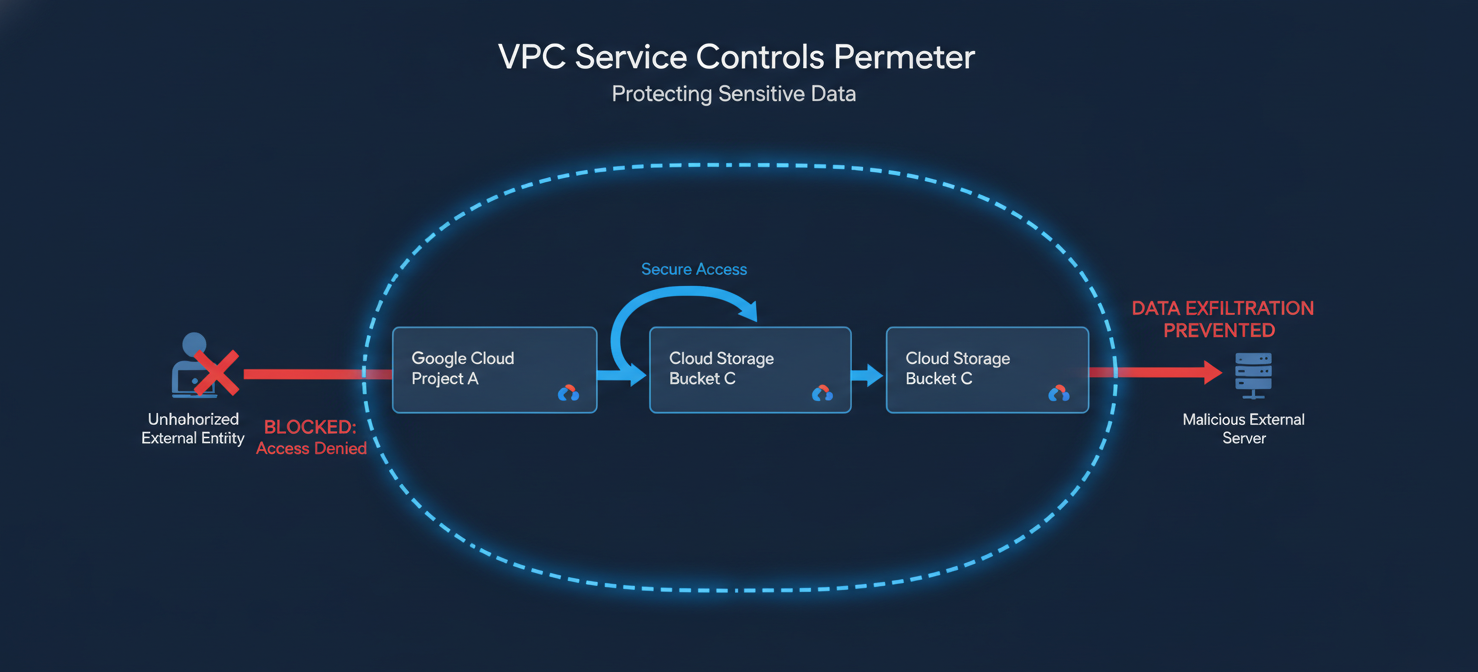
By placing your projects within a service perimeter, you can ensure that your sensitive data in Cloud Storage can only be accessed by services and applications running within that same perimeter. This provides a powerful layer of defense against compromised credentials or malicious insiders attempting to copy data to an external location.
Enforcing Organization Policies for gcp cloud storage public access
The Organization Policy Service provides centralized and programmatic control over your organization’s cloud resources. It allows you to enforce constraints that dictate how resources can be configured and used across your entire resource hierarchy.
Public Access Prevention Constraint
The most direct and effective tool for preventing public access is the storage.publicAccessPrevention organization policy constraint. When this constraint is enforced on an organization, folder, or project, it blocks all IAM policies and ACLs that would grant access to allUsers or allAuthenticatedUsers.
This acts as a master switch, overriding any accidental misconfigurations at the bucket level. Enforcing this policy at the organization root is a critical step to establishing a secure-by-default posture for all new and existing projects. If you have a specific need for a public bucket, such as for a static website, you can selectively disable the policy on the specific project containing that bucket.
Other Relevant Constraints
In addition to preventing public access, you can enforce other organization policies to enhance security:
- Domain Restricted Sharing: This policy can limit which customer identities can be added to IAM policies, preventing data from being shared with users outside your organization.
- Uniform Bucket-Level Access: As mentioned earlier, you can enforce this at an organizational level to ensure all buckets use IAM exclusively for permissions.
Auditing and Monitoring Access
Prevention is crucial, but detection and monitoring are equally important components of a comprehensive security strategy. Google Cloud provides robust logging capabilities to help you track who is accessing your data.
Cloud Audit Logs
Cloud Audit Logs create a record of administrative activities and data access events within your Google Cloud resources. There are two key types of logs for Cloud Storage:
- Admin Activity Logs: These are enabled by default and record any operations that modify the configuration or metadata of a resource, such as creating a bucket or changing an IAM policy.
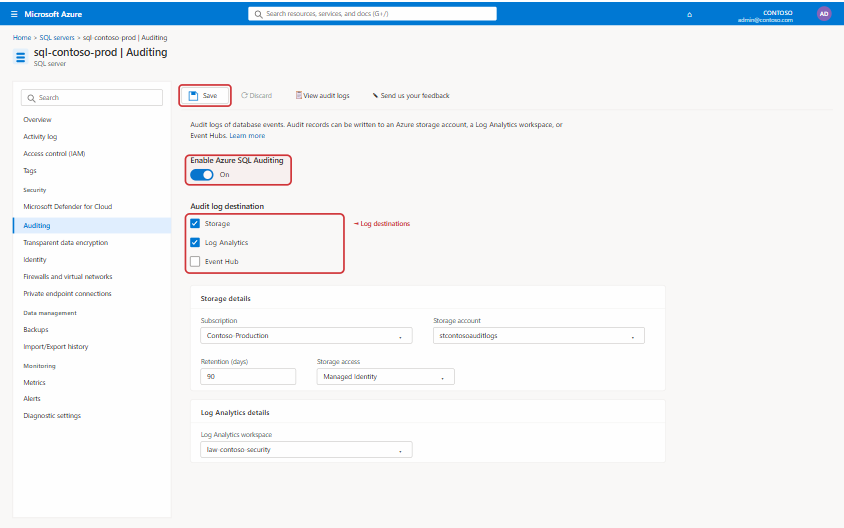
- Data Access Logs: These logs record API calls that read bucket/object metadata or read/write object data. Data Access logs are disabled by default (except for BigQuery) and must be explicitly enabled.
It is highly recommended to enable Data Access logs for any buckets containing sensitive information. These logs are invaluable for security analysis, incident investigation, and compliance auditing. You can route these logs to services like BigQuery for long-term storage and advanced SQL-based analysis.
Security Command Center
For a centralized view of your security posture, you can use Security Command Center (SCC). SCC can automatically scan your Cloud Storage buckets and identify misconfigurations, such as those that are publicly accessible. It generates findings that highlight potential vulnerabilities, allowing your team to take corrective action quickly.
Conclusion
Securing your data in the cloud is a continuous process, not a one-time setup. When it comes to gcp cloud storage public access, a multi-layered approach is the only sound strategy. Relying on a single control is insufficient; instead, you should combine the granular permissions of IAM, the broad enforcement of Organization Policies, and the network-level protection of VPC Service Controls. By implementing the principle of least privilege, enforcing public access prevention at the organization level, and diligently auditing access logs, you can significantly reduce the risk of accidental data exposure. After all, the most effective security incident is the one that never happens.
If you’re ready to implement these robust security measures for your GCP Cloud Storage, you can start a free trial of our platform to begin, or book a demo to explore a tailored solution with our experts.
 7-day free trial