



As an engineering manager, you own the processes, budget, and outcomes for your team. This includes the tools they use every day. Microsoft 365 is a core part of that toolkit, but its licensing is often treated as a black box managed by IT or procurement. However, overlooking this area is a costly mistake. Inefficient M365 license management directly impacts your budget, team velocity, and overall governance. It’s not just an administrative task; it is an engineering process problem with significant financial and operational consequences.
Key takeaways
- Stop the Bleed: As much as 55% of enterprise software licenses go unused, representing a significant and avoidable drain on your budget.
- Right-Tool the Role: A one-size-fits-all approach is wasteful. Therefore, you should align license tiers (like M365 E3 vs. E5) to specific engineering roles and their actual tool usage.
- Automate to Win: Implement a 4-step governance framework to automate license requests, assignments, and reclamation, turning a manual headache into a streamlined process.
- Own Your Stack: Treating license management as an engineering problem gives you direct control over a key component of your team’s operational efficiency and budget.
The High Cost of Unmanaged M365 Licenses
Unused and underutilized software licenses are a quiet but massive source of financial waste. Research indicates that a staggering percentage of software spend is wasted on “shelfware”—licenses that are paid for but deliver little to no value. For engineering teams, this problem is compounded by the high cost of specialized developer M365 licenses and Visual Studio subscriptions.

The Financial Impact of “Shelfware”
When an engineer leaves the company or moves to a different role, their premium license often remains assigned to an inactive account. This oversight means you are paying for a valuable asset that is generating zero return. For example, a single Visual Studio Enterprise subscription can cost over $250 per user per month. If that license sits dormant for a quarter, you have wasted $750. Now, multiply that across a large engineering organization with natural attrition and role changes, and the costs quickly escalate into tens of thousands of dollars. Studies have shown that enterprises can waste millions annually on unused SaaS licenses.
The Productivity Cost of Misaligned Licenses
The problem isn’t just about unused licenses; it’s also about misaligned ones. Assigning a top-tier Microsoft 365 E5 license to a junior developer who only needs core Office apps and Teams is a classic example of over-provisioning. The cost difference between an M365 E3 and an E5 license is significant, around $21 per user per month. While the E5 license offers advanced security and analytics features, these are often unnecessary for many engineering roles.
Conversely, failing to provide the right tools can hamper productivity. A senior architect who needs the advanced debugging and testing tools in Visual Studio Enterprise but only has a Professional license will face unnecessary friction. Effective Visual Studio license management ensures that your highest-value engineers have the tools they need, while avoiding wasteful spending on roles that don’t require them.
Why M365 License Management is an Engineering Problem
Traditionally, license management is handled by a central IT or procurement department. While they manage the purchasing, they lack the context to manage allocation effectively. They don’t know your team’s roles, project requirements, or day-to-day workflows. As a result, they often rely on generic, role-agnostic allocation policies that lead directly to the waste and misalignment described above.
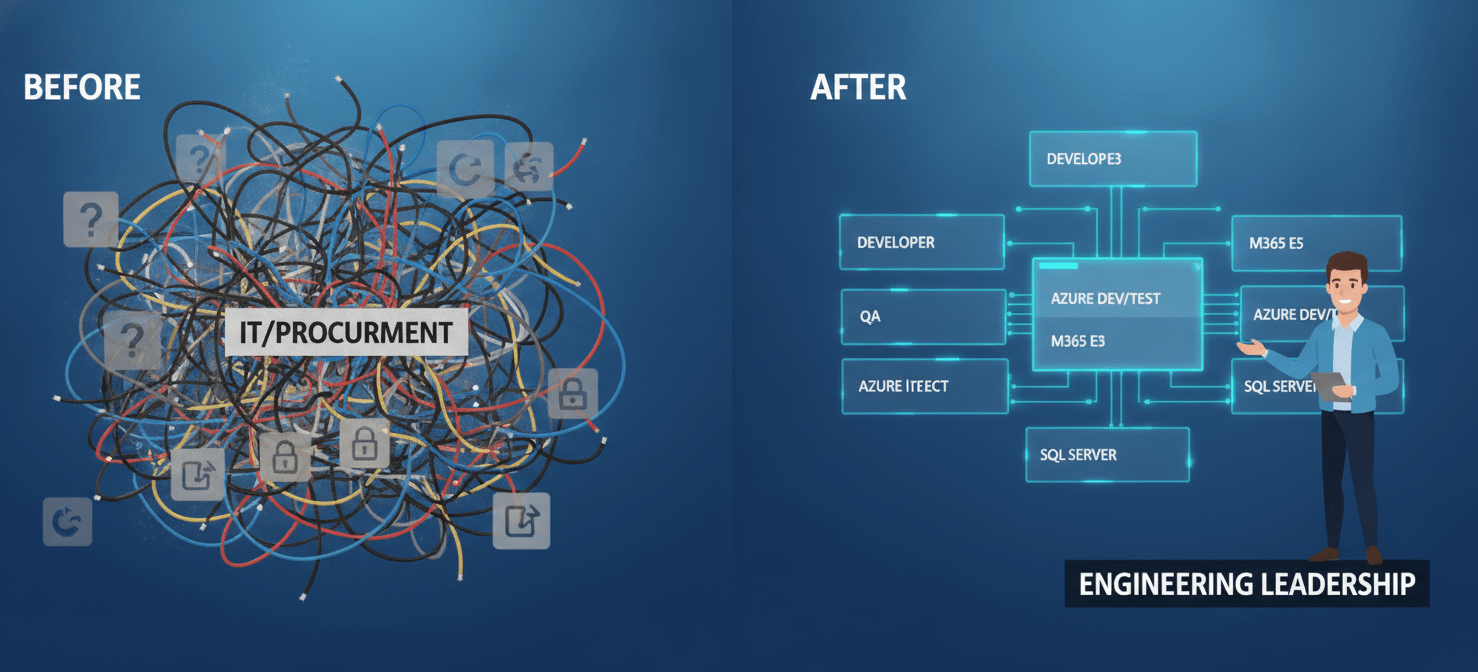
As an engineering manager, you are uniquely positioned to solve this. You understand the specific needs of your developers, testers, and architects. You can map these needs to the appropriate license tiers, ensuring that each team member has the right tools without unnecessary overhead. Furthermore, you can integrate license allocation and reclamation into your existing team processes, such as onboarding and offboarding.
By taking ownership of M365 license management, you transform it from a passive administrative cost into an active component of your team’s operational strategy. This approach provides better governance, direct accountability, and measurable improvements to your budget and efficiency.
A 4-Step Governance Framework for M365 License Management
A structured approach is essential for gaining control over your license landscape. This four-step framework provides a clear path to establishing ownership, defining policies, and implementing a sustainable management process.
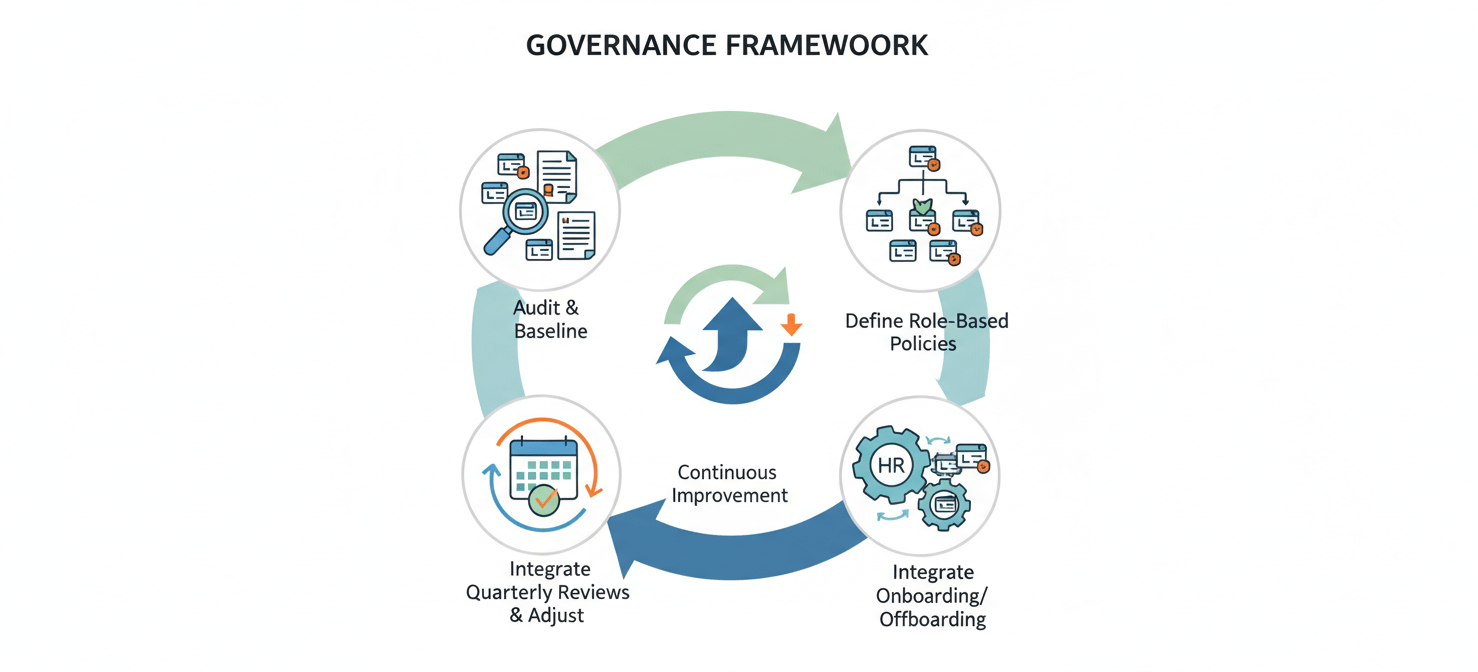
Step 1: Audit and Establish a Baseline
You cannot optimize what you cannot see. The first step is to conduct a thorough audit of your current license inventory. Work with your IT admin to get a complete export of all assigned M365 and Visual Studio licenses. Next, map these licenses to active employees on your team.
This process will almost certainly reveal immediate opportunities for cost savings. You will likely find licenses assigned to former employees or inactive accounts. Reclaiming these “ghost users” provides a quick win and demonstrates the value of this initiative. This initial audit establishes a clear baseline for measuring the impact of your new governance model.
Step 2: Define Role-Based Access Policies
With a clear baseline, the next step is to define who gets what. Instead of a one-size-fits-all approach, create role-based access policies that align licenses with job functions. For example:
- Senior Architects/Lead Developers: May require a Microsoft 365 E5 license for advanced analytics and a Visual Studio Enterprise subscription for its comprehensive testing and modeling tools.
- Mid-Level/Senior Developers: Are often well-served by a Microsoft 365 E3 license and a Visual Studio Professional subscription.
- Junior Developers/QA Testers: May only need a basic M365 license and might not require a paid Visual Studio subscription at all, depending on the tech stack.
- Developer Sandboxes: For non-production development and testing, your team can leverage the Microsoft 365 Developer Program, which provides a free, renewable E5 developer subscription.
These policies should be documented and serve as the foundation for your allocation process. They create a clear, defensible standard for license assignment, removing ambiguity and reducing the risk of over-provisioning.
Step 3: Integrate with Onboarding and Offboarding
The most effective way to enforce your new policies is to integrate them directly into your team’s existing HR and operational workflows.
- Onboarding: When a new engineer joins, their role should automatically determine the appropriate license bundle based on your predefined policies. This ensures they have the right tools from day one, without manual intervention or guesswork.
- Offboarding: When an engineer leaves the company, the license reclamation process should be an automated part of the offboarding checklist. Their licenses should be immediately unassigned and returned to the available pool.
Integrating with these processes turns license management into a predictable, repeatable system instead of a reactive, manual cleanup effort.
Step 4: Conduct Quarterly Reviews and Adjust
Your team’s needs will evolve, so your licensing strategy must be agile. Schedule quarterly reviews to assess license usage and the effectiveness of your policies. These reviews should answer key questions:
- Are there any licenses that have gone unused for more than 30-60 days?
- Do any team members need to be upgraded or downgraded based on a change in their role?
- Are your role-based policies still aligned with the team’s technical requirements?
Regular reviews ensure that your license allocation remains optimized over time, preventing the slow creep of waste and inefficiency.
Automating License Allocation and Reclamation
While a manual governance framework is a strong start, true efficiency comes from automation. Manual processes are prone to error and can be time-consuming. Fortunately, tools within the Microsoft ecosystem and third-party platforms can help automate much of this workflow.

Using Group-Based Licensing
Microsoft Entra ID (formerly Azure Active Directory) allows for group-based licensing. This feature lets you assign a set of licenses to a security group. When a user is added to that group, they are automatically assigned the corresponding licenses. When they are removed, the licenses are automatically reclaimed.
You can create security groups that correspond to your role-based policies (e.g., “Senior Architects,” “Web Developers”). By integrating these groups with your HR systems, you can create a fully automated, end-to-end provisioning and de-provisioning process.
Leveraging PowerShell and the Graph API
For more granular control and custom logic, you can use PowerShell scripts and the Microsoft Graph API. These tools allow you to programmatically assign, unassign, and audit licenses. For example, you could write a script that runs weekly to identify and flag any licenses assigned to users who haven’t logged in for over 60 days. This provides a powerful mechanism for proactive reclamation.
Third-Party SaaS Management Platforms
A variety of third-party SaaS management platforms offer advanced capabilities for M365 license management. These tools often provide detailed usage analytics, automated reclamation workflows, and cost optimization recommendations. While they come with an additional cost, the ROI can be significant for larger organizations, especially when you consider that some reports suggest nearly half of all software spending is wasted.
Measuring Success: KPIs for License Optimization
To demonstrate the value of your M365 license management efforts, it is crucial to track the right Key Performance Indicators (KPIs). These metrics will help you quantify your impact on the budget and operational efficiency.
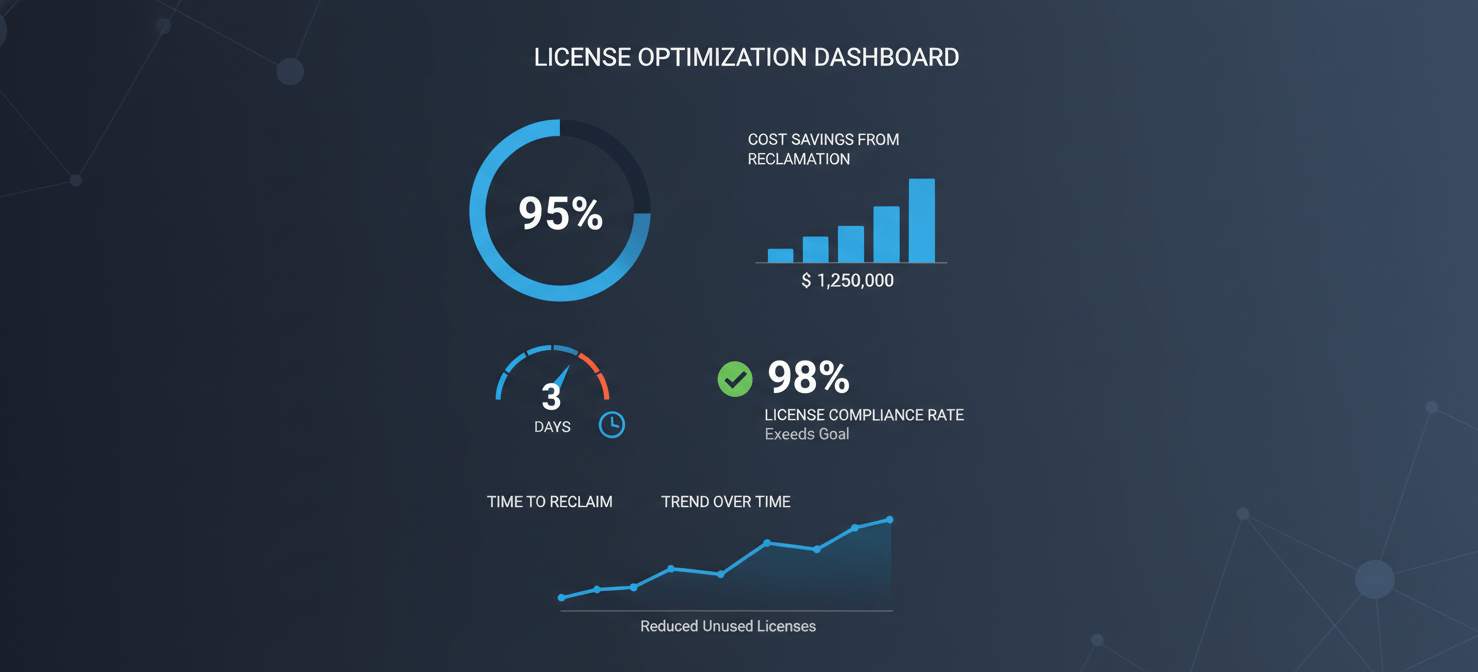
- License Utilization Rate: This is the most fundamental KPI. It measures the percentage of purchased licenses that are actively being used. Your goal should be to get this number as close to 100% as possible.
- Cost Savings from Reclamation: Track the dollar value of the licenses you reclaim from inactive users or through downgrades. This provides a direct, tangible measure of your financial impact.
- Time to Reclaim: This KPI measures how quickly an unused license is identified and returned to the pool. Automation should drive this number down from weeks or months to just a few days.
- License Compliance Rate: This metric tracks your adherence to your own role-based policies. It helps ensure that your governance framework is being followed consistently.
By regularly reporting on these KPIs, you can clearly articulate the value of treating M365 license management as a core engineering process.
Conclusion
M365 license management is too often dismissed as a low-level administrative task, a rounding error in the IT budget. This is a flawed perspective. For an engineering organization, it is a system with inputs, outputs, and a direct impact on team velocity and financial stewardship. Leaving it unmanaged is akin to ignoring a memory leak in your production code; it starts small but eventually causes significant performance degradation. By applying engineering principles—audit, govern, automate, and measure—you can take control of this critical process. The result is a more efficient, accountable, and financially sound team. After all, a well-managed license pool is not just about saving money; it’s about owning your operational stack from top to bottom.
To truly own your operational stack and optimize M365 license management, you can easily create your free Binadox account to get started, or if you prefer a guided tour, we invite you to book a demo with our experts.
 7-day free trial