



For finance and procurement leaders, Microsoft 365 is a significant and growing line item in the operational budget. What often begins as a straightforward productivity suite can expand into a complex ecosystem of licenses, add-ons, and cloud services. Without rigorous oversight, this spending can quickly become inefficient. Effective Microsoft 365 cost optimization requires a financial governance mindset, focusing on measurable ROI, accurate forecasting, and strategic vendor management. It is about transforming a necessary expense into a well-managed asset that demonstrably supports business objectives without unnecessary bloat.
Key takeaways
- Right-size every license: Organizations can eliminate up to 45% of their Microsoft 365 license costs by identifying and reassigning inactive licenses and downgrading over-licensed users.
- Uncover hidden costs: Go beyond the per-user-per-month fee to audit third-party app integrations, redundant services, and unmanaged data storage, which quietly inflate your total cost of ownership.
- Negotiate from a position of strength: Start your Enterprise Agreement renewal process 6 to 12 months in advance, armed with precise usage data to challenge assumptions and secure better terms.
- Embrace continuous governance: Treat license optimization not as a one-time project before renewal, but as an ongoing process of aligning software assignments with real-world business needs.
The CFO’s Challenge: Taming M365 Sprawl
Microsoft 365 has become a non-negotiable tool for modern business operations. However, its complexity is a double-edged sword for financial governance. The core challenge lies in the platform’s sprawl. What starts as a predictable per-user subscription for Office apps quickly expands. New services like Teams, Power BI, and the growing suite of security and compliance add-ons create a complicated, multi-layered cost structure.

For finance teams, this sprawl creates several critical problems. First, it obscures the true total cost of ownership (TCO). The monthly invoice rarely tells the whole story. Secondly, it complicates budget forecasting. Predicting costs becomes difficult when new features and add-on licenses are constantly introduced. Finally, it leads to significant waste. Without active management, organizations inevitably pay for licenses and features that employees do not use. This isn’t just about unused accounts from former employees; it’s about active employees assigned premium licenses with features they never touch.
This lack of visibility directly impacts the bottom line. Every dollar spent on an unnecessary E5 license instead of an E3, or a Business Premium license for a frontline worker who only needs web apps, is a direct hit to profitability. The challenge for the CFO is to impose financial discipline on this technological sprawl, ensuring that every component of the M365 spend is justified by a corresponding business value.
Right-Sizing Licenses: The Core of Microsoft 365 Cost Optimization
The most direct path to reducing M365 expenditure is through rigorous and continuous license management. Many organizations default to a one-size-fits-all approach, which leads to significant overspending. The objective is to align license tiers with the actual, day-to-day requirements of employee roles.
Auditing Actual Usage
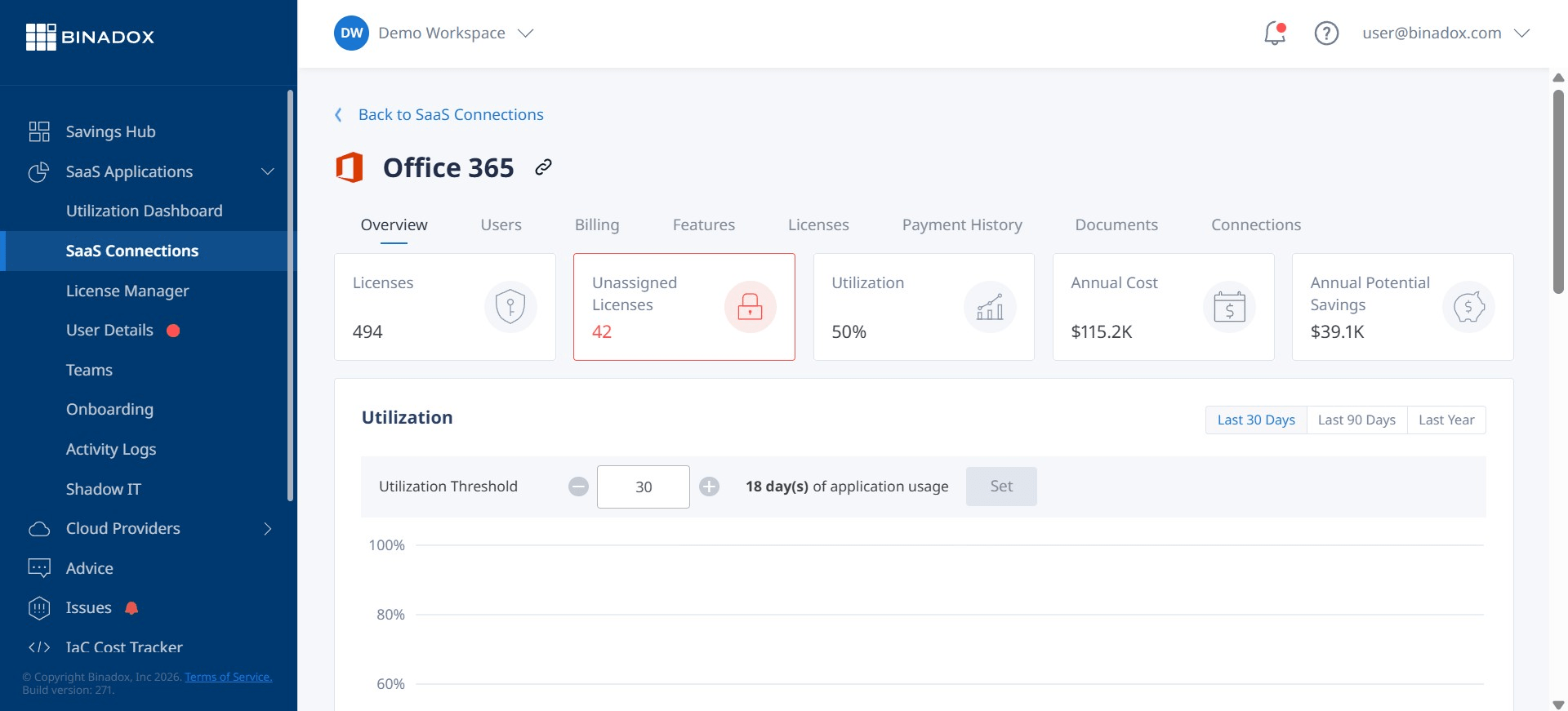
Before you can optimize, you must have data. The first step is a thorough audit of your current license assignments and, more importantly, actual service consumption. This involves moving beyond simply seeing which licenses are assigned and digging into which features are being used. For example, how many users with a premium Microsoft 365 E5 license (currently $57/user/month) are actively using its advanced security and Power BI Pro features? If the answer is “very few,” those users are prime candidates for a downgrade to a more cost-effective tier like Microsoft 365 E3 ($36/user/month).
Matching Licenses to Roles
Different employees have vastly different needs. A frontline worker in manufacturing or retail likely does not require the full desktop versions of Office apps and advanced data analytics. A less expensive license, such as Office 365 E1 ($10/user/month) or a Frontline plan, provides core tools like web apps and Teams at a fraction of the cost. Conversely, your data analytics team may genuinely require the advanced features of an E5 license.
A structured optimization process involves:
- Identifying Inactive Licenses: Flag accounts belonging to former employees or those that have been inactive for over 90 days. These are the easiest wins, as the licenses can be immediately reclaimed and reassigned.
- Segmenting Your Workforce: Group employees by role and typical software usage patterns (e.g., knowledge workers, frontline staff, IT administrators, executives).
- Mapping Needs to Tiers: For each segment, define the minimum required feature set and map it to the most economical license tier that meets those needs. For instance, users who only need basic productivity tools may be well-served by a Microsoft 365 Business Standard plan ($12.50/user/month) instead of a more expensive Enterprise plan.
- Executing Changes: Systematically downgrade over-licensed users and reallocate the reclaimed premium licenses to new hires or those with a demonstrated need.
This process should not be a one-off event. Effective M365 budget forecasting depends on treating license management as a continuous cycle of review and adjustment.
Beyond the License: Uncovering Hidden M365 Costs
The per-user license fee is only the most visible part of your M365 spend. A significant portion of the total cost of ownership is often buried in related services and indirect expenses. For a true financial picture, your team must look beyond the licensing sticker price.

Third-Party Application Integrations
The Microsoft 365 ecosystem is designed for integration. While this enhances productivity, it can also lead to cost creep. Many third-party applications available in the Teams or Outlook app stores come with their own subscription fees. These are often purchased on an ad-hoc basis by individual departments without central procurement oversight, leading to redundant tools and unmanaged spending. A comprehensive audit should identify all integrated apps and assess their business necessity and potential for consolidation.
Data Storage and Management
Each M365 plan includes a certain amount of OneDrive and SharePoint storage. However, as data volumes grow, organizations can find themselves paying for additional storage capacity. Without proper data governance policies, storage can expand unchecked, filled with redundant files and outdated information. Implementing data retention policies and monitoring storage usage can prevent these overage charges and reduce the overall data footprint.
Backup and Archiving
Microsoft operates on a shared responsibility model. While they ensure service uptime, they do not provide comprehensive, long-term backup for your data against accidental deletion or malicious attacks. Therefore, many organizations must invest in third-party backup solutions to meet compliance and data protection requirements. Similarly, specific industries may require long-term email archiving, which can be another add-on cost. These services are essential for risk management but must be factored into the TCO.
Automation and Workflow Tools
Tools like Power Automate and Power Apps can drive significant efficiency. However, the use of premium connectors and components within these services can incur additional fees. A workflow built by a business user to solve a departmental problem could inadvertently trigger new costs if not properly governed. Finance and IT teams need to collaborate to create policies for the use of these tools to ensure the Office 365 ROI is positive and not eroded by unexpected charges.
Forecasting and Budgeting for M365: From Reactive to Proactive
For many finance departments, M365 budgeting is a reactive exercise centered around the annual renewal. A proactive approach, however, treats M365 as a managed portfolio of services, enabling more accurate forecasting and better cost control throughout the year.
Building a Data-Driven Baseline
Accurate forecasting begins with a detailed understanding of your current state. This means moving beyond a simple headcount multiplied by a standard license cost. A granular baseline should incorporate:
- License Mix: The precise number of users at each license tier (E1, E3, E5, Business Premium, etc.).
- Add-On Consumption: A full accounting of all add-on licenses, such as Power BI Pro, Visio, or the costly M365 Copilot ($30/user/month).
- Usage Trends: Analysis of historical data to identify trends in license consumption and storage growth.
This data provides a defensible foundation for building future budgets. It allows you to model the financial impact of headcount changes, departmental projects, or the adoption of new M365 features.
Scenario Planning and Modeling
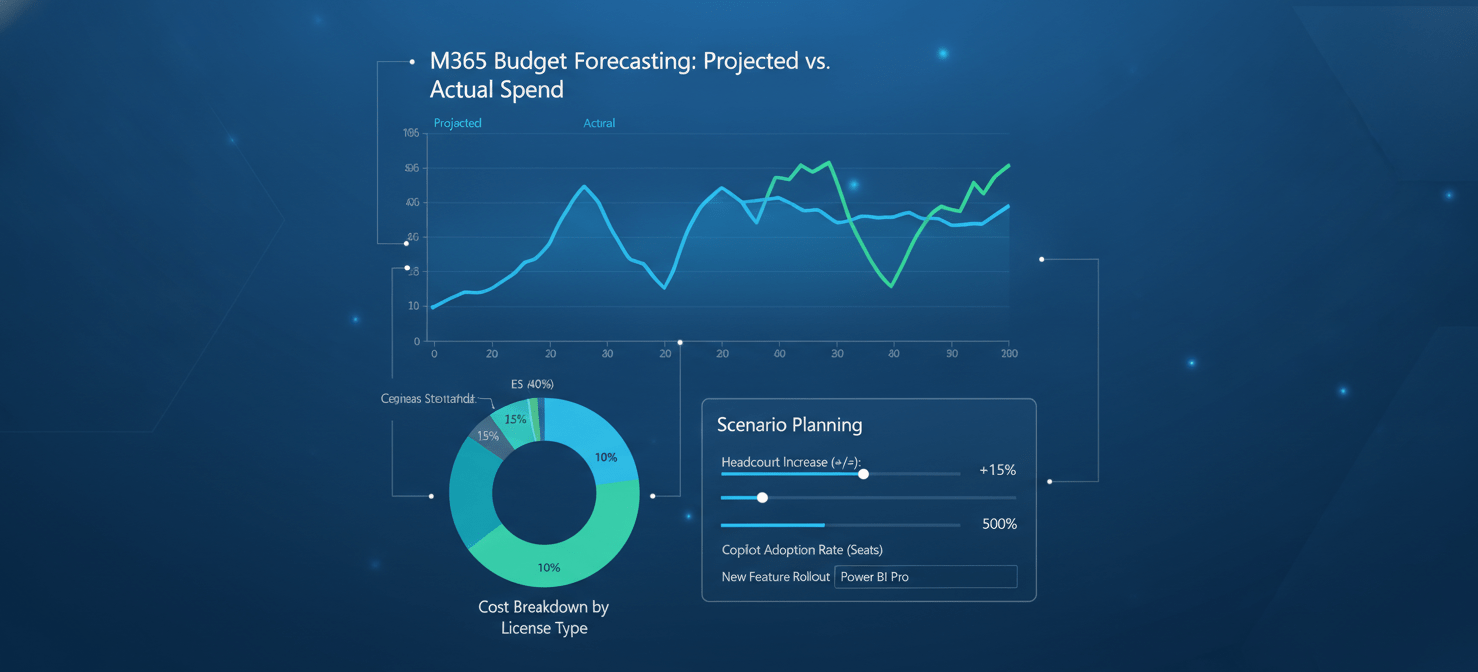
With a solid baseline, you can move to proactive scenario planning. For example, if the sales department plans to hire 50 new employees, you can model the exact cost based on the pre-defined license profile for that role. If the company is considering a broader rollout of an AI tool like Copilot, you can calculate the precise ROI needed to justify the investment.
Using tools within Dynamics 365 or other financial planning software, you can create budget models that connect your M365 forecast to broader financial plans. This allows for real-time variance analysis, comparing forecasted spend against actuals and making adjustments as needed. This transforms the budget from a static annual document into a dynamic management tool.
Vendor Management and Contract Negotiation
The Microsoft Enterprise Agreement (EA) is a significant contract, and approaching its renewal should be a strategic, data-driven process, not a last-minute scramble. Effective negotiation can lock in favorable terms and prevent unnecessary price increases for years to come.

Preparing for Renewal
Preparation for an EA renewal should begin at least six to twelve months before the deadline. This provides ample time to conduct the thorough usage audits discussed earlier. Walking into a negotiation armed with precise data on inactive licenses, underutilized premium features, and actual service consumption gives you significant leverage. Without this data, you are forced to negotiate based on Microsoft’s assumptions, which rarely favor your bottom line.
Key Negotiation Levers
When engaging with Microsoft or your licensing partner, focus on value over simple discounts. Key points to negotiate include:
- Rightsizing the Commitment: Your usage data is your primary tool to argue for a reduction in the number of high-cost licenses. If you can prove that a significant portion of your users do not need E5 features, you can negotiate a more appropriate license mix from the outset.
- Price Protection: Negotiate caps on price increases for future years of the agreement. This provides budget predictability, a key KPI for any CFO.
- Flexibility for Business Changes: Argue for terms that allow you to reduce license counts in the event of a divestiture, major layoff, or other significant business downturn. Standard EAs often lock you into minimum counts.
- Timing: If possible, aim to close your contract negotiation in June, which is the end of Microsoft’s fiscal year. Account managers may be more willing to offer favorable terms to meet their targets.
By treating the EA renewal as a strategic financial negotiation rather than a simple IT procurement task, you can secure a contract that aligns with both your technical needs and your fiscal responsibilities.
Conclusion
Controlling the ever-expanding Microsoft 365 budget is no longer just an IT responsibility; it is a core financial governance challenge. For finance and procurement leaders, the path to fiscal control lies in data, discipline, and proactive management. By moving beyond the sticker price to analyze true usage, uncovering hidden costs, and negotiating from a position of empirical strength, you can transform this sprawling operational expense into a finely tuned asset. Ultimately, successful Microsoft 365 cost optimization is not about restricting access to tools, but about ensuring that every dollar invested in the platform is justified, forecasted, and delivers a measurable return. The alternative is to let a critical business tool become a financial liability, and no one has the budget for that.
To truly master your Microsoft 365 spend and ensure every dollar delivers value, consider exploring a platform designed for precise financial governance; you can start with a free trial to see the immediate impact or book a demo for a personalized walkthrough of its capabilities.
 7-day free trial