




Running a modern application in the cloud offers incredible scale and flexibility. However, this power comes with built-in guardrails known as quotas and limits. These are thresholds set by cloud service providers (CSPs) like AWS, Azure, and Google Cloud to ensure service stability, prevent resource abuse, and protect you from unexpected costs. Understanding and proactively managing your cloud service quotas and limits is not just a technical task; it’s a critical component of operational excellence and financial governance. Ignoring them can lead to sudden service disruptions, failed deployments, and frustrated teams when an application unexpectedly hits a ceiling.
Key takeaways
- Proactive Monitoring is Essential: Don’t wait for a “Quota Exceeded” error. Implement a continuous monitoring strategy to track usage against your limits.
- Automate Alerts: Set up automated alerts to notify your team when resource utilization reaches a specific threshold, such as 80% of the allowed quota.
- Plan Ahead for Increases: Most “soft” limits are adjustable. Anticipate your needs and submit requests for quota increases well before you hit the current cap.
- Understand Different Quota Types: Quotas can be based on resource counts (like the number of VMs) or API request rates, and can apply at different levels, such as per-region, per-account, or even per-resource.
What Are Cloud Service Quotas and Limits?
Cloud service quotas and limits are numerical caps placed on the resources you can use within a cloud provider’s environment. While often used interchangeably, they have slightly different meanings.
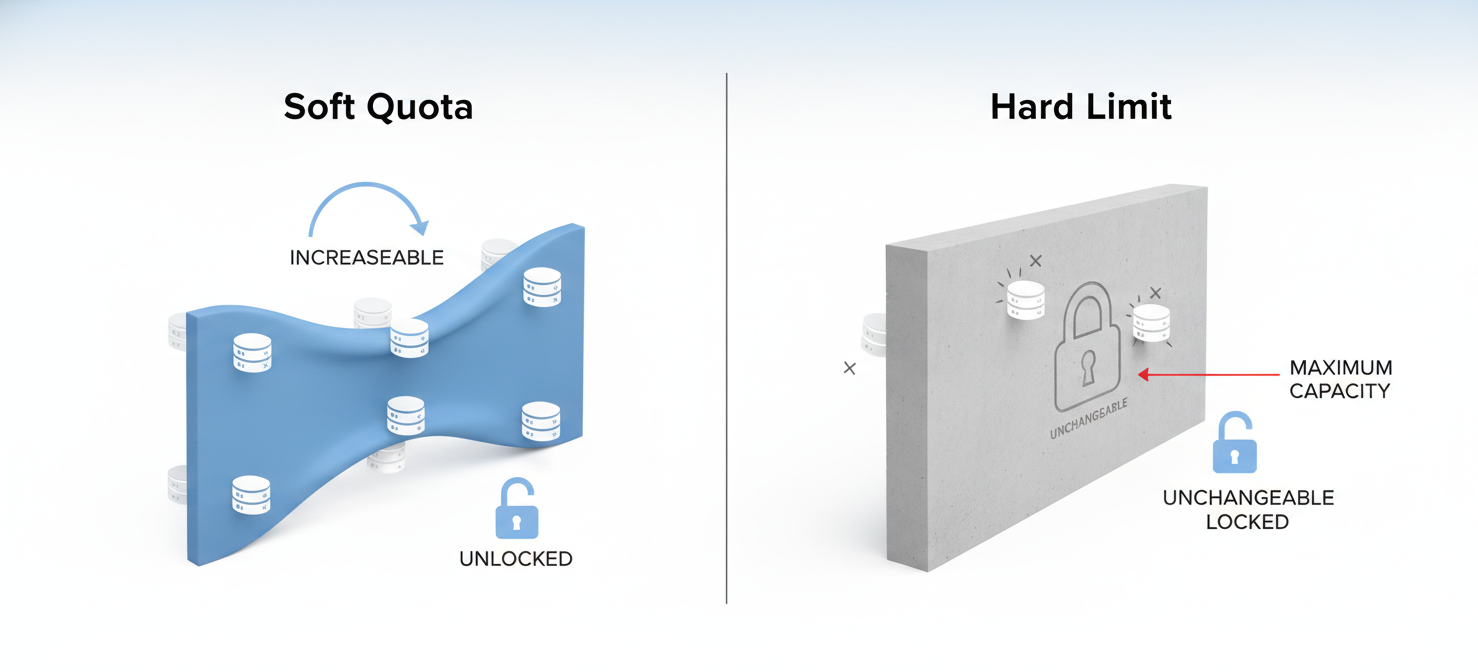
- Quotas are typically adjustable limits set by the provider to prevent over-provisioning and ensure fair resource distribution among all customers. Think of them as soft caps. For example, a default quota might limit you to 20 virtual machines (VMs) in a specific region.
- Limits are often hard, unchangeable constraints dictated by the architecture of the service itself. For instance, the maximum size of a single object in Amazon S3 or the timeout for a serverless function are typically fixed limits.
Providers implement these for several key reasons:
- Service Stability: They prevent any single customer from consuming a disproportionate amount of resources, which could degrade performance for others.
- Cost Protection: Quotas act as a safety net, preventing accidental or malicious activity from causing a massive, unexpected bill.
- Capacity Planning: By understanding customer usage patterns through quotas, providers can better plan and provision their physical infrastructure.
Common Types of Quotas
Quotas come in various forms, generally falling into two main categories:
- Resource Quotas: These restrict the number of resources you can create. Examples include the number of VPCs per region, CPU cores per VM family, or storage accounts per subscription.
- Rate Quotas: These limit the number of operations or API calls you can make within a specific timeframe, such as requests per second. This is crucial for preventing API abuse and ensuring service availability.
These quotas can also be applied at different scopes, such as globally per account, per region, or even for a specific resource.
Why Proactive Monitoring and Alerting Is Crucial
Reacting to a “quota exceeded” error during a critical deployment is a stressful and avoidable situation. A proactive approach to monitoring your cloud service quotas and limits is essential for maintaining operational stability and preventing service interruptions. Without it, you risk application failures, deployment delays, and an inability to scale when needed.
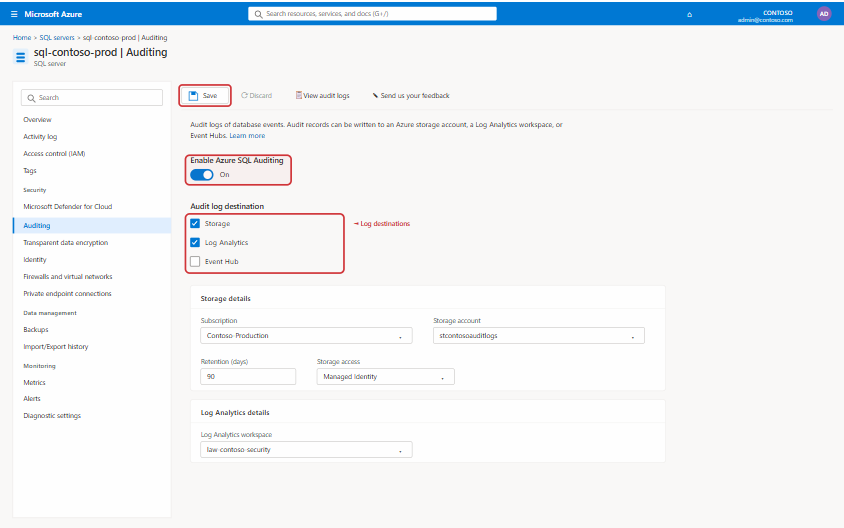
The core of a proactive strategy is visibility. You need to know your current usage levels across all services and regions. Most cloud providers offer tools to help with this.
Monitoring Tools and Services
- AWS: The AWS Service Quotas console provides a centralized location to view and manage your quotas for over 100 services. For monitoring, you can integrate Service Quotas with Amazon CloudWatch to track usage metrics and visualize them on dashboards. AWS Trusted Advisor also offers checks for service limits.
- Azure: The Azure portal has a dedicated “Quotas” section under “Subscriptions” where you can view your usage against limits for various resources like compute cores and networking components.
- Google Cloud: In the Google Cloud Console, the “Quotas & System Limits” page under IAM & Admin provides a detailed view of your project’s quota usage. This dashboard is integrated with Cloud Monitoring, allowing you to create charts and explore metrics related to quota consumption.
Setting Up Effective Alerts
Simply looking at a dashboard isn’t enough; you need automated alerts to warn you before a problem occurs. The best practice is to set alerts at a threshold that gives your team enough time to react, such as when usage reaches 75% or 80% of the quota.
- In AWS, you can create CloudWatch Alarms directly from the Service Quotas console. You can configure these alarms to send notifications to an Amazon SNS topic, which can then trigger an email, a Slack message, or another automated action.
- In Google Cloud, you can create usage alert policies from the Quotas page. These alerts leverage Cloud Monitoring and can notify you through various channels like email, SMS, or Pub/Sub.
- In Azure, you can create alert rules from the Azure Monitor service. These rules can track your resource usage and trigger notifications when specific quota thresholds are crossed.
How to Manage and Increase Your Cloud Service Quotas and Limits
Once your monitoring and alerting system is in place, the next step is to establish a clear process for managing and, when necessary, increasing your cloud service quotas and limits. This process should be a standard part of your team’s operational procedures.
The Quota Increase Request Process
When an alert fires, or when you anticipate future growth, you’ll need to request a quota increase. The process is similar across major cloud providers, but the specifics can vary.
- AWS: You can request an increase directly from the Service Quotas console. For services not yet integrated into this console, you may need to open a support case.
- Azure: In the Azure portal, you can initiate a request from the “Quotas” page by selecting the specific limit you need to raise and submitting a new support request.
- Google Cloud: The “Quotas & System Limits” page in the Google Cloud Console allows you to select quotas and edit them to request a higher limit.
Tips for a Successful Request
Simply asking for more resources isn’t always enough. To ensure your request is approved quickly, follow these best practices:
- Be Specific and Justified: Clearly explain why you need the increase. Provide details about the workload, expected growth, or the specific project that requires more resources.
- Request a Reasonable Amount: Avoid asking for an astronomical increase. A request to go from 20 to 40 VMs is more likely to be approved automatically than a request to go from 20 to 2,000.
- Plan Ahead: Don’t wait until you’re at 99% utilization. Quota increases are not always instantaneous and may take a few days to be approved and provisioned. Submit your requests well in advance of when you’ll need the additional capacity.
- Use Automation: For more advanced needs, consider using the providers’ APIs to programmatically monitor and request quota adjustments, integrating the process into your infrastructure-as-code workflows.
Best Practices for Long-Term Quota Management
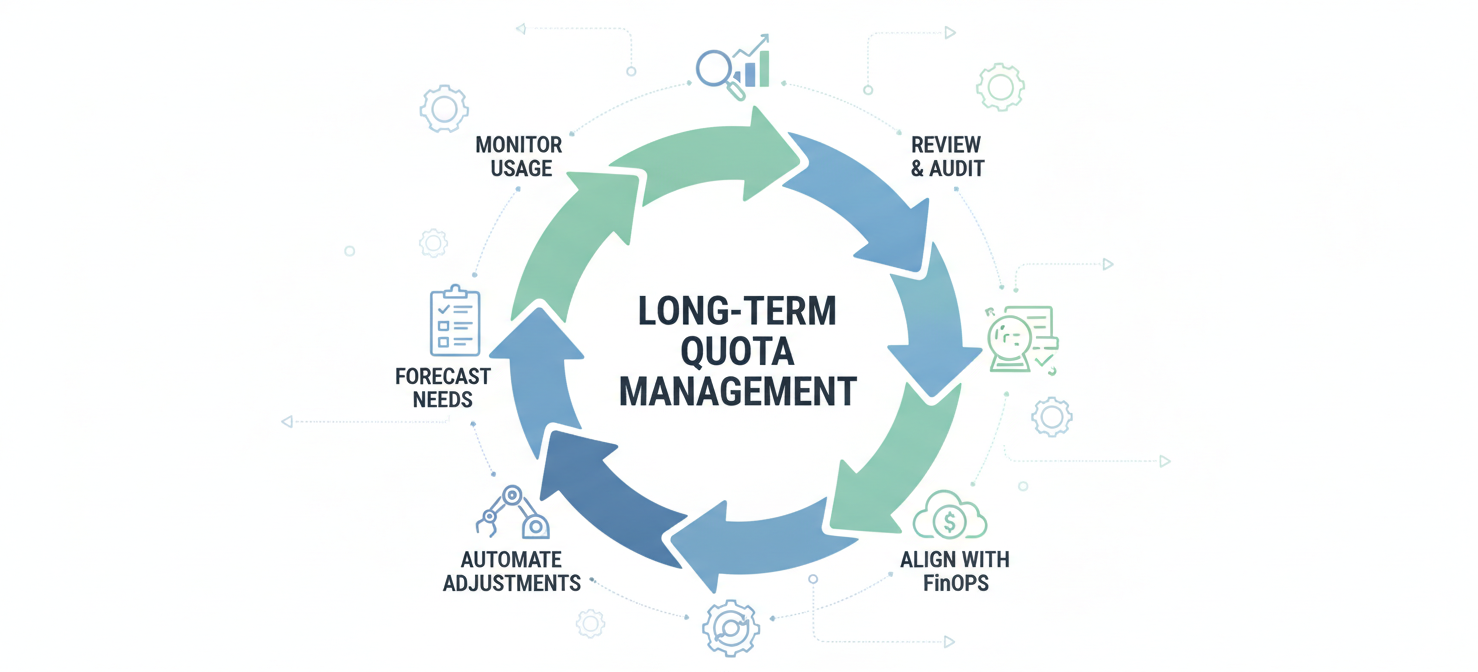
Effective quota management is not a one-time task but an ongoing discipline. It requires a strategic approach that integrates with your broader cloud governance and financial operations (FinOps) framework.
Regular Reviews and Audits
Schedule periodic reviews of your quotas and usage patterns. This helps you identify underutilized resources that can be decommissioned, freeing up quota for other projects. Analyzing historical usage data can also help you forecast future needs more accurately.
Maintain a Quota Inventory
For organizations with multiple accounts or complex environments, maintaining a central inventory of key quotas can be invaluable. This provides a single source of truth for your teams and helps in planning large-scale deployments. Tools exist that can help aggregate this data across all your accounts and regions into a unified view.
Automate Where Possible
Leverage automation to handle routine quota management tasks. For example, some services offer features that can automatically request quota increases on your behalf based on your usage trends. This reduces manual overhead and ensures that your environment can scale smoothly without human intervention.
Align with Cost Management
Quota management is intrinsically linked to cost management. By setting and enforcing quotas, you can prevent runaway spending. Align your quota policies with your budget allocations to ensure that teams are operating within their financial constraints.
Conclusion
Managing cloud service quotas and limits can feel like a mundane chore, but it is a foundational element of a well-architected and financially sound cloud strategy. Ignoring these guardrails is a recipe for unexpected failures, stalled projects, and operational chaos. By shifting from a reactive to a proactive stance—implementing robust monitoring, setting up intelligent alerts, and establishing a clear process for requesting increases—you can transform quota management from a potential bottleneck into a strategic advantage. Ultimately, treating these limits not as arbitrary restrictions but as essential tools for governance ensures your cloud environment remains stable, scalable, and cost-effective. It’s the digital equivalent of checking your tire pressure before a long road trip; it’s not the most exciting part of the journey, but it’s what keeps you from getting stranded on the side of the highway.
To move beyond simply reacting to quota alerts and truly optimize your cloud operations, our platform offers comprehensive visibility and automated management. You can easily see this in action when you start a free trial today or gain a deeper understanding by booking a demo with our experts.
 7-day free trial