




Cloud environments are dynamic, with resources spun up and down for development, testing, and production. However, this flexibility can lead to orphaned resources that silently inflate your monthly bill. A primary culprit in this quiet budget drain is the presence of unused load balancers. These components, once essential for distributing traffic, can be forgotten after a project ends or an application is decommissioned, yet they continue to accrue hourly charges. This guide provides a practical framework for identifying, eliminating, and preventing the accumulation of these costly, idle resources.
Key takeaways
- Significant Waste: More than half of cloud professionals estimate that 40% or more of their organization’s cloud spending is waste.
- Hourly Costs: Cloud providers like AWS, Azure, and Google Cloud charge for load balancers on an hourly basis, regardless of whether they process any traffic. An idle AWS Application Load Balancer can cost over $18 per month.
- Simple Identification: An unused load balancer can typically be identified by checking if it has any healthy, registered backend targets or instances.
- Proactive Prevention: Implementing tagging policies, automated cleanup scripts, and regular audits are three key steps to prevent idle load balancers from accumulating in the future.
What Are Unused Load Balancers?
An unused load balancer is a provisioned resource that is no longer actively distributing traffic to any backend targets. Think of it as a traffic cop standing in an empty intersection; they are on the clock and getting paid, but they are not directing any cars. In cloud terms, this means the load balancer is running and incurring charges, but it has no healthy virtual machines, containers, or IP addresses registered to receive the traffic it’s meant to manage.
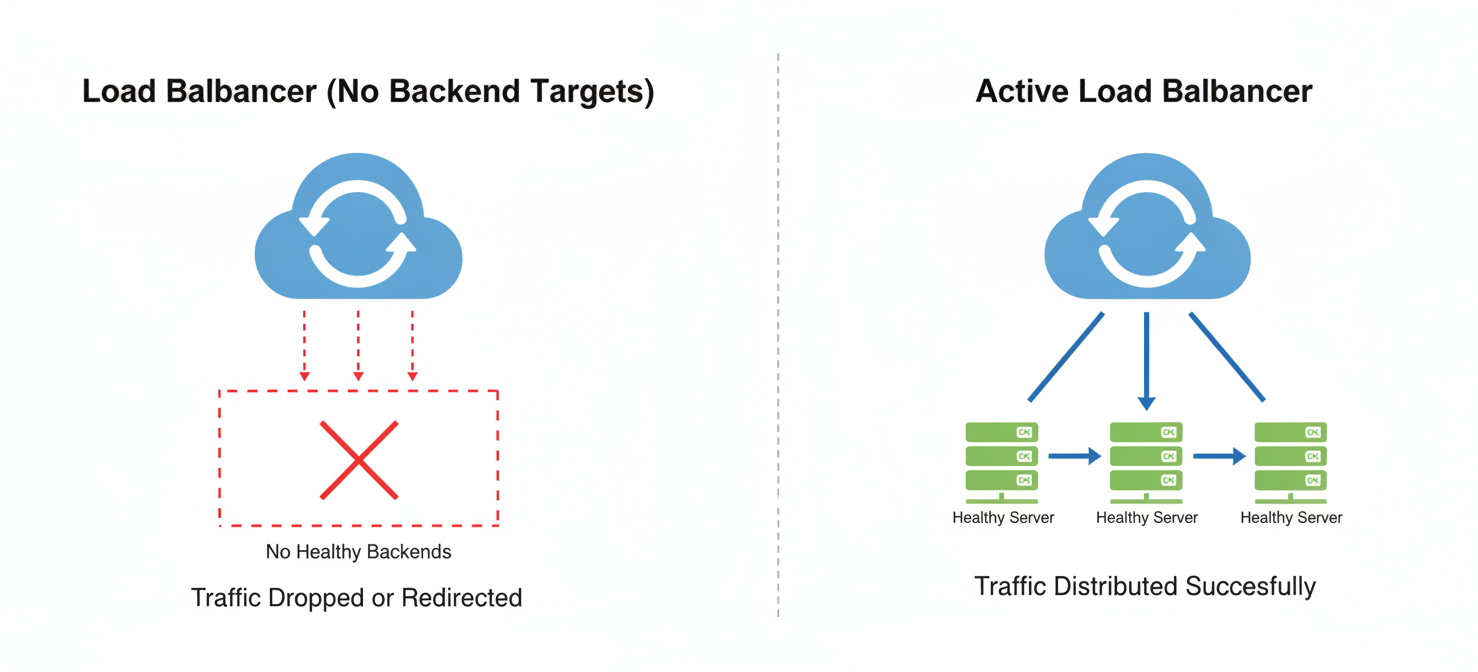
These idle resources provide no business value but continue to contribute to your monthly cloud invoice. For example, an AWS Application Load Balancer is billed for each hour it runs, plus a usage-based charge. Even with zero traffic, the base hourly cost still applies. Similarly, Azure Standard Load Balancers can incur costs even when idle. This consistent, low-level expense from multiple idle resources can compound into significant financial waste over time.
Why Do Unused Load Balancers Accumulate?
Idle load balancers often accumulate as a natural byproduct of fast-paced development and operational cycles. Without strict governance, it’s easy for these resources to be left behind.
Common Scenarios Leading to Orphaned Load Balancers
- Decommissioned Applications: When an application or service is retired, the team might delete the virtual machines or containers but forget to remove the associated load balancer. This is a frequent oversight in complex environments.
- Temporary Environments: Development, testing, and staging environments are frequently created and torn down. During the teardown process, the load balancer is often missed, especially in manual de-provisioning workflows.
- Failed Deployments: An automated deployment script might successfully create a load balancer but fail before it can attach the backend instances. If the failure isn’t handled gracefully, the load balancer is left orphaned.
- Lift-and-Shift Migrations: During cloud migrations, resources may be re-architected or replaced. The original load balancers from the initial “lift-and-shift” phase can be forgotten as new, optimized components are brought online.
- Lack of Ownership: In large organizations, it can be unclear which team owns a particular piece of infrastructure. Without a designated owner, resources like load balancers are less likely to be decommissioned when they are no longer needed.
These scenarios are exacerbated by a lack of visibility and manual processes, which are cited as top challenges in optimizing cloud usage.
The Financial Impact of Idle Load Balancers
The most direct impact of unused load balancers is, of course, financial waste. While a single idle load balancer might seem insignificant, the costs add up quickly across an organization.
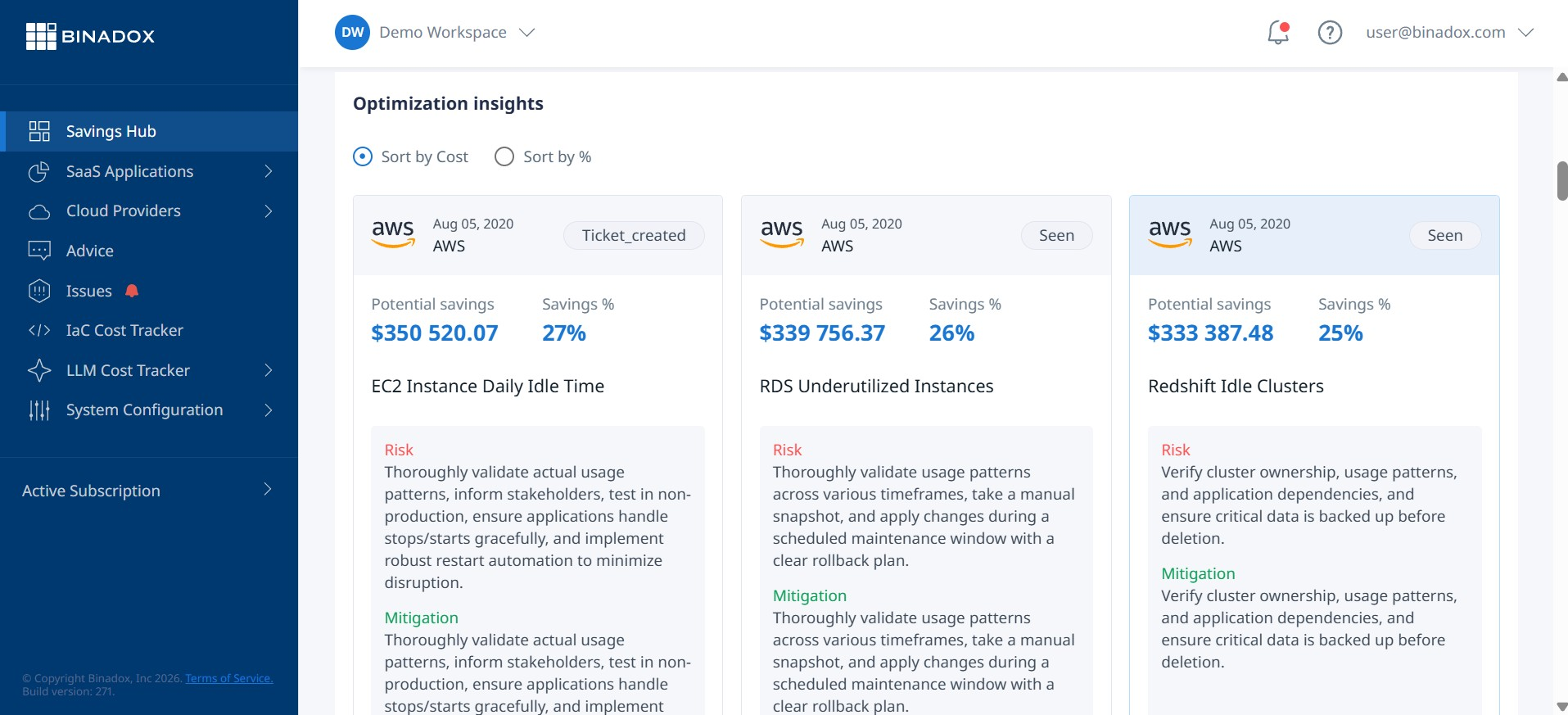
For instance, a standard AWS Application Load Balancer costs approximately $0.0225 per hour. That translates to roughly $16.43 per month, per load balancer. If a company has just 20 such idle load balancers across various projects and accounts, that’s over $3,900 in unnecessary annual spending. A Google Cloud managed load balancer has a base cost starting at around $18 per month.
Beyond the direct hourly charges, there are other potential costs:
- Associated Public IPs: Many load balancers require a static or Elastic IP address, which can also incur hourly charges if unattached to a running instance.
- Service Quotas: Idle load balancers consume valuable service quotas that might be needed for active applications.
- Security Risks: An orphaned load balancer could potentially be misconfigured, increasing the attack surface of your cloud environment.
This type of hidden expense is a major contributor to overall cloud waste, which some surveys suggest accounts for nearly a third of all cloud spending.
How to Find and Eliminate Unused Load Balancers in Your Cloud Environment
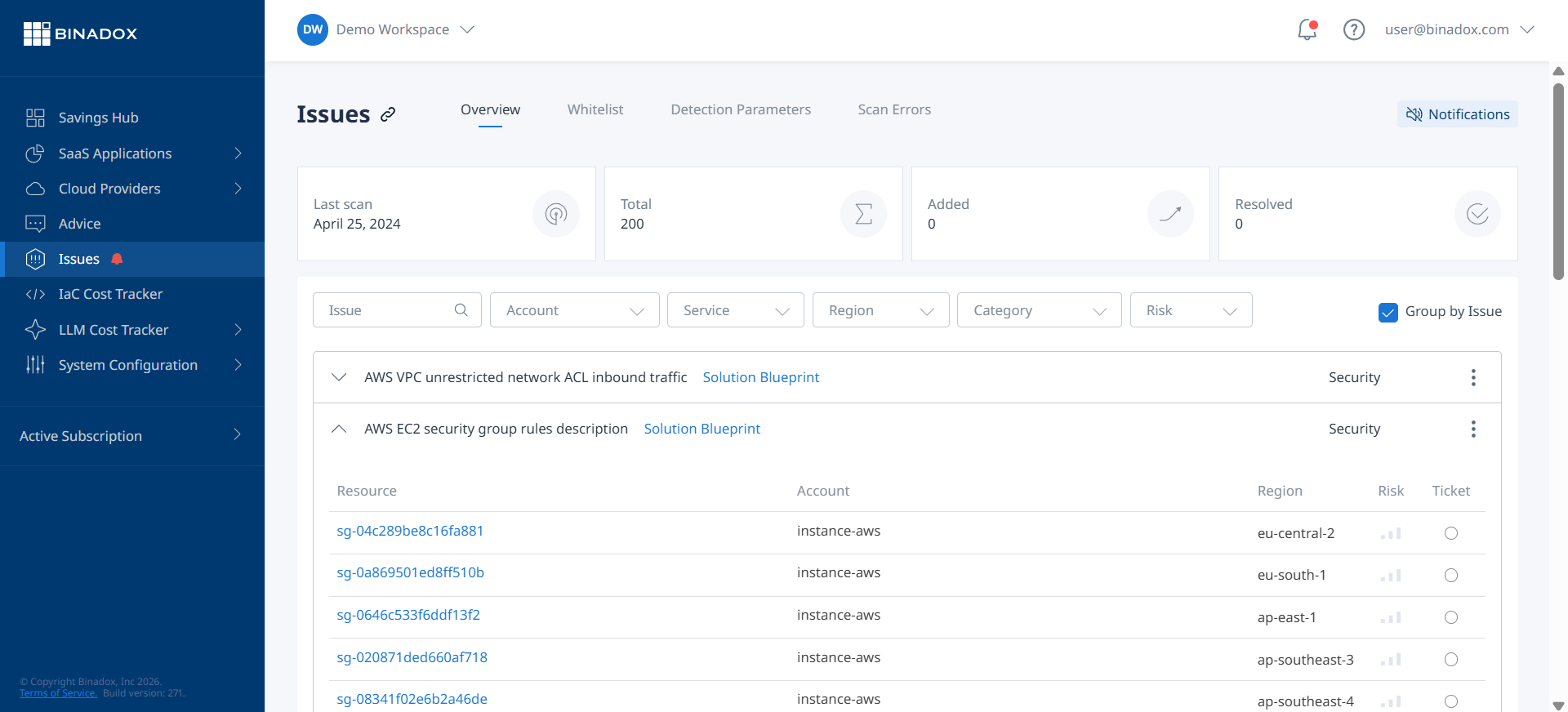
Finding and removing idle load balancers requires a systematic approach for each cloud provider. The general principle is to identify load balancers that have no healthy backend targets attached.
AWS (Amazon Web Services)
- Check for Registered Instances: Navigate to the EC2 dashboard in the AWS Management Console. Under “Load Balancing,” select “Load Balancers.” For each load balancer, check the “Description” or “Listeners” tab. If the status shows “0 out of 0 instances in service” or there are no registered targets in the target groups, it is likely unused.
- Analyze CloudWatch Metrics: For a more definitive check, use Amazon CloudWatch. Analyze metrics like
RequestCountfor Application Load Balancers (ALBs) orActiveFlowCountfor Network Load Balancers (NLBs). A sustained value of zero over a period (e.g., 30 days) strongly indicates the resource is idle. - Use the AWS CLI: You can script this process using the AWS CLI. The
describe-load-balancerscommand can be used to check theInstancesarray. If it’s empty, the load balancer is a candidate for deletion.
Azure
- Inspect Backend Pools: In the Azure Portal, filter for “Load balancer” resources. For each one, navigate to “Backend pools” under “Settings.” If a backend pool has no associated virtual machines or virtual machine scale sets, the load balancer is not serving any traffic.
- Use Azure Advisor: Azure Advisor can automatically identify underutilized resources, including some load balancers, and provide cost-saving recommendations.
- Query with KQL: For larger environments, you can use Kusto Query Language (KQL) with Azure Resource Graph to find load balancers that do not have backend pools configured.
Google Cloud Platform (GCP)
- Review Forwarding Rules and Backend Services: In GCP, a load balancer is a combination of forwarding rules, target proxies, and backend services. Use the
gcloud compute forwarding-rules listcommand to list all forwarding rules. From there, inspect the associated backend services to see if they have any healthy instances or endpoints attached. - Analyze Billing Data: A practical method is to analyze your detailed billing export in BigQuery. You can filter for load balancing SKUs and identify resources that have forwarding rule charges but no corresponding data processing charges, which implies they are not handling traffic.
- Use Cloud Logging: Check the logs for your load balancers. If logging is enabled and there are no log entries for a significant period, the resource is likely idle.
Best Practices for Preventing Unused Load Balancers
Eliminating existing idle resources is only half the battle. The next step is to implement practices that prevent them from accumulating in the first place.
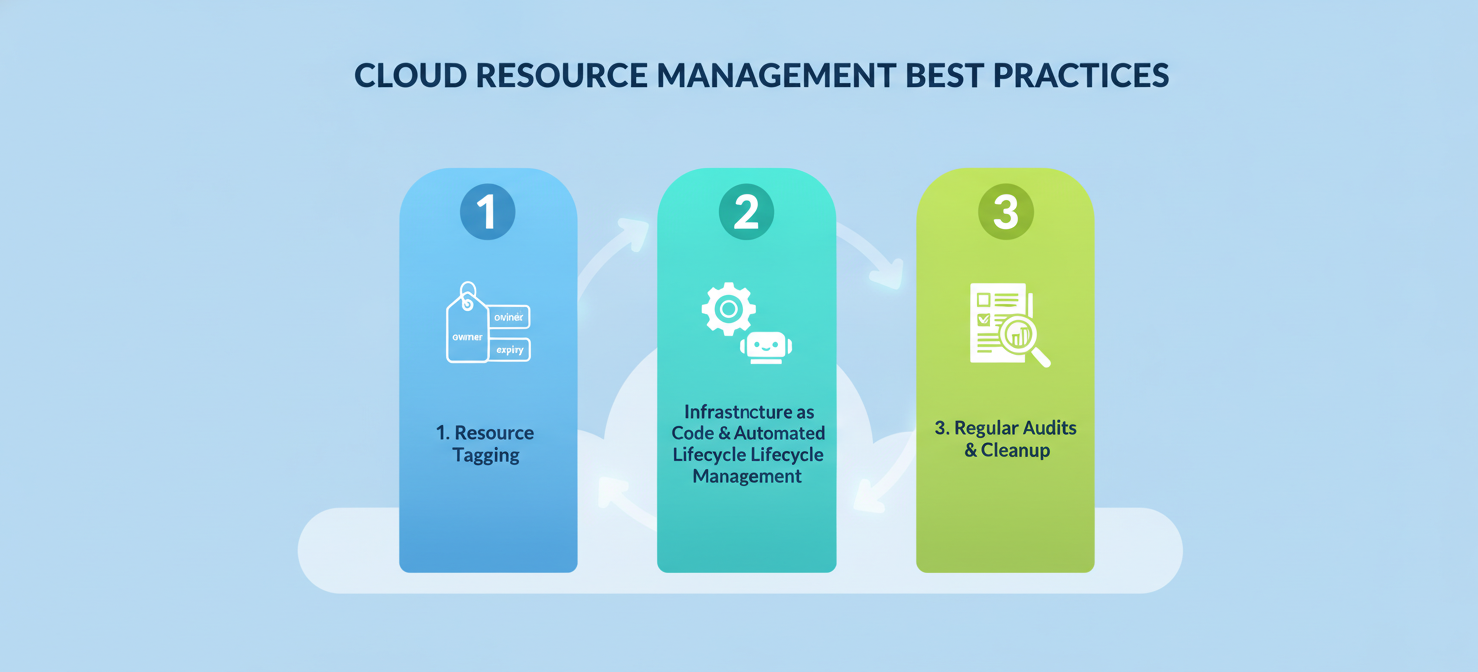
- Implement Strict Tagging Policies: Enforce a mandatory tagging policy for all resources upon creation. Tags should include information like owner, project, and an expiration date. This makes it easy to identify the purpose of a load balancer and determine if it’s still needed.
- Automate Infrastructure Lifecycle Management: Use Infrastructure as Code (IaC) tools like Terraform or CloudFormation. Define the load balancer as part of the application’s stack. Consequently, when you destroy the application stack, the load balancer is automatically de-provisioned along with it.
- Schedule Regular Audits and Cleanups: Set up automated scripts that run on a schedule (e.g., weekly or monthly) to identify and report on potentially unused load balancers. These scripts can check for resources with no backend targets or zero traffic metrics over a set period.
- Leverage Cloud-Native Tools: Utilize services like AWS Trusted Advisor or Azure Advisor, which have built-in checks for idle resources. While they may not catch everything, they provide a valuable first line of defense.
By combining these preventative measures with periodic manual checks, your team can maintain a cleaner and more cost-efficient cloud environment.
Conclusion
Forgetting to delete a load balancer is an easy mistake to make, but one that can lead to a slow, steady drain on your cloud budget. These idle resources are a prime example of correctable cloud waste. By understanding why unused load balancers accumulate, you can take direct action. The process is straightforward: systematically identify load balancers with no active backends, verify their inactivity through metrics, and then confidently delete them. However, cleanup is a reactive measure. The real solution lies in prevention—adopting rigorous tagging, automating lifecycle management, and conducting regular audits. Ultimately, managing these resources isn’t just about saving a few dollars; it’s about instilling a culture of financial accountability and operational excellence in your cloud practices. After all, a tidy cloud environment is a cost-effective one.
To move beyond reactive cleanup and truly instill financial accountability in your cloud practices, explore how our platform can help identify and manage idle resources. You can easily start a free trial to experience immediate cost savings, or for a comprehensive overview, book a demo with our team to tailor a solution for your environment.
 7-day free trial