



An expired domain can silently dismantle your online presence, leading to service disruptions, loss of customer trust, and even security vulnerabilities. For teams using Amazon Web Services (AWS), understanding the nuances of route 53 domain expiration is not just an administrative task—it’s a critical component of operational stability. Letting a domain lapse can redirect your traffic, disrupt email services, and leave your brand vulnerable to being claimed by others. This article provides a practical guide to monitoring your domains, managing renewals, and implementing best practices to prevent this avoidable disaster.
Key takeaways
- Enable Auto-Renewal: By default, Route 53 enables automatic renewal for registered domains, which is the single most effective way to prevent accidental expiration.
- Monitor via AWS Health: AWS sends domain expiration notices through the AWS Health Dashboard and to the registrant’s email, typically starting 45 days before the expiration date.
- Automate Alerts: For greater control, you can configure Amazon EventBridge and CloudWatch rules to create custom, automated notifications about upcoming domain expirations.
- Verify Contact Information: Ensure the registrant contact email for your domains is a monitored group address, not an individual’s inbox, to prevent missed renewal notifications.
What Happens When a Domain Expires in Route 53?
When a domain registered with Route 53 expires, it doesn’t just vanish. Instead, it enters a multi-stage lifecycle that offers opportunities for renewal, but with increasing costs and risks at each step. Understanding this process is key to preventing permanent loss of your domain.
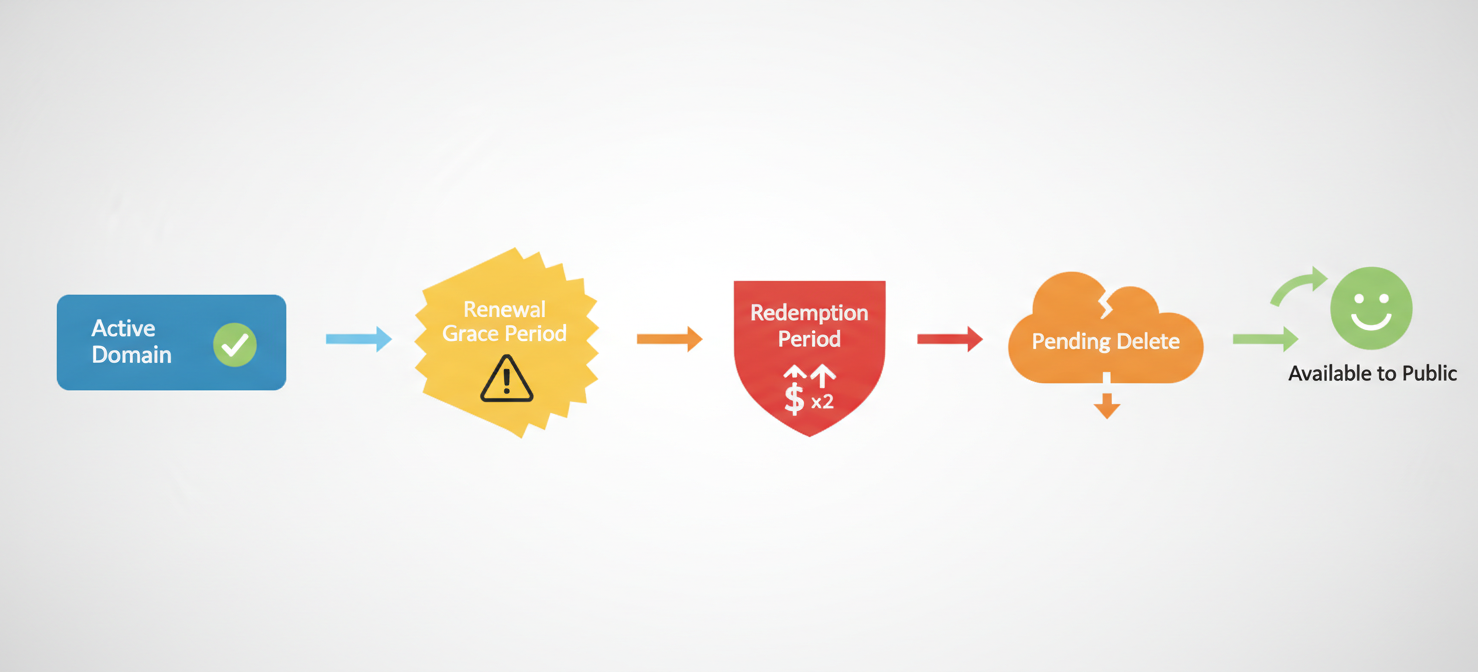
First, if automatic renewal is disabled or fails due to a payment issue, the domain enters a renewal grace period. The length of this period varies by top-level domain (TLD), but it typically lasts for about 30 days. During this time, your website and other services associated with the domain will likely stop working. However, you can still renew the domain at the standard rate without additional penalty.
Next, if the domain is not renewed during the grace period, it may enter a redemption period. This phase can last for another 30 days. Restoring a domain from redemption is more complex and significantly more expensive than a standard renewal. [According to the Amazon Route 53 Domain Name Registration Agreement, you must contact AWS Support to restore a domain during this period, and the fees can be substantial (https://aws.amazon.com/route53/domain-name-registration-agreement/)].
Finally, if the domain is not restored from redemption, it enters a pending delete phase for a few days before being released back to the public. At this point, the domain becomes available for anyone to register on a first-come, first-served basis. Once this happens, reclaiming your original domain name can become impossible or require purchasing it from a new owner at a much higher price.
Proactive Monitoring for Route 53 Domain Expiration
Relying solely on manual checks is a recipe for failure. A robust monitoring strategy for your Route 53 domain expiration dates involves leveraging built-in AWS tools to create a safety net of automated alerts. This ensures your team receives timely warnings long before an expiration becomes a critical issue.
Leveraging AWS Health Dashboard and Email Notifications
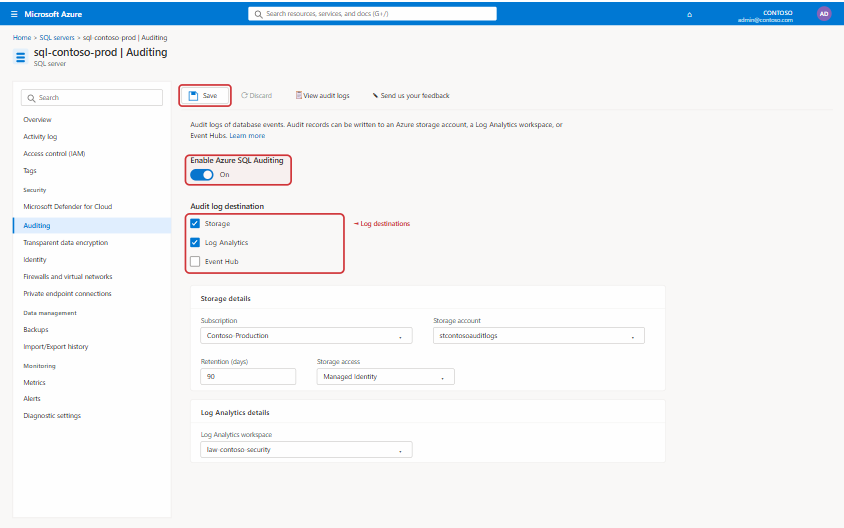
AWS provides default notifications for domain lifecycle events. The primary channel for these alerts is the [AWS Health Dashboard (https://health.aws.amazon.com/health/home)]. This service sends notifications for a wide range of events affecting your account, including domain renewals.
Specifically, AWS will send an email notification to the registrant contact for a domain approximately 45 days before its expiration date. [This email serves as a reminder that the domain is scheduled for automatic renewal or as a warning if auto-renewal is disabled (https://docs.aws.amazon.com/Route53/latest/DeveloperGuide/domain-renew.html)]. Therefore, it is crucial that the contact information associated with your domain is accurate and points to a monitored email address, such as a team distribution list.
Creating Custom Alerts with Amazon EventBridge
For more advanced and customizable monitoring, you can use Amazon EventBridge. EventBridge can capture events from various AWS services, including Health events related to your domains, and route them to different targets like an SNS topic for email or SMS notifications.
You can create an EventBridge rule that specifically listens for AWS Health events with a service value of “ROUTE53” and an event type code related to domain renewals. For example, you can set up a rule to trigger 30, 14, and 7 days before expiration. When the rule is triggered, it can send a customized message to your operations team’s Slack channel, create a ticket in your project management system, or send a high-priority email. This automated workflow provides a much higher degree of visibility than relying on a single email notification.
How to Renew Your Domain in Route 53
Renewing a domain in Amazon Route 53 is a straightforward process, largely because AWS is designed to handle it automatically. However, it’s important to understand both the automatic and manual renewal options to ensure your domains remain active.
Automatic Renewal
By default, when you register or transfer a domain to Route 53, automatic renewal is enabled. [This is the recommended setting, as it instructs AWS to automatically renew your domain before it expires, billing the cost to your AWS account (https://docs.aws.amazon.com/Route53/latest/DeveloperGuide/domain-renew.html)]. The renewal typically occurs 35 days before the expiration date for most TLDs, providing a buffer to resolve any potential billing issues.
You can verify the auto-renewal status for any of your domains by navigating to the “Registered domains” section of the Route 53 console. [Each domain will display its expiration date and whether auto-renewal is enabled or disabled (https://docs.aws.amazon.com/Route53/latest/DeveloperGuide/domain-renew.html#domain-renew-enable-disable)]. If it’s disabled, you can enable it with a single click.
Manual Renewal and Extending Registration
If you have disabled automatic renewal for a specific reason, you must manually renew the domain. This is also done from the “Registered domains” dashboard. You can select the domain and choose to extend its registration period. Route 53 allows you to renew a domain for one or more years, up to the maximum allowed by the specific TLD registry.
Manual renewal is also useful if you want to extend a domain’s registration far in advance of its expiration date. For instance, if you want to align the expiration dates of multiple domains or take advantage of current pricing before a potential increase, you can add years to the registration at any time.
Best Practices for Domain Management
Effective domain management goes beyond just monitoring and renewal. It involves establishing clear policies and procedures to minimize risk and ensure operational continuity. Adopting these best practices will help your team avoid common pitfalls associated with domain ownership.
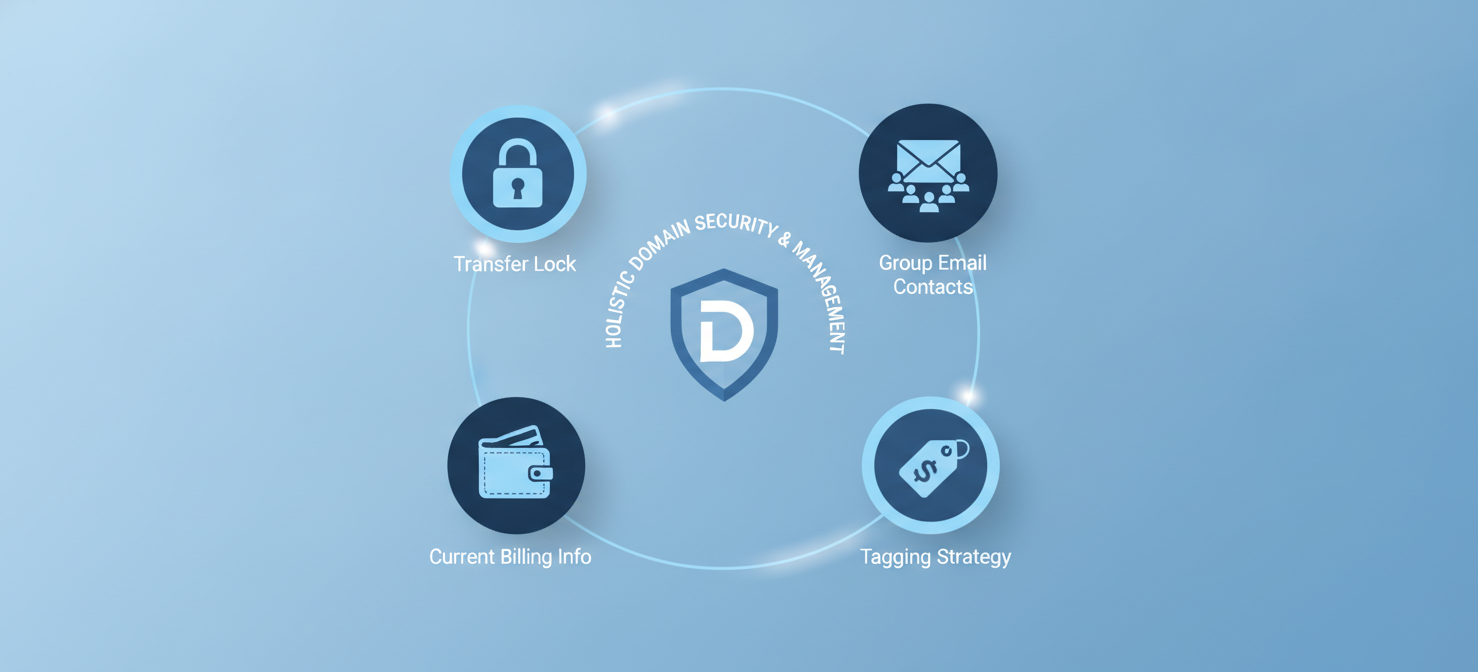
First, always enable a transfer lock on your critical domains. This feature, available in the Route 53 console, prevents unauthorized attempts to transfer your domain to another registrar. It adds a crucial layer of security against domain hijacking.
Second, maintain up-to-date and accurate contact information. As mentioned earlier, the registrant email should be a group alias (e.g., dns-admins@yourcompany.com) rather than an individual employee’s email address. This ensures that critical notifications are not missed due to personnel changes. Regularly audit this information for all your domains.
In addition, use a consistent tagging strategy for your domains within AWS. Tags can help you assign ownership, track costs, and categorize domains by environment (e.g., production, staging). This organizational discipline is invaluable, especially as the number of domains you manage grows.
Finally, ensure your AWS account’s billing information is always current. A failed payment method is a common reason for renewal failures, even when auto-renewal is enabled. Set up billing alerts in AWS Budgets to be notified of any payment processing issues immediately.
Conclusion
Managing route 53 domain expiration is a foundational element of cloud governance that should never be overlooked. An expired domain is not a minor inconvenience; it is a self-inflicted outage that can have severe consequences for your business, from lost revenue to brand damage. By enabling auto-renewal by default, leveraging AWS Health and EventBridge for proactive monitoring, and implementing sound management practices like transfer locks and accurate contact information, you can effectively eliminate this risk. Ultimately, treating your domains as the critical infrastructure assets they are ensures your digital front door remains securely open for business.
To further safeguard your critical AWS infrastructure and streamline domain oversight, you can explore our platform’s capabilities by starting a free trial or arranging a personalized demo with our experts.
 7-day free trial