



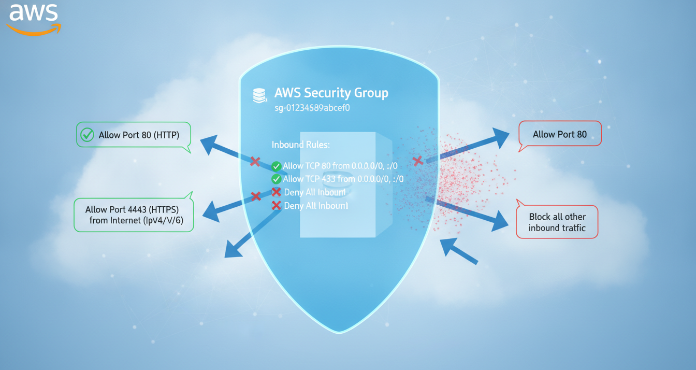
At the core of network security within your Amazon Web Services (AWS) environment are AWS Security Groups. These act as a fundamental, instance-level virtual firewall to control inbound and outbound traffic. Properly configuring these virtual firewalls is a critical step in securing your cloud infrastructure. However, a misconfigured rule can inadvertently expose your resources, creating significant security vulnerabilities. Therefore, understanding their rules, limits, and best practices is not just an option—it’s a necessity for any team operating on AWS.
Key takeaways
- Apply the Principle of Least Privilege: Always start with a “deny all” approach and only add rules that allow the specific traffic necessary for your application to function. This minimizes your attack surface.
- Stateful by Design: Security groups are stateful, meaning if you allow an inbound request, the outbound response is automatically permitted, simplifying rule creation.
- Avoid the Default Group: The default security group in a VPC has overly permissive rules. It’s recommended to create custom groups for your resources and lock down the default group by removing all its rules.
- Know Your Limits: By default, you can add 60 inbound and 60 outbound rules per security group, and this can be increased. However, the total number of rules applied to a single network interface cannot exceed 1000.
What Are AWS Security Groups?
Think of AWS Security Groups as virtual firewalls for your Amazon EC2 instances and other resources within a Virtual Private Cloud (VPC). They provide a stateful filtering mechanism for network traffic. This means that if you initiate an outbound request from your instance, the return traffic for that request is automatically allowed back in, regardless of the inbound rules. Conversely, if inbound traffic is allowed, the corresponding outbound response is also permitted.
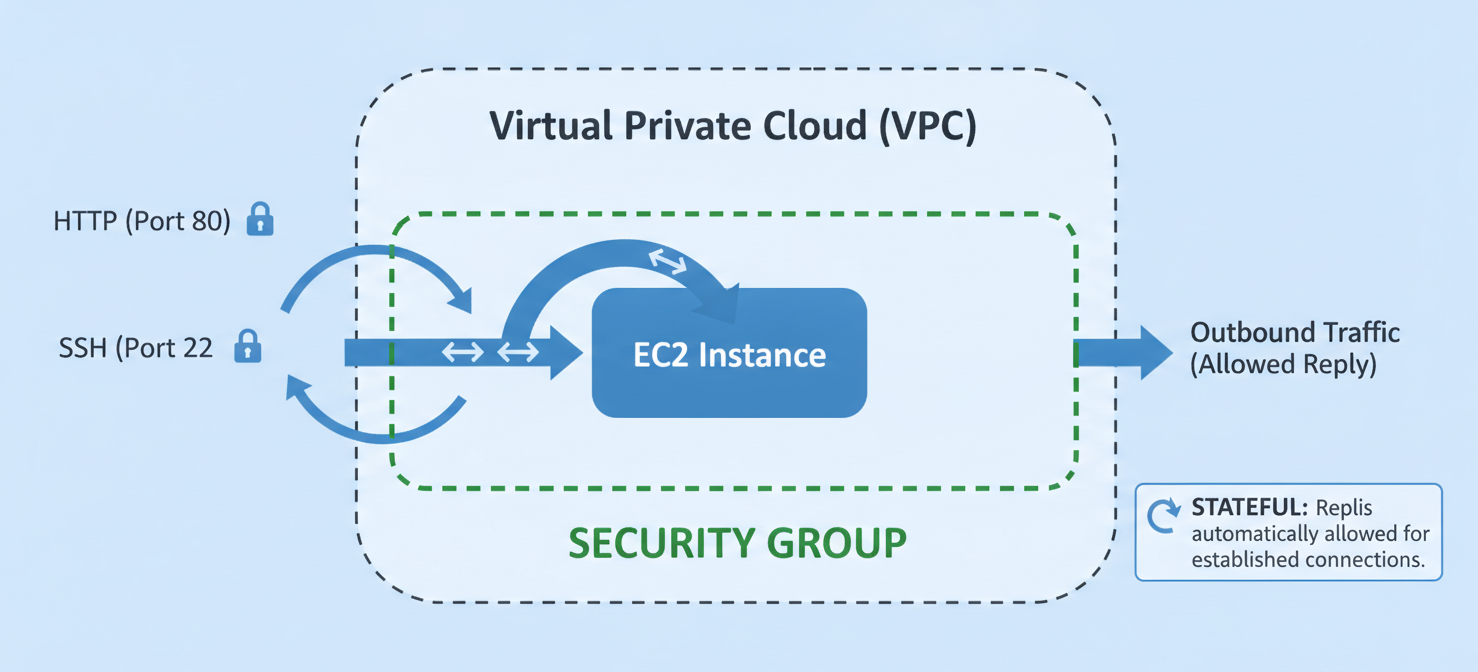
This stateful nature is a key differentiator from Network Access Control Lists (NACLs), which are stateless and require you to define explicit rules for both inbound and outbound traffic. Security groups operate at the instance level, meaning you can assign one or more security groups to each EC2 instance, creating a specific layer of defense for that resource.
How Do Security Groups Work?
Security groups function by evaluating a set of “allow” rules to determine whether to permit traffic to or from an associated resource. Importantly, security groups only support allow rules; they do not have deny rules. If no rule explicitly allows a particular type of traffic, it is implicitly denied.
When traffic arrives at an instance, AWS evaluates all the rules from all the security groups associated with that instance. If any rule allows the traffic, it is let through. This aggregation of rules means you can create layered security policies by combining multiple, purpose-built security groups. For example, you might have one group for web server access (allowing ports 80 and 443) and another for administrative access (allowing SSH on port 22 from a specific IP).
Referencing Other Security Groups
A powerful feature is the ability to have a rule in one security group reference another security group as its source or destination. This creates dynamic and manageable rules. For instance, you can create a rule for your database security group that allows inbound traffic on the MySQL port (3306) only from the security group assigned to your web servers. As a result, any instance in the web server group can communicate with the database, and you don’t need to update IP addresses manually if your web server fleet scales up or down.
Default vs. Custom Security Groups
Every VPC you create comes with a “default” security group. By default, this group has an inbound rule that allows all traffic from other instances within the same default security group and an outbound rule that allows all outbound traffic.
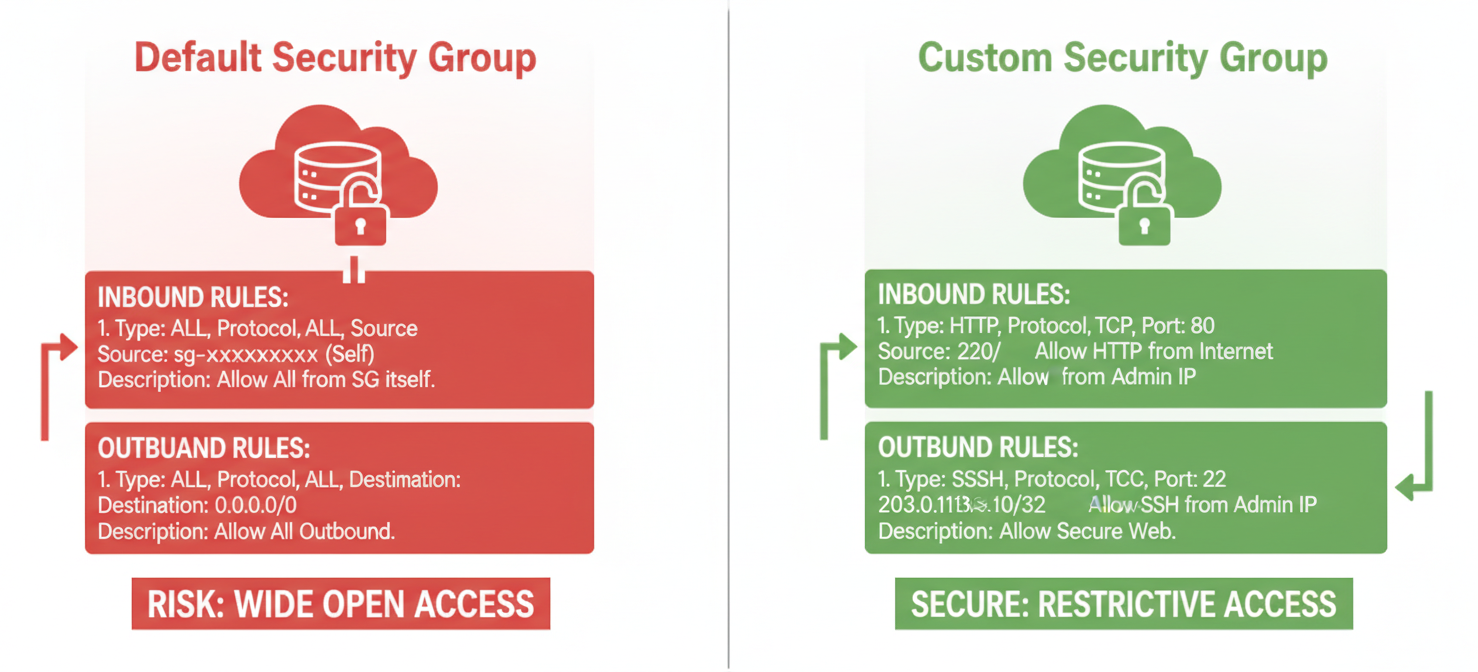
While convenient for getting started, relying on the default security group is a significant security risk. If you launch instances without specifying a security group, they are automatically assigned to the default one. This can lead to unintended access between resources. The recommended practice is to create your own custom security groups tailored to the specific needs of your applications and then modify the default group to restrict all traffic.
Security Group Rules Explained
Each rule in a security group has several key components that define what traffic is allowed. Understanding these components is crucial for creating effective and secure configurations.
A security group rule is composed of the following:
- Direction: Inbound (ingress) for incoming traffic or Outbound (egress) for outgoing traffic.
- Protocol: The network protocol, such as TCP, UDP, or ICMP.
- Port Range: The specific port or range of ports the rule applies to (e.g., 80 for HTTP, 443 for HTTPS, 22 for SSH).
- Source/Destination: The origin of inbound traffic or the destination for outbound traffic. This can be specified as a CIDR block (e.g.,
0.0.0.0/0for any IPv4 address), a specific IP address, another security group ID, or a prefix list ID. - Description: An optional field to help you and your team understand the purpose of the rule.
For example, a common inbound rule for a public web server would allow TCP traffic on port 443 from the source 0.0.0.0/0, enabling anyone on the internet to access your website over HTTPS.
Important AWS Security Groups Limits and Quotas
While security groups are flexible, they are subject to certain quotas defined by AWS. It’s important to be aware of these limits to design scalable and manageable architectures.
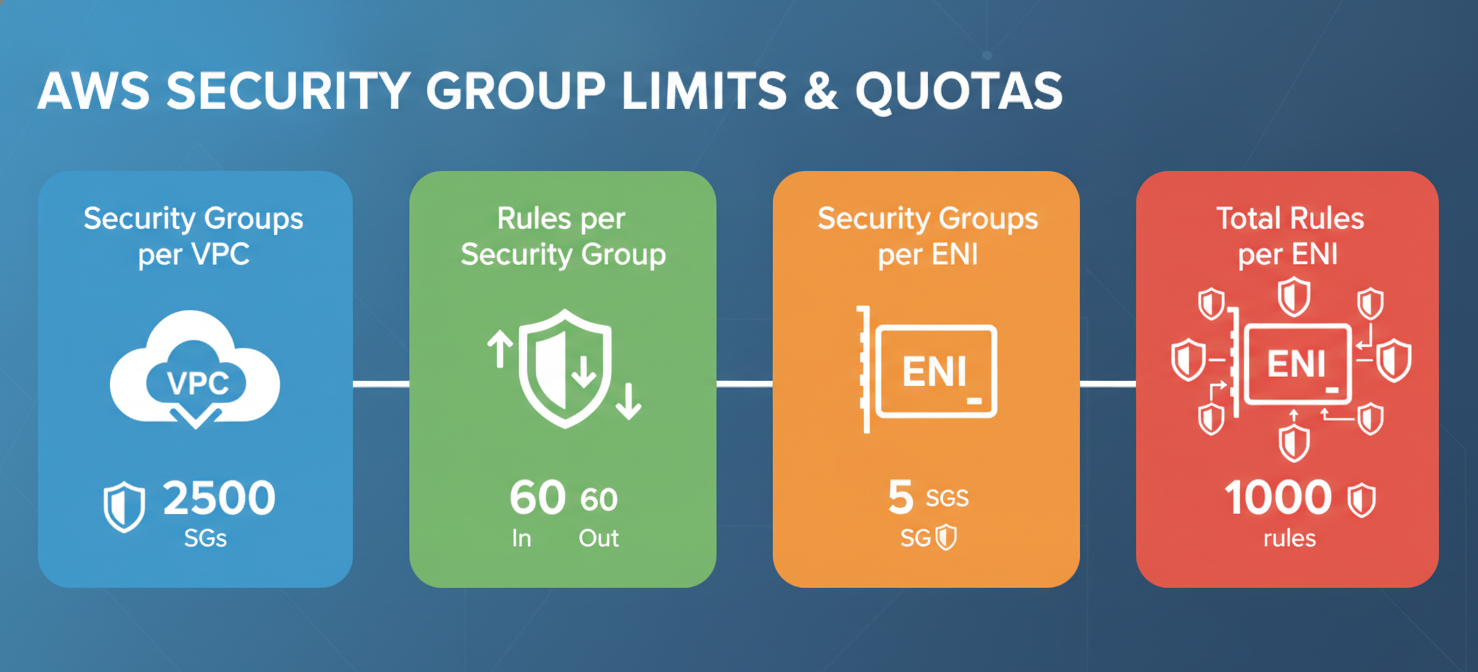
Here are some of the key default quotas per region:
- Security Groups per VPC: You can create up to 2,500 security groups per VPC.
- Rules per Security Group: You can add up to 60 inbound and 60 outbound rules per security group. This limit is separate for IPv4 and IPv6 rules.
- Security Groups per Network Interface: You can attach up to 5 security groups to a single Elastic Network Interface (ENI), though this can be increased to 16.
- Total Rules per Network Interface: The total number of rules across all security groups attached to a single network interface cannot exceed 1000.
Many of these quotas can be increased by submitting a request to AWS Support. However, you must always adhere to the 1000-rule limit per network interface. For example, if you increase the rules per group to 100, you can only attach a maximum of 10 security groups to an interface.
Security Group Best Practices
Following established best practices is essential for maintaining a strong security posture. These guidelines help prevent common misconfigurations that can lead to vulnerabilities.
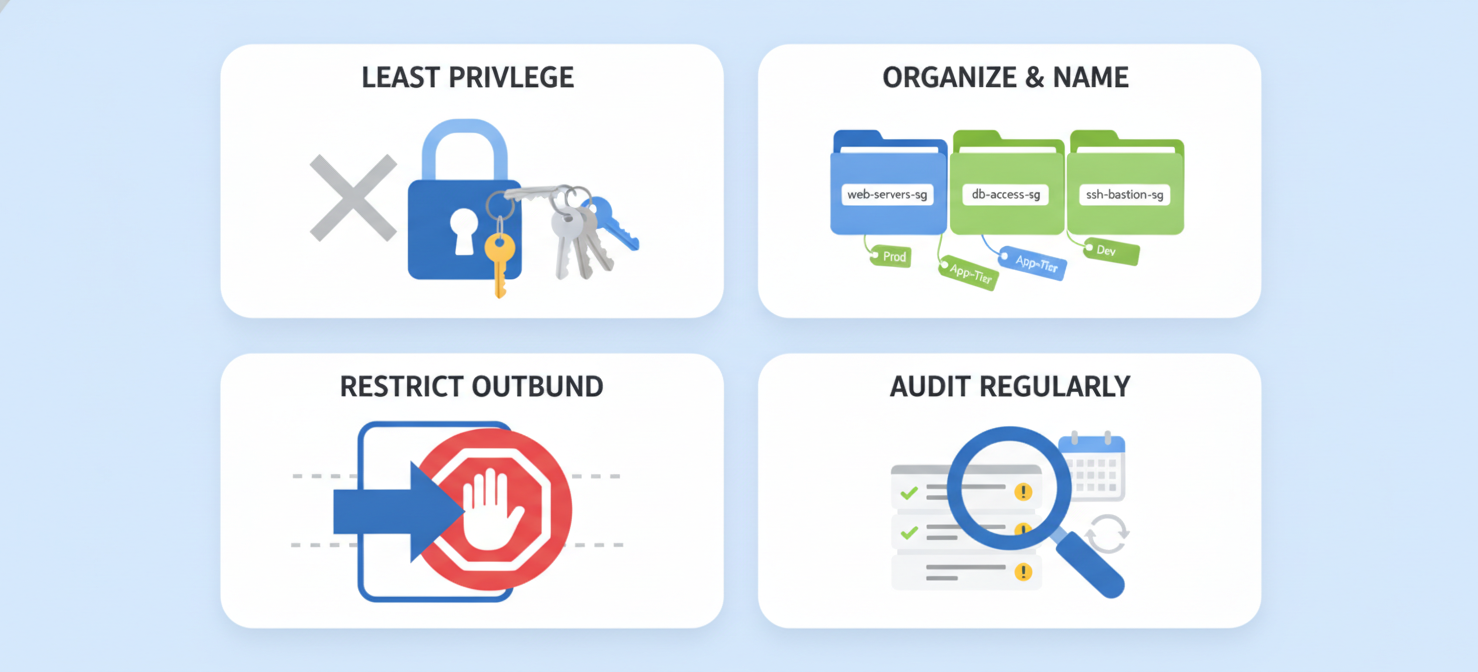
Implement the Principle of Least Privilege
The most important guideline is the principle of least privilege (PoLP). This means you should only grant the minimum permissions necessary for a resource to perform its function. For security groups, this translates to creating the most restrictive rules possible. Instead of allowing traffic from 0.0.0.0/0 (anywhere), restrict access to specific IP addresses or other security groups whenever possible.
Organize and Name Your Groups
Avoid creating a single, monolithic security group for all your resources. Instead, create groups based on the role or function of the resources, such as “WebApp-SG,” “Database-SG,” or “Admin-Access-SG.” Use descriptive names and add descriptions to your rules so their purpose is clear. This makes auditing and management much easier.
Restrict Outbound Traffic
While the default outbound rule allows all traffic, it’s a best practice to restrict this as well. Limiting outbound traffic can help prevent data exfiltration and stop compromised instances from communicating with malicious external servers. Only allow outbound connections to the specific ports and destinations that your application requires.
Regularly Audit Your Rules
Security needs evolve. Therefore, you should regularly review and audit your security group rules to remove any that are no longer needed. Stale or overly permissive rules create unnecessary risks. Tools like AWS Config can help you track changes to your security groups and ensure they remain compliant with your policies.
Monitoring and Auditing Security Groups
Continuous monitoring is critical for detecting unauthorized or accidental changes to your security groups. A seemingly small change can have significant security implications.
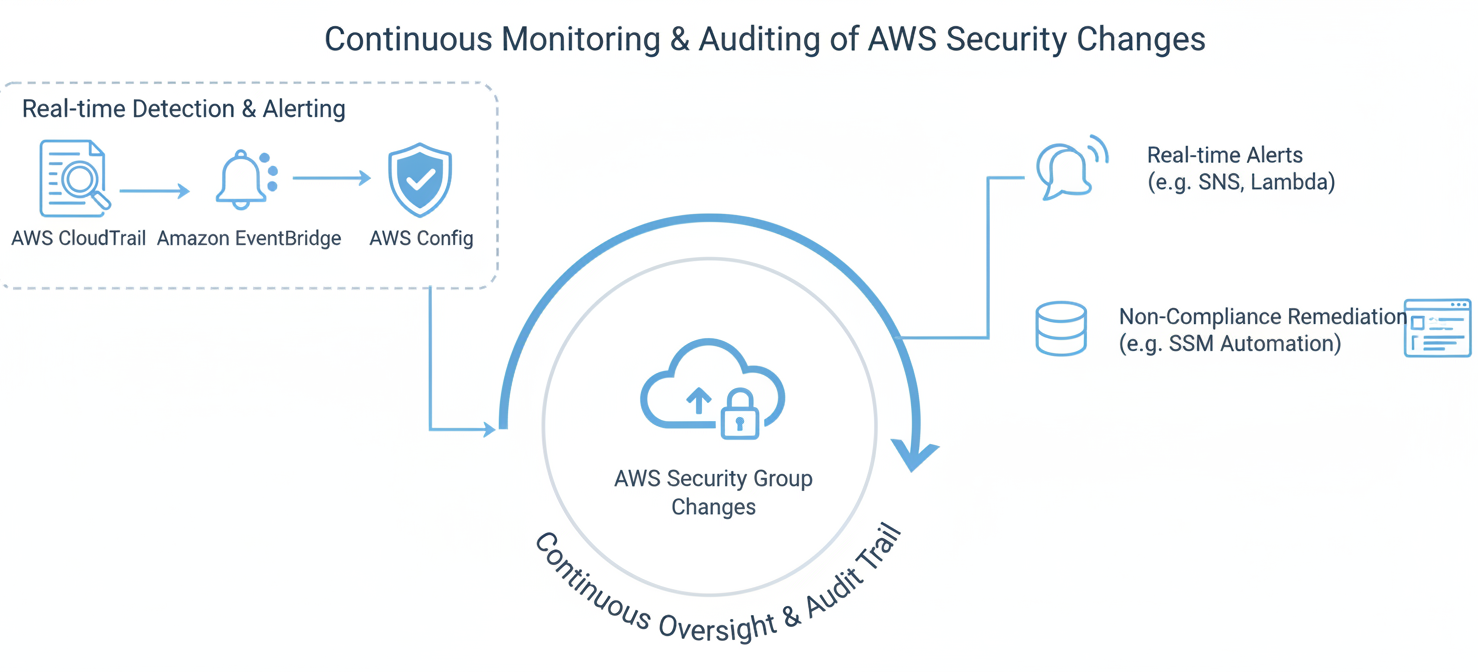
You can use several AWS services to monitor your security groups:
- AWS CloudTrail: CloudTrail records API calls made in your AWS account, including any actions that create, modify, or delete security groups or their rules. This provides a detailed audit log of all changes.
- Amazon CloudWatch Events (now Amazon EventBridge): You can create rules in EventBridge to trigger notifications in near real-time when specific API calls related to security groups are detected by CloudTrail. For example, you can set up an alarm that sends a notification to an SNS topic whenever a rule is changed.
- AWS Config: This service allows you to assess, audit, and evaluate the configurations of your AWS resources. You can use AWS Config Rules to continuously check whether your security groups comply with your security policies, such as flagging any rules that allow unrestricted SSH access.
By combining these services, your team can build a robust system for monitoring and quickly responding to any potentially risky changes in your AWS security groups.
Conclusion
Mastering AWS security groups is a fundamental skill for operating securely in the cloud. They are your first line of network defense, and their proper configuration is non-negotiable. By adhering to the principle of least privilege, organizing your groups logically, and implementing continuous monitoring, you can significantly reduce your attack surface. Remember, a security group is not a “set it and forget it” resource. It requires ongoing attention and auditing. Neglecting these virtual firewalls is like leaving the front door of your data center unlocked—eventually, someone is bound to wander in.
To ensure your AWS environment remains secure and compliant, effectively managing security groups is paramount; explore how our platform can simplify this by letting you start a free trial, or if you prefer a guided introduction, you can book a demo with our experts.
 7-day free trial