


Amazon CloudFront can significantly speed up your content delivery, but its pricing can feel complex. Understanding the components of AWS CloudFront billing is essential for managing your cloud spending effectively. Costs are not just about the volume of data you serve; they also depend on where your users are, the number of requests they make, and the specific features you use. Without a clear view, your monthly bill can bring unwelcome surprises.
This article breaks down how Amazon CloudFront pricing works. You will learn how data transfer and request volumes drive costs, how pricing differs by geographic region, and which optional features add to your bill. Furthermore, we’ll show you how to analyze your billing data and use tools like Binadox to gain clarity and control over your CDN expenses.
Key takeaways
- CloudFront’s pay-as-you-go pricing is mainly driven by two factors: Data Transfer Out (DTO) to the internet and the number of HTTP/HTTPS requests.
- Data transfer rates vary significantly across geographic regions; for example, serving 10 TB of data costs more in South America than in North America.
- AWS offers a permanent free tier for CloudFront that includes 1 TB of data transfer out and 10 million HTTP or HTTPS requests each month.
- Optional features like real-time logs, Lambda@Edge functions, and custom SSL certificates can add incremental charges to your monthly bill.
Understanding Amazon CloudFront Pricing
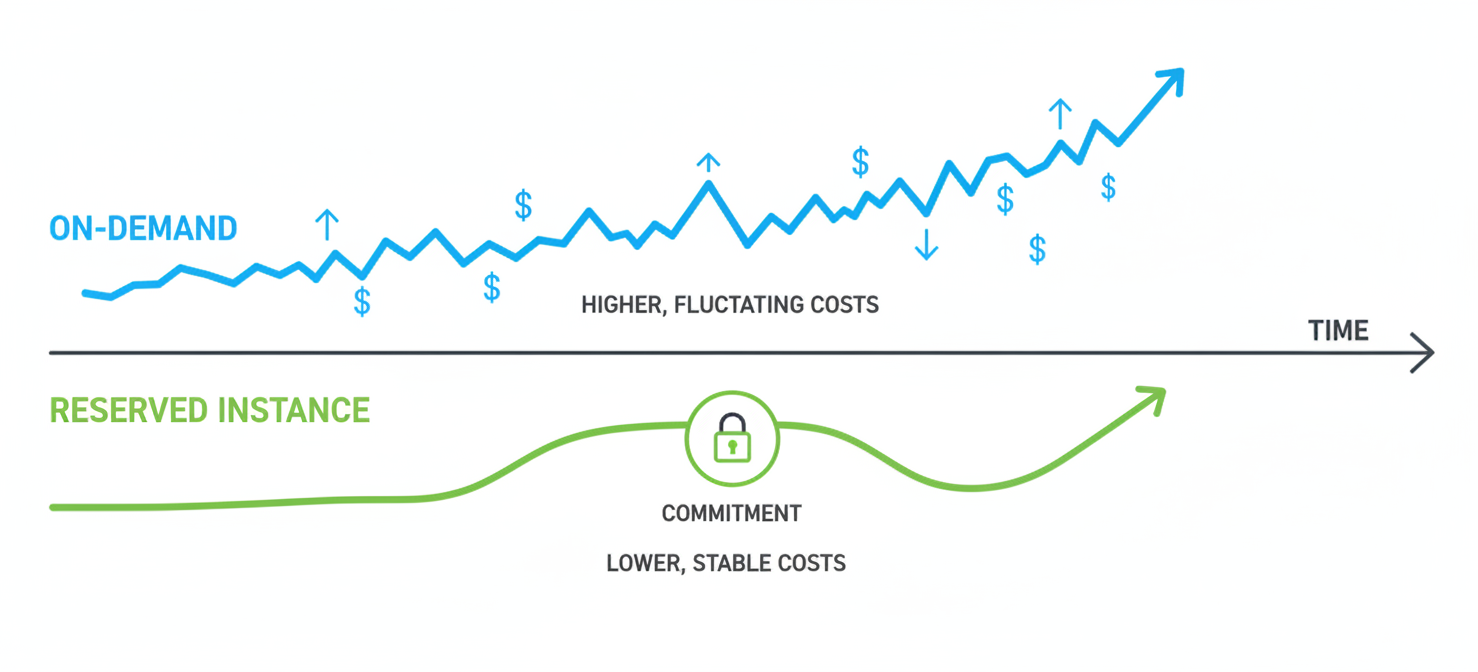
Amazon CloudFront offers several ways to pay, giving you flexibility based on your traffic patterns and predictability needs. The most common model is pay-as-you-go, where you are billed for the data you transfer and the requests you serve. However, for more predictable workloads, AWS also provides flat-rate plans.
Pay-As-You-Go vs. Flat-Rate Plans
With the pay-as-you-go model, your costs directly reflect your usage. This is ideal for applications with variable or unpredictable traffic. The primary charges are for “Data Transfer Out” (DTO)—the data delivered from CloudFront’s edge locations to your users—and the total number of HTTP and HTTPS requests.
In contrast, CloudFront’s flat-rate pricing plans offer a fixed monthly cost for a bundle of services, including a set allowance for data transfer and requests. These plans are designed to make costs more predictable and can offer significant savings for workloads with consistent, high-volume traffic. Plans range from a free tier to premium options, each bundling services like AWS WAF (Web Application Firewall) and DDoS protection.
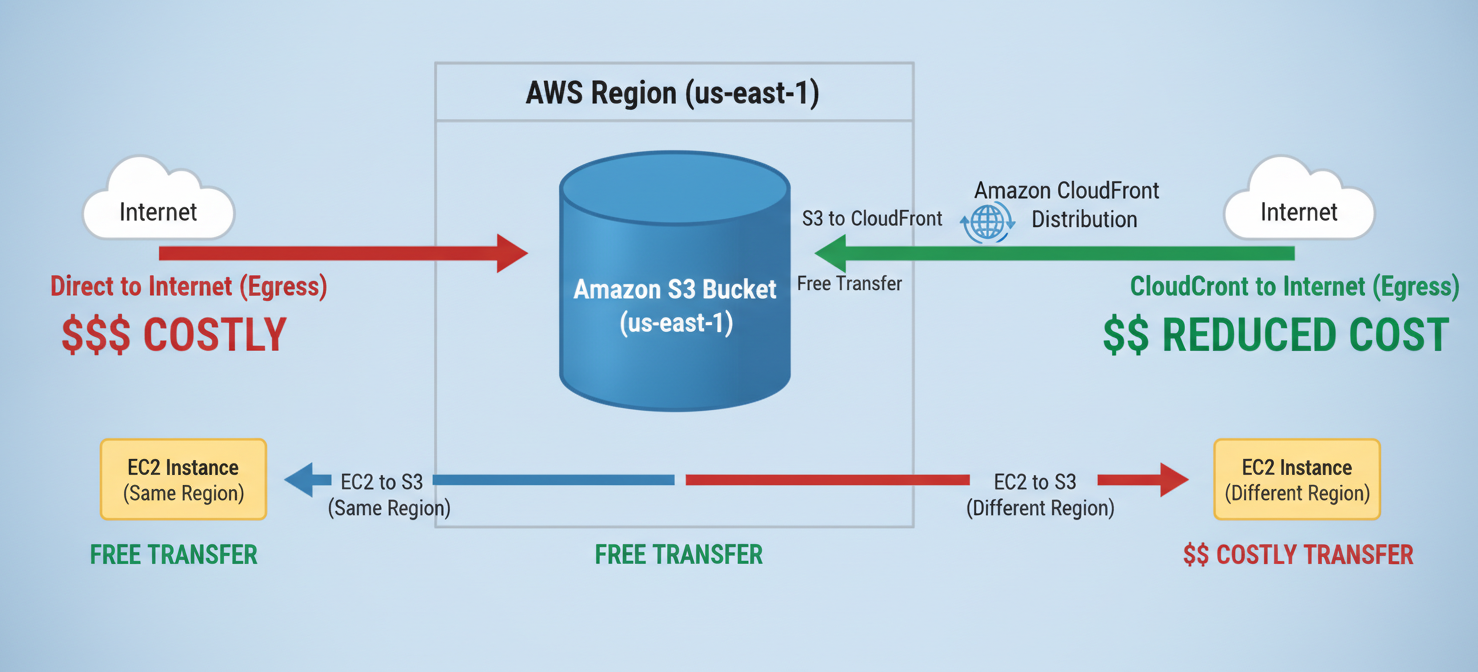
Data transfer from AWS origins like S3, EC2, and Elastic Load Balancing to CloudFront is free, which helps reduce costs if your infrastructure is already on AWS.
How Data Transfer and Request Volume Affect Costs
The two biggest factors in your AWS CloudFront billing are data transfer out and request volume. Data transfer is typically the largest single item on the bill.
Data Transfer Out (DTO)
CloudFront charges for data transferred from its edge locations to your users on the internet. This pricing is tiered, meaning the cost per gigabyte (GB) decreases as your total data transfer volume increases within a billing cycle. For instance, the first 10 TB of data transferred per month in North America and Europe has a higher per-GB rate than the next 40 TB.
It’s important to remember that this pricing is also regional. The cost to deliver 1 GB of data to a user in South America is higher than delivering it to a user in the United States.
HTTP and HTTPS Requests
In addition to data volume, CloudFront charges for the number of requests your distribution serves. Every file a user’s browser loads—images, stylesheets, JavaScript files—counts as a request. The price is typically quoted per 10,000 requests.
HTTPS requests cost slightly more than HTTP requests. This is because of the additional computational work required to establish a secure, encrypted connection. While the difference per request is small, it can add up for sites with high traffic volumes and many small files.
Regional Pricing and Additional CloudFront Features
Where your users are located has a direct impact on your bill. CloudFront groups its edge locations into geographic pricing regions, and rates for both data transfer and requests vary between them.
Geographic Pricing Tiers
Regions like North America and Europe generally have the lowest data transfer rates. In contrast, regions such as South America, Asia Pacific, and the Middle East have higher per-GB costs. This structure reflects the varied costs of operating infrastructure around the world.
To help manage these costs, CloudFront offers “Price Classes.” You can choose to serve your content from all edge locations for the best performance (Price Class All), or you can select more limited sets of regions (Price Class 200 or Price Class 100) to exclude the most expensive ones, trading some latency for lower costs.
Optional Features That Incur Charges
Beyond the core services, several optional features can add to your monthly AWS CloudFront billing:
- Lambda@Edge: Running custom code at edge locations is billed based on the number of invocations and the execution duration.
- CloudFront Functions: A lighter-weight alternative to Lambda@Edge, billed per million invocations.
- Real-Time Logs: You are charged for each million log lines generated.
- Cache Invalidation: While the first 1,000 paths requested for invalidation each month are free, subsequent invalidations incur a small fee per path.
- Dedicated IP Custom SSL: If you need to support very old clients that don’t support SNI (Server Name Indication), you can use a dedicated IP for your SSL certificate at a fixed monthly cost.
How to Interpret CloudFront Usage Types and Billing Records
To understand your CloudFront bill, you need to know how to read the AWS Cost and Usage Report (CUR) or the billing section of the AWS Management Console. These reports provide a detailed breakdown of your charges.
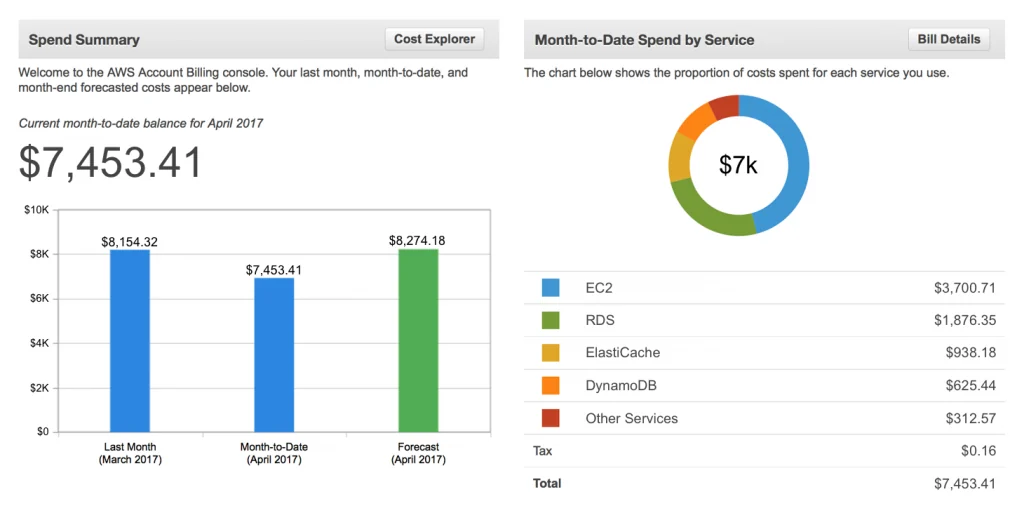
In your billing report, you’ll find line items with specific UsageType codes. For CloudFront, these codes identify exactly what you’re being charged for. For example, a code like US-DataTransfer-Out-Bytes refers to the total data served from edge locations in the United States.
The codes are structured to show the region, the type of usage, and sometimes the protocol. For instance, you might see separate entries for Out-Bytes-HTTP-Static and Out-Bytes-HTTPS-Dynamic. This level of detail helps you pinpoint which parts of your content delivery strategy are costing the most. Analyzing these records is a key practice for effective amazon cloud cost management.
How to Identify Unexpected CDN Charges
Unexpected spikes in your CloudFront bill are often traced back to a few common causes. By monitoring your usage reports, you can spot these issues before they become major problems.
One frequent source of high costs is a low cache-hit ratio. When content isn’t cached effectively at the edge, requests must travel back to your origin server (like an S3 bucket or an EC2 instance). This can increase data transfer and latency.
Other potential drivers of unexpected charges include:
- Frequent Cache Invalidations: Overusing invalidations can lead to extra fees and force CloudFront to re-fetch content from the origin more often.
- Logging: Enabling real-time logs for high-traffic distributions can generate a massive number of log lines, each adding a small charge.
- Traffic Spikes: Sudden increases in traffic, whether from a marketing campaign or a DDoS attack, will naturally increase data transfer and request counts.
Regularly reviewing your CloudFront analytics and AWS Cost Explorer can help you identify trends and anomalies. This proactive approach is a cornerstone of how to manage cloud costs effectively.
How Binadox Helps Analyze CloudFront Costs
While AWS provides tools for monitoring costs, specialized platforms like Binadox offer deeper insights and automated analysis for amazon cloud cost management. Binadox helps you analyze and manage cloud cost by providing granular visibility into your spending patterns across all AWS services, including CloudFront.
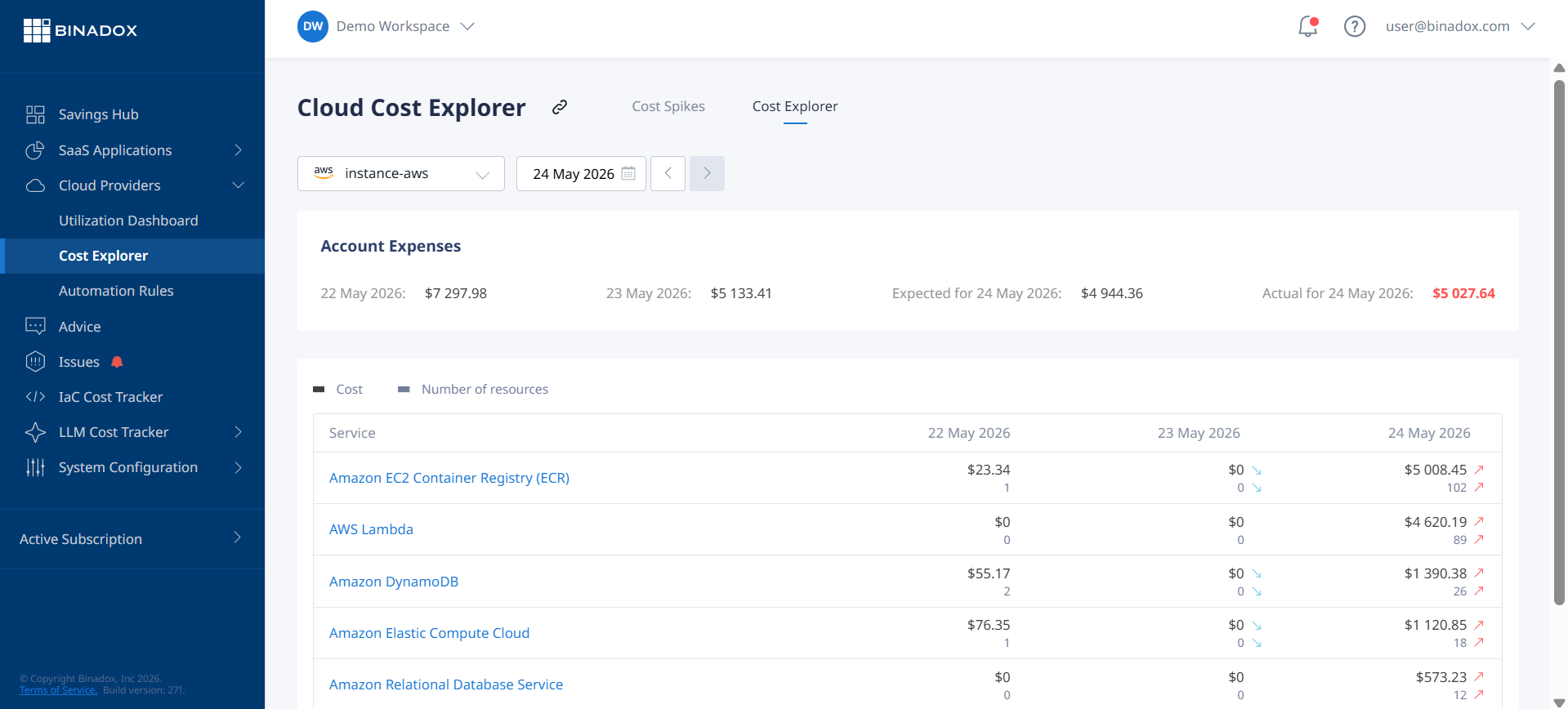
With Binadox, you can:
- Gain Granular Visibility: Track spending trends and drill down into specific cost drivers with intuitive dashboards.
- Identify Optimization Opportunities: The platform uses machine learning to analyze usage patterns and provide actionable recommendations for cost reduction, such as identifying underutilized resources or suggesting better pricing models.
- Automate Cost Management: Set up automated rules and alerts to prevent budget overruns before they happen.
By connecting your AWS account, Binadox can analyze your historical cost and usage data to provide a clear picture of your CloudFront spending and help you make data-driven decisions.
Best Practices for Managing CloudFront Spending
Effectively managing your CloudFront costs involves a combination of technical configuration and financial oversight. Here are some amazon cloud cost management best practices:
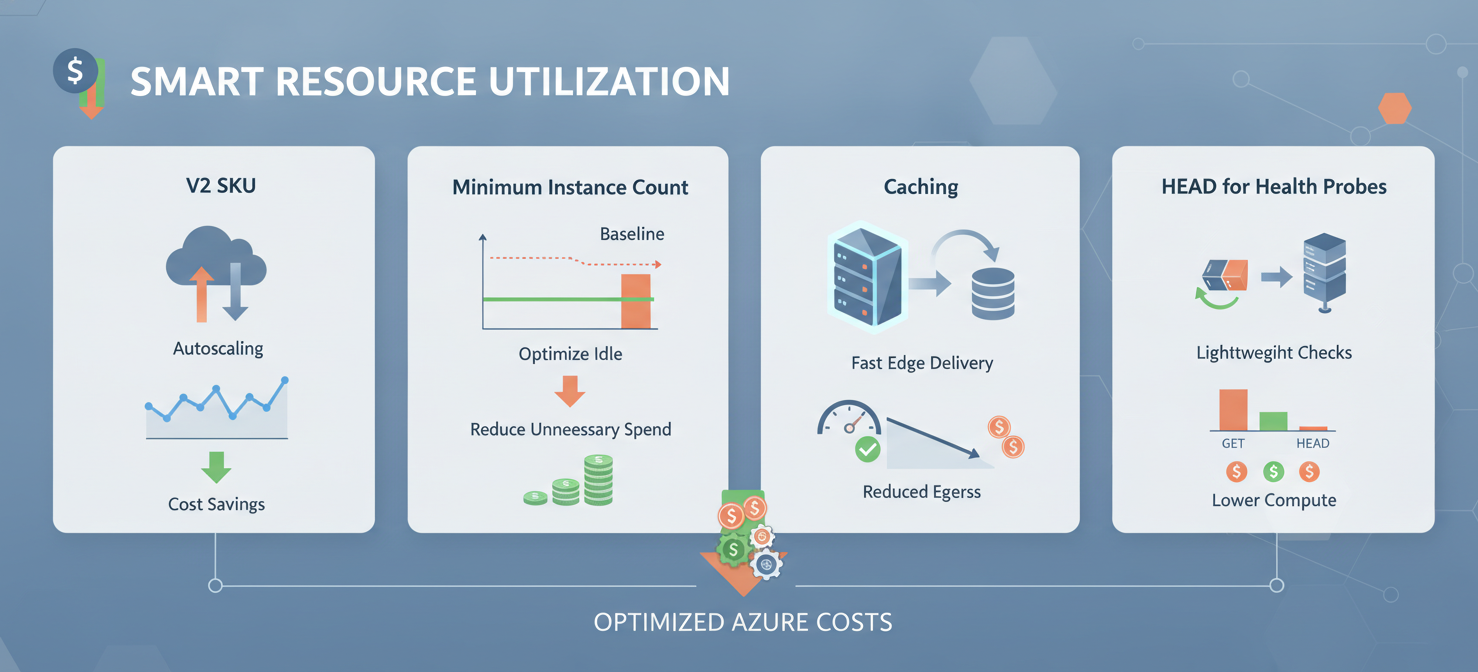
- Optimize Cache Settings: Fine-tune your cache-control headers and Time-to-Live (TTL) settings to maximize your cache-hit ratio. A higher hit ratio means more content is served from the edge, reducing requests to your origin.
- Compress Your Content: Enable compression (like Gzip or Brotli) to reduce the size of the files transferred, which directly lowers your data transfer costs.
- Use the Right Price Class: If your audience is concentrated in specific geographic areas, consider using a more restrictive price class to avoid paying for delivery from more expensive regions.
- Monitor Your Usage: Regularly use tools like AWS Cost Explorer and Binadox to monitor your spending, analyze trends, and catch anomalies early.
- Leverage the Free Tier: Ensure you are taking full advantage of the 1 TB of data transfer and 10 million requests included in the AWS Free Tier every month.
By implementing these strategies, you can ensure you are using CloudFront in the most cost-effective way possible.
In conclusion, mastering AWS CloudFront billing requires a clear understanding of its core components: data transfer, request volume, regional pricing, and optional features. While the pay-as-you-go model offers flexibility, it also demands vigilance. Unexpected costs often arise from misconfigurations like a poor cache-hit ratio or overuse of paid features. By regularly analyzing your usage reports with tools like AWS Cost Explorer and Binadox, and by following cost management best practices, you can prevent your CDN from becoming a financial black box. Ultimately, a well-managed CloudFront setup delivers both performance and predictability—without the billing surprises.
To truly master your CloudFront costs and prevent future surprises, you can begin your free Binadox trial or schedule a demo to explore its advanced analytical capabilities.
 7-day free trial