



Managing cloud computing costs is a critical task for any organization using Amazon Web Services (AWS). While the pay-as-you-go model of On-Demand instances offers flexibility, it can become expensive for consistent, long-term workloads. This is where AWS Reserved Instances (RIs) provide a powerful solution. By committing to a specific instance configuration for a one- or three-year term, you can achieve significant discounts compared to On-Demand pricing, potentially reducing costs by up to 72%. This guide will walk you through everything you need to know about what AWS Reserved Instances are, how they work, and how to use them effectively to optimize your cloud spend.
Key takeaways
- Significant Savings: AWS Reserved Instances offer up to a 72% discount compared to On-Demand pricing in exchange for a 1- or 3-year commitment.
- Billing, Not Physical: RIs are a billing discount applied to matching On-Demand instances in your account; they are not a separate type of physical server.
- Flexibility vs. Savings: Standard RIs offer the highest discount but are less flexible, while Convertible RIs provide a lower discount but allow you to change instance attributes.
- Strategic Commitment: RIs are best suited for workloads with predictable, steady-state usage. It is crucial to analyze your usage patterns before purchasing to avoid underutilization.
What Are AWS Reserved Instances and How Do They Work?
At its core, an AWS Reserved Instance is not a physical instance but a billing discount. When you purchase an RI, you are committing to pay for a specific amount of computing capacity for a one- or three-year period. In return for this commitment, AWS provides a substantial discount on the hourly rate of the instances that match your reservation.
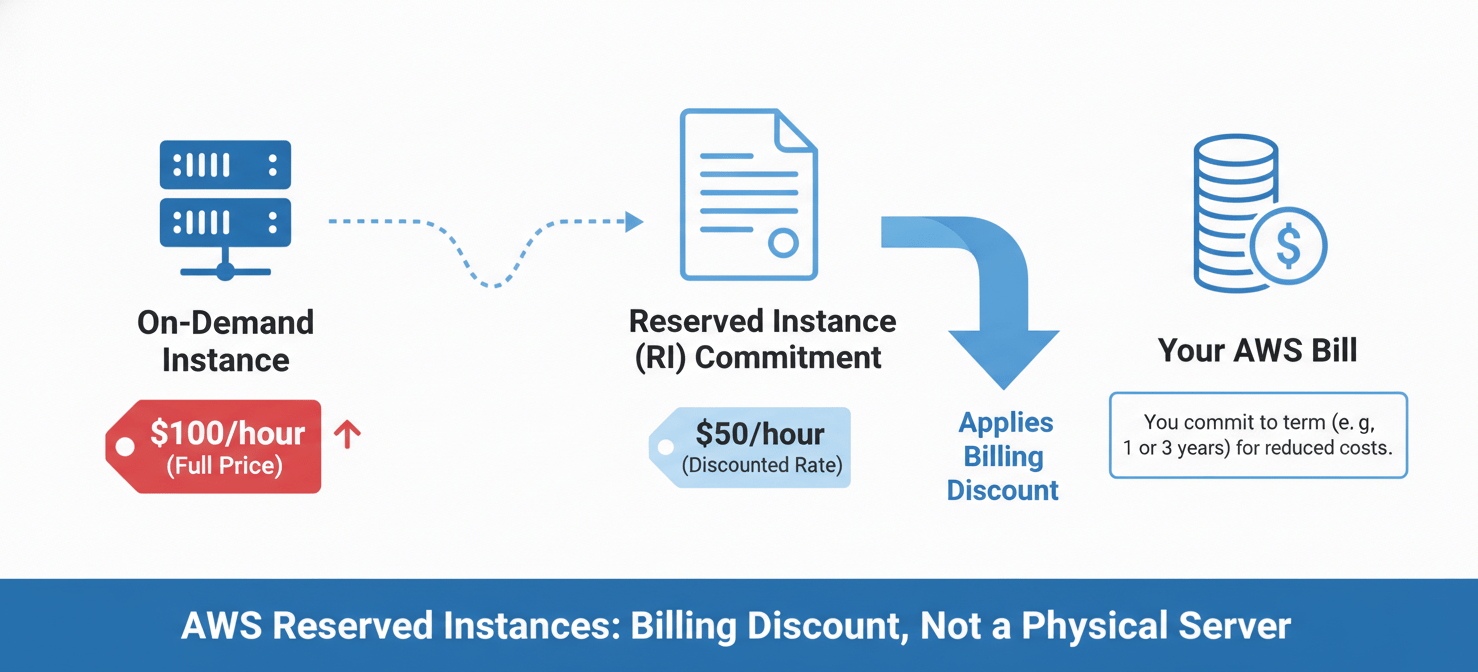
The process is straightforward. When you run an On-Demand instance that matches the attributes of a Reserved Instance you own—such as instance type, region, operating system, and tenancy—AWS automatically applies the discounted rate to your bill. If you don’t have any running instances that match your RI, you still pay for the reservation. Therefore, it’s crucial to purchase RIs only for workloads that you know will be running consistently.
The Core Trade-off: Commitment vs. Flexibility
The fundamental difference between On-Demand instances and Reserved Instances lies in the trade-off between flexibility and cost. On-Demand instances provide maximum flexibility; you can launch, stop, and terminate them at any time and pay only for what you use, with no long-term commitment. This model is ideal for unpredictable workloads, development environments, or short-term projects.
However, this flexibility comes at a premium price. Reserved Instances, on the other hand, require a commitment. By forecasting your computing needs and committing to a 1- or 3-year term, you signal to AWS that you will be a consistent customer, and they reward you with a lower price. The key to a successful RI strategy is identifying the stable, predictable portion of your workload—your “steady-state” usage—and covering that baseline with Reserved Instances.
How the RI Discount is Applied
It’s important to understand that RIs are not tied to specific instances. Instead, they act as a pool of discounted hours. AWS billing logic automatically seeks out any running On-Demand instance in your account that matches the specifications of your RI and applies the discount. For example, if you purchase an RI for one m5.large instance in the us-east-1 region and you are running three such instances, the RI discount will be applied to one of them, while the other two will be billed at the standard On-Demand rate. This application happens automatically every hour, ensuring you always receive the lowest possible cost.
Types of AWS Reserved Instances
AWS offers different types of Reserved Instances to cater to various needs, balancing the level of discount with the degree of flexibility. The primary distinction is between Standard and Convertible RIs.
Standard vs. Convertible RIs
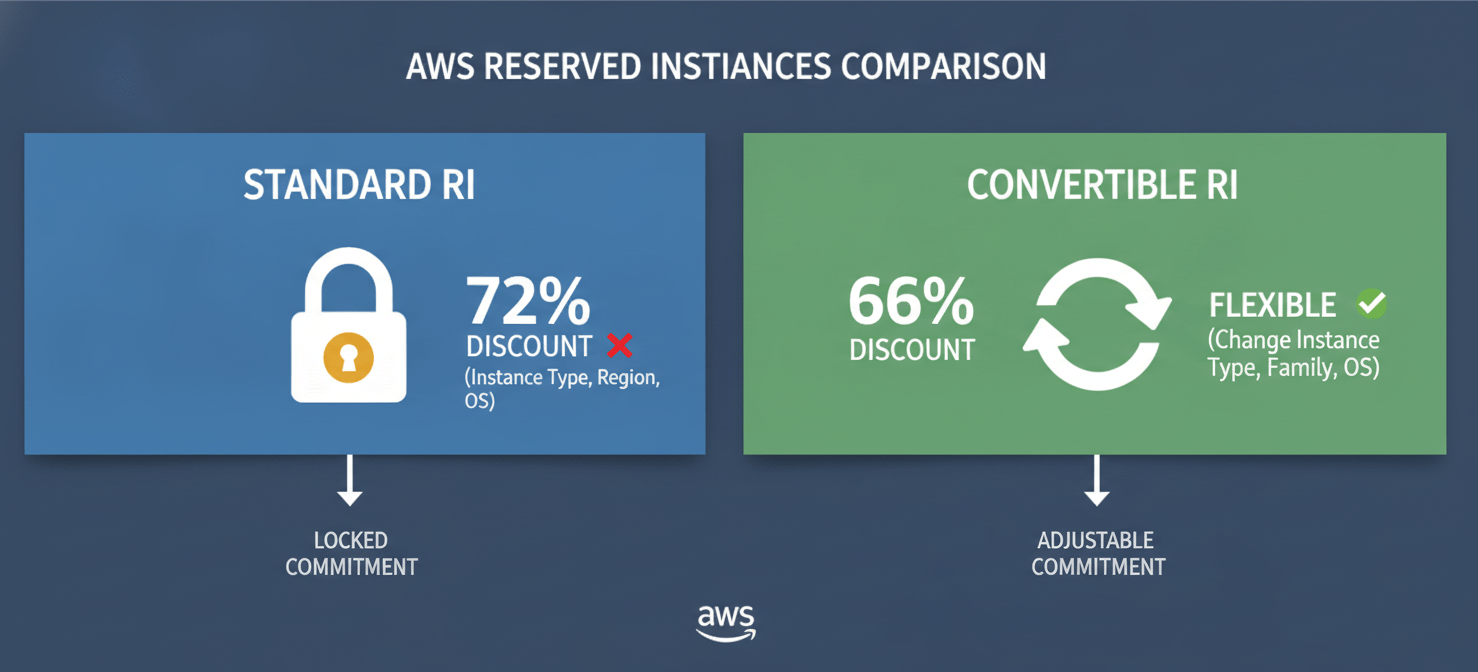
Standard Reserved Instances offer the highest discount, up to 72% off On-Demand prices. The trade-off for this maximum saving is a lack of flexibility. Once you purchase a Standard RI, you cannot change its core attributes, such as the instance family, operating system, or tenancy. You do have some limited ability to modify the instance size within the same family (for example, changing two m5.large RIs into one m5.xlarge RI) and you can change the Availability Zone. Standard RIs are best suited for mature, stable applications where you have high confidence in your long-term infrastructure needs.
Convertible Reserved Instances provide a lower discount (up to 66%) but offer significant flexibility. With a Convertible RI, you can exchange it for another Convertible RI with different attributes, including a new instance family, operating system, tenancy, or even a different AWS region. This makes them ideal for workloads that may evolve over the commitment term. The exchange process requires that the new RI be of equal or greater value than the original one you are exchanging.
Regional vs. Zonal RIs
Another important distinction is the scope of the reservation.
- Regional RIs: When you purchase a Regional RI, the discount applies to any matching instance usage within that entire AWS Region. This option also provides “instance size flexibility,” meaning the RI discount can apply to different sizes within the same instance family. For example, a regional RI for a
t3.xlargecan apply to twot3.largeinstances or fourt3.mediuminstances. This flexibility makes Regional RIs the default and most common choice. - Zonal RIs: A Zonal RI applies to a specific Availability Zone (AZ). In addition to the billing discount, a Zonal RI provides a capacity reservation. This guarantees that you can launch an instance of that type in that specific AZ, even during periods of high demand. You should only choose a Zonal RI if you have a critical need for this capacity guarantee.
RIs for Other AWS Services
While most commonly associated with Amazon EC2, the Reserved Instance model is also available for other AWS services, allowing you to secure discounts on a broader range of your cloud infrastructure. These include:
- Amazon RDS (Relational Database Service): You can purchase RIs for your database instances, covering engines like MySQL, PostgreSQL, and Oracle. This is highly beneficial for production databases with consistent workloads.
- Amazon OpenSearch Service (formerly Elasticsearch Service): For steady search and analytics workloads, you can reserve OpenSearch instances.
- Amazon ElastiCache: RIs are available for in-memory caching services like Redis or Memcached, which often serve as a consistent performance layer for applications.
- Amazon DynamoDB: You can purchase reserved capacity for DynamoDB, committing to a certain level of provisioned read and write capacity units over a term.
The core principle remains the same across these services: commit to usage and receive a significant discount.
AWS Reserved Instances vs. Savings Plans
In 2019, AWS introduced Savings Plans as a more flexible alternative to Reserved Instances. While both are designed to reduce costs through commitment, they operate differently, and understanding the distinction is key to making the right choice for your workloads.
How Savings Plans Work
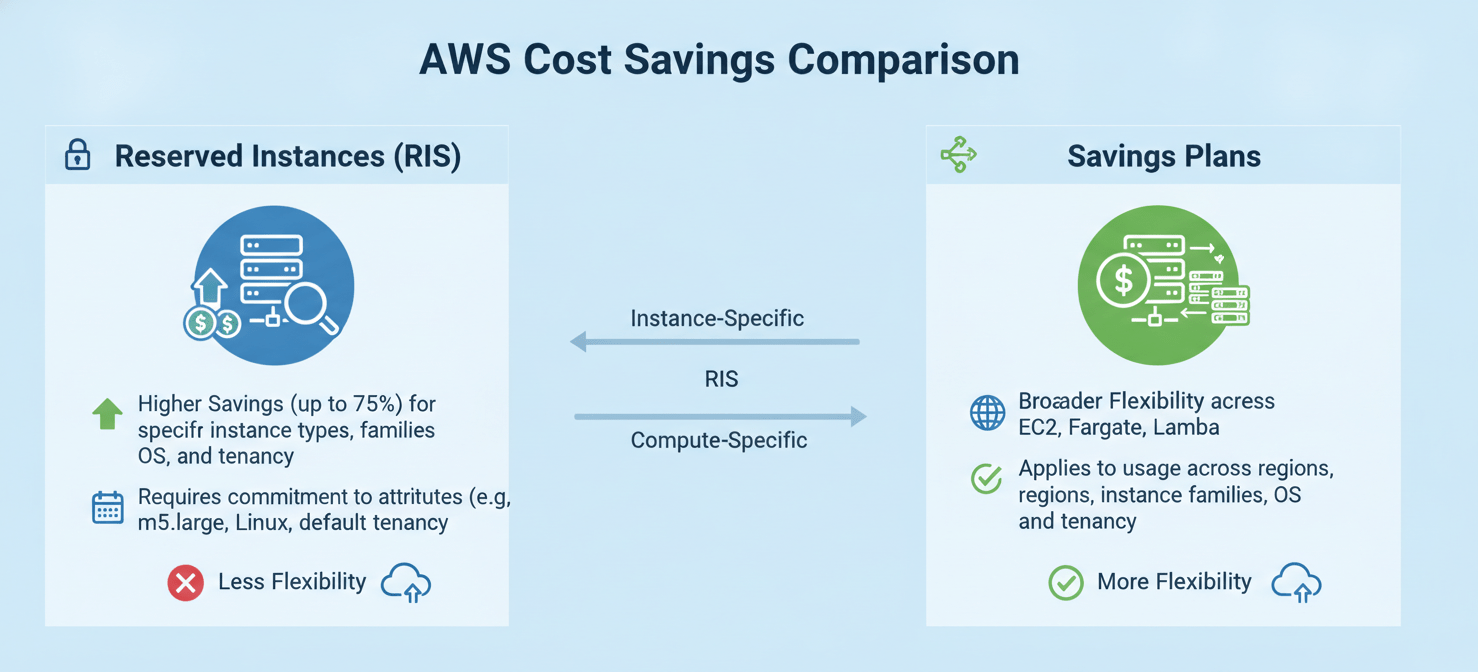
Instead of committing to a specific instance configuration, with Savings Plans you commit to a consistent amount of compute usage, measured in dollars per hour (e.g., “$10/hour”), for a 1- or 3-year term. Any usage up to your commitment level is covered by the Savings Plan at a discounted rate.
Key Differences and When to Choose Each
There are two main types of Savings Plans:
- Compute Savings Plans: These are the most flexible. They automatically apply to EC2 instance usage regardless of region, instance family, size, OS, or tenancy. They also cover usage for AWS Fargate and AWS Lambda. The savings are significant, up to 66% off On-Demand.
- EC2 Instance Savings Plans: These offer the highest savings (up to 72%, the same as Standard RIs) but are more restrictive. You commit to using a specific instance family in a particular region (e.g.,
m5inus-east-1). However, you still have the flexibility to change instance sizes, operating systems, or tenancies within that family and region.
The decision between RIs and Savings Plans depends on your need for flexibility versus the desire for the absolute highest discount or a capacity reservation.
- Choose AWS Reserved Instances (Standard) if: You have an extremely stable workload, you are confident the instance family will not change for three years, and you want the absolute maximum discount available.
- Choose AWS Reserved Instances (Convertible) if: You need the flexibility to change instance families or regions and are willing to manage the exchange process manually.
- Choose EC2 Instance Savings Plans if: You want the high savings of a Standard RI but need the flexibility to change instance sizes or operating systems within a specific instance family and region.
- Choose Compute Savings Plans if: You want maximum flexibility. This is an excellent “set it and forget it” option that automatically optimizes costs across different instance types and even covers serverless compute like Fargate and Lambda.
For many organizations, a hybrid approach works best. You can use Standard RIs or EC2 Instance Savings Plans for your most predictable, core workloads, and then layer a Compute Savings Plan on top to cover more dynamic usage.
How to Purchase and Manage AWS Reserved Instances
Purchasing and managing RIs effectively requires careful analysis and ongoing monitoring. The process involves understanding your usage, selecting the right RI, making the purchase, and then tracking its performance.
Step-by-Step Guide to Purchasing RIs
- Analyze Your Usage: Before buying anything, you must understand your historical compute usage. Use tools like AWS Cost Explorer and AWS Trusted Advisor to analyze your instance usage over the past 30-60 days. These tools provide specific RI purchase recommendations based on your actual consumption patterns, highlighting which instances have been running consistently enough to be good candidates for a reservation.
- Navigate to the Purchase Console: In the AWS Management Console, go to the EC2 service dashboard. In the left-hand navigation pane, select “Reserved Instances” and then click “Purchase Reserved Instances.”
- Specify RI Attributes: You will be presented with a search screen where you define the parameters of the RI you want to buy. You’ll need to specify:
- Platform: The operating system (e.g., Linux/UNIX, Windows).
- Tenancy: Default (shared hardware) or Dedicated.
- Instance Type: The specific instance family and size (e.g.,
t3.medium). - Term: 1 year or 3 years.
- Offering Class: Standard or Convertible.
- Payment Option: All Upfront, Partial Upfront, or No Upfront.
- Review and Purchase: After searching, AWS will display the available RI offerings that match your criteria, including the upfront cost (if any) and the effective hourly rate. Select the desired offering, specify the quantity, and add it to your cart. Once you confirm the purchase, it is non-refundable. The RI will become active within minutes, and the billing discount will be applied automatically to any matching instances.
Managing and Modifying Your RIs
Your infrastructure needs will inevitably change over time. AWS provides mechanisms to adjust your RI portfolio.
- Modifying Standard RIs: For Standard RIs, you can perform limited modifications. You can change the Availability Zone of the reservation or split or merge RIs within the same instance family (e.g., modify one
c5.2xlargeRI into fourc5.largeRIs). This applies only to regional RIs with shared tenancy. - Exchanging Convertible RIs: The primary benefit of Convertible RIs is the ability to exchange them. If you need to switch to a different instance family, OS, or tenancy, you can perform an exchange through the AWS console. The new Convertible RI must be of equal or greater value than the original.
- The RI Marketplace: If your needs change and you no longer require a Standard RI, you can sell it on the Reserved Instance Marketplace. This peer-to-peer platform allows you to list your unused RIs for sale to other AWS customers. You set the upfront price for the remaining term. AWS charges a 12% service fee on the total upfront price of the sale. Note that Convertible RIs cannot be sold on the Marketplace.
Best Practices for Maximizing RI Savings
Simply buying Reserved Instances is not enough; you need a strategy to ensure you’re getting the most value from your commitment. Following best practices can prevent costly mistakes and maximize your return on investment.
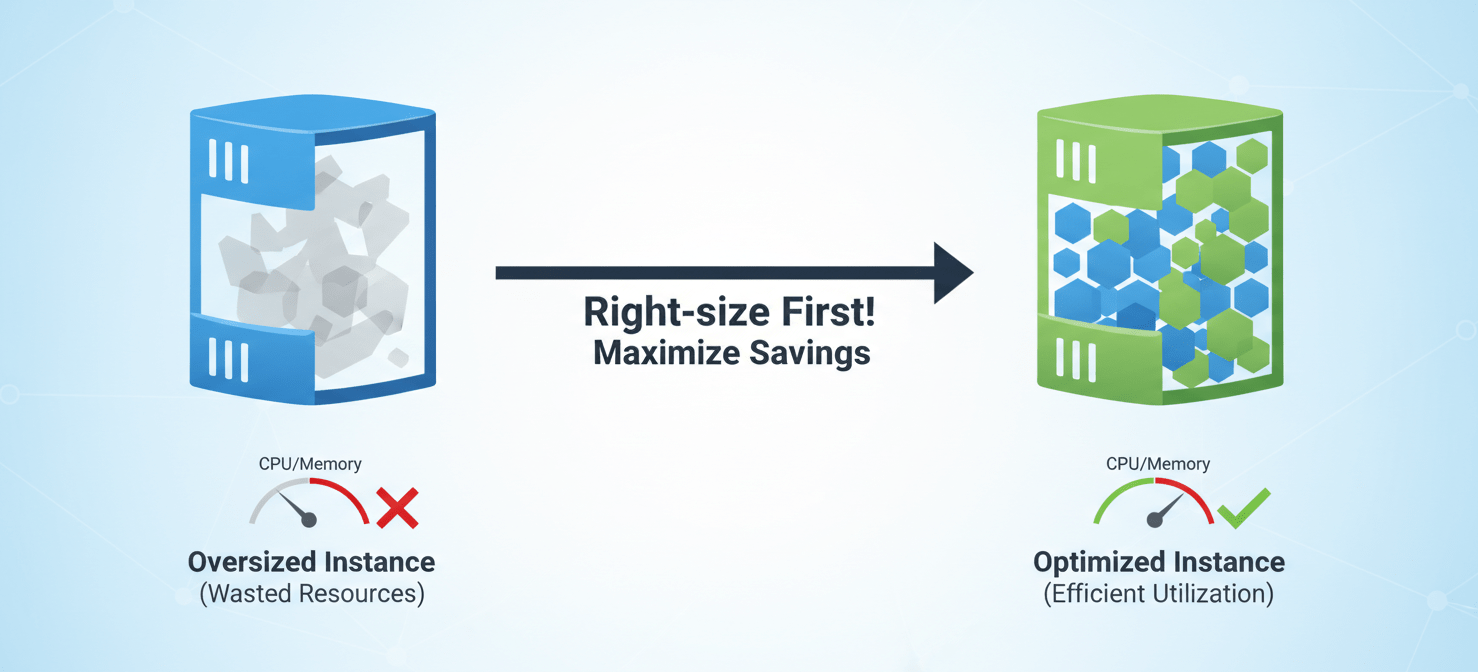
Right-Sizing Before You Buy
One of the most common mistakes is reserving over-provisioned instances. Before you commit to a one- or three-year term, ensure your instances are right-sized for their workloads. Use tools like AWS Compute Optimizer to analyze performance metrics like CPU and memory utilization. You may find that a workload running on an m5.2xlarge could perform just as well on an m5.xlarge, instantly cutting the cost in half. Always right-size first, then reserve.
Choosing the Right Term and Payment Option
- 1-Year vs. 3-Year Term: A 3-year term offers a significantly higher discount than a 1-year term. However, it also locks you in for a longer period. Choose a 3-year term only for your most stable, predictable workloads where you are confident the underlying technology will not change dramatically. For more dynamic applications, a 1-year term is a safer bet.
- Payment Options: AWS offers three payment options: All Upfront, Partial Upfront, and No Upfront.
- All Upfront: You pay for the entire reservation at the start of the term. This option provides the largest overall discount.
- Partial Upfront: You pay a portion of the cost upfront and the remainder in monthly installments. This offers a lower discount than All Upfront but requires less initial capital.
- No Upfront: You pay for the reservation entirely through monthly payments with no upfront cost. This provides the smallest discount but is the easiest from a cash flow perspective.
The best choice depends on your organization’s financial preferences and cost of capital. If you have the budget, the All Upfront option will yield the greatest savings.
Continuous Monitoring and Optimization
Managing RIs is not a one-time event. It’s an ongoing process. You should regularly monitor your RI utilization and coverage using AWS Cost Explorer.
- Utilization: This metric tells you how much of your purchased RI discount is being used. A low utilization rate means you are paying for reservations that are not being applied to running instances, effectively wasting money.
- Coverage: This metric shows what percentage of your instance hours are covered by RIs. A low coverage rate indicates an opportunity to purchase more RIs and increase savings.
Set a recurring schedule (e.g., quarterly) to review your RI portfolio. As your applications evolve, you may need to modify your RIs, exchange them, or sell them on the Marketplace to align with your current needs.
Common Mistakes to Avoid
While RIs are a powerful cost-saving tool, several common pitfalls can erode their value. Being aware of these mistakes can help you avoid them.
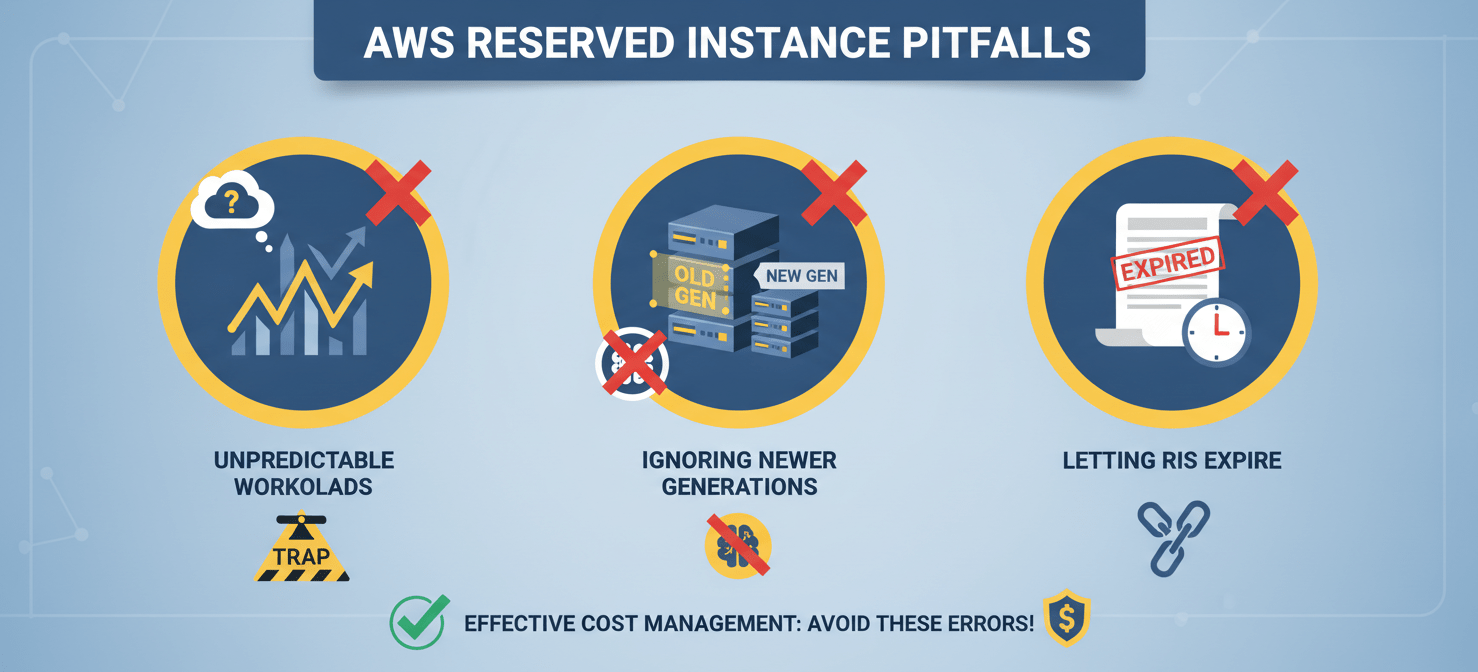
Purchasing RIs for Unpredictable Workloads
The biggest mistake is buying RIs for workloads that are not stable. Reserved Instances are designed for a consistent baseline of usage. If you reserve capacity for a project that gets canceled or for an application that has highly variable traffic, you will end up paying for unused reservations. For spiky or temporary workloads, stick with On-Demand instances or consider Spot Instances for non-critical tasks.
Forgetting About Instance Size Flexibility
Many users are unaware of how instance size flexibility works with regional RIs. They might purchase separate RIs for m5.large, m5.xlarge, and m5.2xlarge instances. A more effective strategy is to purchase RIs for the largest instance size in a family that you use. For example, purchasing a single m5.2xlarge RI provides a pool of normalized units that can be applied flexibly to cover four m5.large instances, two m5.xlarge instances, or any combination thereof. This approach maximizes flexibility and reduces management overhead.
Ignoring Newer Instance Generations
AWS constantly releases new generations of instances that offer better performance at a lower price point. Before you purchase a 3-year RI for an m4.large, for example, check if you can migrate the workload to a newer m5.large or m6g.large. Committing to an older instance generation for a long term can lock you out of performance improvements and cost efficiencies. Always modernize your instances before you reserve them.
Letting RIs Expire
Reserved Instances have a fixed term. When they expire, the instances they were covering revert to the much higher On-Demand pricing, which can lead to a sudden and unexpected increase in your AWS bill. AWS Cost Explorer provides reports on RI expiration. Set up alerts or calendar reminders well in advance of your RI expiration dates so you have time to analyze your current needs and purchase replacement reservations without a gap in coverage.
Conclusion
Effectively using AWS Reserved Instances is a fundamental skill for managing cloud costs. By moving your predictable, steady-state workloads from the expensive On-Demand model to a commitment-based pricing structure, you can dramatically reduce your monthly bill. The key is to approach reservations strategically. This means thoroughly analyzing your usage data, right-sizing your instances before you buy, and choosing the right type of RI—Standard, Convertible, or a Savings Plan—that balances your need for savings with your tolerance for inflexibility.
Managing RIs is not a one-off task but a continuous cycle of monitoring, analysis, and optimization. By avoiding common mistakes like reserving for unpredictable workloads or forgetting to modernize your instance types, you can ensure your RI portfolio remains aligned with your evolving infrastructure. Ultimately, a well-managed RI strategy doesn’t just save money; it instills a discipline of financial accountability in your cloud operations, which is far more valuable than any single discount.
Implementing a strategic AWS Reserved Instance approach is vital for achieving significant cost savings and robust financial control. To discover how our platform can help you optimize your cloud spend and manage your RIs effortlessly, you can begin a free trial today or schedule a personalized demo with our experts.
 7-day free trial