


Managing cloud costs is a critical task for any team using Azure. A significant portion of that spending often comes from database services. Understanding Azure SQL Database billing is the first step toward optimizing your expenses and ensuring you only pay for the resources you truly need. This guide breaks down the key components of Azure SQL pricing, from compute and storage to the different purchasing models available.
Key takeaways
- Azure SQL Database offers two primary purchasing models: the simple, bundled DTU model and the flexible, independent vCore model.
- The vCore model is generally recommended for new production databases as it provides greater transparency and access to cost-saving benefits like Azure Hybrid Benefit.
- Within the vCore model, you can choose between provisioned compute (billed hourly) and serverless compute (billed per second), which can automatically pause during inactivity to save costs.
- Backup storage costs are separate and calculated based on the database size, rate of change, and retention period, with storage equal to your provisioned data size provided at no extra charge.
Understanding Azure SQL Database Pricing Models
The first major choice you’ll make that impacts cost is the purchasing model. Azure offers two distinct approaches: the Database Transaction Unit (DTU) model and the vCore model. The difference isn’t the underlying database service, but how you are billed for it.
The DTU Model
The DTU model provides a simplified, all-in-one pricing structure. It bundles compute (CPU), memory, and I/O (reads and writes) into a single metric called a DTU. You select a service tier—Basic, Standard, or Premium—each offering different DTU levels and performance characteristics.
Think of this like a combo meal; you get a pre-packaged set of resources. This makes it easy to get started, especially for smaller or predictable workloads. However, the simplicity comes at a cost. You cannot scale individual resources. If your application needs more CPU but not more I/O, you still have to upgrade to a higher DTU tier that includes both, potentially paying for resources you don’t use.
The vCore Model
In contrast, the vCore (virtual core) model separates compute and storage costs, giving you independent control over each. This is more like ordering à la carte. You choose the number of vCores (logical CPUs), the amount of memory, and the storage capacity separately. This transparency is why Microsoft generally recommends the vCore model for new deployments.
The vCore model unlocks significant cost-saving opportunities not available in the DTU model, such as:
- Azure Hybrid Benefit: This allows you to use existing on-premises SQL Server licenses with active Software Assurance to get a discount on the vCore compute costs.
- Reserved Capacity: You can commit to a one- or three-year term for a specific amount of compute resources to receive a significant discount compared to pay-as-you-go pricing.
How Compute Configuration and Service Tiers Affect Costs
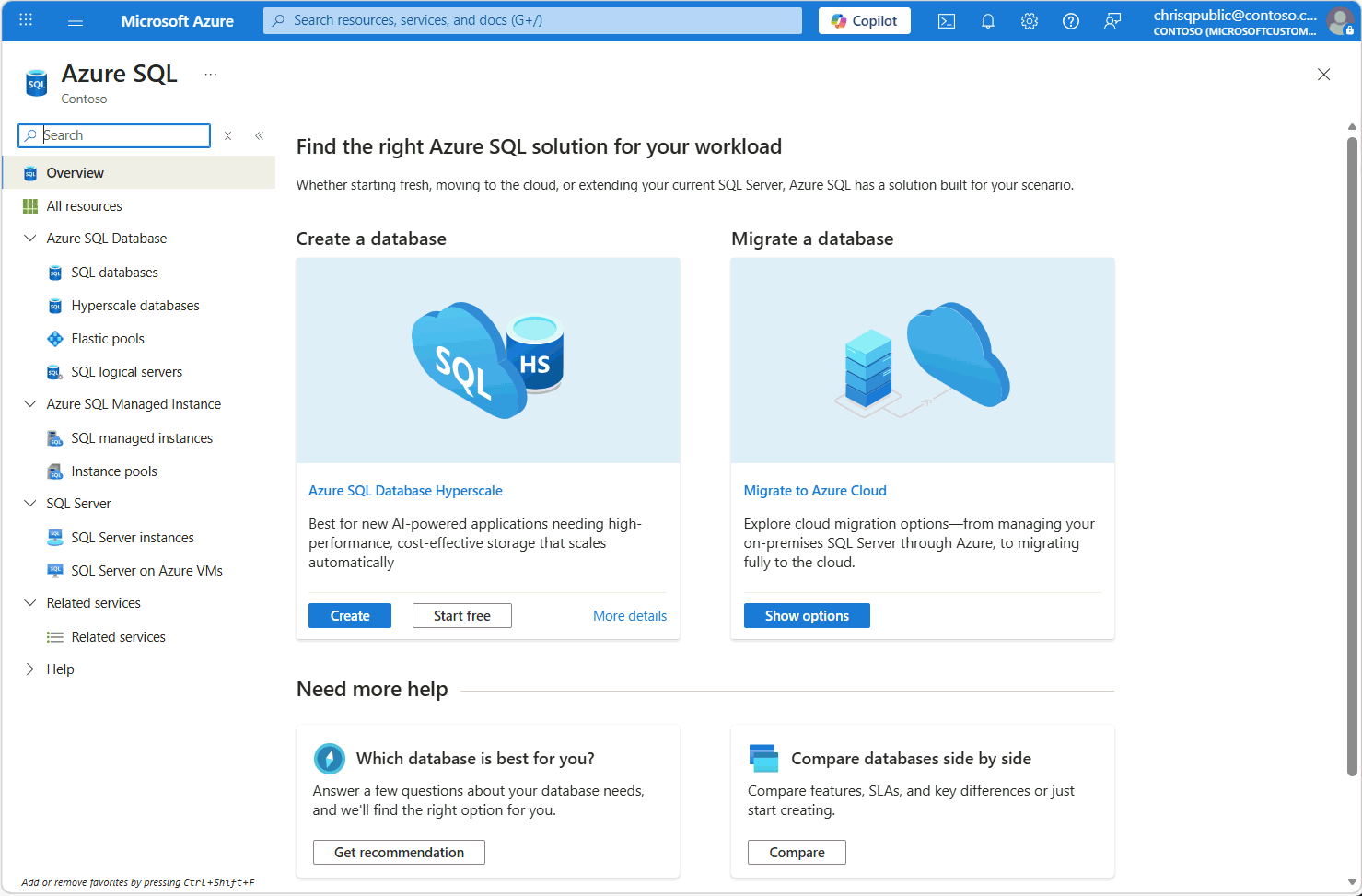
Within the vCore model, your costs are further influenced by your choice of compute tier and service tier. These decisions determine the performance, availability, and scalability of your database.
Compute Tiers: Provisioned vs. Serverless
The vCore model offers two compute tiers:
-
Provisioned Compute: You allocate a specific amount of compute resources (vCores) that are continuously available for your workload. You are billed at a fixed hourly rate for this provisioned capacity, regardless of whether you are actively using it. This is ideal for applications with consistent and predictable traffic.
-
Serverless Compute: This tier is designed for workloads with intermittent or unpredictable usage patterns. Compute resources automatically scale up and down based on demand and are billed per second. A key feature is the ability to auto-pause the database during periods of inactivity, during which you only pay for storage. This can lead to significant savings for development, testing, or infrequently used applications.
Service Tiers: General Purpose, Business Critical, and Hyperscale
The service tier defines the underlying architecture, performance, and availability features of your database.
-
General Purpose: This is a balanced option for most typical business workloads, offering budget-friendly compute and storage. It uses remote storage, which means there is a small latency for I/O operations.
-
Business Critical: Designed for high-throughput online transaction processing (OLTP) applications that require low latency and high resilience. It uses super-fast local SSD storage and includes multiple readable replicas for high availability. This performance comes at a higher price point.
-
Hyperscale: This tier is built for very large databases (VLDBs) and supports rapid scaling up to 100 TB. It has a unique architecture that allows it to grow as needed without the size limits of other tiers.
Storage, Backups, and Other Potential Charges
While compute is often the largest part of the bill, storage and other related services also contribute to the total cost.
Data and Log Storage
In the vCore model, you pay for the data and log storage you provision for your database. The General Purpose tier charges for Azure premium locally redundant storage, which can be configured from 5 GB up to 4 TB. Storage costs are billed per GB/month.
Backup Storage
Azure SQL Database automatically creates backups to enable point-in-time restore (PITR). You are provided with free backup storage up to 100% of your total provisioned database storage size. Any backup storage consumed beyond this free amount is charged per GB/month. The total backup storage depends on the database size, the rate of data change, and the configured retention period (from 7 to 35 days).
How to Interpret Azure SQL Usage Metrics and Billing Records
To manage costs effectively, you need to know where your money is going. Azure provides tools to help you analyze your spending.
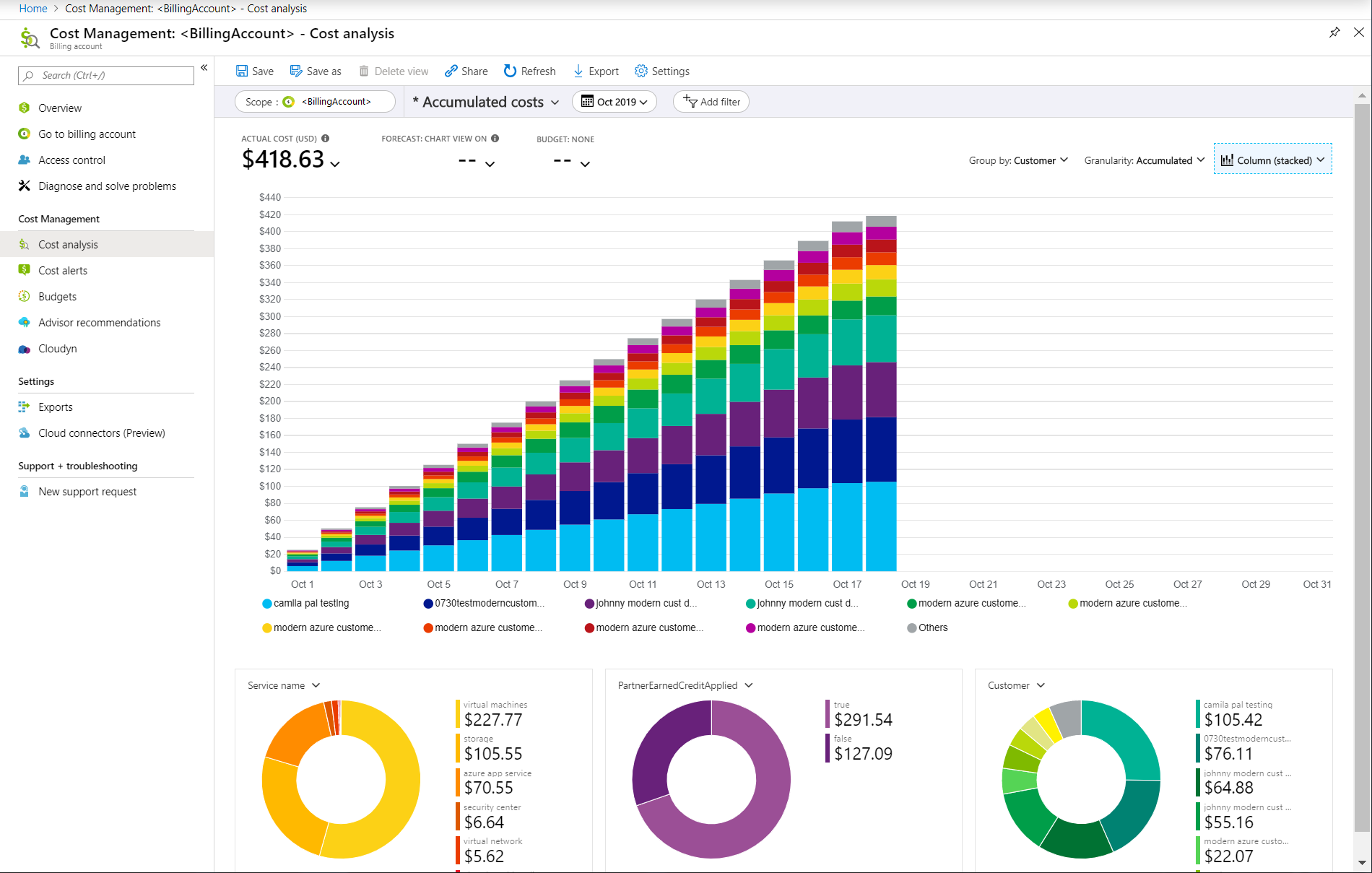
Within the Azure portal, the Cost Management + Billing section is your primary tool. You can use the Cost analysis feature to view a detailed breakdown of your spending. To focus on your databases, you can filter the view by “Service name” and select “SQL Database”. This will show you accumulated costs and trends over time.
Key metrics to monitor include:
- DTU percentage (for the DTU model): Tracks the utilization of your bundled resources.
- vCore utilization or App CPU percentage (for the vCore model): Shows how much of your provisioned CPU capacity is being used.
- Data space used: Monitors the amount of storage your database is consuming.
By regularly reviewing these metrics, you can understand your database’s usage patterns and identify opportunities for optimization.
How to Identify Expensive Databases and Unexpected Charges
Unexpected spikes in your Azure bill can often be traced back to misconfigured or underutilized databases. Using Azure Cost Management, you can drill down into your spending to identify the specific resources driving up costs.
Look for databases with consistently low CPU utilization in the provisioned tier, as these are prime candidates for scaling down or switching to the serverless tier. Also, monitor storage growth. A database that is growing unexpectedly fast may indicate an application issue that needs investigation. Setting up budgets and alerts in Azure Cost Management can help you get notified automatically when spending exceeds a certain threshold, allowing you to act before costs spiral out of control.
How Binadox Helps Analyze Azure SQL Costs
While Azure’s native tools are powerful, third-party cloud cost management platforms like Binadox can provide deeper insights and automated optimization. Binadox offers a unified dashboard for real-time Azure cost monitoring across multiple subscriptions.
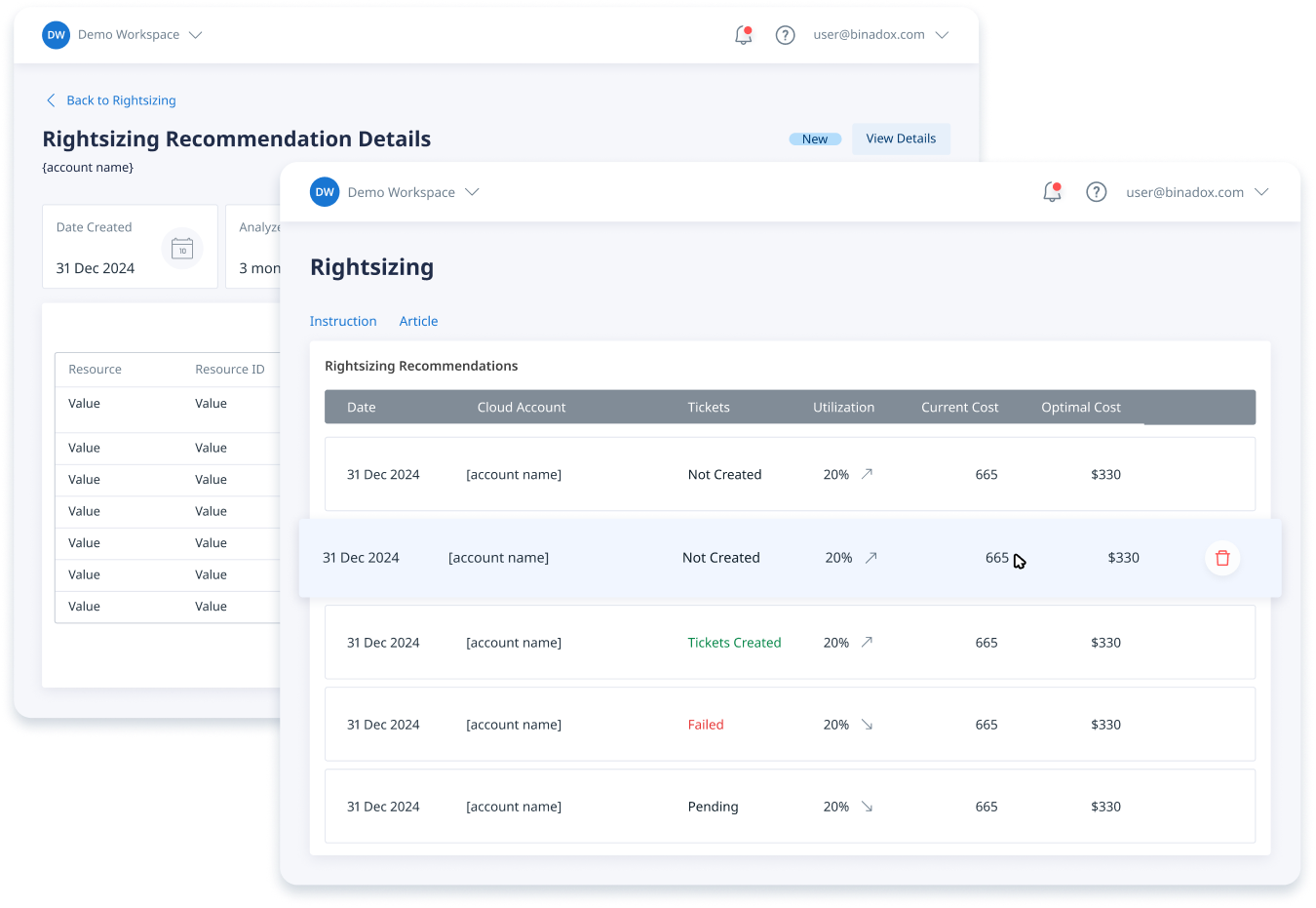
Binadox helps you achieve measurable cost reductions through features like:
- AI-Powered Rightsizing: It analyzes actual usage patterns to provide recommendations for optimizing VM sizes and storage tiers, potentially reducing costs by 30-45% without impacting performance.
- Predictive Cost Forecasting: By using machine learning, it can detect spending anomalies and prevent budget overruns before they happen.
- Resource Tagging and Governance: Binadox helps enforce a disciplined tagging strategy, which is essential for accurate cost allocation and creating showback or chargeback reports for different departments.
By integrating with Azure APIs, Binadox provides a comprehensive view of your cloud financial data, making it easier to translate that data into actionable cost-saving strategies.
Best Practices for Managing Azure SQL Spending
Effectively managing your azure sql database billing requires a continuous process of monitoring, analyzing, and optimizing.
First, choose the right purchasing model and service tier from the start. For new applications, the vCore model generally offers the most flexibility and long-term value. Next, continuously monitor your database’s performance and utilization metrics. Use this data to rightsize your instances; scale down resources during periods of low usage to avoid paying for idle capacity.
Furthermore, take advantage of cost-saving offers like Azure Hybrid Benefit and Reserved Instances if they fit your workload and commitment level. For non-production databases, consider using the serverless compute tier to pay only for what you use. Finally, implement a strong governance strategy with resource tagging and automated alerts to maintain visibility and control over your spending.
Ultimately, mastering Azure SQL Database billing is not about finding a single magic bullet for cost savings. It’s about developing a disciplined approach to cloud financial management. By understanding the levers that control your costs—from purchasing models to compute tiers—and using the right tools to monitor your spending, you can ensure your database architecture is not only powerful and scalable but also cost-effective. The goal is to pay only for what you need, and not a vCore more.
To effectively implement these cost-saving strategies and gain comprehensive insights into your Azure SQL spending, explore how Binadox can help by accessing a free trial or scheduling a demonstration.
 7-day free trial