



For many organizations, Microsoft 365 is the backbone of productivity. However, its sprawling suite of applications and complex licensing tiers can create a significant financial black box. Without a structured approach, costs can easily spiral out of control, leaving you with a bloated budget and underutilized assets. This is where applying cloud financial management principles becomes essential. Adopting a finops for microsoft 365 strategy allows your team to move beyond simple license procurement and into a state of continuous cost optimization, accountability, and value delivery. By treating M365 as a dynamic, consumption-based service—even with its per-user-per-month billing—you can drive significant savings and align software spending directly with business outcomes.
Key takeaways
- Implement a four-step license reclamation process for inactive users, starting after 30 days of inactivity.
- Establish clear ownership and a cross-functional team to govern M365 license allocation and policies.
- Use showback or chargeback models to create cost awareness and accountability among business units.
- Continuously monitor license utilization to right-size plans, aiming to eliminate at least 10-15% of license waste annually.
The Visibility Problem: Why M365 Costs Spiral
The primary challenge in managing Microsoft 365 spend is a lack of visibility. In large enterprises, license requests often flow through IT procurement without a clear connection to departmental budgets or actual usage. As a result, organizations accumulate expensive, high-tier licenses (like E5) for users who may only need basic email and document editing (closer to an E1 or E3 feature set). This disconnect between procurement and consumption is where costs begin to inflate. Without granular data, you cannot answer fundamental questions: Who is using what? Which department is driving the most cost? Are we paying for features that are never deployed?

The Hoarding Effect
A common issue is license hoarding. Department heads, fearing delays in provisioning, often request more licenses than they currently need. Furthermore, employees may leave the company or change roles, but their premium licenses are not always reclaimed and redeployed. Instead, they sit idle, generating costs with zero return on investment. This passive waste is a direct result of poor data and a lack of accountability. For example, a user might be assigned a Power BI Pro license for a one-time project but retain it indefinitely, even if they never build another report.
Complexity in SKU and Plan Tiers
Microsoft offers a vast array of license plans, from basic Frontline worker SKUs to comprehensive Enterprise E3 and E5 suites. The feature differences can be subtle, but the cost implications are significant. An E5 license, for instance, includes advanced security, analytics, and voice capabilities that can cost substantially more than an E3 license. Without a clear understanding of which user personas require which features, organizations often default to over-provisioning as the “safe” option. This strategy, however, directly contradicts the FinOps principle of paying only for what you use. The goal is to match the service tier to the specific needs of the role, thereby eliminating waste.
Establishing a Governance Framework for M365 Licenses
Effective cost management begins with a strong governance framework. This isn’t about restricting access; it’s about ensuring the right resources are allocated to the right people at the right cost. Establishing this framework requires creating clear policies, defining roles and responsibilities, and leveraging data to enforce those policies. It’s the foundation of your m365 license governance strategy.
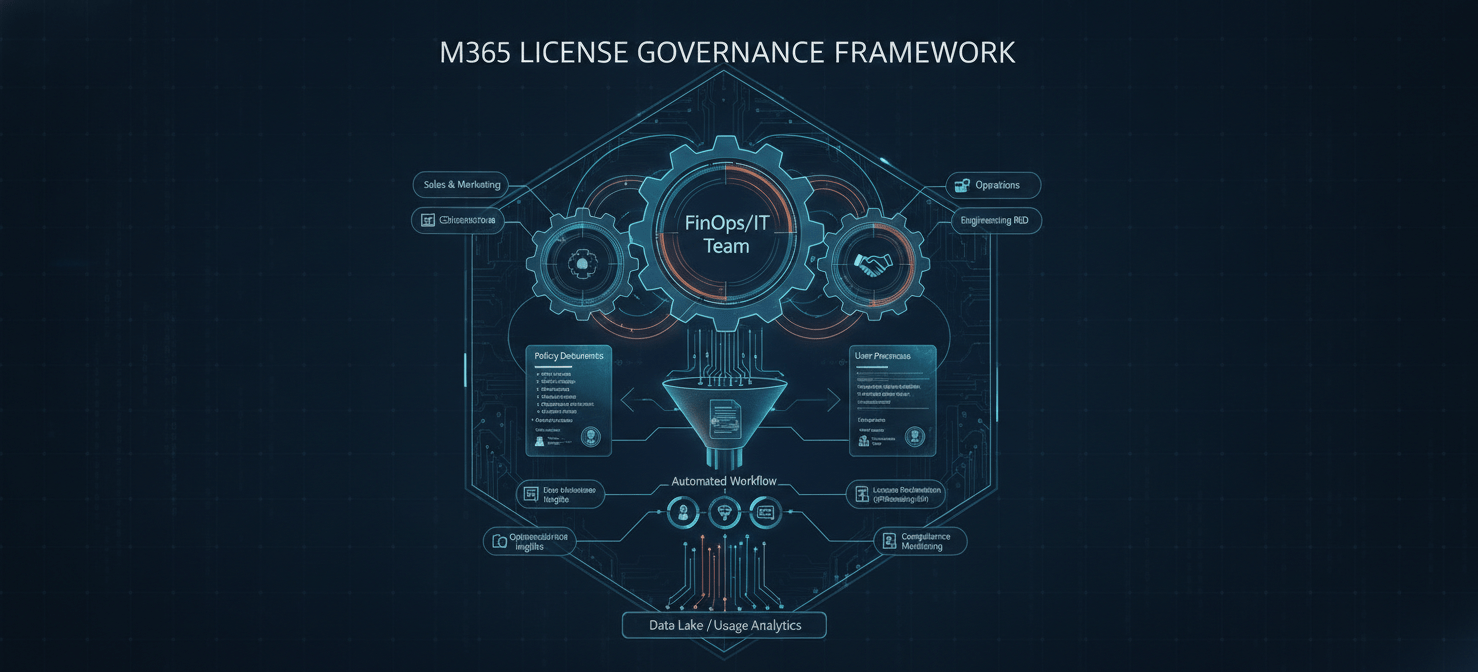
First, you must establish a cross-functional team. This team should include representatives from FinOps, IT, Procurement, and key business units. Its mandate is to define the rules for license allocation. For example, the team would create user personas (e.g., “Information Worker,” “Executive,” “Frontline Staff”) and map them to specific M365 license tiers. An “Executive” might be pre-approved for an E5 license, while a “Frontline Staff” member defaults to an F3 license.
Next, you need to automate the request and approval workflow. Instead of manual email requests, use a ticketing system or automation platform where users request a specific license tier. This request should require justification and approval from a department head or budget owner. This process creates an immediate checkpoint, forcing a consideration of cost versus need at the point of request. It also generates an audit trail, which is invaluable for tracking allocation decisions and justifying costs during budget reviews.
Finally, implement a clear policy for license reclamation. An automated process should identify and flag accounts that have been inactive for a specified period, such as 30 days. The process could look like this:
- 30 days inactivity: User’s manager receives an automated notification.
- 45 days inactivity: The license is downgraded to a lower-cost tier or a “license-less” holding state.
- 90 days inactivity: The license is fully reclaimed and returned to the central pool for reallocation.
This automated lifecycle management prevents orphaned licenses from accumulating and ensures you maintain a lean, efficient license pool.
Allocation and Chargeback: Making M365 Costs Transparent
Once you have visibility and governance, the next step is to allocate costs back to the business units that incur them. This is where office 365 chargeback or showback models come into play. A showback model reports on the cost of M365 services consumed by each department, creating visibility and encouraging behavioral change without actually transferring funds. In contrast, a chargeback model formally bills each department for its consumption, treating M365 as a direct operational expense.
For a FinOps analyst, implementing either model is a powerful lever for driving accountability. When a department head sees a line item on their P&L for “M365 Licensing,” they are immediately incentivized to manage that cost. They will start asking the right questions: Do all my team members really need E5? Who has licenses they aren’t using? This shifts the responsibility for cost control from a central IT or FinOps team to the edges of the organization, where the consumption decisions are actually made.
Building an Attribution Dashboard
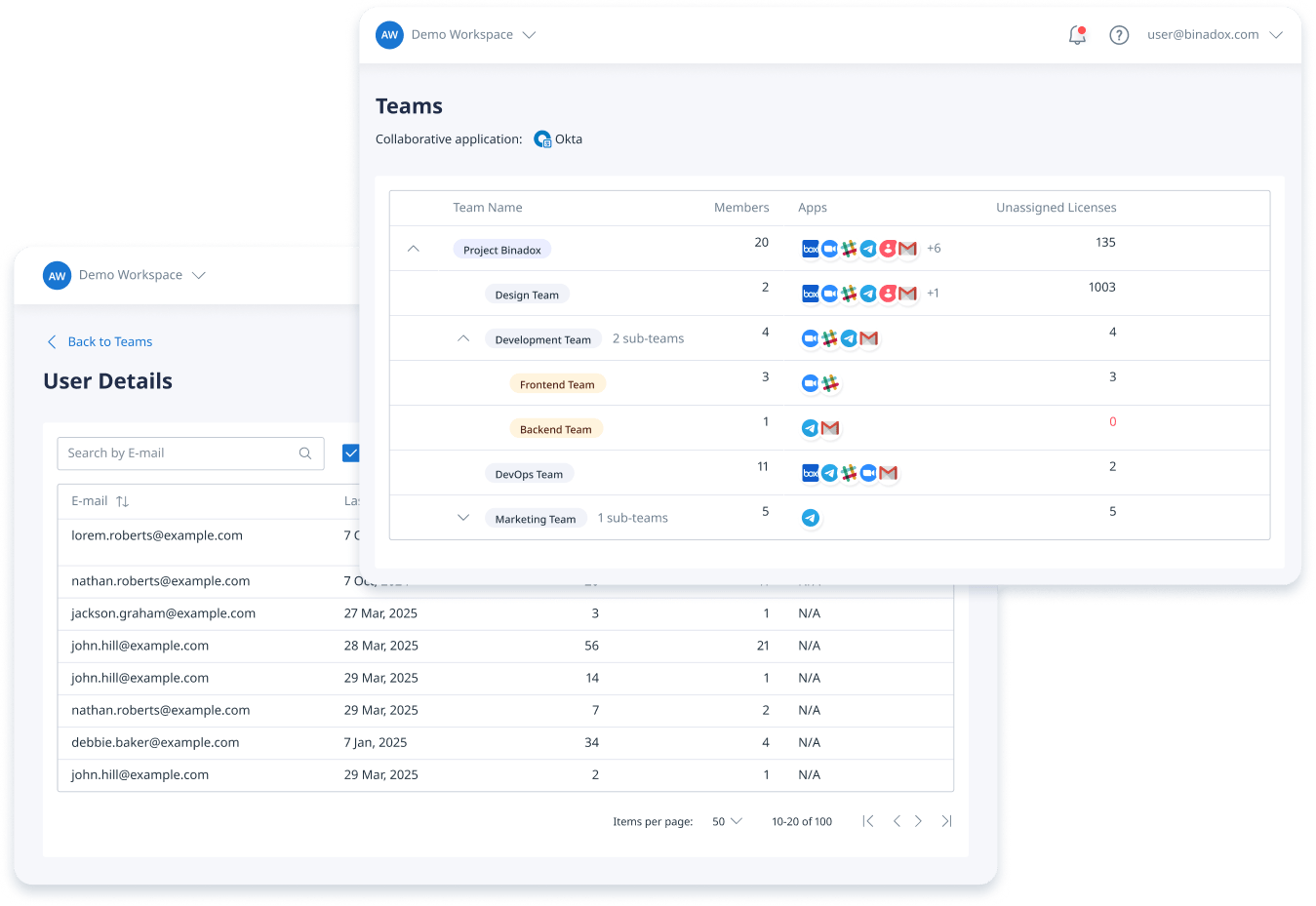
To effectively implement chargeback, you need a robust attribution dashboard. This dashboard should ingest data from Microsoft’s admin portals and your HR information system (HRIS). By combining these data sources, you can accurately map each license to an employee, a department, a cost center, and even a specific project.
Your dashboard should visualize key metrics, including:
- Cost per department: A clear breakdown of monthly license costs by business unit.
- License distribution: The number of E1, E3, E5, and other licenses assigned to each team.
- Inactive license report: A list of users with assigned licenses who have not logged in or used key services within a defined period (e.g., 30-60 days).
- Usage of premium features: Data on which users are actively using the high-cost components of their licenses, such as Power BI Pro or Advanced Threat Protection.
This dashboard becomes your single source of truth for M365 spending. It provides the data needed to have informed conversations with department heads about their consumption and to identify opportunities for optimization.
Continuous Optimization: The Core of FinOps for Microsoft 365
The final phase of the FinOps lifecycle is continuous optimization. This is not a one-time cleanup project; it is an ongoing process of monitoring, analyzing, and refining your M365 license portfolio. Your goal is to ensure that your organization is always on the most cost-effective license plan for its needs, adapting as roles change and usage patterns evolve. This iterative approach is the essence of finops for microsoft 365.
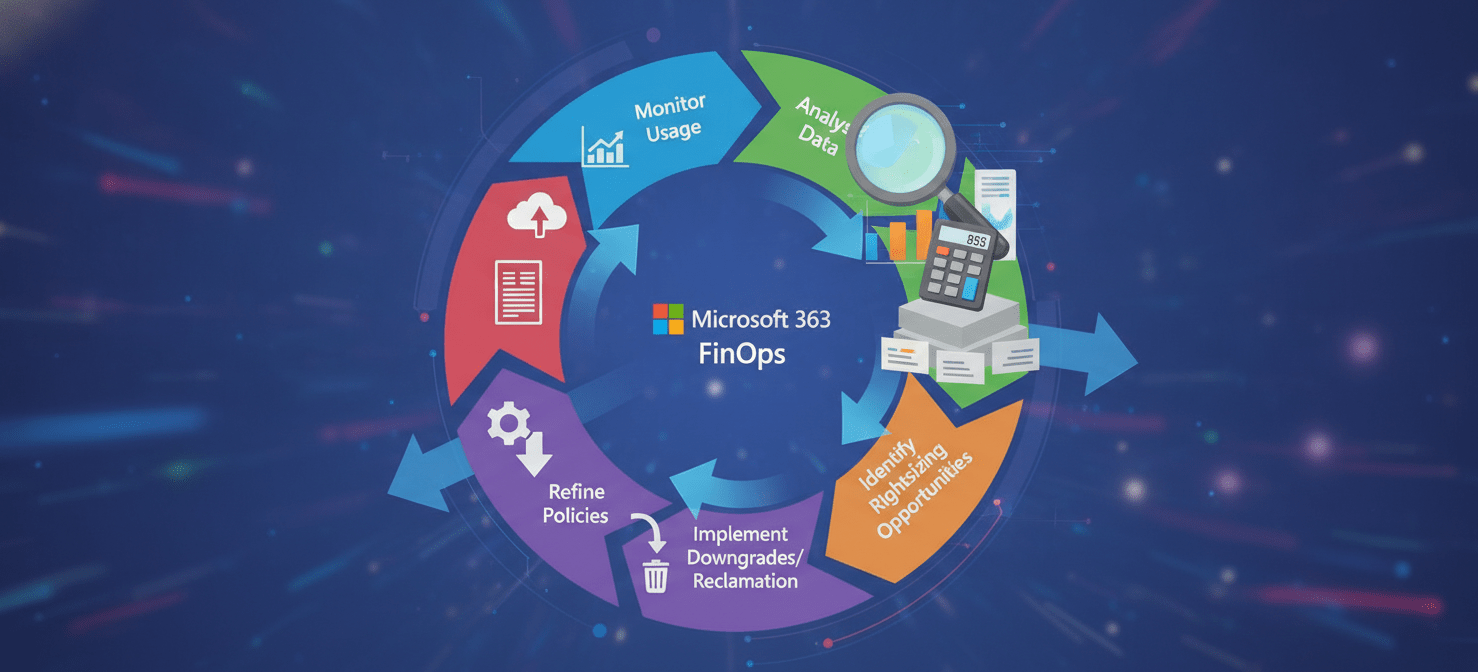
A key activity here is rightsizing. Using the data from your attribution dashboard, you can identify users who are over-provisioned. For example, a user with an E5 license who has not used any E5-specific features in the past 90 days is a prime candidate for a downgrade to E3. These downgrades can yield substantial savings when applied across the organization. The process should be data-driven and, where possible, automated. You can set up alerts to flag downgrade opportunities, which can then be reviewed and approved by the governance team.
Furthermore, you should conduct regular reviews of your overall license mix. Are there new, more cost-effective SKUs available from Microsoft? Could you leverage a different mix of standalone product licenses versus bundled suites to lower costs? For instance, instead of giving every user in a department a full E5 license for a single feature, it might be cheaper to purchase that feature as a standalone add-on for the few who need it. These strategic reviews ensure your licensing model evolves with both your organization’s needs and Microsoft’s product offerings.
Fostering a Cost-Conscious Culture
Ultimately, successful optimization relies on building a culture of cost awareness. The dashboards and chargeback models are tools to facilitate this cultural shift. When employees and their managers understand the financial impact of their software consumption, they become active participants in the optimization process. Encourage them to periodically review their own needs and release licenses for features they no longer use. This creates a virtuous cycle: visibility drives accountability, accountability drives optimization, and optimization frees up budget for innovation.
In conclusion, applying a FinOps framework to Microsoft 365 transforms license management from a reactive, administrative task into a strategic financial discipline. It’s about moving away from the “set it and forget it” mindset and embracing a model of continuous, data-driven improvement. By establishing clear visibility, implementing strong governance, allocating costs transparently, and relentlessly optimizing, you can turn a significant cost center into a well-oiled, efficient asset. The core challenge of finops for microsoft 365 is not just about cutting costs; it’s about maximizing the value of every dollar spent. After all, an unused license is not just a wasted line item—it’s a missed opportunity.
Ready to transform your Microsoft 365 license management with FinOps? You can experience the benefits firsthand with a free Binadox trial or schedule a personalized demonstration to see how it works.
 7-day free trial