



As a FinOps lead or cost analyst, your world revolves around attribution, KPIs, and the constant pressure to translate cloud spend into business value. AWS commitment discounts like Savings Plans (SPs) and Reserved Instances (RIs) are your primary levers for cost reduction, but they introduce a maddening layer of complexity. Mismanage them, and you’re left with wasted spend and angry stakeholders. This is where dedicated FinOps software becomes essential, moving your practice from reactive analysis to proactive control.
Key takeaways
- Amortization is non-negotiable: For accurate showback or chargeback, you must use amortized costs to spread RI and SP fees across the billing period, matching costs to the resources that consumed the discount.
- Sharing complicates attribution: By default, AWS shares unused SP/RI discounts across an entire organization, which maximizes savings but breaks cost allocation by benefiting teams that didn’t make the purchase.
- Utilization isn’t coverage: Utilization tracks if you’re using the commitment you paid for (e.g., 98% of your $5.00/hour commitment). Coverage tracks what percentage of your eligible usage is covered by a discount. Both KPIs are critical.
- Native tools have limits: AWS Cost Explorer is a starting point but lacks the granular allocation, multi-cloud visibility, and automation needed for a comprehensive FinOps practice at scale.
The Commitment Discount Challenge: Why RIs & Savings Plans are Hard
Commitment discounts are a double-edged sword. While AWS suggests Savings Plans can offer up to a 72% discount compared to On-Demand prices, realizing that value is far from simple. The core challenge lies in the operational mechanics of how these discounts are purchased, applied, and accounted for.
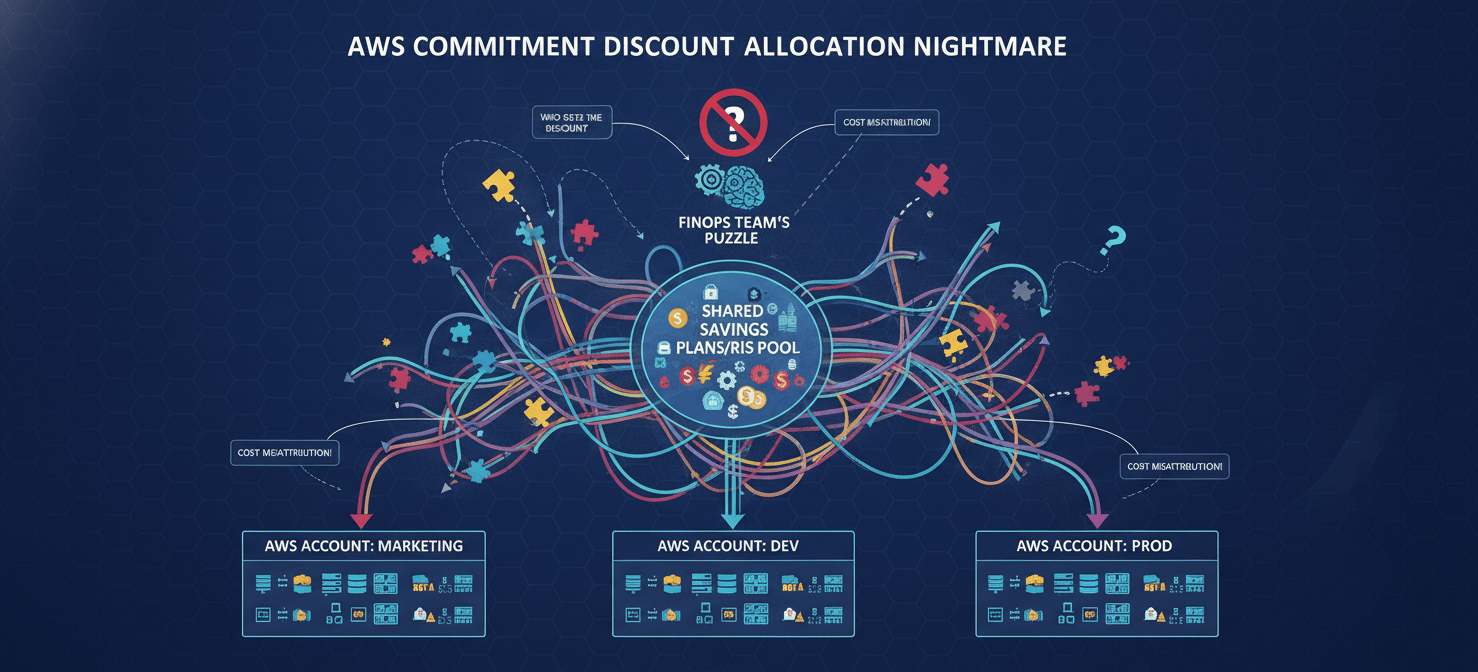
The Allocation Nightmare of Shared Discounts
By default, AWS Organizations pools usage and applies discounts across all member accounts to maximize savings. An RI purchased by the marketing team’s account might end up being used by the development team’s workloads if AWS’s logic determines that’s the most efficient application.
This creates an immediate attribution problem. The purchasing account bears the commitment cost, but other accounts receive the savings benefit. As a result, your showback reports are misleading, and implementing a fair chargeback model becomes nearly impossible without significant manual reconciliation. Your cost-per-customer or cost-per-feature KPIs become skewed, undermining the trust of your engineering and product counterparts.
Unblended vs. Amortized Costs
Another significant hurdle is understanding the difference between unblended and amortized costs. AWS invoices are based on unblended costs, which show charges as they occur. This means a large upfront payment for an RI appears as a massive spike on the first day of the month, making daily cost trends useless.
Amortized costs, in contrast, distribute these upfront and recurring fees evenly over the commitment term. This accrual-based view is the only way to accurately reflect the effective daily cost of your commitments and is essential for any credible showback or chargeback system. Relying on unblended data for cost allocation reports is a common early-stage mistake that leads to confusion and disputes.
Utilization vs. Coverage: Two KPIs That Are Not the Same
Finally, many teams mistakenly track only one commitment metric.
- Utilization measures how much of your purchased commitment you actually use. If you commit to $10/hour and your usage only consumes $9 of that commitment, your utilization is 90%, and you’ve wasted $1.
- Coverage measures what percentage of your eligible compute usage is covered by a commitment discount. If your total eligible usage was worth $20 at On-Demand rates and $15 of it was covered by SPs/RIs, your coverage is 75%.
A high utilization rate with low coverage means you’ve left savings on the table. Conversely, low utilization indicates you’ve overcommitted and are paying for resources you aren’t using. You must monitor both to balance risk and savings.
How FinOps Software Solves the Commitment Puzzle
Native tools like AWS Cost Explorer provide basic reporting on utilization and coverage, but they fall short in addressing the core allocation and operational challenges. This is the gap that a dedicated FinOps platform is built to fill, transforming raw billing data into an operational workflow for engineering, finance, and leadership.
Automating Cost Allocation and Chargeback
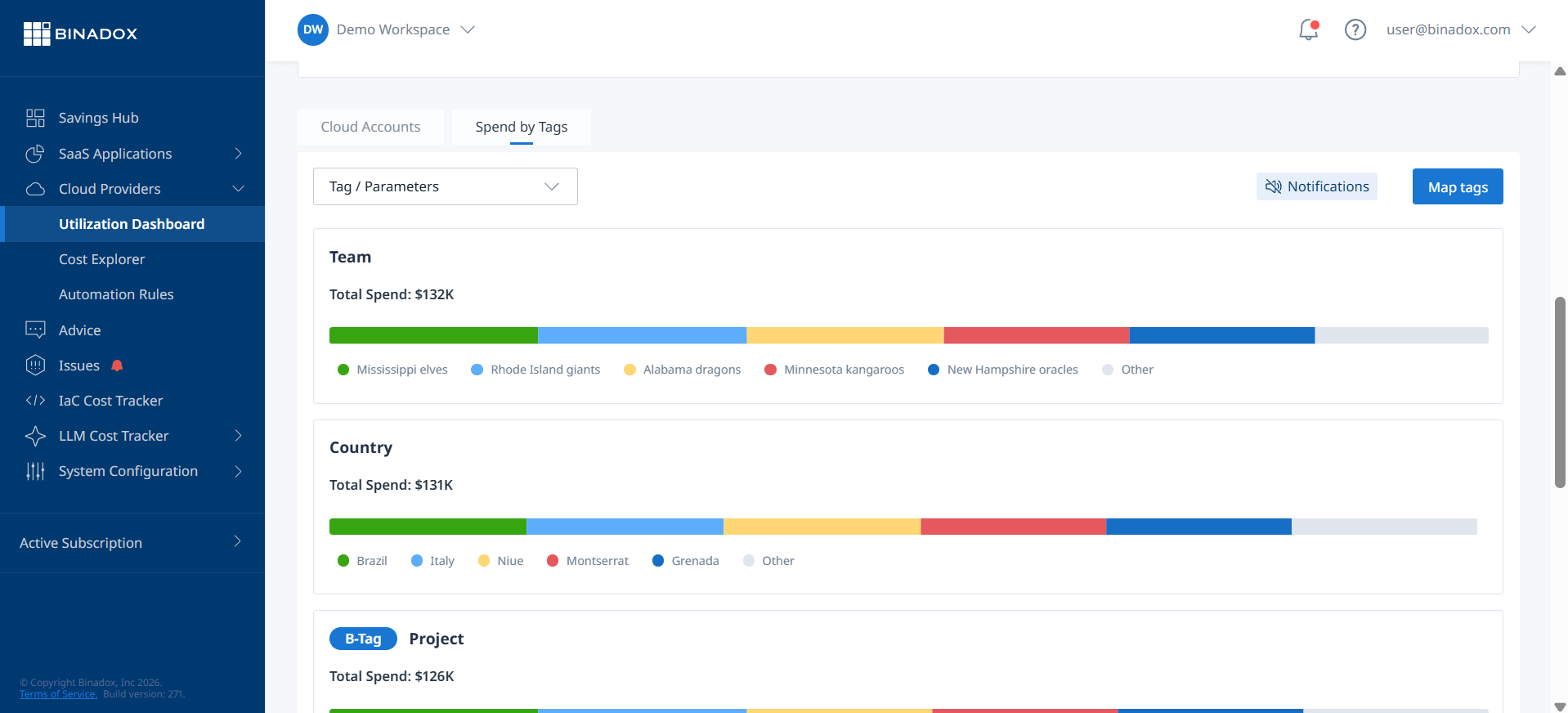
The primary function of a FinOps tool is to solve the attribution problem. These platforms ingest your detailed AWS Cost and Usage Report (CUR) and automatically apply the necessary logic to handle shared resources and commitment discounts.
Instead of manually reconciling which team benefited from a shared Savings Plan, the software can distribute the amortized cost of the commitment to the specific resources that consumed it. This allows you to generate accurate showback reports that reflect true consumption. For organizations with mature FinOps practices, this enables a defensible chargeback model where business units are billed for the resources they actually use, creating direct financial accountability.
From Visibility to Actionable Insights
While AWS tools can show you what you spent, the best FinOps tools focus on turning that data into concrete actions. Instead of just a utilization report, a FinOps platform provides context. It can:
- Identify idle or unallocated resources covered by a commitment.
- Model the impact of purchasing or modifying commitments based on historical usage patterns.
- Provide rightsizing recommendations that align with existing commitments to avoid waste.
- Detect cost anomalies in real-time, alerting the responsible team before they escalate.
This shifts the conversation from “What did we spend?” to “What is the most efficient way to spend our next dollar?”
Creating a Single Source of Truth
A critical role for the FinOps lead is to create a shared understanding of cloud costs across different teams. Engineering needs granular, resource-level data. Finance needs high-level, business-unit-centric views. A FinOps platform serves as this central hub, providing customizable dashboards and reports for each stakeholder.
This unified view ensures everyone is working from the same data, whether it’s for a quarterly business review with the CFO or a sprint planning session with a product team. It connects the technical decisions made by engineers directly to the financial outcomes tracked by your team.
Key Features of Top FinOps Platforms for AWS
When evaluating different FinOps platforms, focus on the capabilities that directly address the complexities of commitment management and cost attribution. The goal is not just more charts, but better operational workflows.
Granular Cost Allocation & Attribution
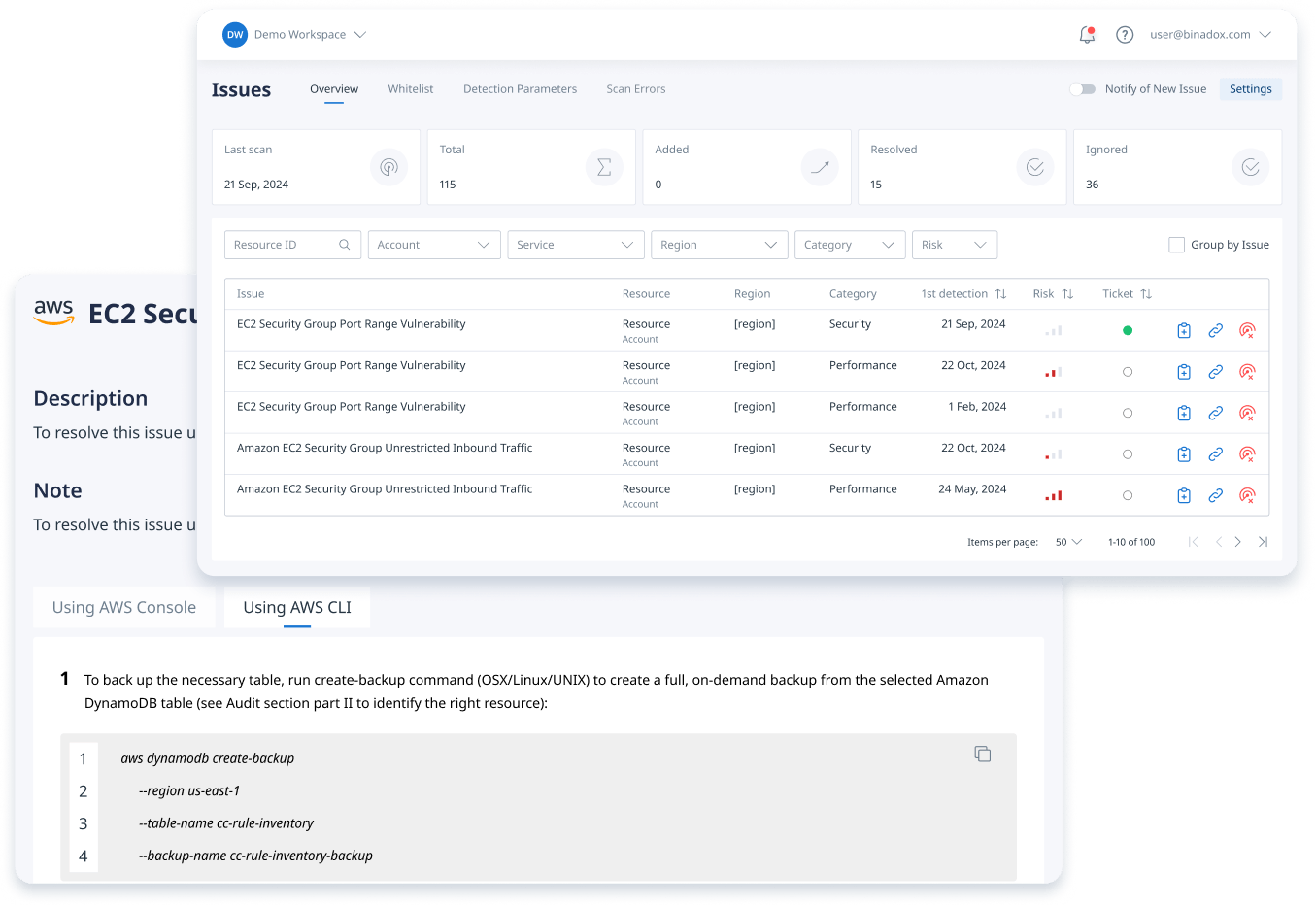
This is the foundation. The platform must be able to ingest the AWS CUR and go beyond basic account-level views. Look for the ability to allocate costs based on a hierarchy of rules, including tags, labels, and even business-defined logic. For containerized environments, the tool should support splitting cluster costs to provide showback for individual Kubernetes namespaces or deployments.
Amortized Cost Reporting
Ensure the platform uses amortized costs as the default for all reporting and dashboards related to cost allocation. It should clearly distinguish between unblended, amortized, and net amortized costs (which include additional discounts) and allow you to switch between these views for different use cases, like comparing against a finance team’s cash-basis accounting.
Commitment Lifecycle Management
The best FinOps tools don’t just report on existing commitments; they help you manage the entire lifecycle. This includes:
- Purchase Recommendations: Algorithmic recommendations for new RIs or Savings Plans based on analyzing stable usage patterns.
- Utilization & Coverage Monitoring: Real-time dashboards tracking both KPIs, with alerts for underutilization.
- Automated Management: Some advanced platforms can automate the process of buying and selling RIs or adjusting Savings Plan commitments to maintain an optimal coverage level without manual intervention.
Showback and Chargeback Automation
The platform should make it easy to create and share reports that show teams their consumption. For chargeback, it needs to support the rules and logic required to formally bill departments. This includes handling shared costs, support fees, and other overheads that need to be distributed fairly across business units.
Evaluating FinOps Software: A FinOps Lead’s Checklist
As you assess different vendors, use this checklist to frame your evaluation around the outcomes that matter to your role.
- Attribution Accuracy: Can the tool accurately allocate the costs of a shared Savings Plan to the specific accounts and resources that benefited from the discount? Ask vendors to demonstrate this with a sample of your own CUR data.
- Stakeholder Dashboards: Does the platform provide distinct, customizable views for engineers, finance, and executives? Can you build a dashboard that tracks your specific KPIs, like cost per transaction or cost per customer?
- Automation Capabilities: Beyond reporting, what actions can the tool automate? Does it offer automated commitment purchasing, waste cleanup (like identifying unattached EBS volumes), or budget alerting that integrates with Slack or email?
- Integration with Your Ecosystem: How well does the tool integrate with other systems? Does it support data exports to business intelligence tools like Tableau or Power BI? Can it pull in data from other clouds or platforms like Snowflake or Datadog for a complete view of your spend?
- Handling Complexity and Scale: Can the platform handle the complexity of your AWS Organization, including multiple accounts, complex tagging strategies, and containerized workloads? Does its performance degrade as your data volume grows?
Conclusion: Beyond the Spreadsheet
Managing AWS Savings Plans and Reserved Instances effectively is a data-driven exercise in risk management. The complexity of discount sharing, cost amortization, and dual KPIs makes it an impossible task to manage with spreadsheets or native AWS tools alone, at least for any organization where cloud spend is a material line item. Investing in the right FinOps software provides the necessary automation and intelligence to move from simply reporting on costs to actively controlling them. It allows your team to build a credible, trustworthy cost allocation model, which is the non-negotiable foundation for driving a culture of financial accountability across your engineering organization. Without it, you’re just admiring the problem.

To effectively transition from merely reporting on costs to actively controlling your AWS commitment discounts, you can experience Binadox’s capabilities by starting a free trial or connect with our team to book a personalized demo.
 7-day free trial