




In any AWS environment, it’s easy to spin up resources for development, testing, or production workloads. However, it’s just as easy to forget about them. Over time, this can lead to a significant accumulation of digital clutter and unnecessary costs. One of the most common culprits behind this quiet budget drain is unused EBS volumes. These orphaned storage blocks can persist long after their associated EC2 instances are terminated, silently accruing charges month after month. Therefore, actively managing these resources is a critical step in effective cloud cost optimization.
Key takeaways
- Unattached EBS volumes incur the same storage charges as active volumes, with a standard gp3 volume costing around $0.08 per GB-month.
- You can identify unused volumes in 3 primary ways: using the AWS Management Console, running an AWS CLI command, or leveraging tools like AWS Trusted Advisor.
- Before deleting a volume, always consider creating a final snapshot, which provides a much cheaper backup option at approximately $0.05 per GB-month.
- Automating the cleanup process with services like AWS Lambda and Amazon EventBridge can prevent future cost accumulation from forgotten volumes.
What Are Unused EBS Volumes and Why Do They Matter?
Amazon Elastic Block Store (EBS) provides persistent block-level storage volumes for use with Amazon EC2 instances. Think of them as virtual hard drives for your servers. A crucial feature of EBS is that a volume’s lifecycle is independent of the EC2 instance it’s attached to. When you terminate an instance, the attached EBS volumes are not deleted by default, unless you specifically configure the “Delete on Termination” setting.
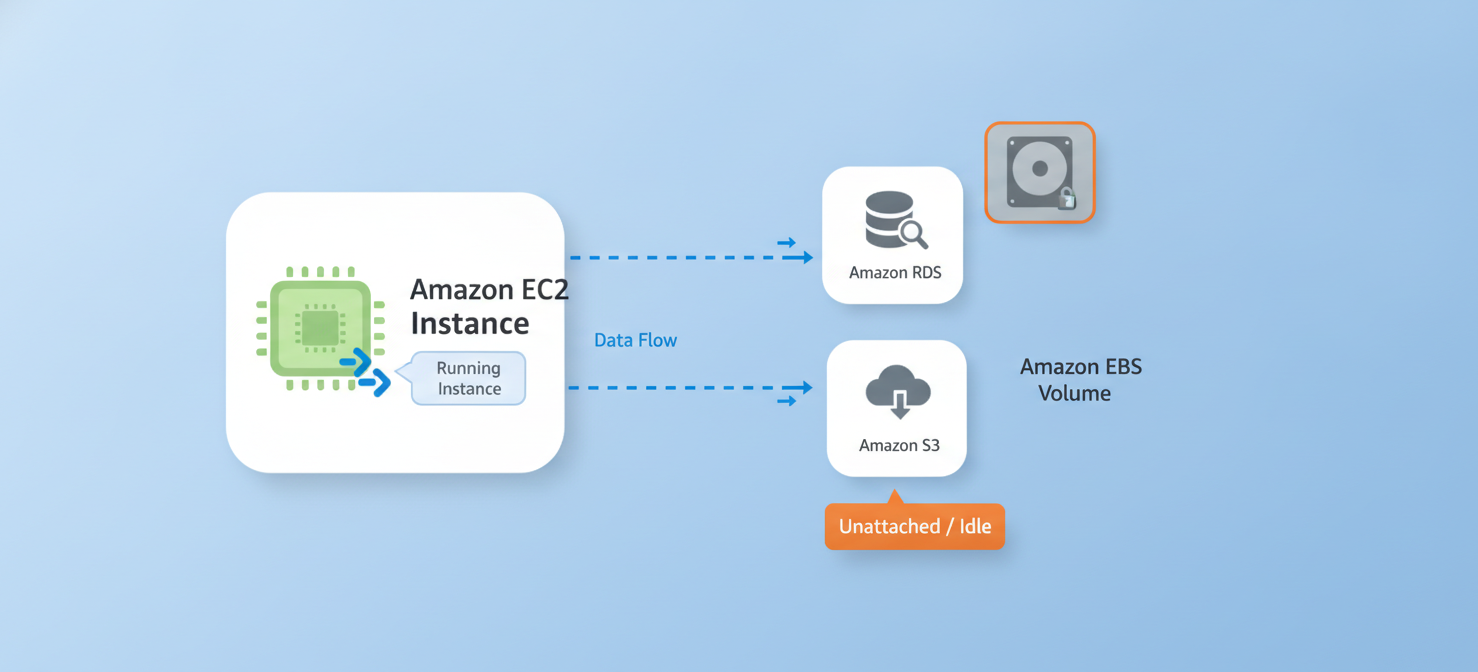
This persistence is often a benefit, allowing you to detach a volume from one instance and reattach it to another, preserving its data. However, this same feature creates a common problem: orphaned or unattached volumes. These are volumes that are no longer attached to any EC2 instance but still exist within your account.
The financial impact can be substantial. You are billed for every gigabyte of storage you provision, whether the volume is in use or sitting idle. For example, a single 500 GB gp3 volume could cost you around $40 per month, adding up to nearly $500 a year for a resource providing zero value. Across a large organization with hundreds of developers, the cost of these forgotten volumes can easily scale into thousands of dollars annually.
How to Find Unused EBS Volumes in AWS
Identifying these costly, idle resources is the first step toward optimizing your spend. Fortunately, AWS provides several methods to locate unattached volumes. Your team can choose the approach that best fits your workflow, from manual console checks to automated scripts.
Using the AWS Management Console
The most straightforward method is to use the AWS Management Console. It provides a clear, visual interface for managing your resources.
- Navigate to the EC2 service in the AWS Console.
- In the navigation pane on the left, under “Elastic Block Store,” select Volumes.
- The console will display a list of all your EBS volumes in the current region. Look for the State column.
- Volumes with a state of “available” are unattached and are candidates for deletion. You can use the filter bar to show only volumes in the “available” state.
Using the AWS Command Line Interface (CLI)
For those who prefer working from the command line or need to script this process, the AWS CLI offers a powerful alternative. A single command can list all unattached volumes in a specified region.
You can run the following command to query for all volumes with the “available” status:
aws ec2 describe-volumes --filters Name=status,Values=available
This command returns a JSON object containing detailed information about each unattached volume, which can then be parsed for further action.
Leveraging AWS Trusted Advisor
AWS Trusted Advisor is a service that inspects your AWS environment and makes recommendations to help you follow best practices. One of its key checks is identifying underutilized resources, including idle EBS volumes. While the basic checks are available to all users, more detailed cost optimization recommendations may require a business or enterprise support plan. Trusted Advisor can provide a high-level overview of potential savings across your entire account.
Step-by-Step Guide to Deleting Unattached EBS Volumes
Once you have identified a list of unused EBS volumes, the next step is to remove them safely. It is crucial to follow a careful process to avoid accidental data loss.
Step 1: Verify the Volume is Truly Unused
Before deleting anything, double-check that the volume is not needed. Was it detached temporarily for maintenance? Does it contain important data that was never backed up? If there is any uncertainty, communicate with the teams that might have created the resource. Applying resource tags that identify the owner or project for each volume can make this verification process much simpler.
Step 2: Create a Final Snapshot (Optional but Recommended)
If there is even a small chance the data on the volume might be needed in the future, creating a final snapshot is a wise precaution. Snapshots are incremental backups stored on Amazon S3 and are significantly cheaper than maintaining an active volume. For instance, standard snapshot storage costs about $0.05 per GB-month, compared to $0.08 per GB-month for a gp3 volume.
You can create a snapshot directly from the EC2 console by selecting the volume, clicking “Actions,” and choosing “Create Snapshot.”
Step 3: Delete the Volume
After you have verified the volume is unnecessary and have created a backup snapshot, you can proceed with deletion.
- In the AWS Console: Select the “available” volume, click the “Actions” button, and then select “Delete Volume.” You will be asked to confirm the deletion.
- Using the AWS CLI: Use the
delete-volumecommand with the appropriate volume ID:aws ec2 delete-volume --volume-id vol-0123456789abcdef0
Remember, deletion is a permanent and irreversible action. Once a volume is deleted, its data is gone forever unless you have a snapshot.
Best Practices for Preventing Unused EBS Volumes
While cleaning up existing unattached volumes is a great start, establishing best practices can prevent them from accumulating in the first place. This proactive approach is key to long-term cost control.
Implement a Strong Tagging Policy
A consistent tagging strategy is fundamental to good cloud governance. Mandate that all resources, including EBS volumes, are tagged with essential information like Owner, Project, and CreationDate. Tags make it easy to identify who a resource belongs to and why it was created, which simplifies cleanup decisions down the line.
Automate the Cleanup Process
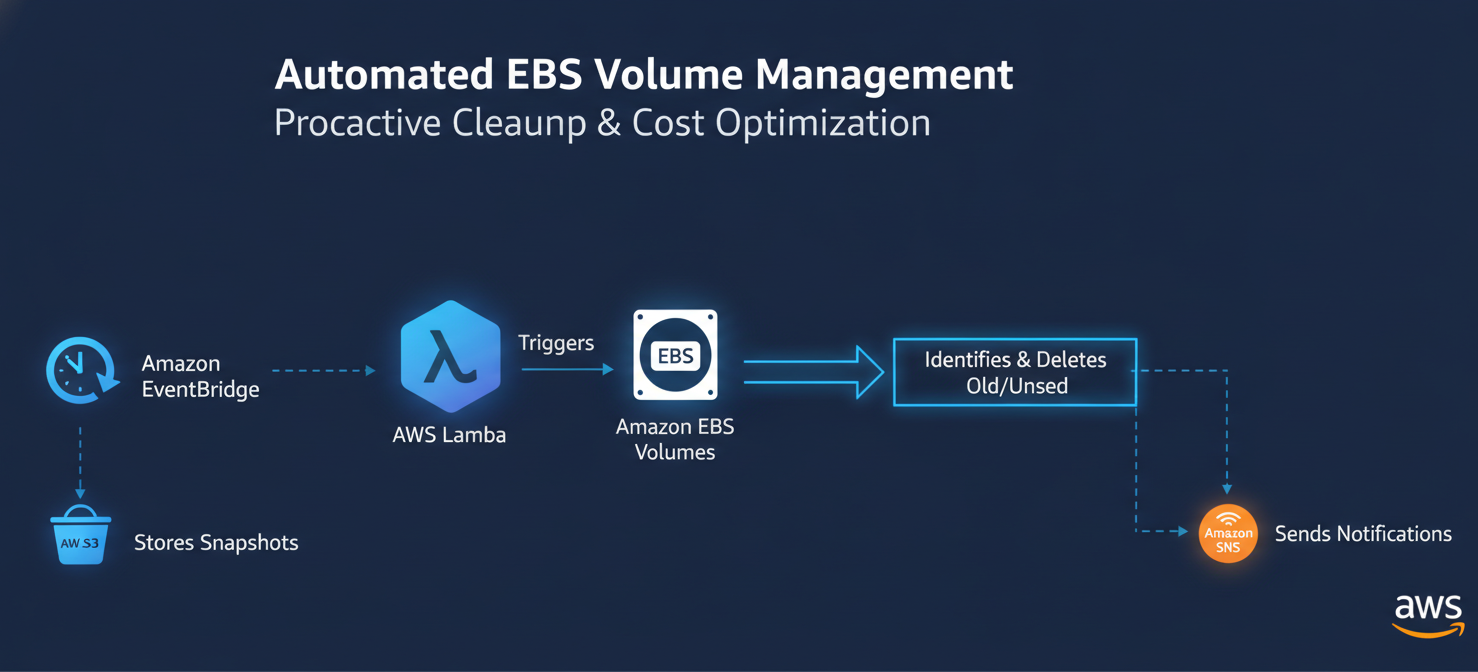
Manual cleanups are effective but can be time-consuming and are easily forgotten. A more robust solution is to automate the detection and deletion of unused EBS volumes. You can create a serverless solution using AWS Lambda and Amazon EventBridge.
For example, you can set up an EventBridge rule to trigger a Lambda function on a weekly schedule. The Lambda function would use a script to:
- List all EBS volumes in the “available” state.
- Check how long each volume has been unattached.
- For volumes that have been idle for a predefined period (e.g., 30 days), the function could automatically create a final snapshot and then delete the volume.
- Optionally, it could send a notification via Amazon SNS before taking action, giving teams a chance to intervene if a volume is still needed.
Utilize the “Delete on Termination” Flag
When launching new EC2 instances, carefully consider whether the attached storage volumes should persist after the instance is terminated. For temporary or non-critical workloads, enabling the “Delete on Termination” flag for attached EBS volumes ensures they are automatically cleaned up when the instance is terminated, preventing them from becoming orphaned.
Conclusion
Managing unused EBS volumes is not just a matter of housekeeping; it is a direct and impactful form of cloud financial management. Each unattached volume represents a recurring, unnecessary expense. By regularly identifying these idle resources through the AWS Console or CLI and establishing automated cleanup workflows, your team can eliminate this source of waste. It’s a simple process: find the “available” volumes, confirm they are no longer needed, and delete them. Leaving them to linger is the digital equivalent of paying rent on an empty storage unit—it makes no sense.
To truly master your cloud spend and ensure no EBS volume goes unnoticed, consider exploring a solution that helps you identify and manage these resources. You can easily begin a free trial to see its immediate impact on your AWS bill, or schedule a demo to understand its full capabilities for continuous optimization.
 7-day free trial